Choose Buying Logics for an account Segment
Choose Buying Logics for an account Segment
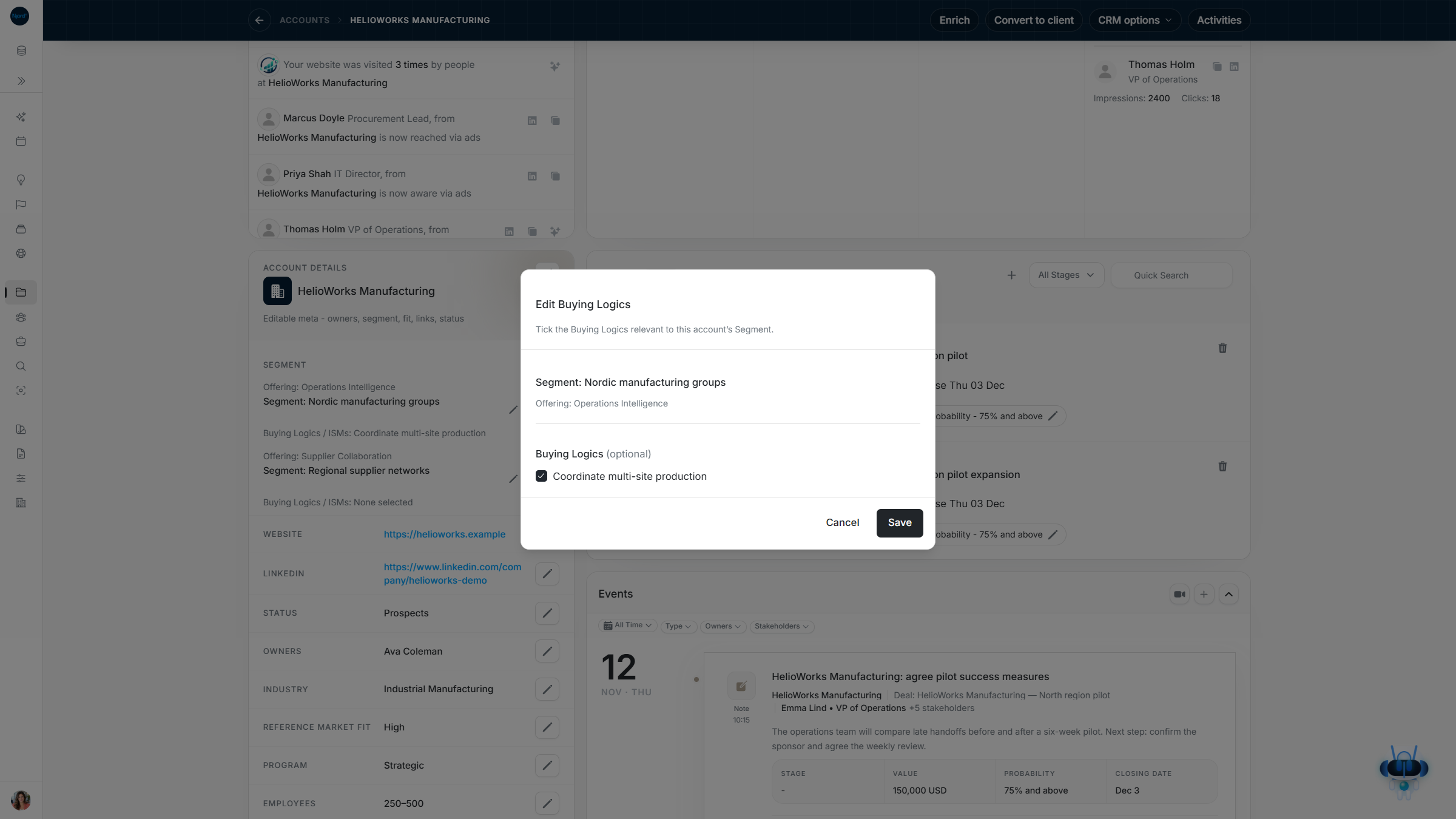
A Buying Logic / ISM describes how a company evaluates an Offering for a specific Segment. For example, HelioWorks may need to coordinate a purchase across several production sites. Save that Buying Logic on the relevant Segment row, or leave None selected.
Choose the right account relationship
- Open the account and scroll to Account Details → Segment.
- Read the Offering and Segment for the row you intend to update.
- Choose that row’s pencil, labelled Edit Buying Logics.
- Tick the compatible Buying Logics that apply and choose Save.
- Check the names shown under that same saved relationship.
For example, choose Coordinate multi-site production for HelioWorks’ Operations Intelligence relationship. A supplier-pilot Buying Logic belongs under its compatible supplier relationship instead.
Clear a Buying Logic while keeping the Segment
Reopen the same pencil, untick the logic and save. Clearing every logic leaves the Offering and Segment assigned. To remove the complete relationship, use Remove a Segment from an account.
Fix missing or outdated choices
If no compatible logic exists, ask a teammate with Context editing access to save it in Foundation with the correct Offering and Segment. A logic defined for a different relationship will not be available here.
Use Try again after a failed choices read. If a saved choice no longer fits, or another teammate updated the relationship, close the editor, refresh the account and compare the current selections before saving again. Cancelling the editor discards only its unsent changes.
This choice does not assign a role to a person. Set Buying roles, such as Champion or Sign-off, on the stakeholder. Audience membership and the deal’s Target Segment are also separate choices.