Assign saved Segments to one account
Assign saved Segments to one account
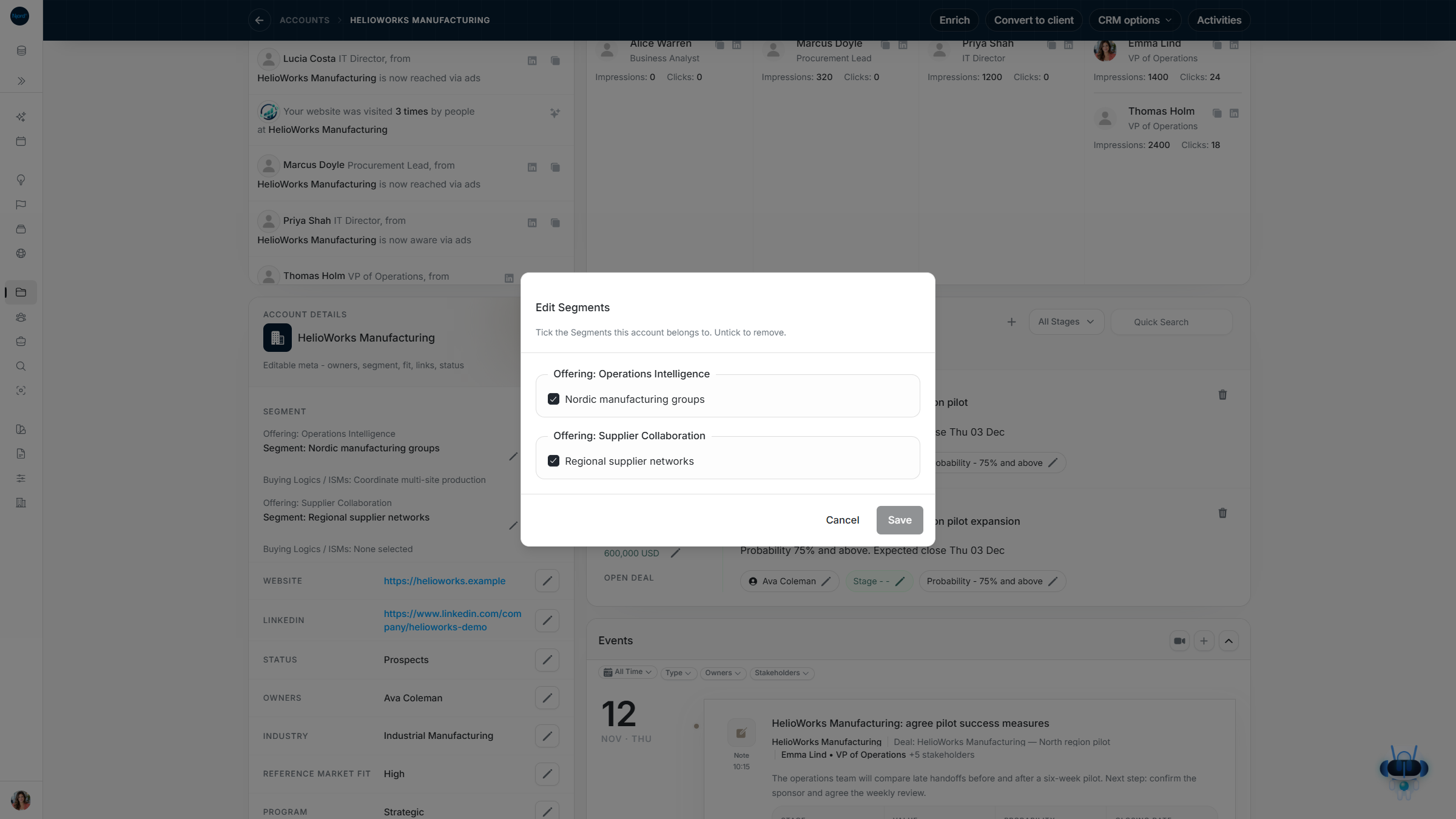
Use Edit Segments to record which markets and Offerings apply to one company. For example, record that HelioWorks Manufacturing fits Nordic manufacturing groups for Operations Intelligence. You can save several pairs for the same account.
Open the company’s Segment editor
- Find the company in Accounts and check its name and website.
- Select its Segment cell, or open its profile and use the plus control beside Segment in Account Details. The control is labelled Edit Segments.
- Read the checked choices before changing them. Choices are grouped under their Offering; the same Segment can have a separate relationship under another Offering.
Choose and save the relationships
Tick a Segment to add it. Leave other checked choices alone if they still apply. Use Find a Segment when the search appears. Untick a choice only when you intend to remove that company relationship.
Choose Save. If your change removes a relationship, read Remove unchecked selections? and confirm with Save changes, or cancel. Check the saved Segment card afterward. Cancel before saving discards the unsent selection.
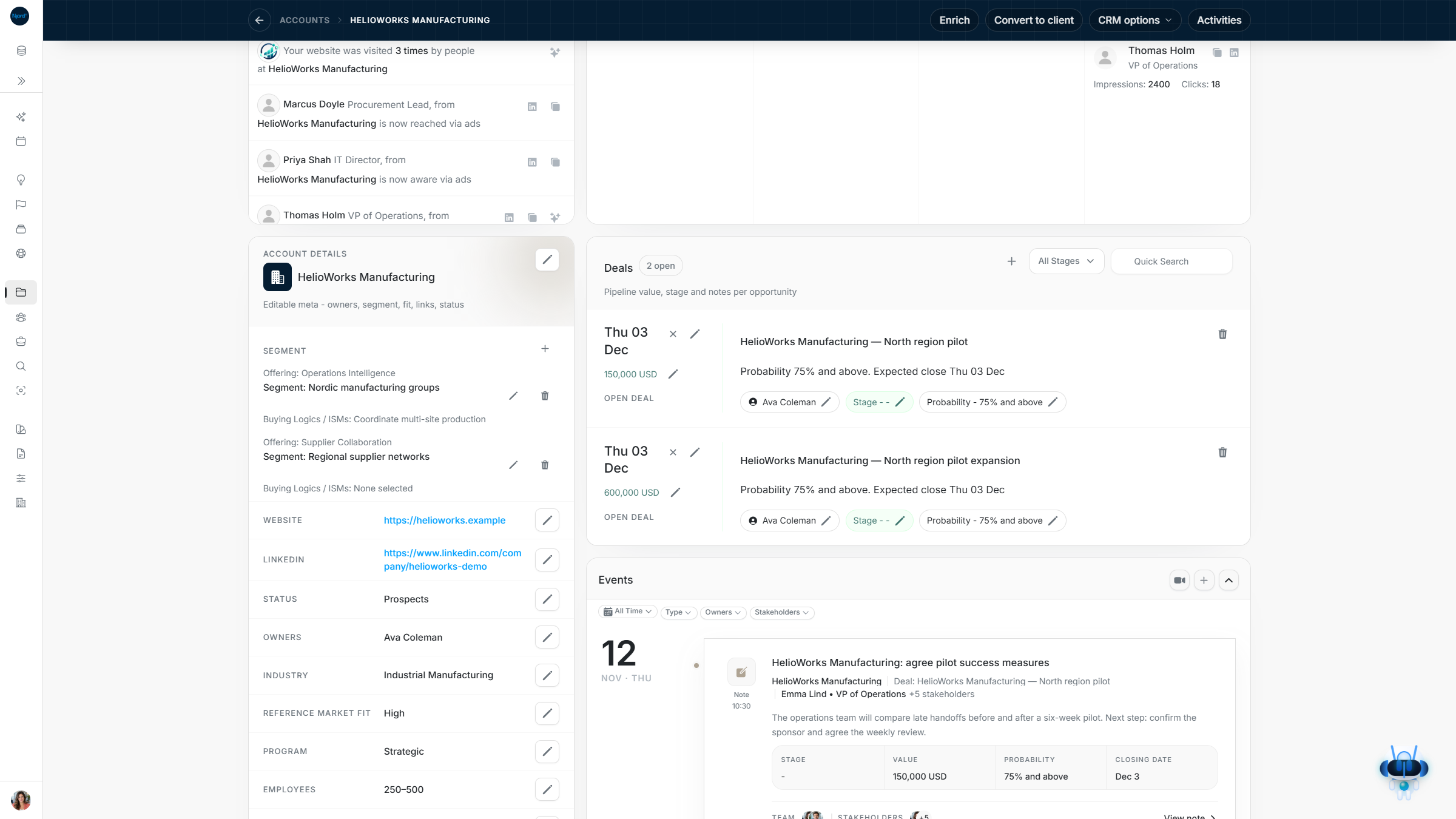
In the screenshot, the two rows record HelioWorks’ production planning and supplier coordination needs. Check each saved Offering and Segment together. Use the row’s pencil to choose an optional Buying Logic when you need one.
When a choice is missing or saving is blocked
Saved definitions come from Context → GTM Foundation → Segments. Ask a teammate with Context editing access to add or correct a definition there. Changing the company’s Industry does not create a saved Segment assignment.
Use Retry if the choices or current selections fail to load. If another teammate changed the account, reopen the editor and compare the saved choices. If only some changes saved, inspect the current relationships before retrying. A dependency warning can require linked Buying roles to be removed first; follow the named dependency rather than deleting unrelated definitions.
Saving Segments does not enroll the company or its people in an advertising audience. Stakeholders display their parent account’s Segments; choose a stakeholder’s Buying roles separately.