Choose a Target Segment
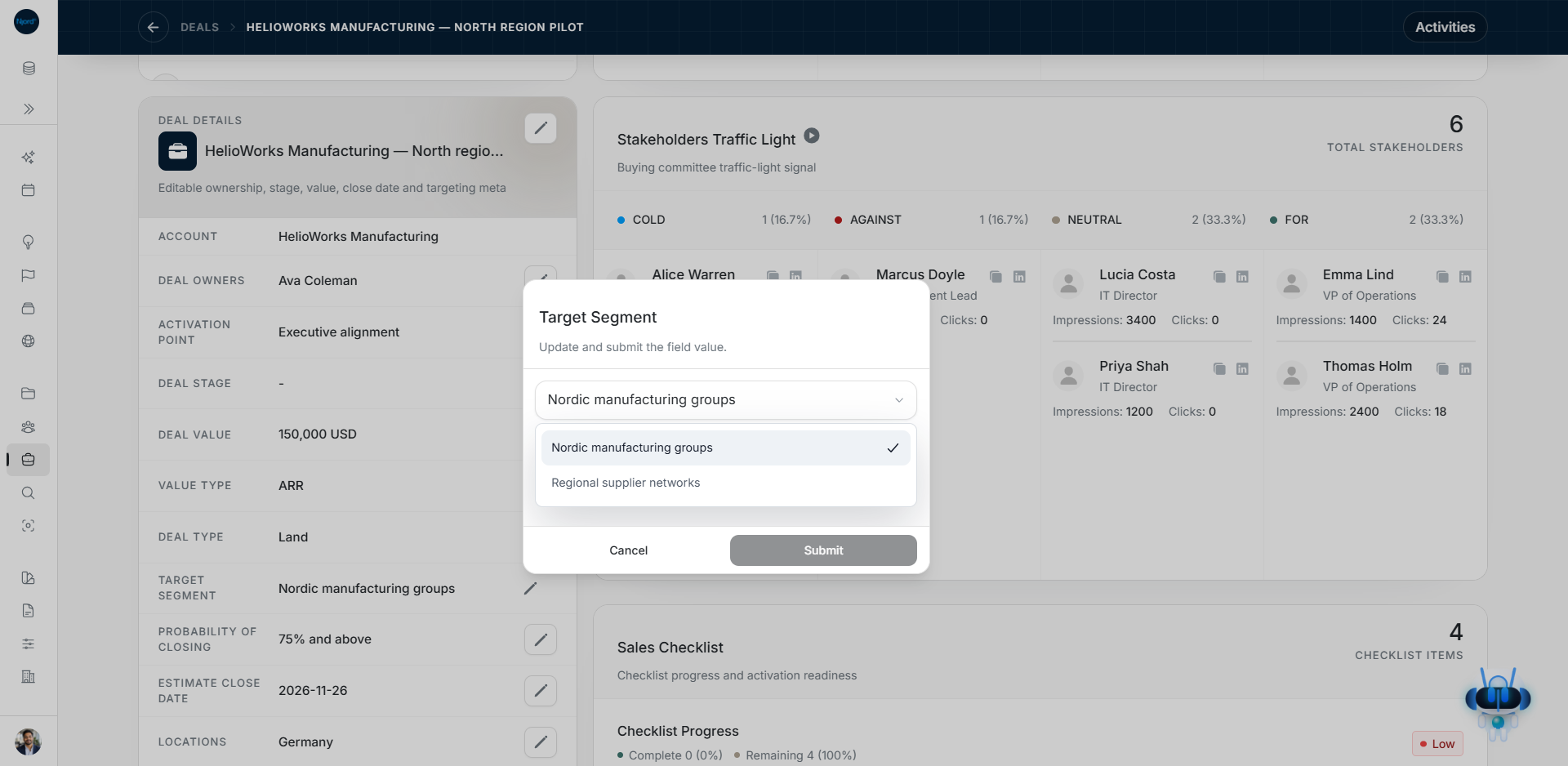
Choose a Target Segment
Target Segment records which of the parent company's saved Segments applies to this opportunity. Choose the company first; the dropdown uses its assigned Segments.
Choose it when adding a Deal
- Open Deals → Add Deal and choose Land or Expand.
- Select the parent account.
- Wait for that account's Segment choices to load.
- Open Target Segment and select the relevant saved name.
- Review the remaining required details and create the Deal.
Changing the parent account while creating the Deal clears the earlier Segment choice. Check the new company's choices before continuing.
Change it on a saved opportunity
Open the Deal's details card, find Target Segment and use its edit control. Choose from the parent account's current choices and submit the change. Check the saved value afterward.
An older saved value stays visible when you view the Deal; opening the page does not silently clear it. Equal Segment names are shown once in this name-based field. Use the parent account's GTM context when you need to distinguish the full Offering/Segment relationships.
Fix an unavailable dropdown
| Message or state | Next step |
|---|---|
| No parent account | Select the company first. |
| Loading account segments | Wait before choosing a value. |
| Account segments could not be loaded | Use Retry. A failed read is not an empty setup. |
| No Segments assigned | Create the Segment in Foundation, assign it to the parent account, then return. Use Open parent account when offered. |
Filter by the right relationship
Filter Deals → GTM context matches the parent account's saved Offering, Segment and Buying Logic relationships. It does not simply search the Deal's Target Segment text.
For example, a company assigned to two Segments can have one Deal with a specific Target Segment. An account-based GTM filter can still match its other saved relationship. Confirm the parent account and the opportunity's own field when interpreting the result.