Deals panel
Deals panel
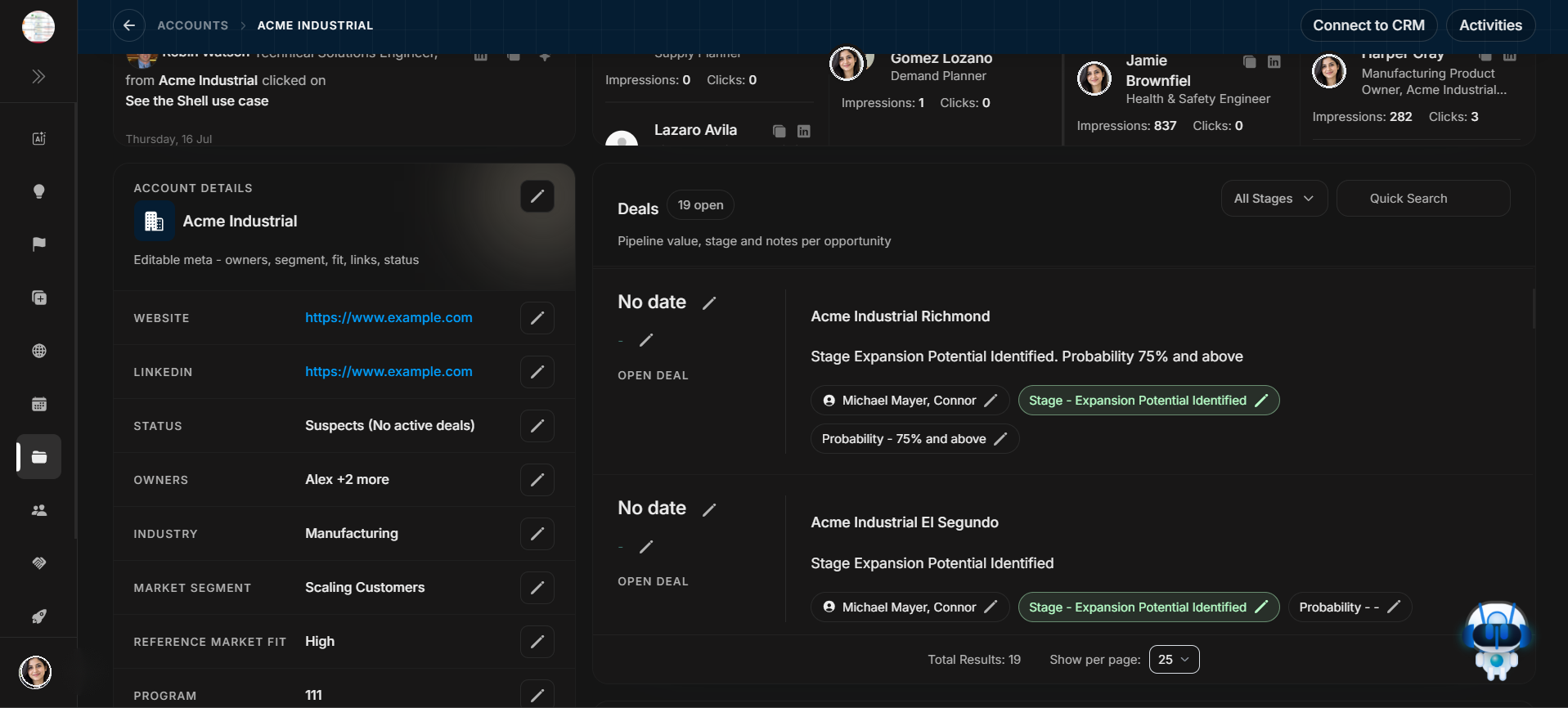
The Deals panel shows opportunities connected to the account. Use it to understand pipeline, stage, owner, and opportunity status for this company.
Image guide: The Deals panel lists open opportunities tied to this account. It includes stage, owner, probability, pagination, All Stages filtering, and Quick Search.
Read deal rows
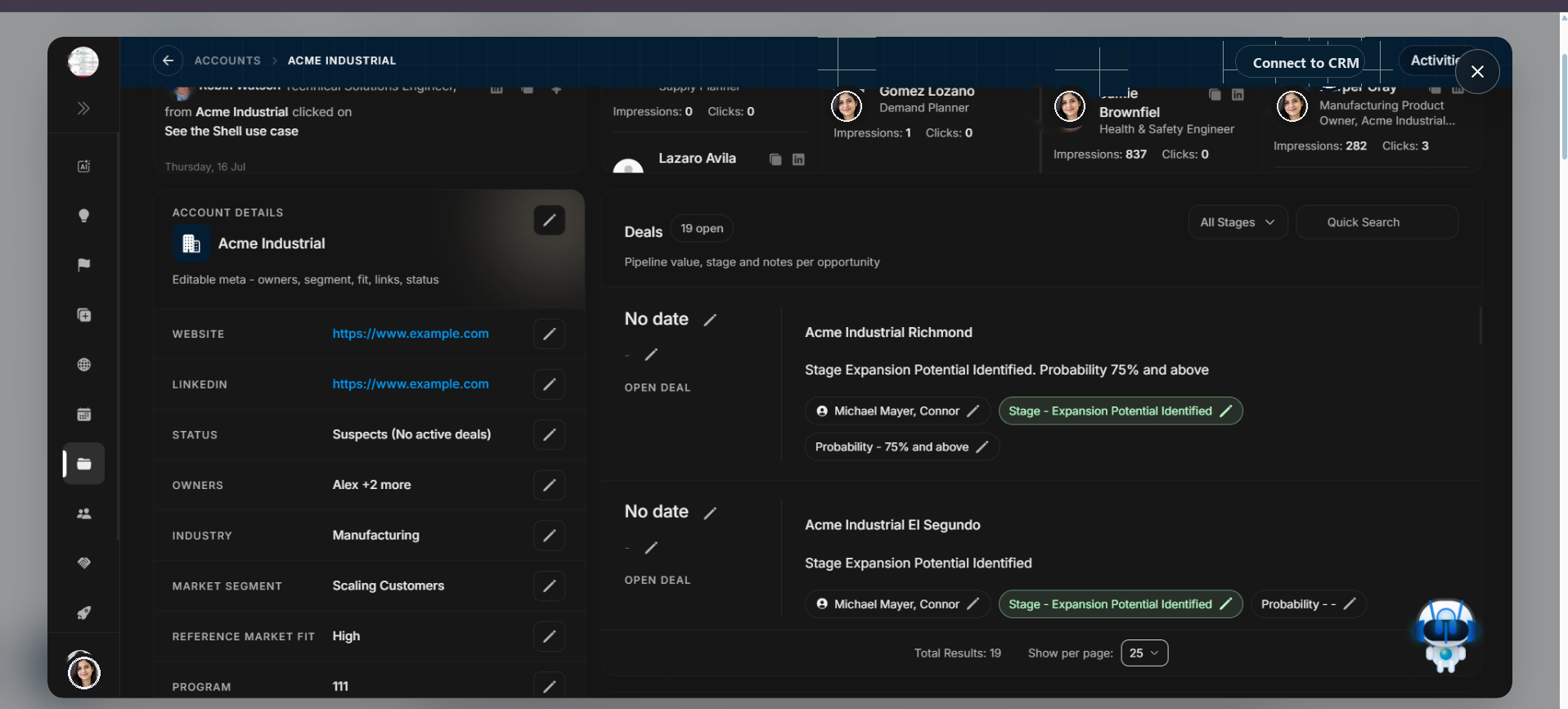
Image guide: Each row represents an opportunity connected to the account. Read the opportunity name, stage, owner, close-date area, and probability before taking action.
Open the stage filter
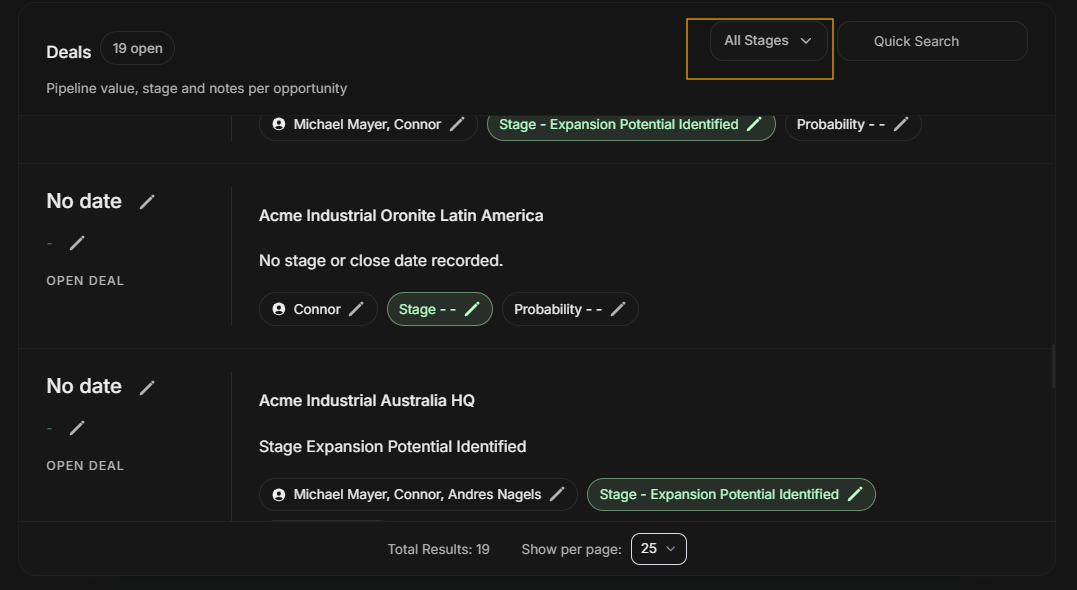
Image guide: All Stages is the filter entry point inside the account's Deals panel. Use it when the user wants to narrow the visible opportunities by deal stage or other deal properties.
Filter deals
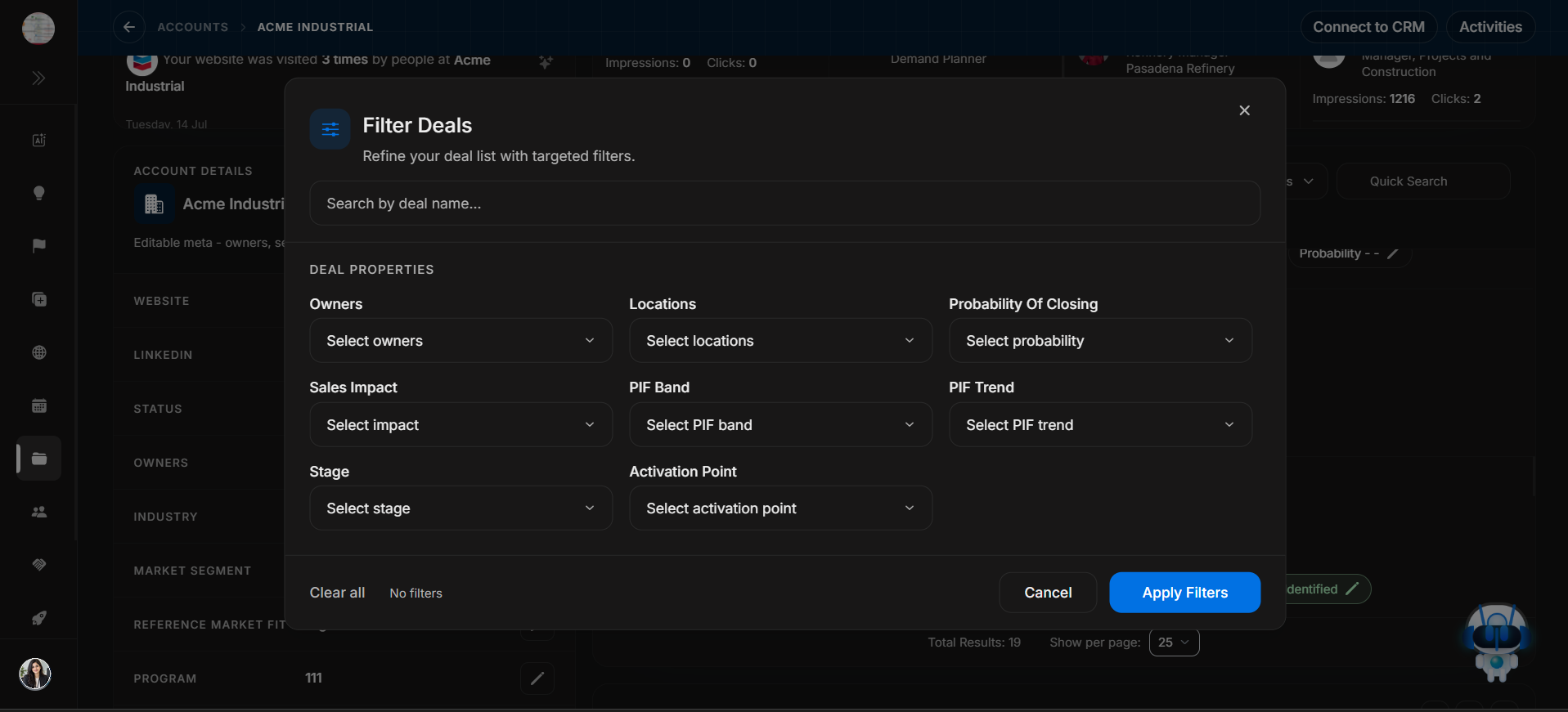
Image guide: After selecting All Stages, the Filter Deals modal opens. Use this modal to search by deal name and filter by Owners, Locations, Probability Of Closing, Sales Impact, PIF Band, PIF Trend, Stage, or Activation Point.
Apply filters only after choosing the values needed for the current review. Use Clear all when the user needs to return to the full account deal list.
Search within deals
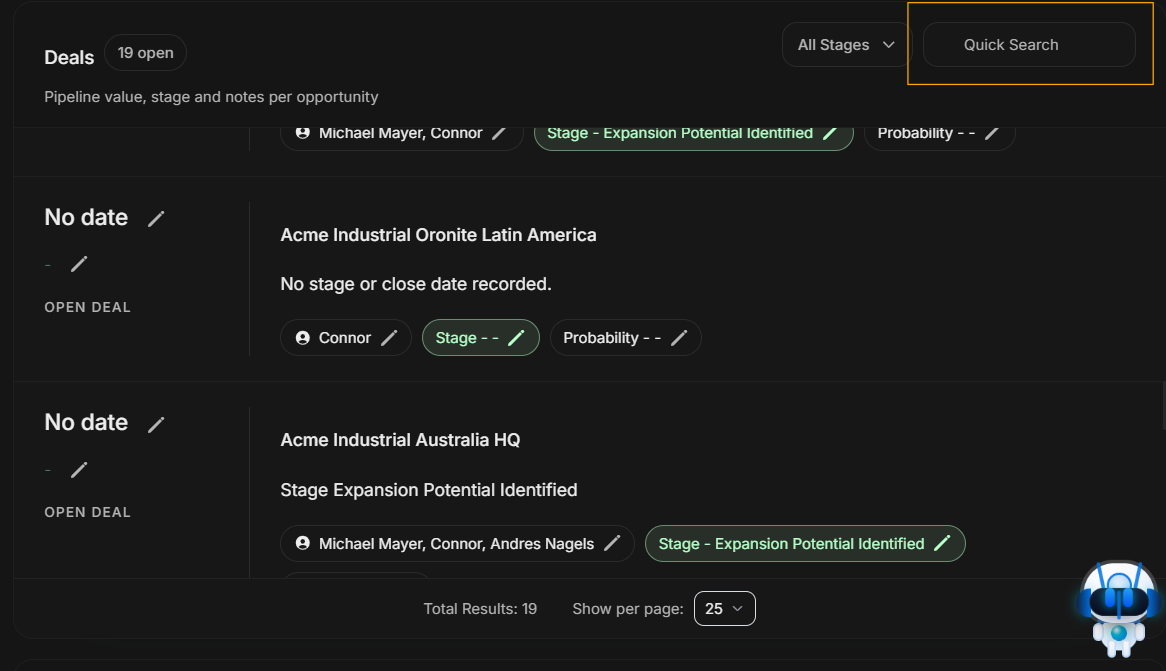
Image guide: Quick Search finds opportunities inside the account's Deals panel by typed text. Use it when the user already knows the deal name or part of the deal name. It does not search every account.
How deals change the account story
Deals explain whether account interest is already connected to pipeline. A warm signal with no deal may suggest a new opportunity. A warm signal with an open deal may suggest follow-up on an active opportunity. A deal with low recent engagement may need stakeholder review.
Always read the stage, owner, and probability together. The stage tells where the opportunity is, the owner tells who is responsible, and probability gives the expected strength of the opportunity.
Step-by-step
- Scroll to the Deals panel.
- Check the open-deal count.
- Read each opportunity's stage and owner.
- Select All Stages to open the Filter Deals modal.
- Choose stage or other deal filters, then apply them.
- Use Quick Search when you know the deal name.
- Clear filters before assuming an opportunity is missing.
Important distinction
Deal filters only affect the Deals panel. They do not change the Accounts table, Activity sidebar, Signals, Events, or stakeholder table.