Deals, events and activities
Deals, events and activities
Deals, Events, and Activities connect account signals to commercial execution and record history.
The account page can show deal cards, an event timeline, manual event creation, the meeting note-taker workflow, and the Activities drawer.
Deals
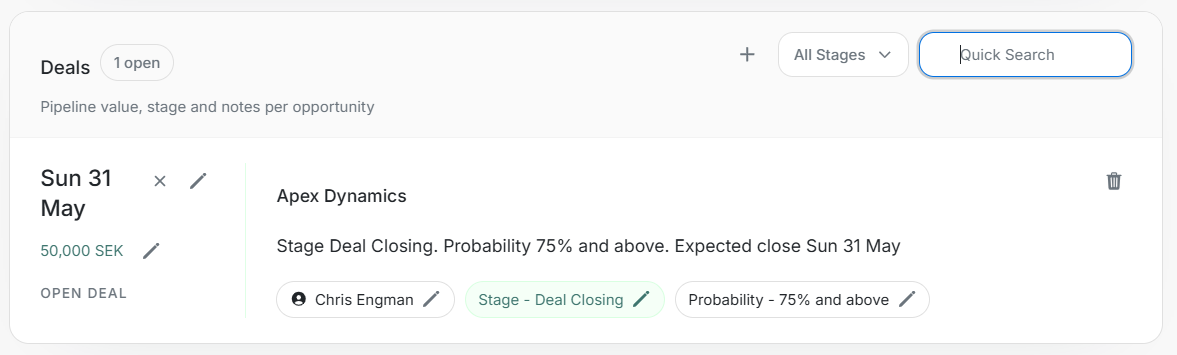
Deals show opportunities tied to the account.
| Area | What it shows |
|---|---|
| Open count | Number of currently open opportunities. |
| Close date | Expected close date for the opportunity. |
| Value | Opportunity value and currency when available. |
| Stage | Current pipeline stage. |
| Probability | Probability of closing range. |
| Owner | User responsible for the opportunity. |
| Notes | Deal context or latest summary. |
Use All Stages and Quick Search when the account has multiple opportunities.
Add Deal
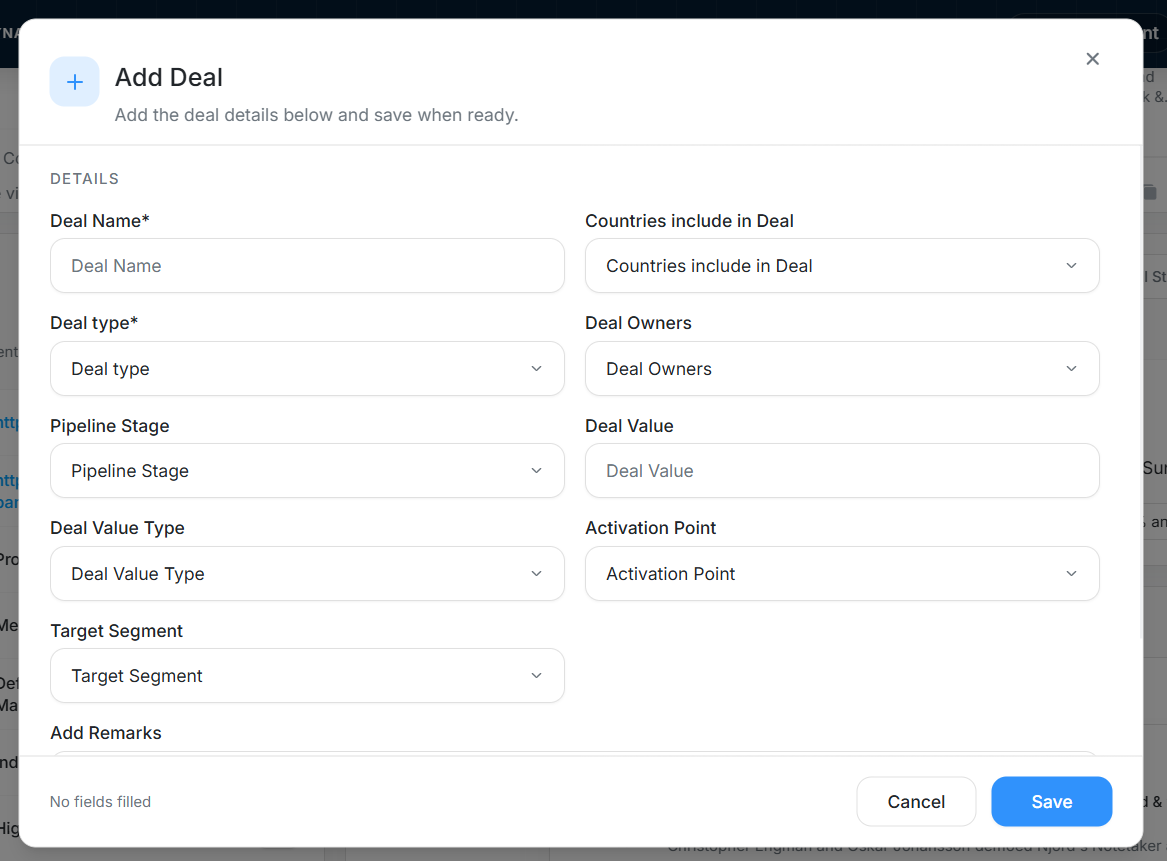
Use the plus button in Deals when you need to create a new opportunity for the account. Required fields include Deal Name and Deal type. Optional fields can include countries, owners, pipeline stage, deal value, activation point, target segment, and remarks.
Filter Deals
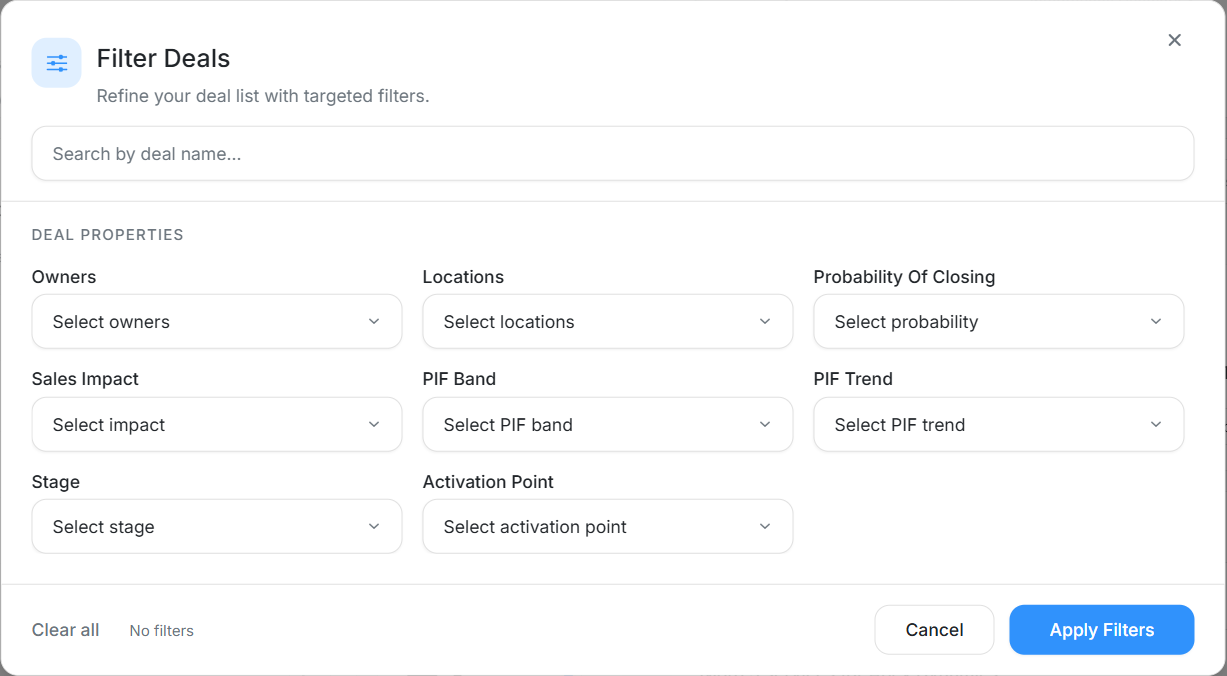
Use deal filters to narrow the account's opportunities by owner, location, probability of closing, sales impact, PIF band, PIF trend, stage, activation point, or deal name.
Events
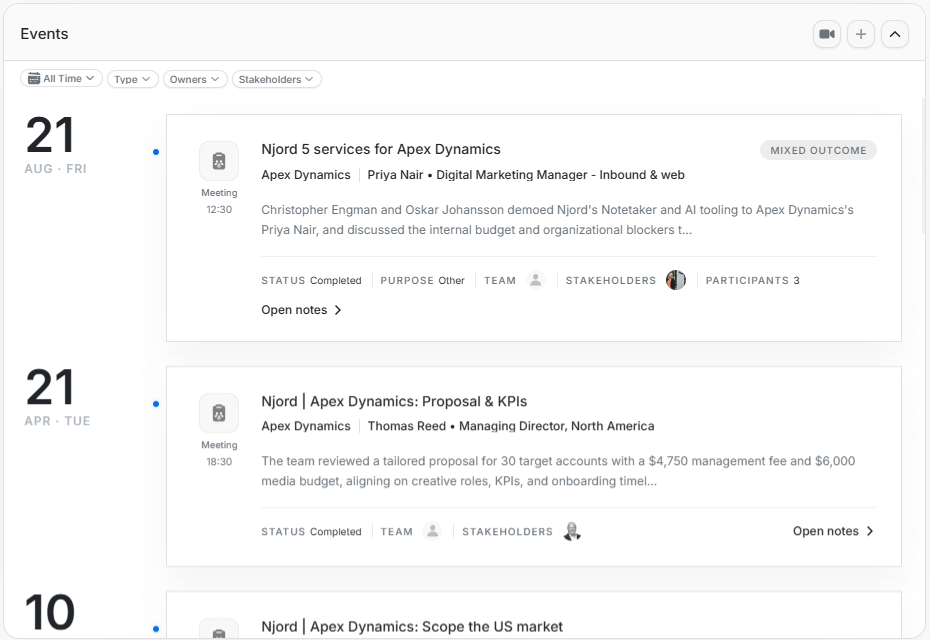
Events are account activity records such as meetings, calls, notes, emails, LinkedIn messages, agreements, proposals, and follow-ups.
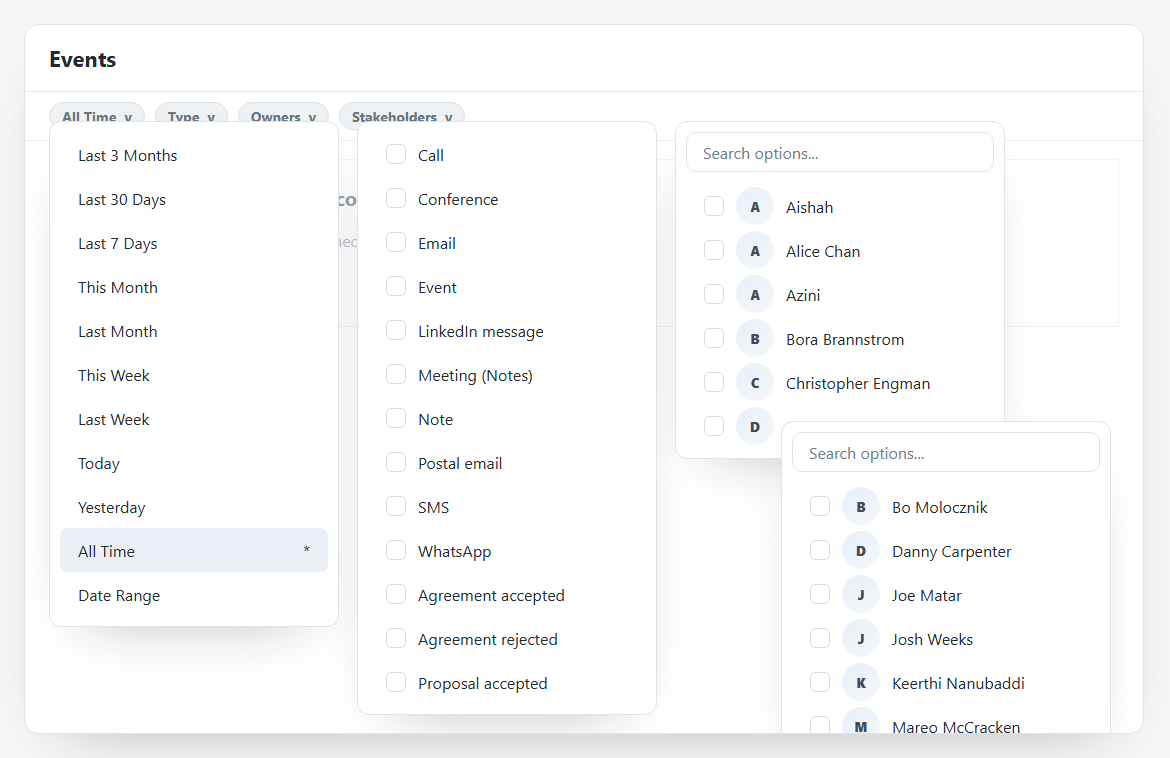
Use event filters to narrow by date, type, owner, or stakeholder. Common event types include Call, Conference, Email, Event, LinkedIn message, Meeting (Notes), Note, Postal email, SMS, WhatsApp, Agreement accepted, Agreement rejected, Agreement sent, Proposal accepted, Proposal rejected, Proposal sent, and Follow Up.
Create Event
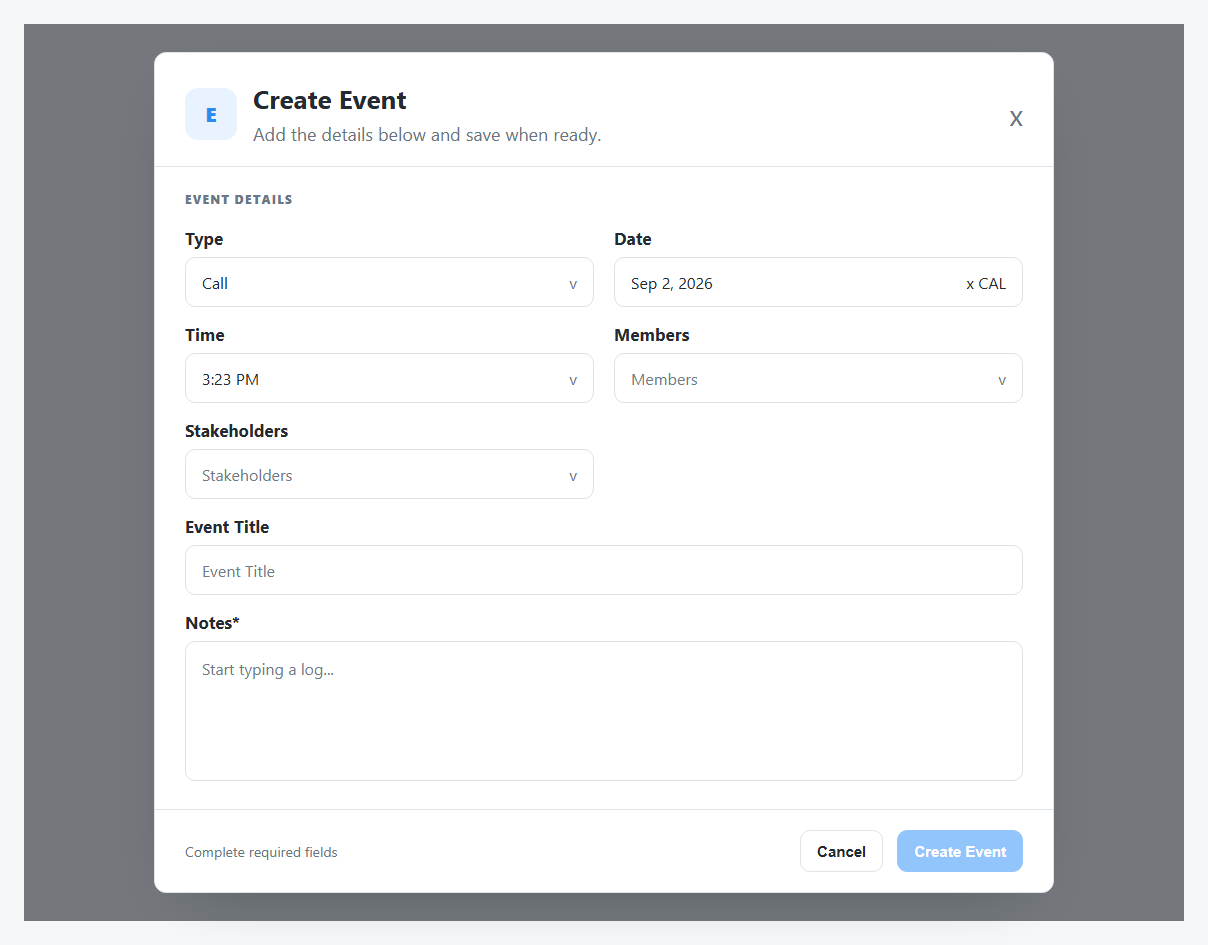
Create Event is for manual logging. It can include Type, Date, Time, Members, Stakeholders, Event Title, and Notes. Required fields must be completed before the event can be created.
Schedule Meeting Note Taker
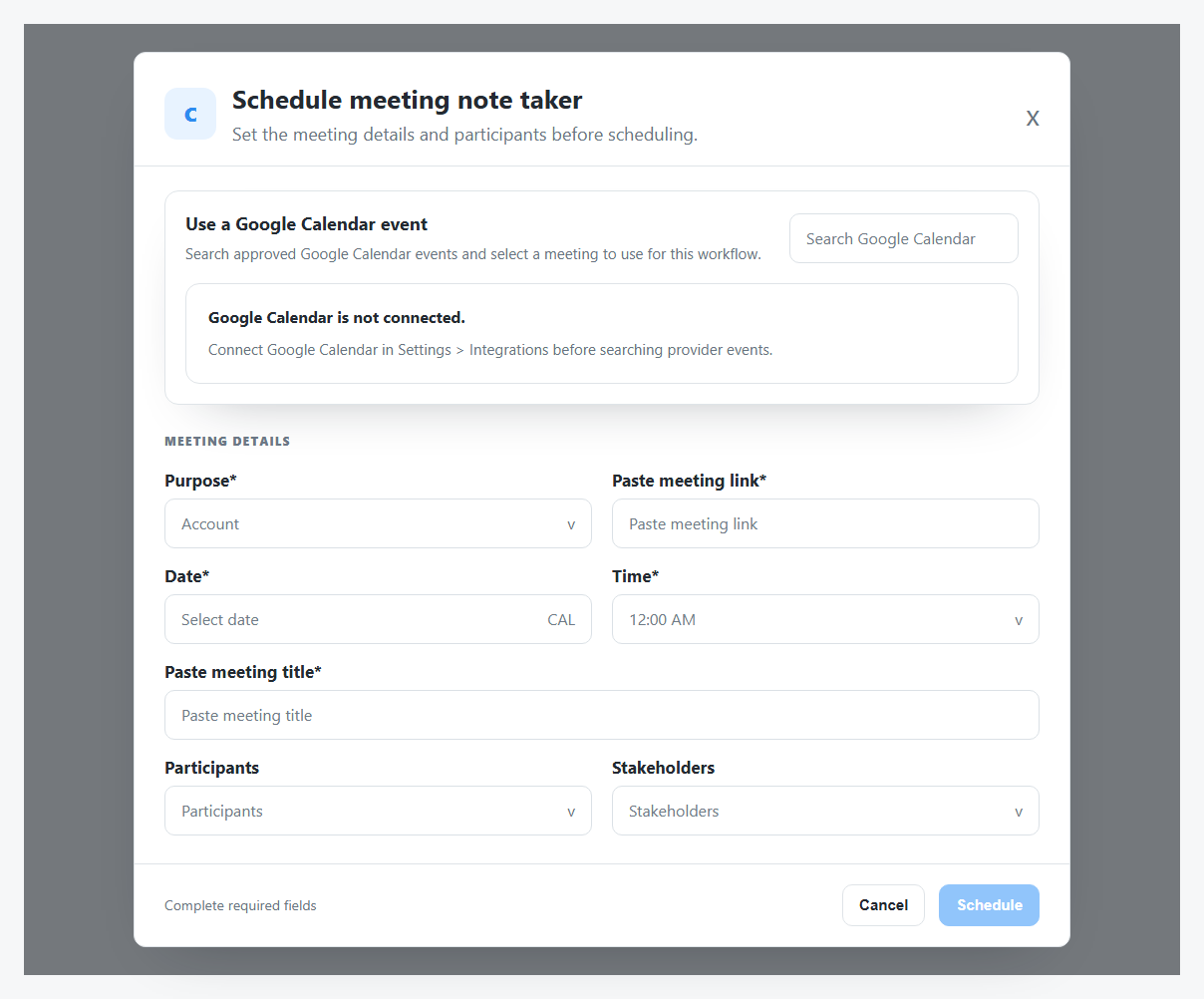
Schedule meeting note taker is for a meeting workflow that needs a recording or note-taking process. It can use a connected Google Calendar event when available. If Google Calendar is not connected, enter the required meeting details manually.
Required fields can include Purpose, meeting link, Date, Time, and meeting title. Participants and Stakeholders add context for the account record.
Activities Drawer
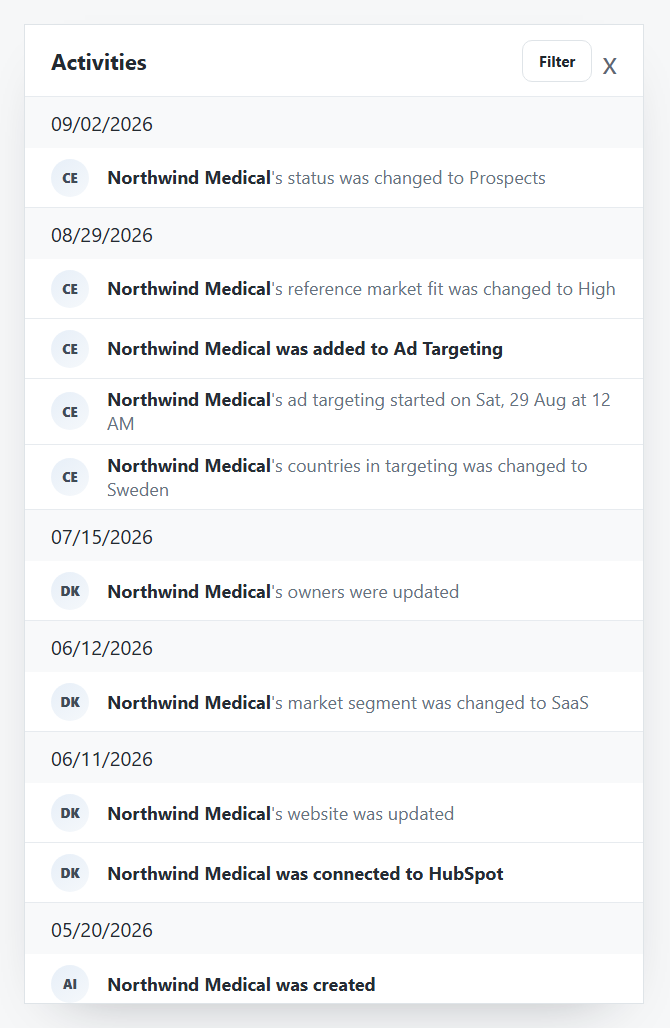
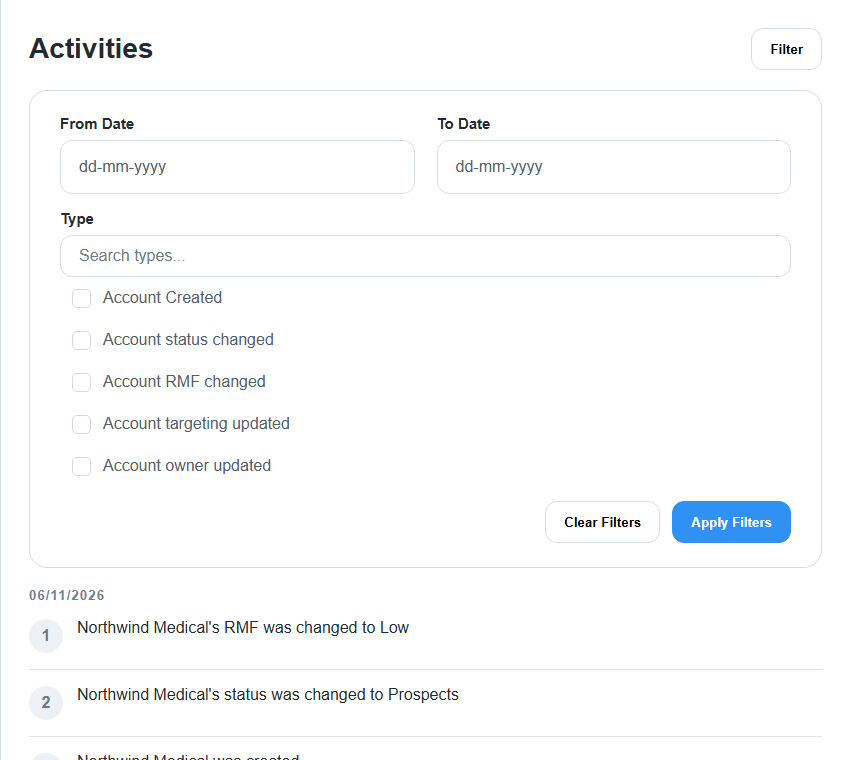
Activities shows account history such as creation, RMF changes, status changes, targeting changes, field updates, and CRM-related events. Use the filter panel to narrow by From Date, To Date, and activity Type.