Set stakeholder Buying roles
Set stakeholder Buying roles
Buying roles describes a person's possible role in buying decisions. It replaces the former stakeholder Type field in current profile editing, filters and exports. Roles are independent of an Offering, Segment or Buying Logic; they do not prove participation in every purchase at the account.
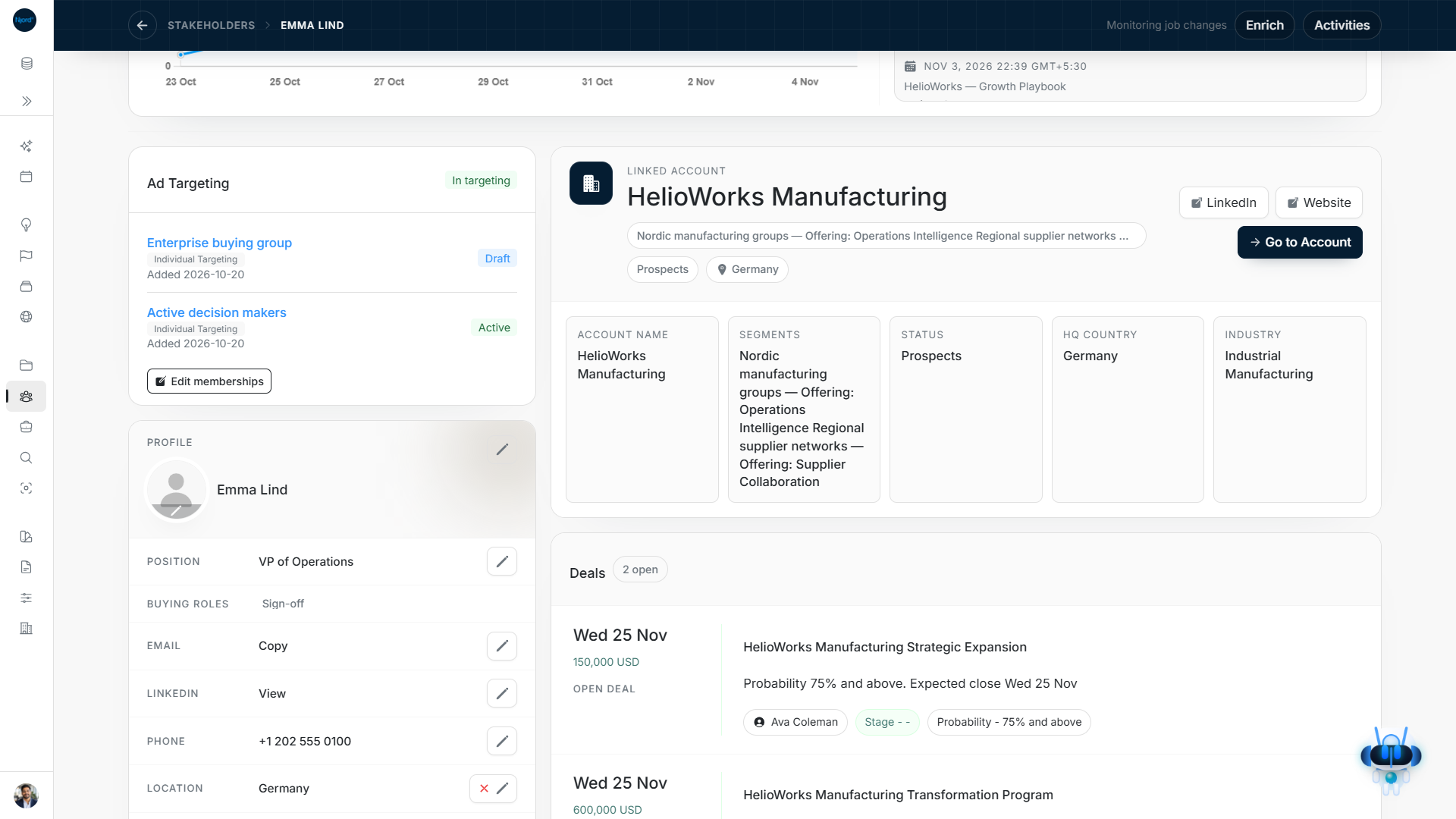
Image guide: Buying roles sits below Position in Profile while targeting remains a separate section. Fictional demonstration data in the current product, captured in light mode.
Choose and save roles
- Open the stakeholder and find Profile → Buying roles, directly below Position. A supported Buying roles table cell opens the same checklist.
- Tick the roles that apply. You can select several.
- Untick a role to remove it, or untick all roles to clear the list.
- Choose Save. Inspect the saved labels; use Cancel to abandon an unsent draft.
| Buying role | What to consider before selecting it |
|---|---|
| Entry | The person who first discovers the offering, expresses interest or starts the conversation. |
| Consensus | Someone involved in the decision who does not own the final call. |
| Sign-off | Someone whose budget or authority approval is needed. |
| Expert | A specialist involved in evaluating the decision, such as IT, security, operations or a domain expert. |
| Champion | An advocate for the offering inside the account. |
| Trojan Horse | A supportive internal navigator who helps you understand and move through the organization. |
| Risk-bearing | Someone able to block or veto the decision whose concerns need to be understood. |
| Silent veto | Someone carrying hidden risk and influencing the decision without being visibly involved. |
| Gatekeeper | Someone controlling access to people involved in the decision. |
Pending saves disable duplicate actions. A failed save retains your choices so you can correct or retry them. The field's help video uses the Buying roles label even if familiar material previously called it Type.
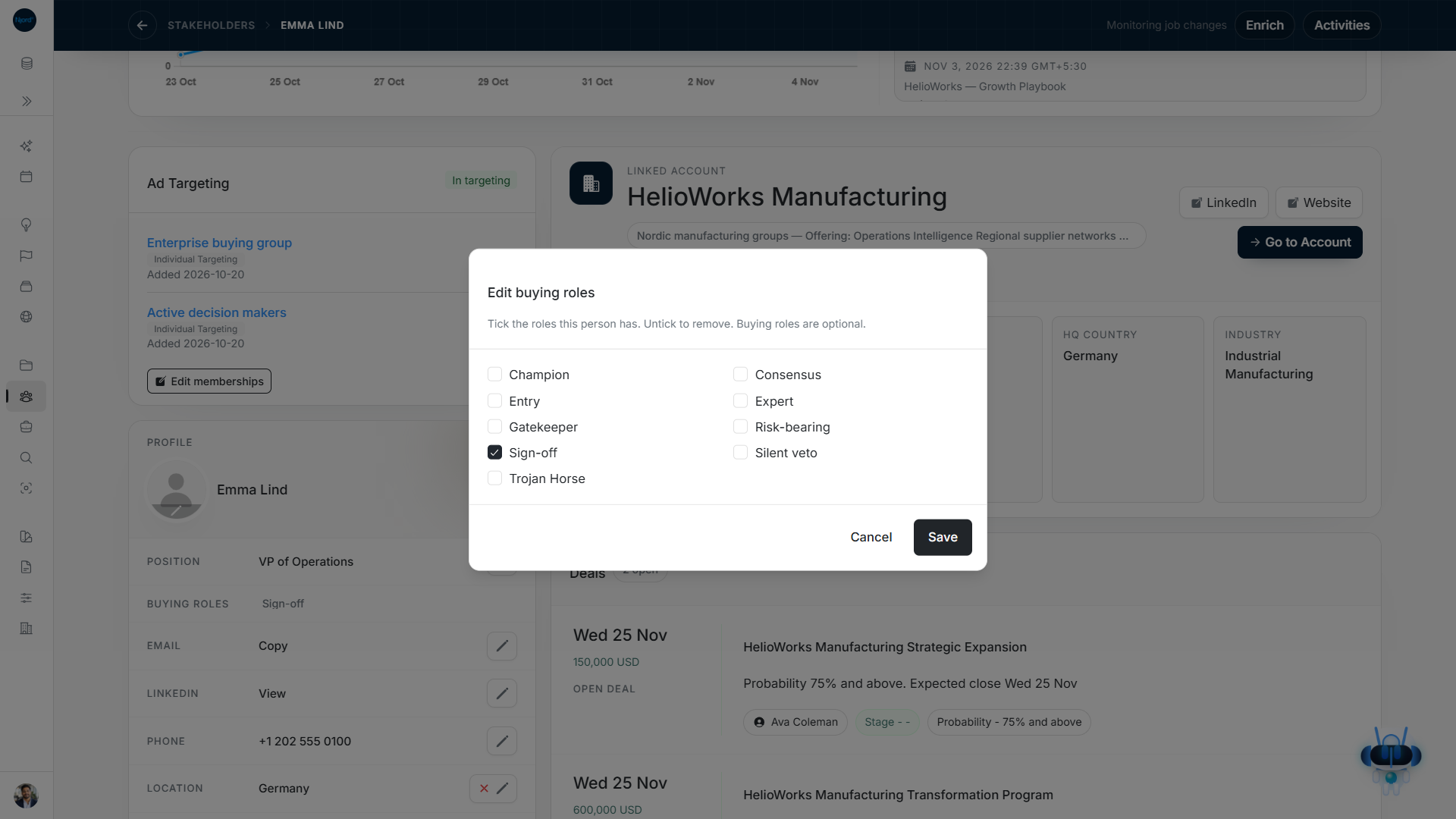
Image guide: The role checklist supports multiple selected roles and an explicit Save. Fictional demonstration data in the current product, captured in light mode.
Use roles in lists and filters
Normal stakeholder create, edit and bulk-update forms use these same saved choices. Buying roles filters can combine with Position, person fields and nested account/GTM filters. Exports use the saved roles, not an inferred value from Research or a selected ISM.
The Segment beside Account comes from the parent company's saved GTM contexts. It can show several Segments but cannot be edited on the person; open the linked account. Unassigned means no available account context, while a failed context read offers Retry.
Audience-specific stakeholder rosters retain Segment but deliberately hide Buying roles, standalone targeting actions and Media Impact columns. Open the full profile or the standalone stakeholder list when that information is needed.
Keep role, position and engagement distinct
Position is the person's job title. Buying roles describes their commercial role. A Buying Logic's ideal stakeholder matrix describes whom you hope to involve. Research findings, ad clicks and audience membership do not automatically assign Buying roles. Review employment and the actual buying situation before using a role for outreach.
Review roles against the buying situation
For a fictional equipment purchase, an Operations Director might be both Entry and Champion. A Finance Director may be Sign-off, while an IT Security lead is Expert. Choose several roles only when the evidence supports each one; a senior job title alone does not establish budget authority or advocacy.
Saving these profile labels does not assign the person to a particular account GTM context or Deal. Use the Deal's named stakeholder list to record opportunity involvement, and the Buying Logic's matrix to plan the positions you want to reach. Revisit roles when a person's job or the buying situation changes.