Create a deal from Account Details
Create a deal from Account Details
Open Accounts, choose the intended company and check its name and website. In the Deals panel, choose the plus button labelled Add deal. DOE uses the company already open in Account Details. Check its name above the form before you save.
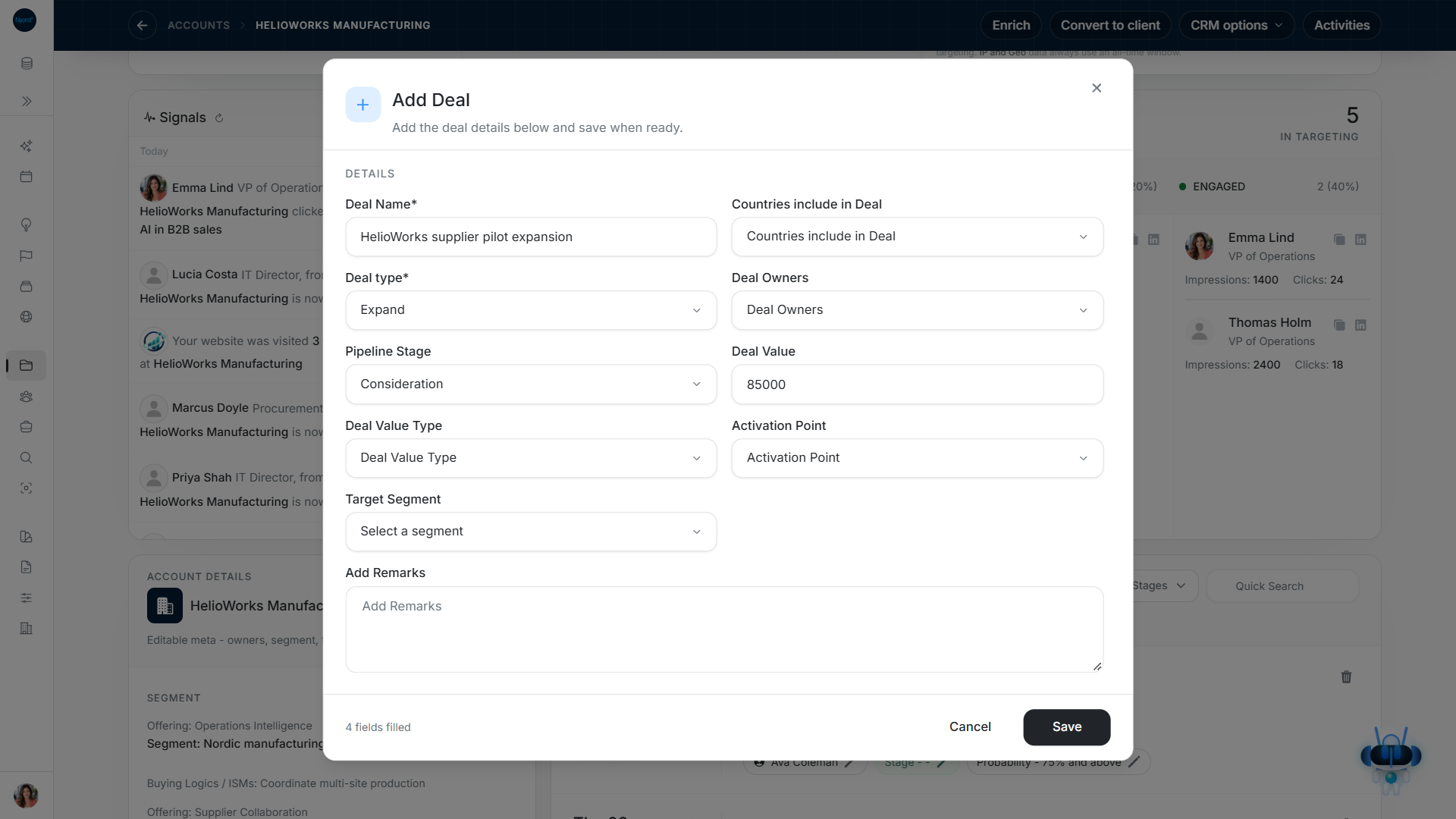
Image guide: HelioWorks Manufacturing is the company behind the form. The example uses Expand, Consideration and a deal value of 85,000.
Fill in Add Deal
- Enter Deal Name. Use a name you can distinguish from the company’s other opportunities, such as “HelioWorks supplier pilot expansion.”
- Choose Deal type. Use Land for a new-customer opportunity or Expand to grow an existing relationship.
- Set Pipeline Stage, Deal Owners, value and other details you know. If you set Target Segment, choose from this company’s saved segments. Add countries, a value type, an activation point or remarks when they apply.
- If Currency appears, choose the currency for the workspace’s first deal. If the check fails, use Retry before completing the form.
- Choose Save. Use Cancel to close the draft.
Find the saved opportunity
Clear any search or stage filters in the company’s Deals panel and search for the saved name. Open it to verify the company and deal type. Set an estimated closing date and closing probability from the saved deal when those values are known.
If Add deal is unavailable, check your workspace and record-management access. If Save reports an error, read the message and check for the opportunity before submitting a second time.