Account list and summary cards

Account list and summary cards
The Accounts list is the fastest place to scan the companies in your workspace. Use it to understand the account mix, prioritize rows, and open account details.



Image guide: the top strip groups accounts by status. Each card shows the total count for that group plus reached, engaged, not engaged, and not reached breakdowns.
What The Summary Cards Show
| Card | What it represents |
|---|---|
| Total Accounts | All visible accounts in the current workspace view. |
| Existing Customers | Accounts marked as current customers. |
| Previous Customers | Accounts marked as former customers. |
| Prospects | Accounts currently being pursued. |
| Suspects | Accounts without active deals or active prospect status. |
| Partners | Partner or reseller-style accounts. |
| Inactive | Accounts that are no longer actively worked. |
The colored dot values summarize media state for each group:
| Metric | Meaning |
|---|---|
| Reached | DOE has reach evidence for accounts in the group. |
| Engaged | DOE has stronger engagement evidence. |
| Not Engaged | Accounts were reached but did not show engagement. |
| Not Reached | DOE has not detected reach for the group. |
How To Read The Table
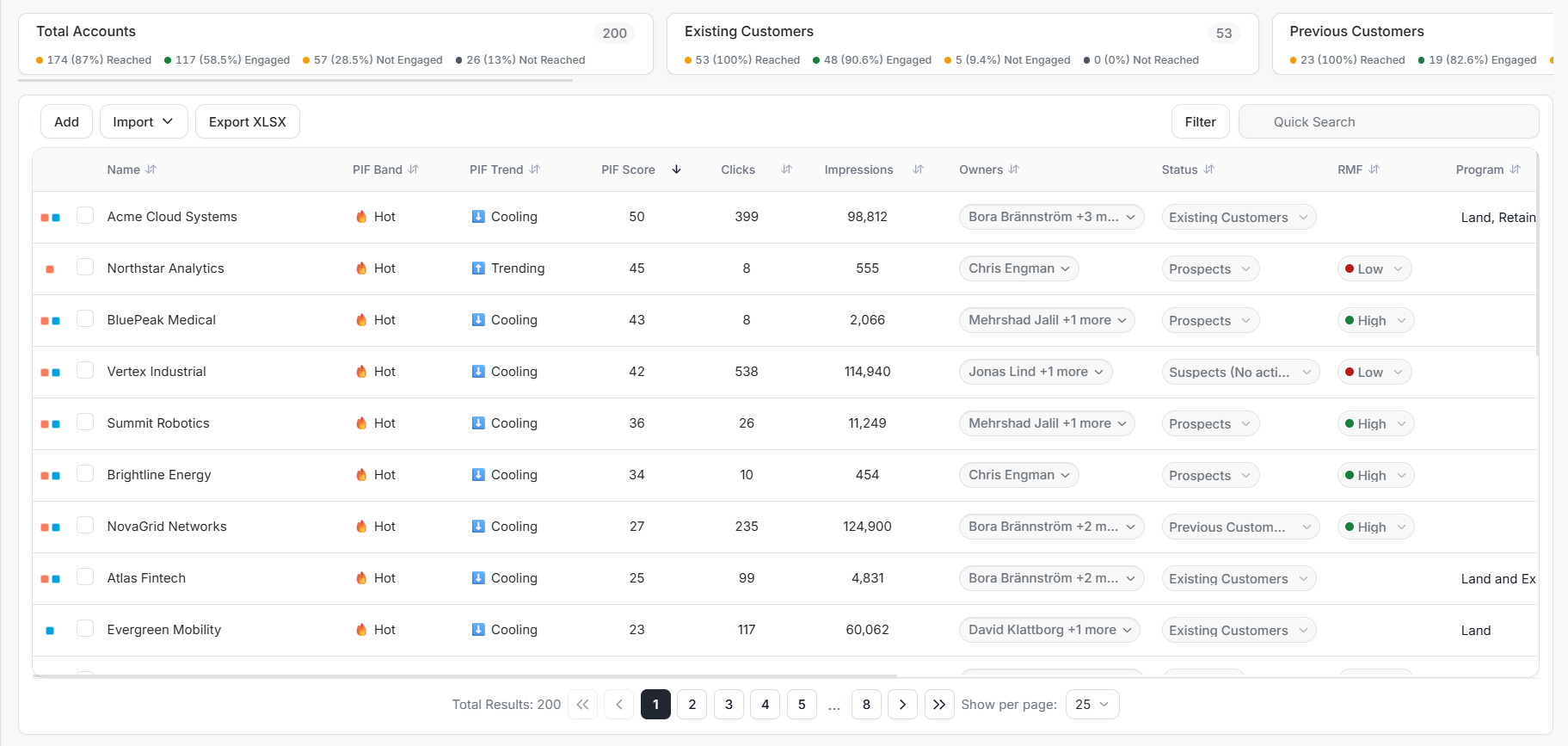
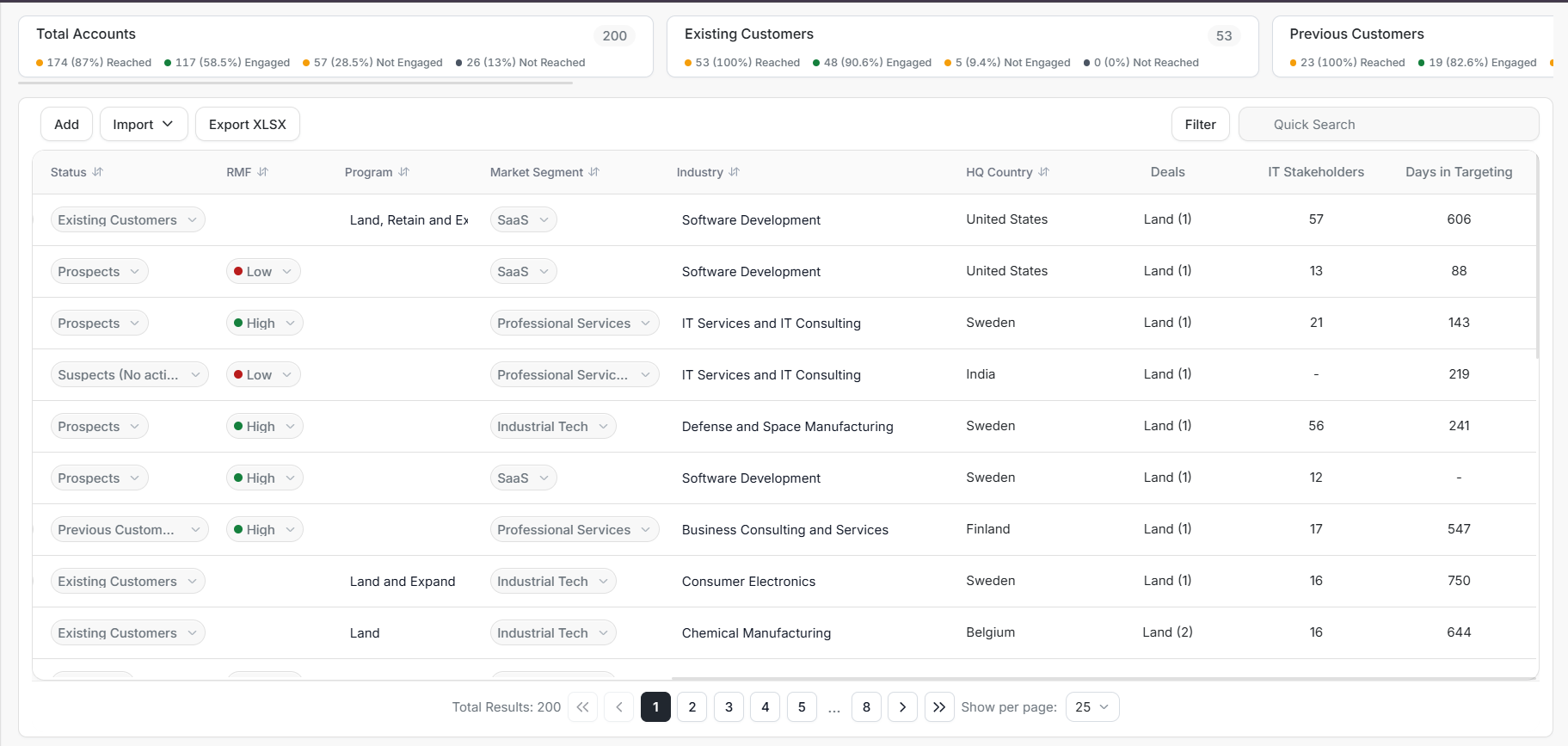
The account table combines company identity, Product Interest Fit, media activity, ownership, and editable metadata.
| Column | Use it for |
|---|---|
| Name | Open the account details page. |
| PIF Band | Quickly see fit and interest level. |
| PIF Trend | See whether the account is trending, holding, or cooling. |
| PIF Score | Rank accounts by numeric Product Interest Fit. |
| Clicks | Compare account engagement volume. |
| Impressions | Compare account reach volume. |
| Owners | See or update account responsibility. |
| Status | See or update account lifecycle state. |
| RMF | See or update Reference Market Fit when applicable. |
| Program | Track the commercial motion, such as Land or Expand. |
| Market Segment | Group accounts for segmentation and reporting. |
| Industry | Keep firmographic data clean. |
| HQ Country | Check location context. |
| Deals | See linked opportunity context. |
| IT Stakeholders | See individual-targeting stakeholder volume. |
| Days in Targeting | Understand how long the account has been targeted. |
The second overview screenshot shows the same table after moving horizontally through the wide columns. Use the horizontal scrollbar when Program, Market Segment, Industry, HQ Country, Deals, stakeholder, or targeting-duration fields are not visible.
Add An Account
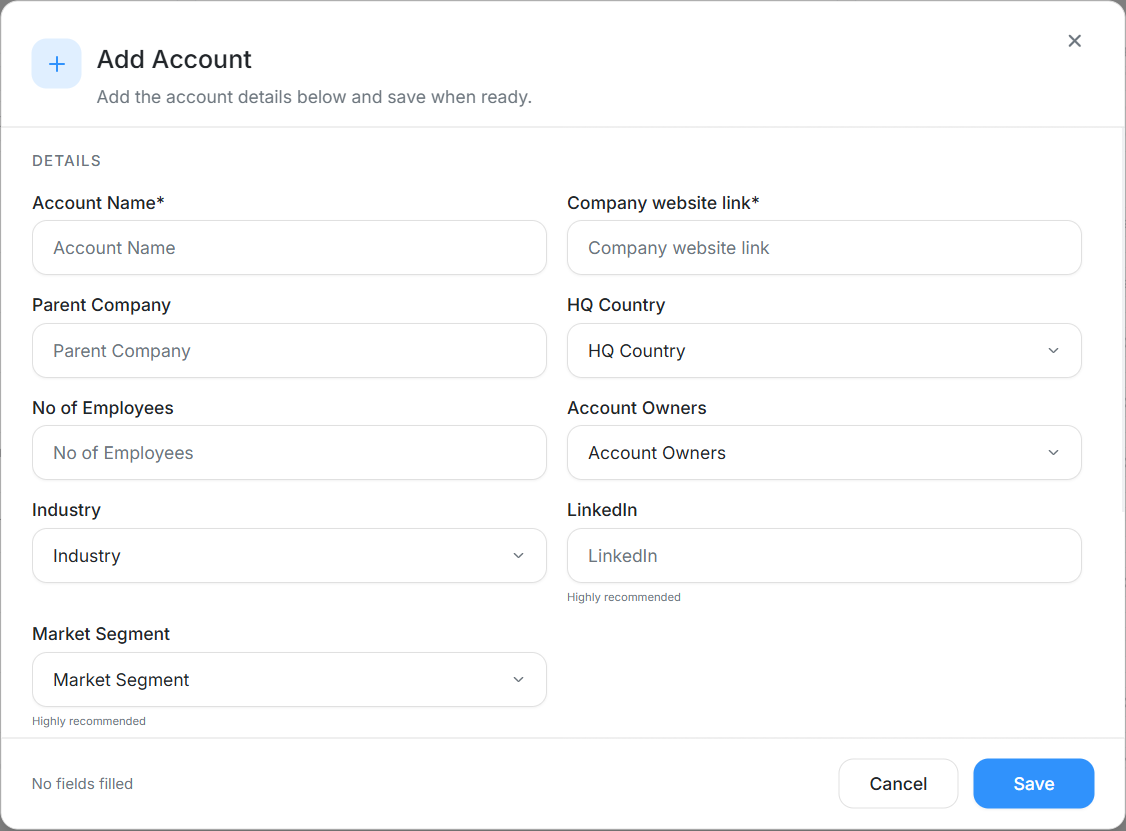
Use Add from the Accounts toolbar when a company should be created manually instead of imported from CRM.
| Field | What to enter |
|---|---|
| Account Name | The company name that appears in search results and the table. |
| Company website link | The company's website URL. This field is required. |
| Parent Company | The owning company, when the account belongs to a larger group. |
| HQ Country | The company's headquarters country. |
| No of Employees | The employee count when known. |
| Account Owners | Teammates responsible for the account. |
| Industry | The company's industry classification. |
| The company's LinkedIn page. | |
| Market Segment | The segment used for reporting and go-to-market review. |
The modal footer shows whether fields have been filled. Select Save after the required fields are complete.
Useful Review Patterns
- Sort by PIF Score when you need a ranked priority list.
- Sort by Clicks when you want accounts with stronger response.
- Sort by Impressions when you want high-reach accounts.
- Use Status, RMF, Segment, Industry, and Country together to understand why one group is performing differently from another.
- Open the account details page before acting on a row with incomplete or surprising data.
Things To Remember
Horizontal scrolling is expected on wide tables. If a column is not visible, scroll the table instead of assuming the field is missing.
Blank or dash values usually mean the field is not set, not applicable, or not available for the selected account state.