Account details card
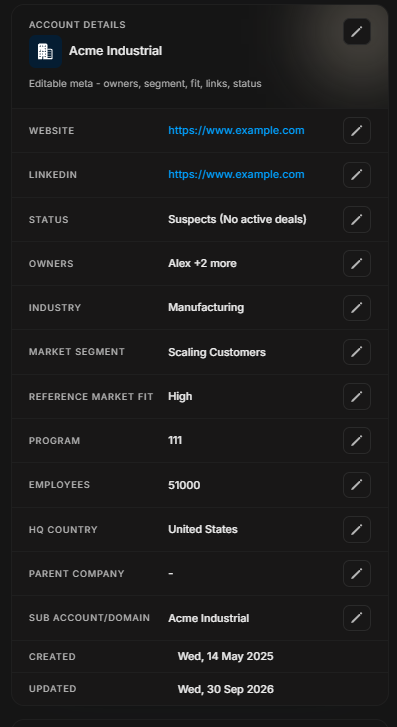
Account details card
The Account Details card is where core account metadata is reviewed and edited. Use it for company-level fields, not stakeholder fields.
Image guide: The card shows editable account metadata such as website, LinkedIn, status, owners, industry, market segment, reference-market fit, and program.
When to edit this card
Edit the Account Details card when company-level information is incomplete, outdated, or misclassified. These fields describe the company record itself, so changes can affect how other users search, filter, prioritize, or report on accounts.
Before editing, check whether the change is factual or interpretive. Website and LinkedIn are factual fields. Status, industry, market segment, and RMF often need business context.
Common fields
| Field | Use it for |
|---|---|
| Website | Company website link. |
| Company LinkedIn link. | |
| Status | Lifecycle state of the account. |
| Owners | Internal account owners. |
| Industry | Company industry classification. |
| Market segment | Commercial segment. |
| Reference-market fit | Fit rating used for prioritization. |
Step-by-step
- Confirm this is the correct account.
- Select the edit control beside the field you need to change.
- Update only the company-level field.
- Save the edit and re-check the value.
Important distinction
Do not use this card for people-level edits. Use Manage Stakeholders for stakeholder names, roles, targeting membership, and person-level data.