Stakeholder inline and bulk updates
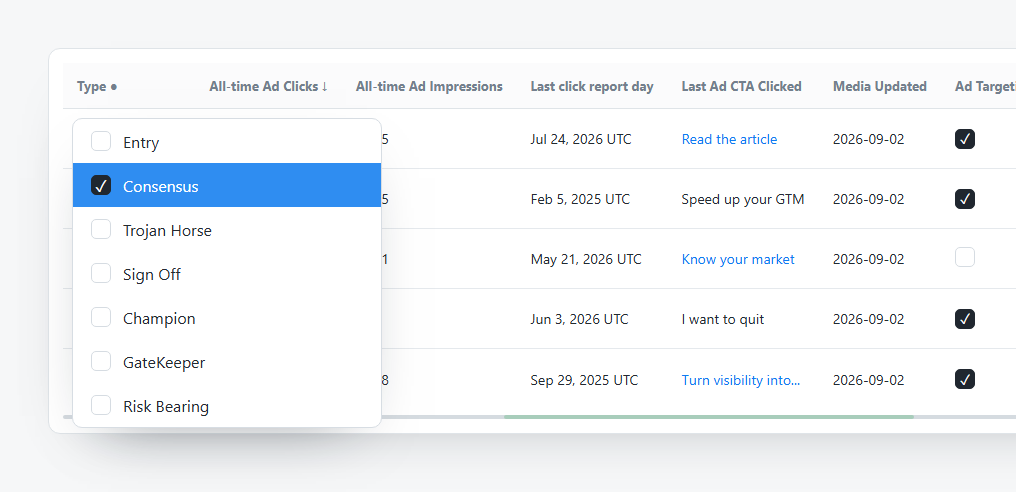
Stakeholder inline and bulk updates
Stakeholder rows include editable fields for common cleanup and targeting tasks. Use inline edits for one person. Use Bulk Update when every selected row should receive the same value.
The table supports row-level updates such as Type and Ad Targeting, alongside media metrics and contact actions.
Inline Updates
Use inline edits when one stakeholder needs a correction.
Common inline checks:
- Confirm the stakeholder name and account.
- Open the dropdown or field you need to update.
- Choose the correct value.
- Wait for the update to finish before changing another field.
- Use Activities later if you need the change history.
Type Values
| Type | Typical meaning |
|---|---|
| Entry | Initial contact or route into the account. |
| Consensus | Helps build agreement across the buying group. |
| Trojan Horse | Internal route that can expose hidden opportunity. |
| Sign Off | Person involved in approval or final sign-off. |
| Champion | Supportive stakeholder who can help advance work. |
| GateKeeper | Controls access, information, or buying-process flow. |
| Risk Bearing | Person who carries implementation, budget, or outcome risk. |
Bulk Update
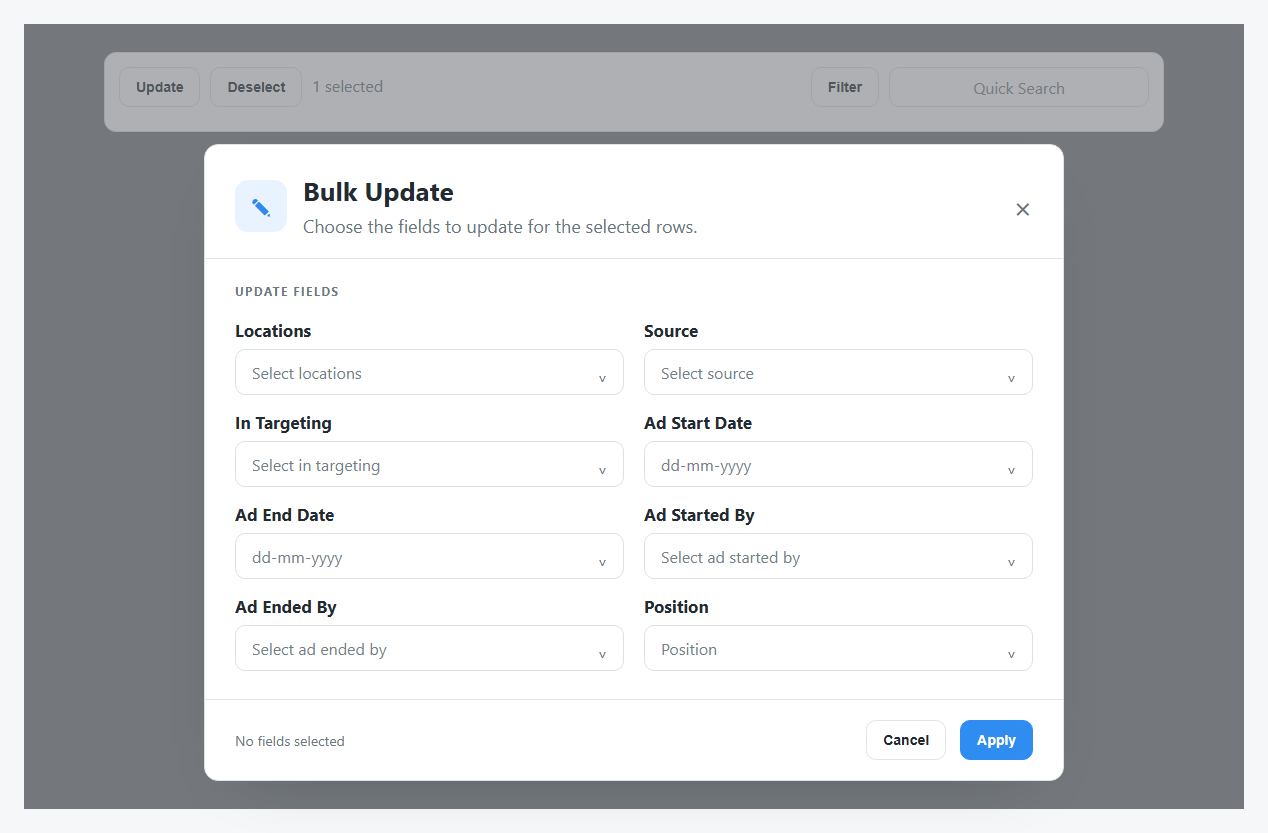
Bulk Update applies selected field values to every selected stakeholder row. Do not use it unless every selected person should receive the same change.
Bulk Update Fields
| Field | Use it for |
|---|---|
| Locations | Change stakeholder country or region values. |
| Source | Set where the stakeholder data came from. |
| In Targeting | Include or exclude selected people from targeting. |
| Ad Start Date | Set when targeting started. |
| Ad End Date | Set when targeting ended. |
| Ad Started By | Set the user responsible for starting targeting. |
| Ad Ended By | Set the user responsible for ending targeting. |
| Position | Standardize job titles. |
What Targeting Changes Automatically
When In Targeting changes, DOE keeps the targeting history complete:
- Changing to Yes adds today's start date and the current user when those fields are blank, then removes the old end date and ended-by value.
- Changing to No adds today's end date and the current user when those fields are blank.
- Dates or names you enter explicitly are kept.
DOE prevents removing required start information while targeting stays active, or required end information while it stays inactive. N/A does not start or end the targeting lifecycle.
Safe Bulk Update Checklist
- Select only the intended stakeholder rows.
- Check the selected count.
- Open Bulk Update.
- Choose only the fields that should change.
- Review the footer status before applying.
- Apply and confirm the rows now show the expected values.