Fill a new stakeholder from a LinkedIn profile
Fill a new stakeholder from a LinkedIn profile
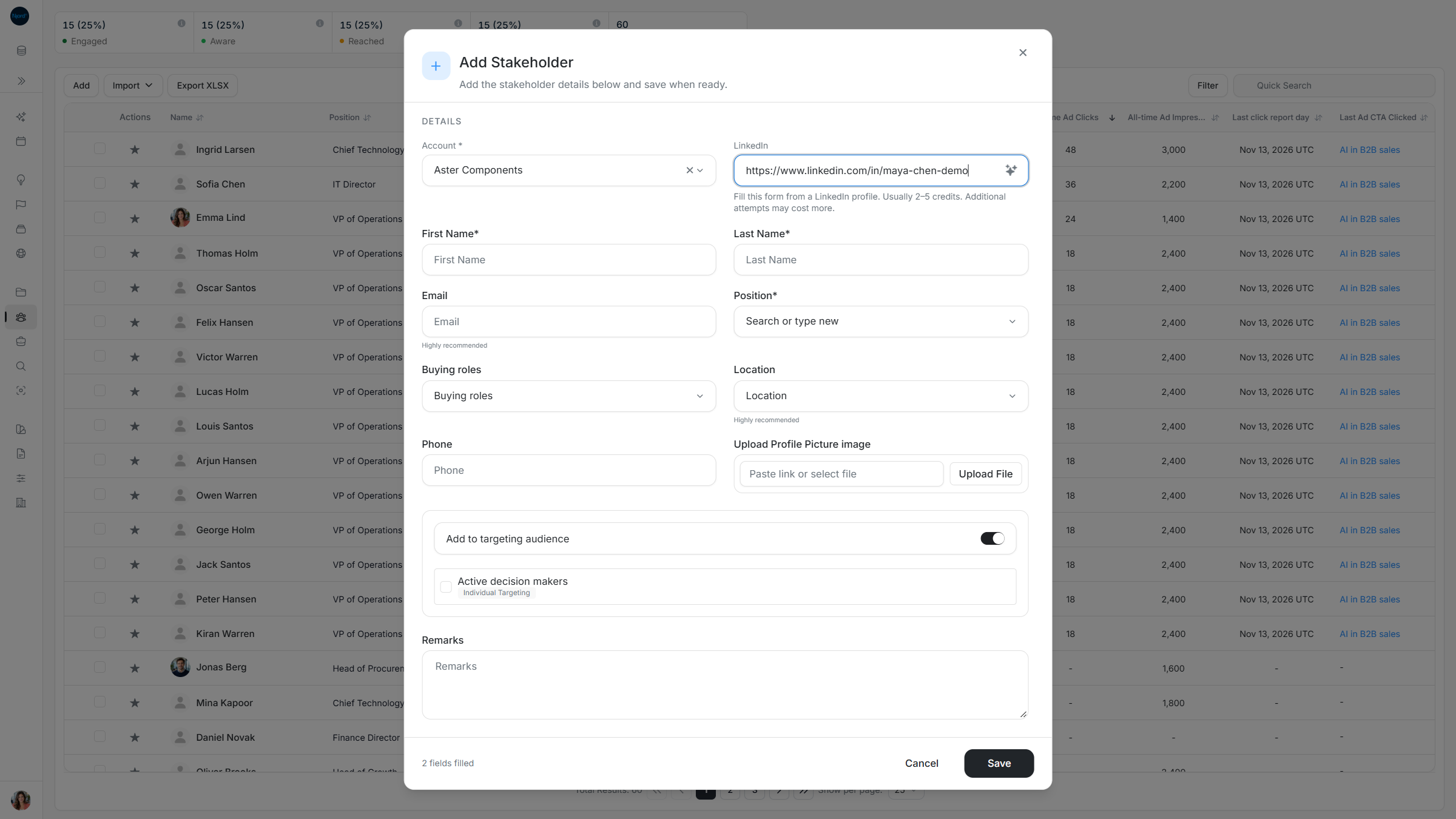
In Add Stakeholder, enter the person’s LinkedIn profile link and choose Enrich from LinkedIn beside it. This action appears when Research is enabled and you can manage stakeholders. The form shows an estimate of 2–5 credits for a typical lookup.
Review the lookup
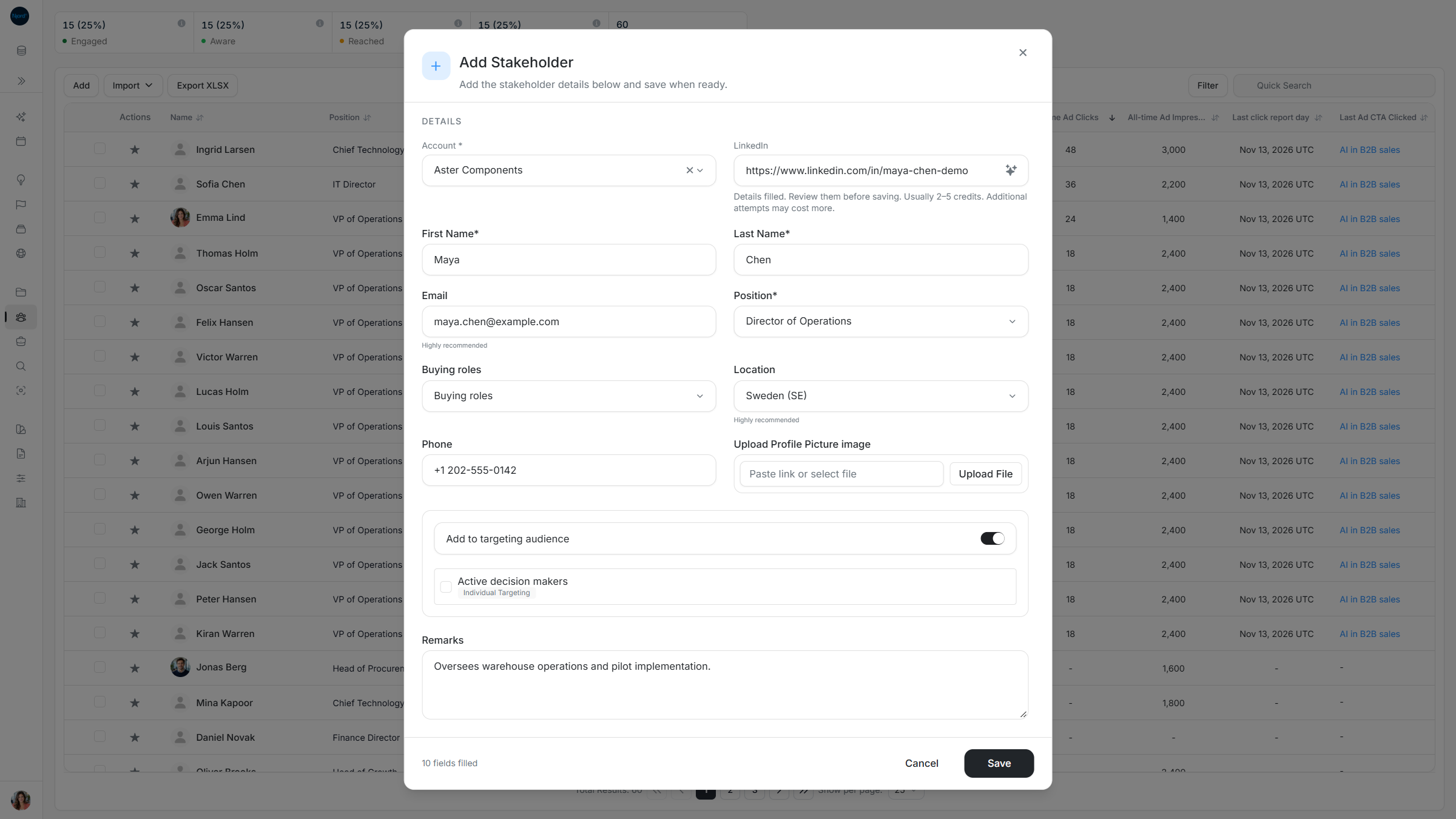
Wait while the form is busy. Cancel closes the form. When the result appears, check the name, position, location, contact details, photo and remarks where available. Complete required fields and correct any details that belong to someone else.
Check the company and save
Choose the person’s existing Account before saving. Open the account picker if you need to select or change it. The draft stays available when you return from the picker.
After a successful fill, DOE saves Research as the source. A manually entered profile uses Form, including one where you paste a LinkedIn link without using the lookup. If the lookup finds no usable details, correct the link or complete the form manually.