Check where a stakeholder came from
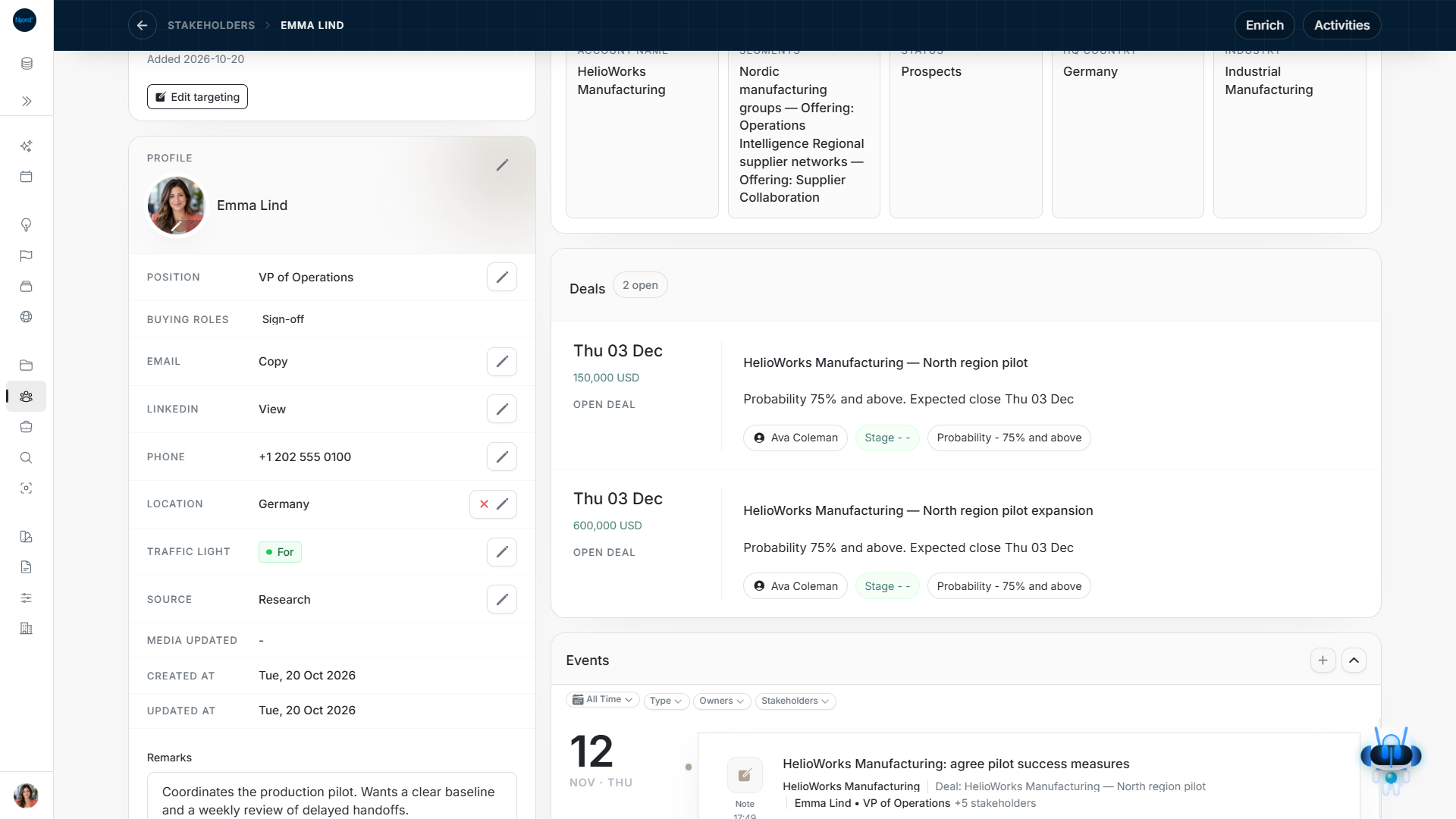
Check where a stakeholder came from
Source records how a person entered DOE. Check it when you want to distinguish a manual entry, a Research result or a contact brought in from another tool.
Check a person’s Source
- Open Stakeholders, choose the person and find Source in Profile.
- Check the record and its linked company before editing. The available choices include Research, Njord AI, Form, CRM, LinkedIn, File Import, API, and MCP.
- With record-management access, open the field’s edit control, select the accurate Source, save, and check the saved value.
Adding a person by hand normally records Form. If Research successfully fills the Add Stakeholder draft from LinkedIn, it records Research when the person is saved. A LinkedIn URL typed into a manual form still leaves the source as Form. Existing enrichment and sync preserve the saved Source.
Image guide: Source on the fictional profile shows Research. Open the relevant group before making any correction offered there.
Find or correct a group
Use Filter → Source to find people by origin. For example, select File Import when you are reviewing contacts from a spreadsheet. If several people need the same correction, select the exact rows and use Update. Review the completed result before changing another group.