Add a new stakeholder to a targeting audience
Add a new stakeholder to a targeting audience
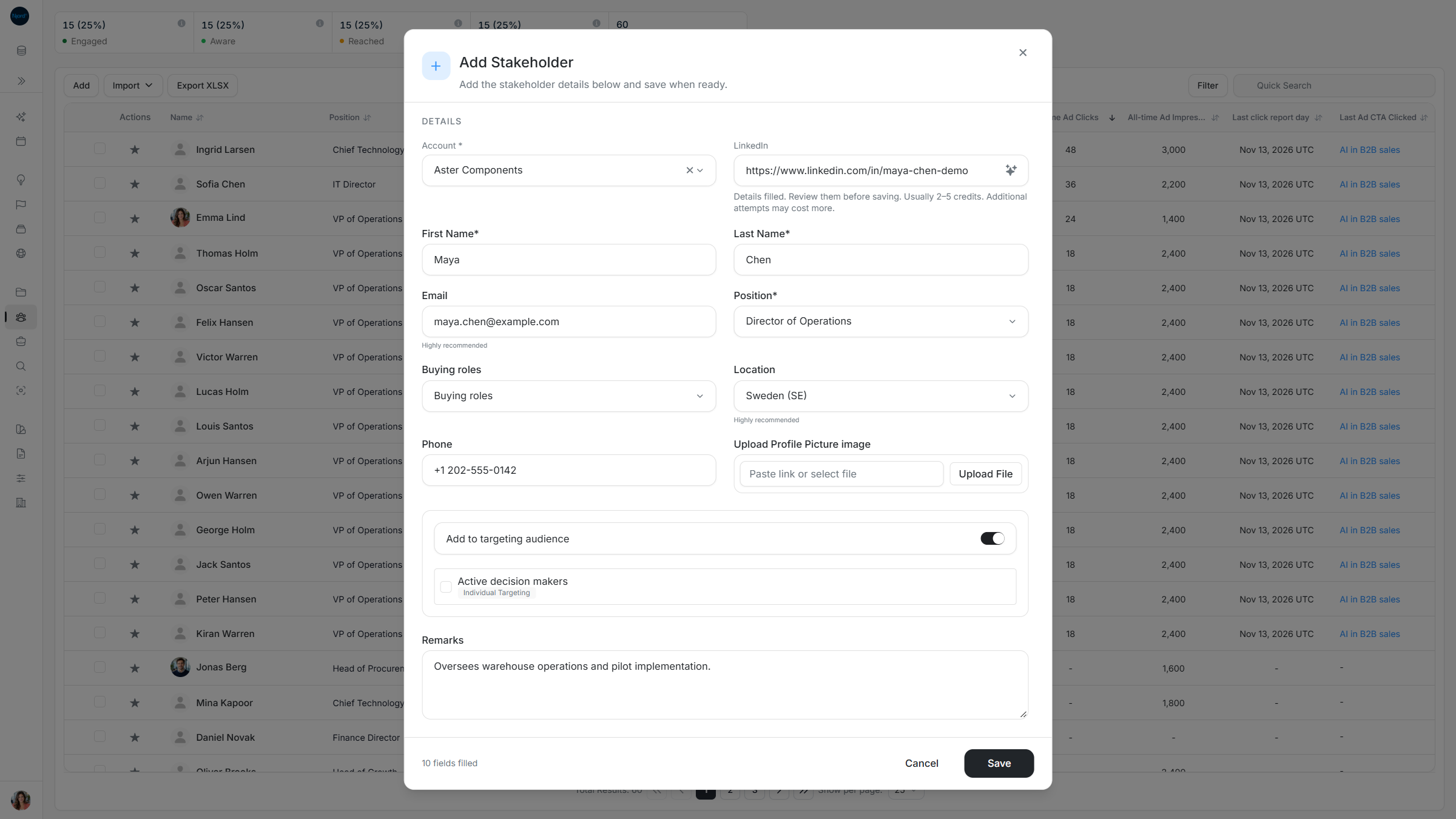
Use this workflow when you already know which audiences should include the new person. Open Stakeholders → Add and complete the profile, including the company when required.
- Turn on Add to targeting audience.
- Select one or more active stakeholder audiences in the current workspace. These memberships use Individual Targeting. The person’s company has its own targeting memberships.
- Choose Save and review the outcome for each audience. DOE saves the profile first and then applies the memberships.
- Open the new profile’s Ad Targeting section to confirm the memberships.
If no active stakeholder audience is available, save the profile with targeting turned off and add a membership when an audience is active. If an enrollment fails after the profile was saved, use the membership retry in the result or open Ad Targeting → Edit memberships on the saved profile.