Add existing people to a deal
Add existing people to a deal
Associate an existing stakeholder with a Deal when they are part of the buying group. The person keeps their Account record; Deal assignment is separate from Audience membership.
From the linked Account
Open Manage Stakeholders > Account Stakeholders. Find the person, check their Account and role, then use the row's Deal-assignment control. Review the confirmation naming the person and confirm only the intended association. Return to Deal Stakeholders to check the result. Use Cancel before submitting to leave it unchanged.
From another Account
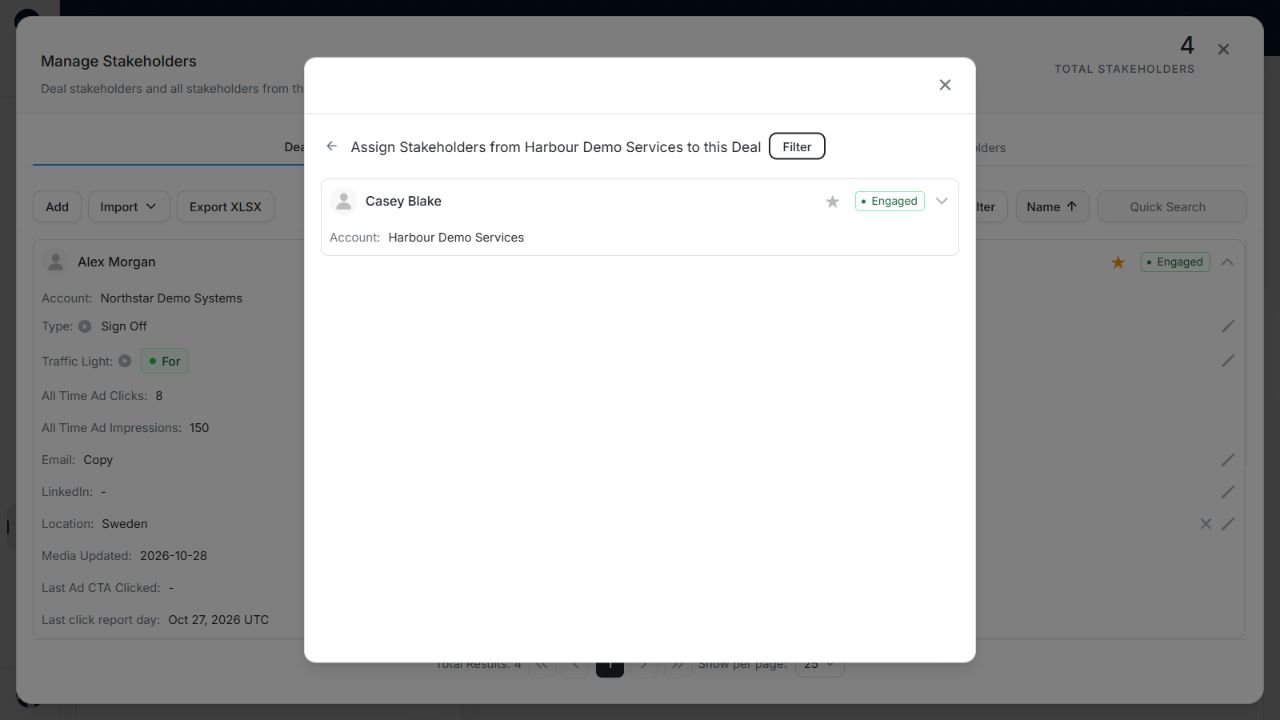
Image guide: Other-account selection showing fictional Casey Blake from Harbour Demo Services. Fictional demonstration data in the actual WorqApp components, shown in light mode.
- Choose Add Stakeholders from Other Accounts.
- Find the Account using its name and the available status filter.
- Open that Account to see its existing stakeholders. Check the heading names the intended Account.
- Find and inspect the person, then use the available assignment control and review its confirmation.
- Close the selector and check Deal Stakeholders.
Use the back control in the selector to return to Account choices. Do not create a new person solely because they belong to another Account.
Remove the opportunity association
Use the assignment control to remove the person from the Deal and read the confirmation. This leaves the stakeholder record available for other work. Delete in a selected-record toolbar deletes records and is a different action. Removing a Deal association does not by itself exclude the person from active targeting Audiences.
If a control is unavailable in a compact card, use the table layout or the available full-record workflow. Save failures leave the intended change unconfirmed; retry after checking the refreshed association.