Media analytics reports
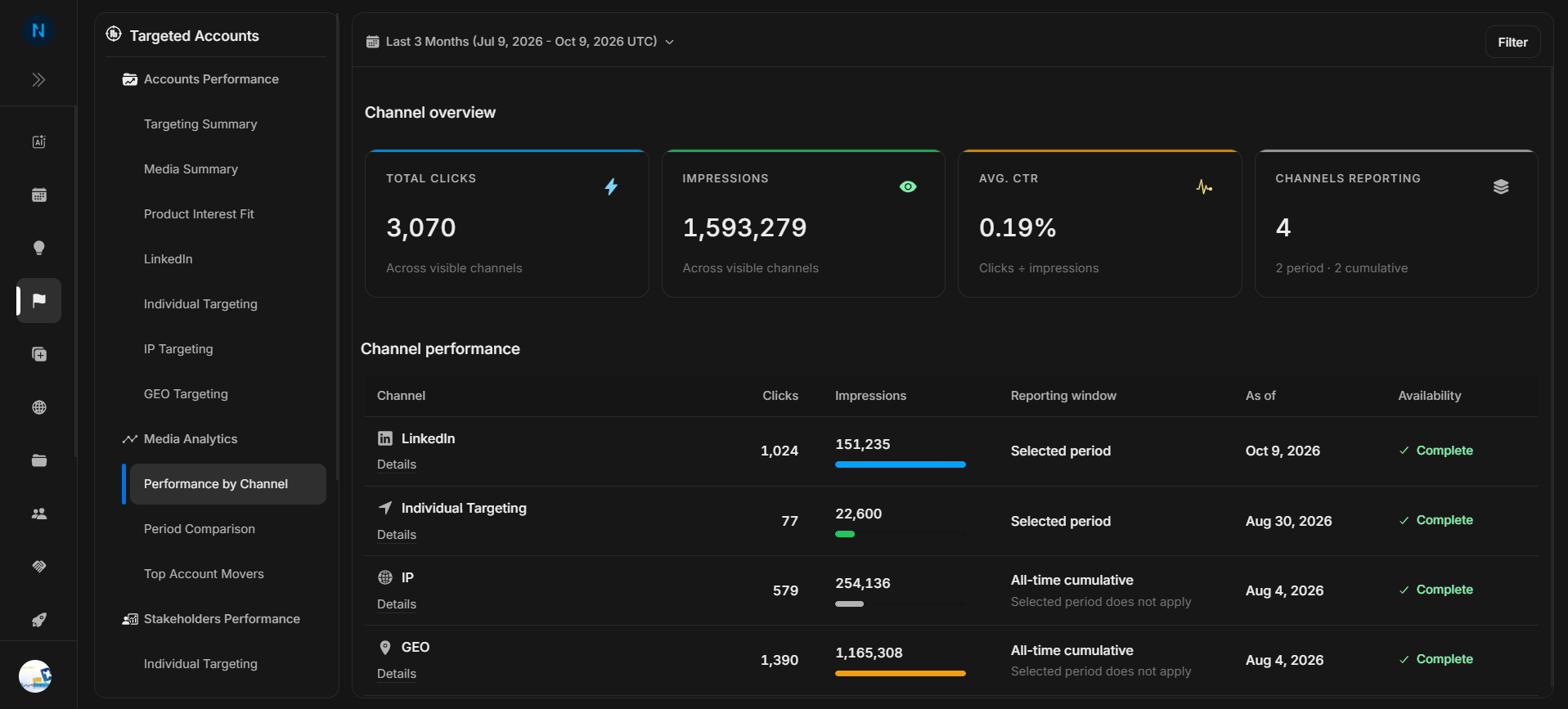
Media analytics reports
Media Analytics reports help you review media performance by channel, compare the current period with the previous period, and find accounts whose engagement changed the most.
Where it sits in DOE: Reports > Targeted Accounts > Media Analytics.
Image guide: the Media Analytics section appears under Targeted Accounts in the Reports sidebar. Start with Performance by Channel when you need the channel-level view.
Pages In This Section
| Page | Use it when |
|---|---|
| Performance by Channel | You need clicks, impressions, CTR, reporting status, and channel availability in one table. |
| Period Comparison | You need to compare the current period with the previous period for comparable channels. |
| Top Account Movers | You need to see which accounts gained or declined the most for a selected channel and metric. |
How The Reports Work Together
Use Performance by Channel first to confirm which channels are reporting and whether the selected period applies to each channel. Use Period Comparison when you need to explain increases or declines against the previous period. Use Top Account Movers when you need the account list behind a channel movement.
Before You Act
- Confirm the workspace and date range.
- Check whether the channel uses selected-period or all-time cumulative data.
- Apply account and channel filters only after you understand the default view.
- Open row details when availability or cohort basis is unclear.
- Use account-level context before assigning follow-up.