Read and copy charts and diagrams
Read and copy charts and diagrams
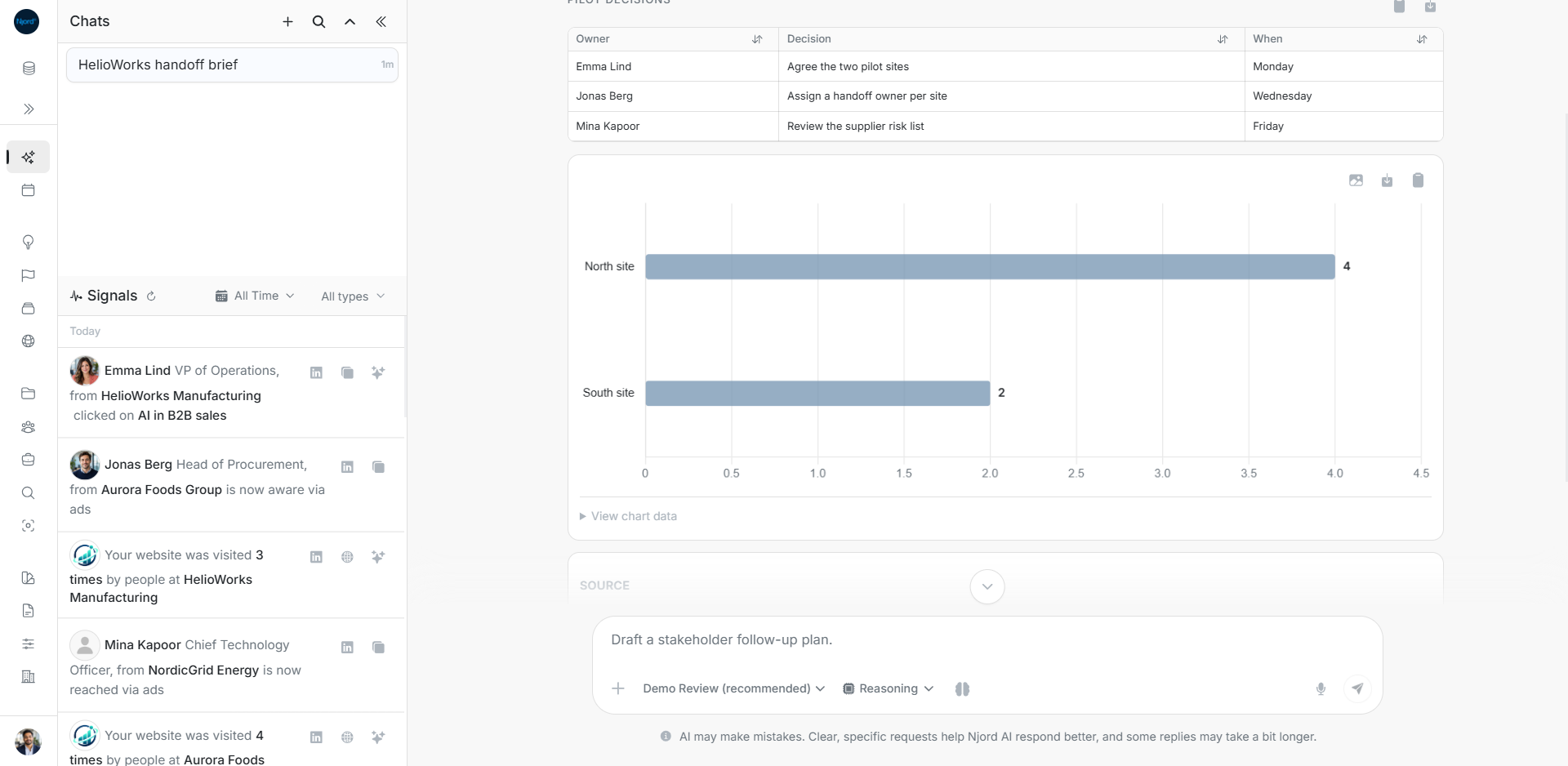
Ask for a chart to compare values and a diagram to explain a sequence or relationship. Name the records, period and question so the visual has a clear purpose.
Check a chart before using it
- Read the title, categories, series names and units.
- Check the time period and source in the answer.
- Use View chart data to inspect the numbers behind the drawing.
- Compare like measures. Clicks, impressions, people and monetary amounts answer different questions.
- Ask for missing values or clearer labels before using an unclear chart.
For example, four completed tasks at one pilot site and two at another describe task counts. They do not establish completion percentages unless the total tasks for both sites are known.
Follow a process diagram
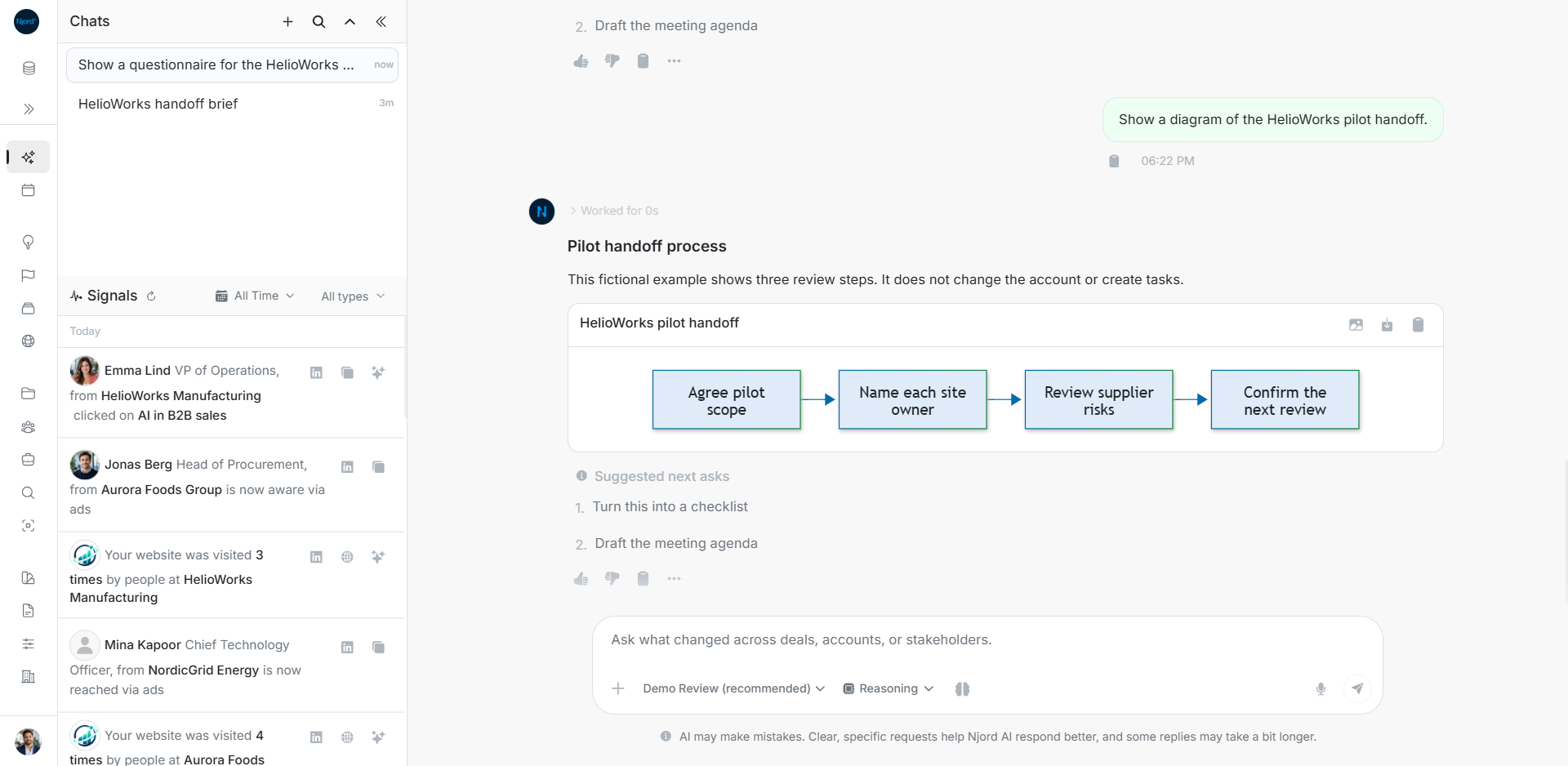
Follow the arrows and check whether each box is an action, decision or outcome. Compare the sequence with the source and confirm any named owners. The picture does not create tasks or update account records.
Copy the result you need
Hover or focus the visual's controls and read their labels.
| Needed result | Control |
|---|---|
| Picture on the clipboard | Copy PNG. |
| Picture file | Download PNG. |
| Numbers behind the chart | Chart-data copy when offered. |
| Editable diagram text | Mermaid source-copy action. |
| The whole answer with its explanation | The answer menu's supported export. |
Check the pasted picture or downloaded file before sharing. An image export and a data export contain different information.
When the visual is incomplete
A streamed diagram may still be incomplete. Wait for the answer to finish. If rendering fails, use the available source or data fallback and ask for a corrected visual. Copying the source can preserve editable content when PNG export is unavailable.
For a generated workbook, PDF or presentation, use its ready file card and version instead. Those files have separate preview and download states.