Review LinkedIn leads and create an account
Review LinkedIn leads and create an account
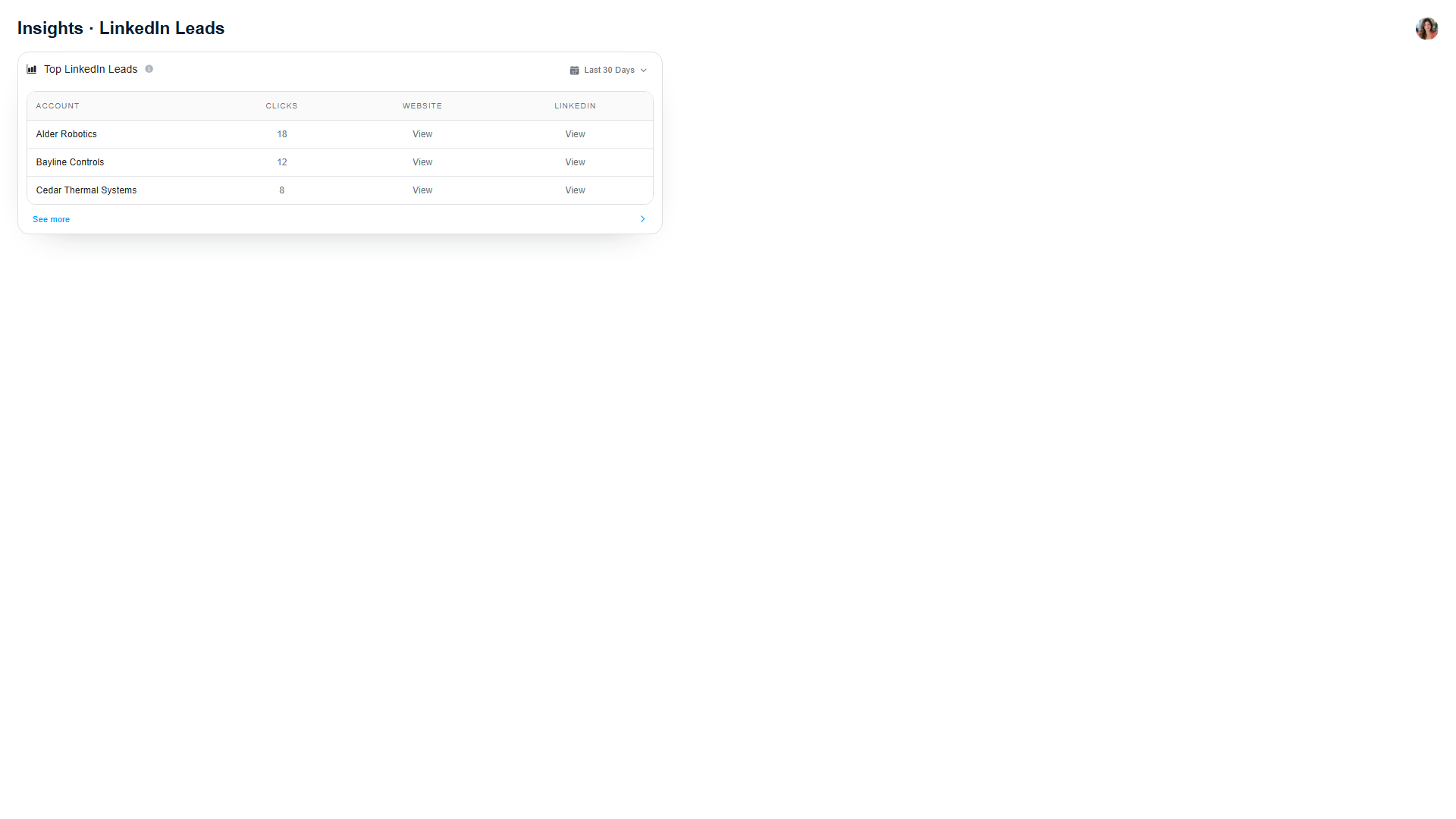
Open Insights → Top Engagements → LinkedIn Leads when the tab is available. It shows identified non-targeted companies with LinkedIn activity. Check the period on Top LinkedIn Leads before comparing rows.
Read each column
| Column | What you can check |
|---|---|
| Account | The identified company. The headquarters country can help distinguish companies with the same name. |
| Clicks | Recorded LinkedIn ad clicks in the selected scope. Review the company before deciding whether to follow up. |
| Website | Open the company website using View, when supplied. |
| Open the company’s LinkedIn page using View, when supplied. |
See more opens the Augmented Retargeting report with the current period and click ranking. Use it when you need the broader report and any additional company details it shows.
Image guide: Compare Clicks within the shown period, then open the company’s Website or LinkedIn link to verify its identity.
Create a company record from a lead
- Confirm the name and website, then check whether an account already exists.
- Open the row actions. On desktop, move over the row. On a touch device, use the available long-press action.
- Use View Account if the company is already linked. Otherwise choose Create account when your role offers it.
- Read the confirmation and check the company in Account Details. Use its Ad Targeting controls when you need to add it to an Audience.
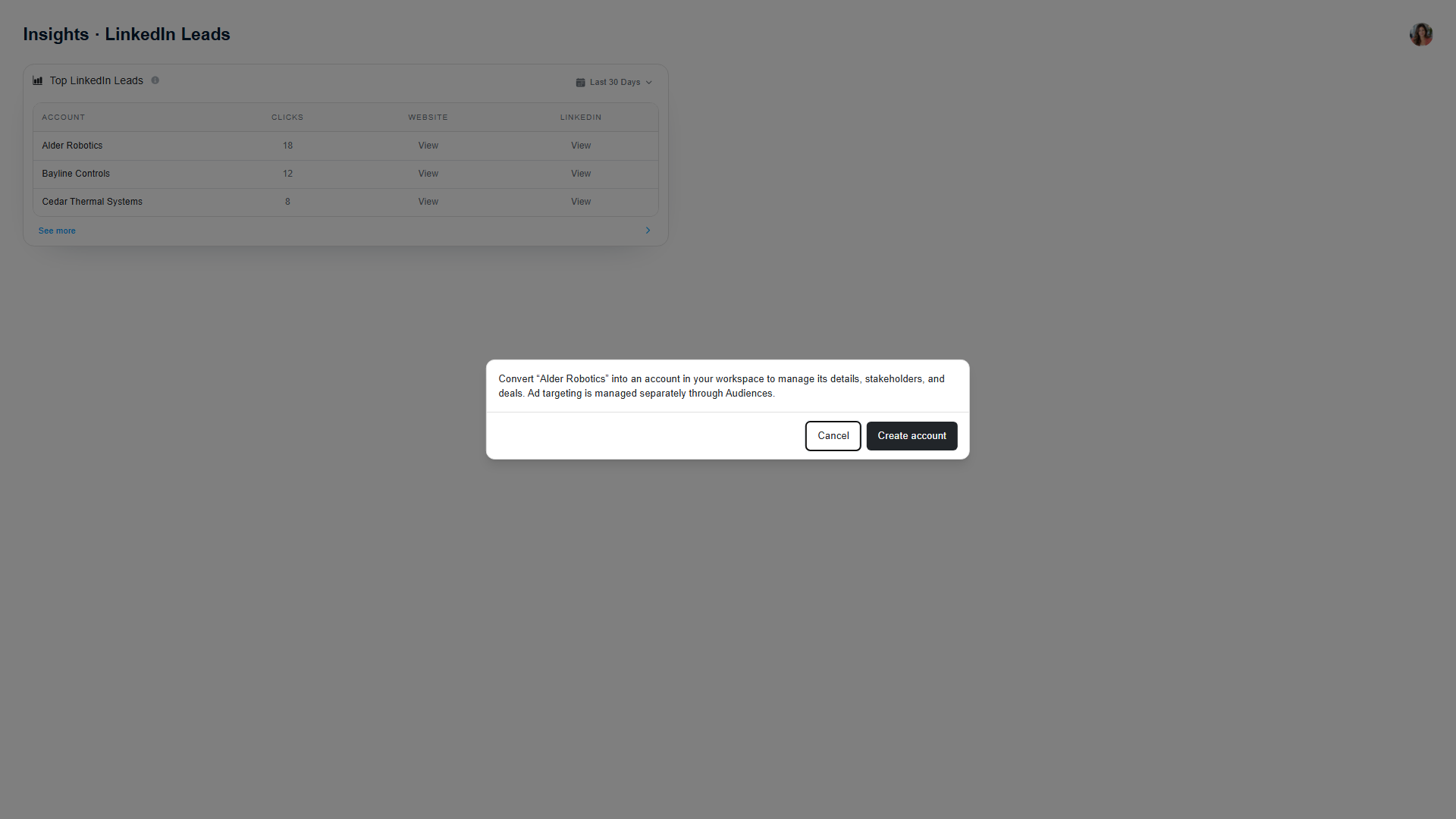
Image guide: Check the company name in the confirmation. Creating the account lets you manage its details, stakeholders and deals. Targeting is set separately through Audiences.
Hide a lead from your view
If the row offers a hide action, read the confirmation before choosing Sure, hide it. The confirmation describes a personal report exclusion and warns that the action cannot be undone from that control. Use the website or LinkedIn link first if you are still checking the company.