Augmented retargeting
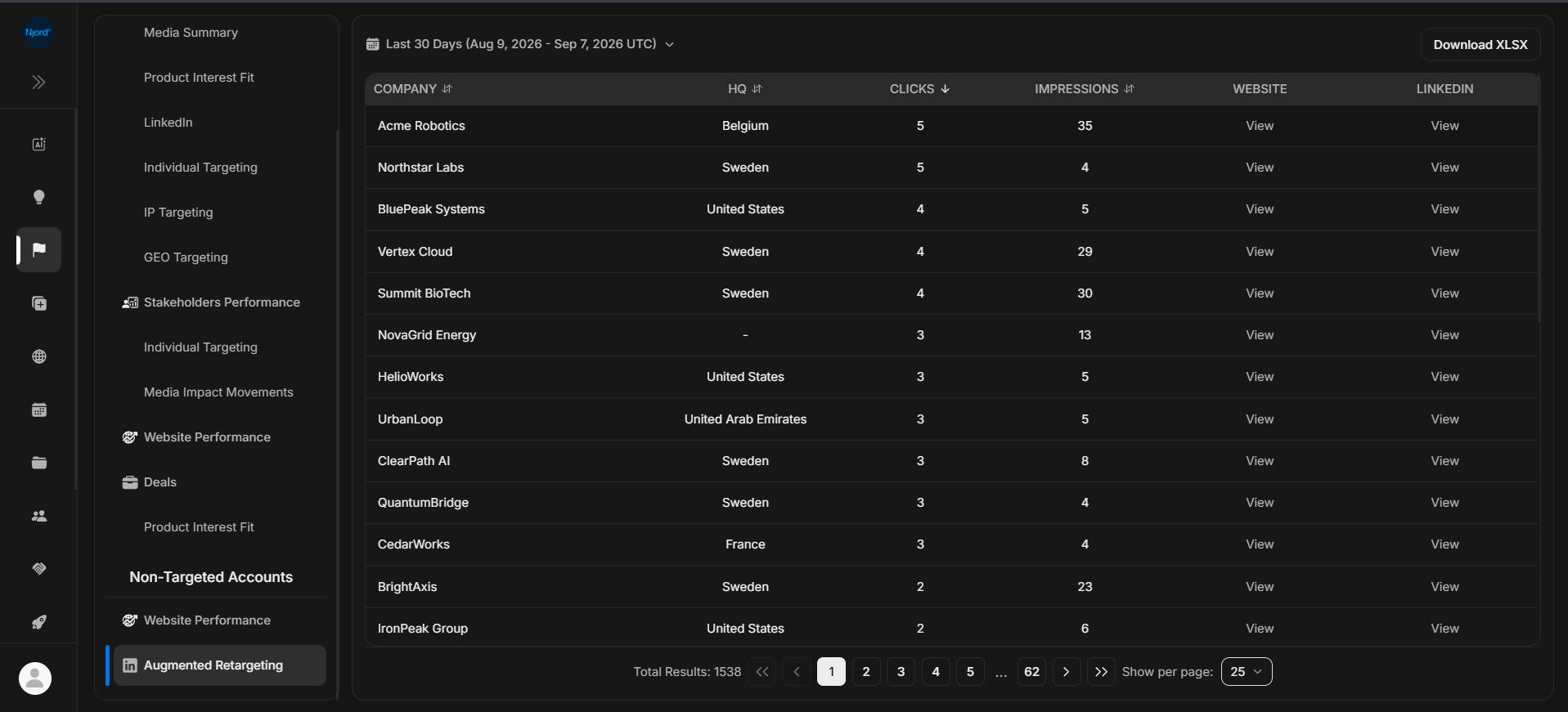
Augmented retargeting
Augmented Retargeting helps users review non-targeted companies with media activity before adding them to targeting or excluding them from the candidate list.
Where it sits in DOE: Reports > Non-targeted accounts > Augmented Retargeting.
The report focuses on recent retargeting candidates. It uses shorter duration choices than many other reports, such as Today, Yesterday, This week, This month, Last week, Last month, Last 7 days, and Last 30 days.
Use This Report To
| Need | How this report helps |
|---|---|
| Review retargeting candidates | See non-targeted companies with clicks and impressions. |
| Prioritize candidates | Sort by clicks or impressions. |
| Check basic fit | Review headquarters, website, and LinkedIn context. |
| Take candidate action | Target or exclude a company where your role and the row state allow it. |
Main Columns
| Column | What the column tells you |
|---|---|
| Company | Candidate company not mapped to a target account. |
| HQ | Headquarters country where available. |
| Clicks | Media clicks connected to the candidate company. |
| Impressions | Media exposure connected to the candidate company. |
| Website | Opens the company website when available. |
| Opens the company LinkedIn page when available. |
This report uses UTC report days. Use the same duration when comparing with exports or Insights.
How To Review A Candidate
- Start with companies that have clicks, not only impressions.
- Check the company website and LinkedIn page.
- Confirm the company is not already a target under another name.
- Compare the company with your target market.
- Target, exclude, or leave it for later review.
If It Does Not Look Right
The report automatically avoids unsupported long periods by returning to the default Last 30 days when needed. If expected rows are missing, clear search, check the duration, and confirm whether the company was already targeted or excluded.