Deal stakeholder maps and checklist
Deal stakeholder maps and checklist
Use stakeholder maps to understand buying-committee coverage and use the checklist to track activation readiness.
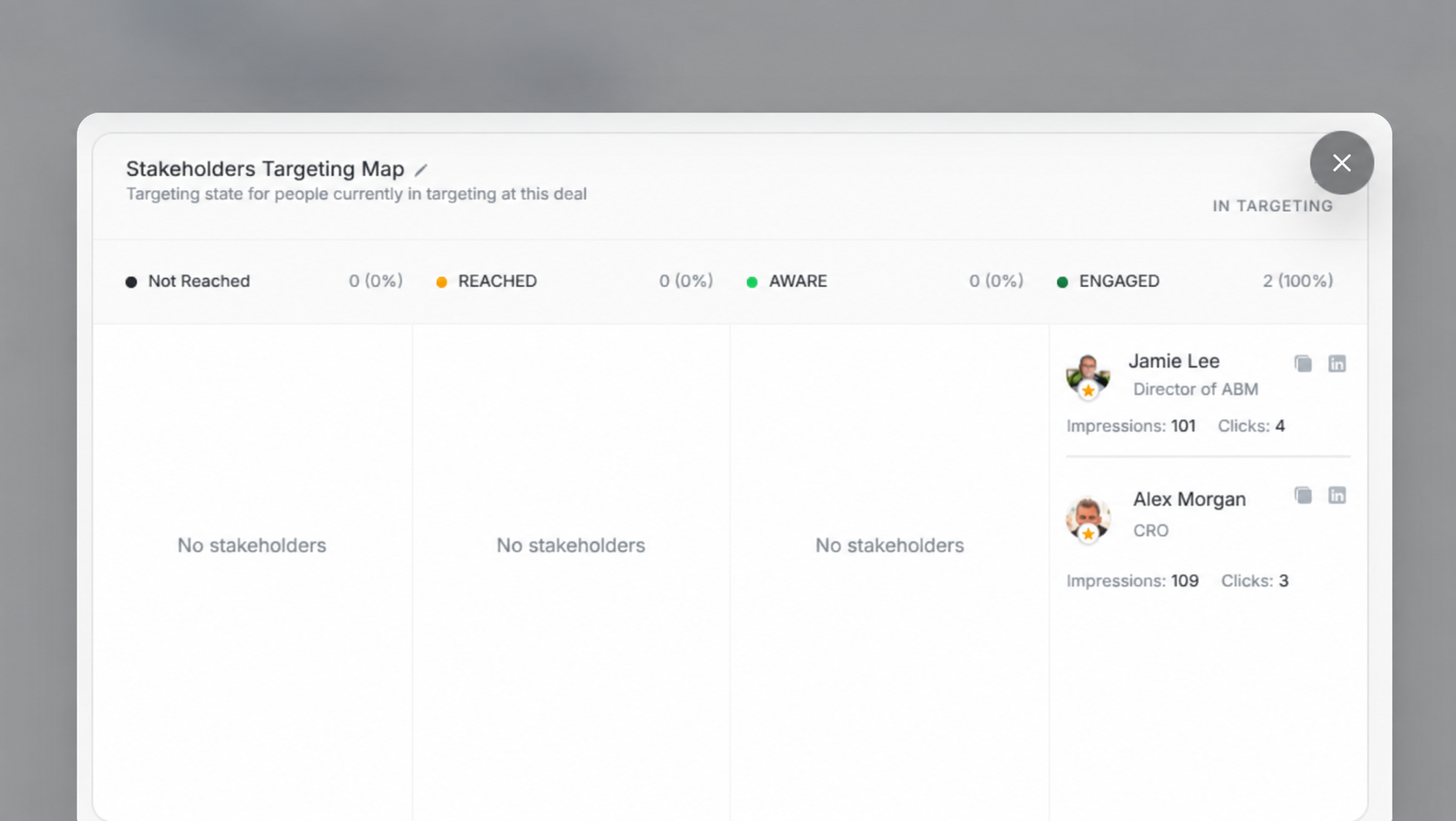
Stakeholders Targeting Map
The Targeting Map groups deal stakeholders by media-impact state:
| State | Meaning |
|---|---|
| Not Reached | No visible reach evidence. |
| Reached | Basic reach evidence. |
| Aware | Stronger impression evidence. |
| Engaged | Strong engagement evidence, usually clicks. |
The count in the upper-right shows how many stakeholders are currently in targeting for this deal.
Stakeholders Traffic Light
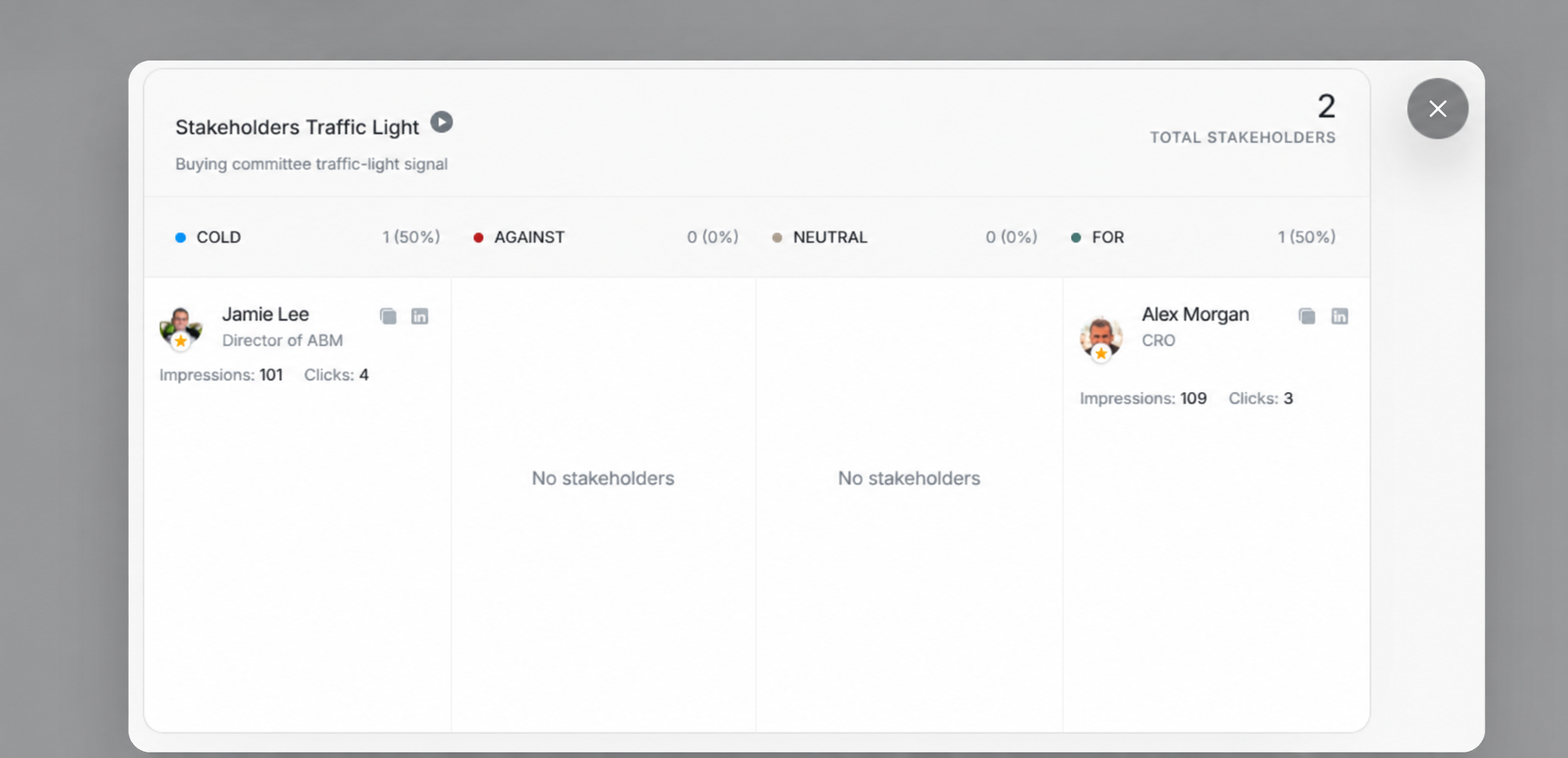
The Traffic Light map groups stakeholders by position toward the deal, such as Cold, Against, Neutral, or For. Use it to see whether the buying committee has support, risk, or missing coverage.
Sales Checklist
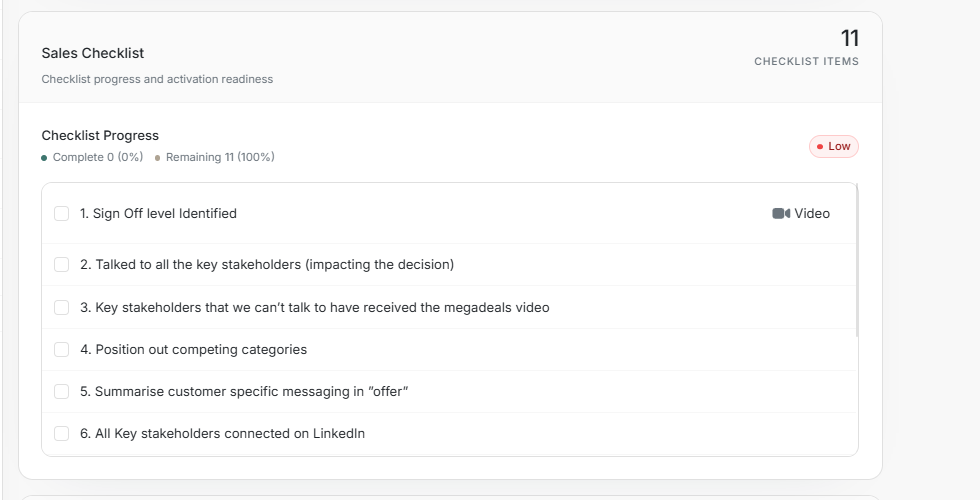
The Sales Checklist tracks work such as sign-off identification, stakeholder coverage, video delivery, positioning, customer-specific messaging, and LinkedIn connection status. The header summarizes completed and remaining items.
Review Pattern
- Check Targeting Map for engagement coverage.
- Check Traffic Light for stakeholder support or risk.
- Check Sales Checklist for remaining activation work.
- Update stakeholders or checklist items before changing deal forecast.