Manage deal stakeholders
Manage deal stakeholders
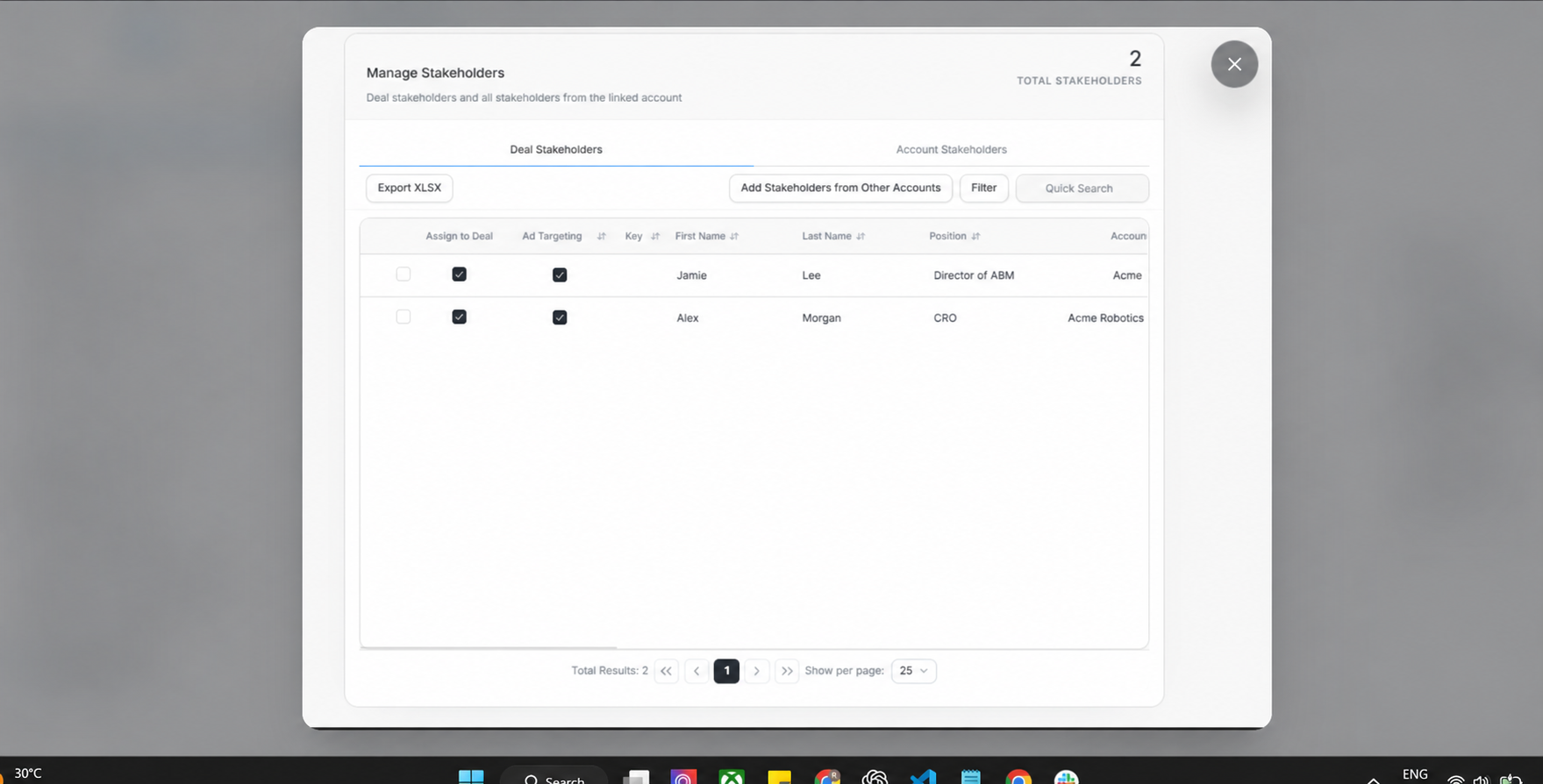
Manage Stakeholders controls which people are assigned to the deal, which people from the linked account are available, and whether stakeholder targeting or deal assignment is set correctly.
Deal Stakeholders Tab
Deal Stakeholders shows people already connected to the deal. The table includes assignment, ad targeting, key status, first name, last name, position, account, and other stakeholder fields.
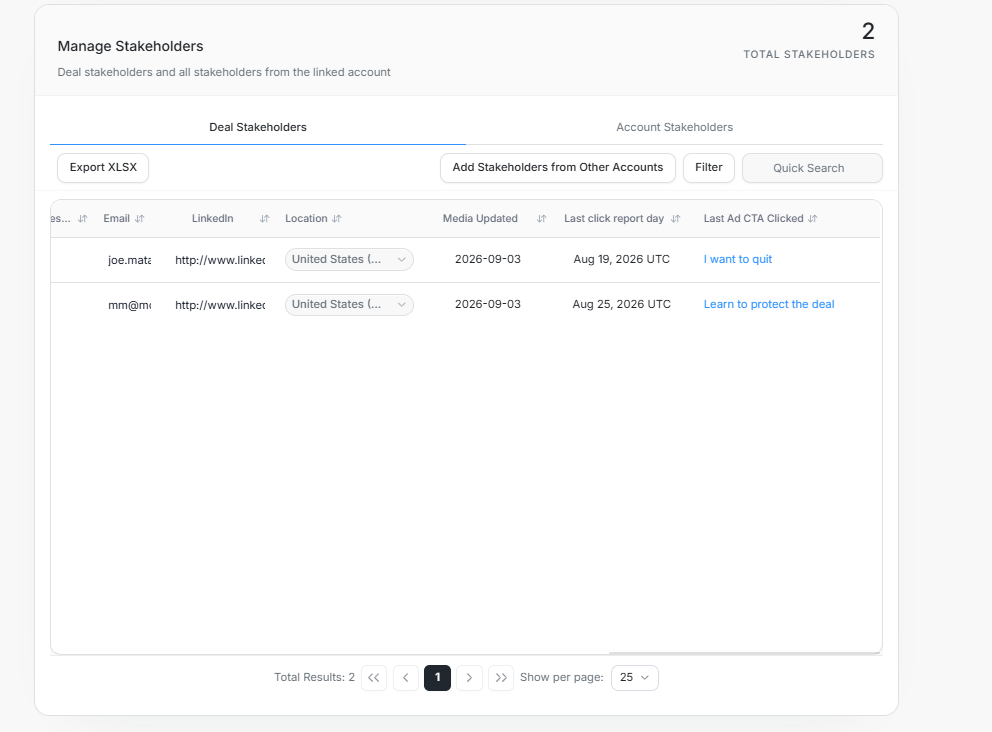
Scroll horizontally to see email, LinkedIn, location, media updated, last click report day, and Last Ad CTA Clicked.
Account Stakeholders Tab
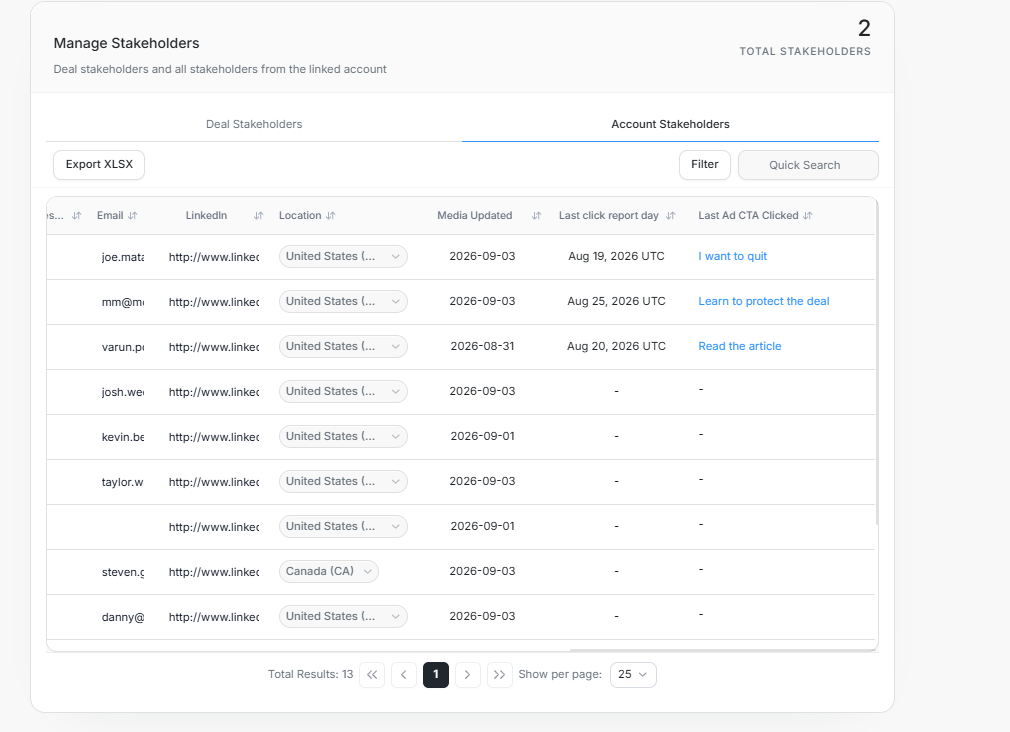
Account Stakeholders shows people from the linked account, including those not currently assigned to the deal.
Add Stakeholders From Other Accounts
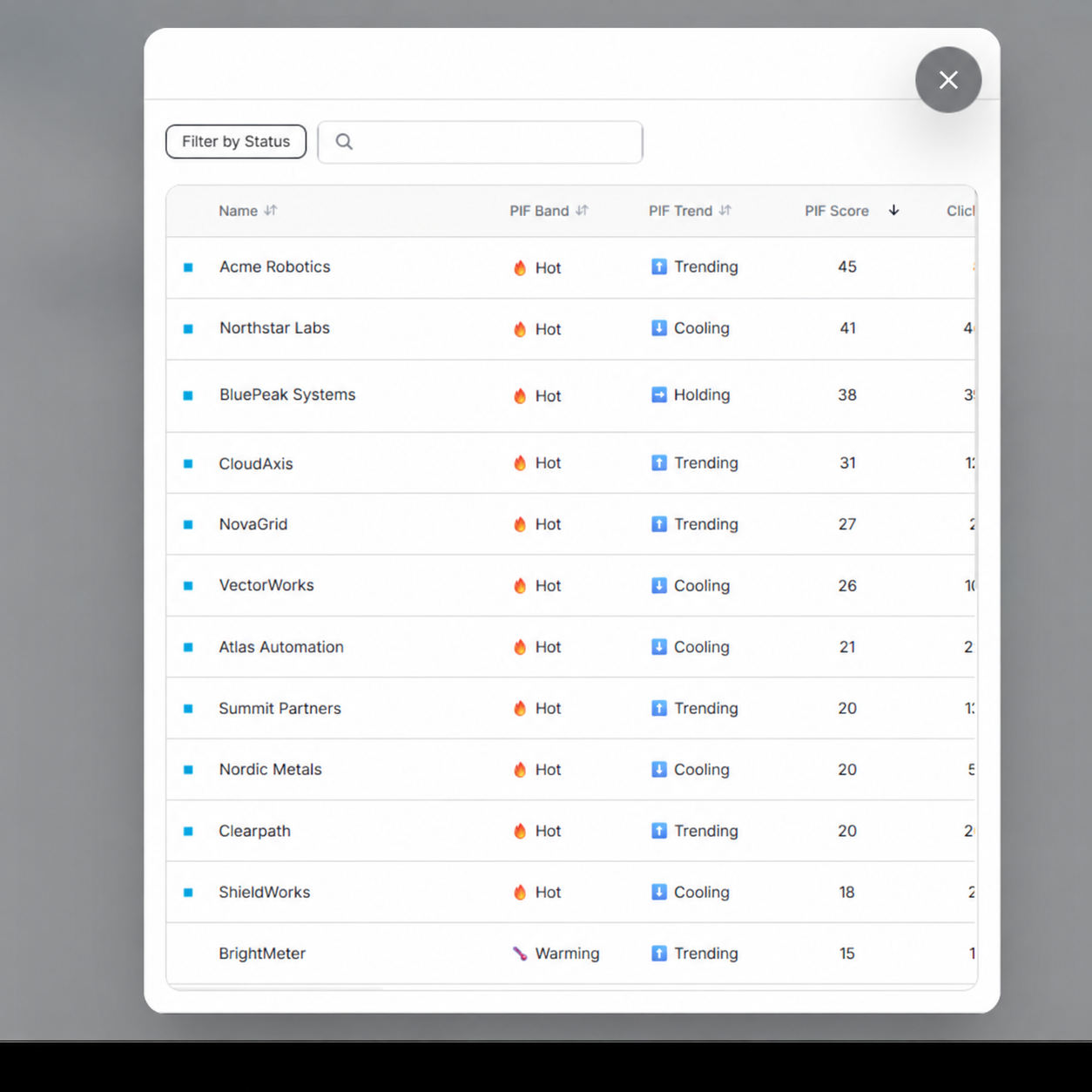
Use Add Stakeholders from Other Accounts when the right person belongs to a different account record but still needs to be associated with the deal.
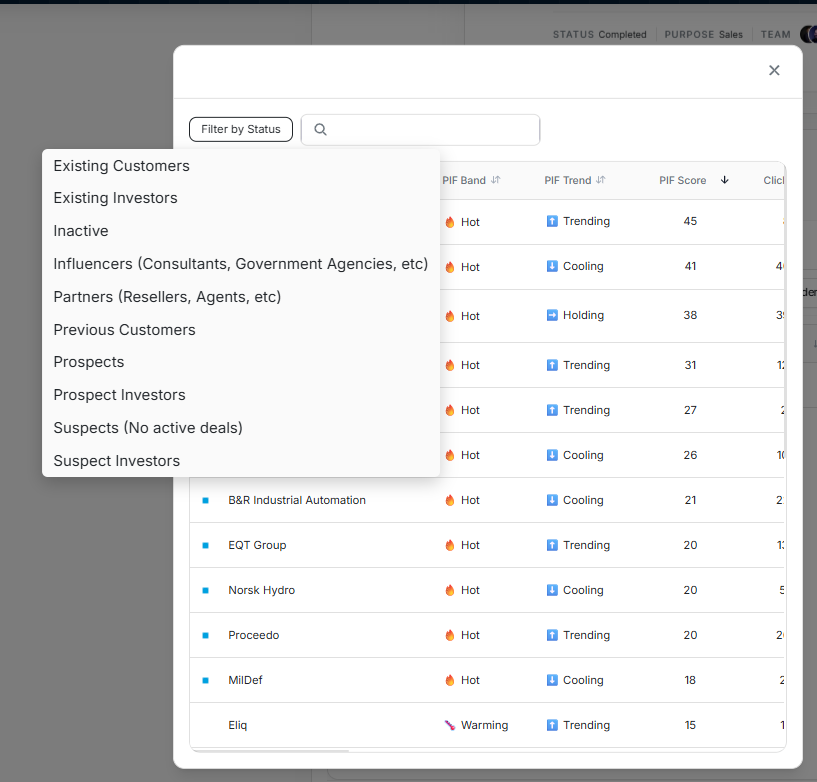
The status filter narrows the add-stakeholder list by account status, such as Existing Customers, Prospects, or Suspects.
Filter Stakeholders
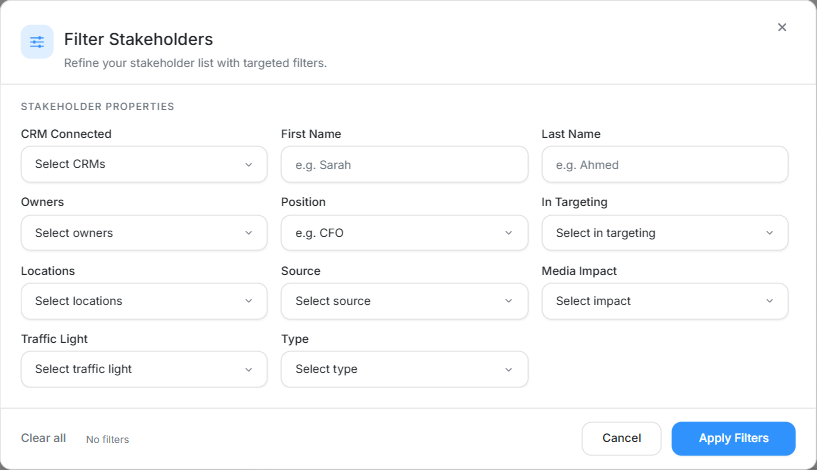
The Filter Stakeholders dialog supports CRM connection, first name, last name, owners, position, in targeting, locations, source, media impact, traffic light, and type.
Targeting Confirmation
Changing Ad Targeting asks for confirmation before it updates the person. Deal assignment and ad targeting are separate choices: adding someone to the deal does not automatically place them in targeting, and removing targeting does not remove them from the deal.
Safe Update Order
- Confirm whether you are looking at Deal Stakeholders or Account Stakeholders.
- Search or filter before making assignment changes.
- Check Assign to Deal and Ad Targeting separately.
- Use Add Stakeholders from Other Accounts only when the person truly belongs in this opportunity.
- Re-check the stakeholder maps after assignment changes.