Search deals
Search deals
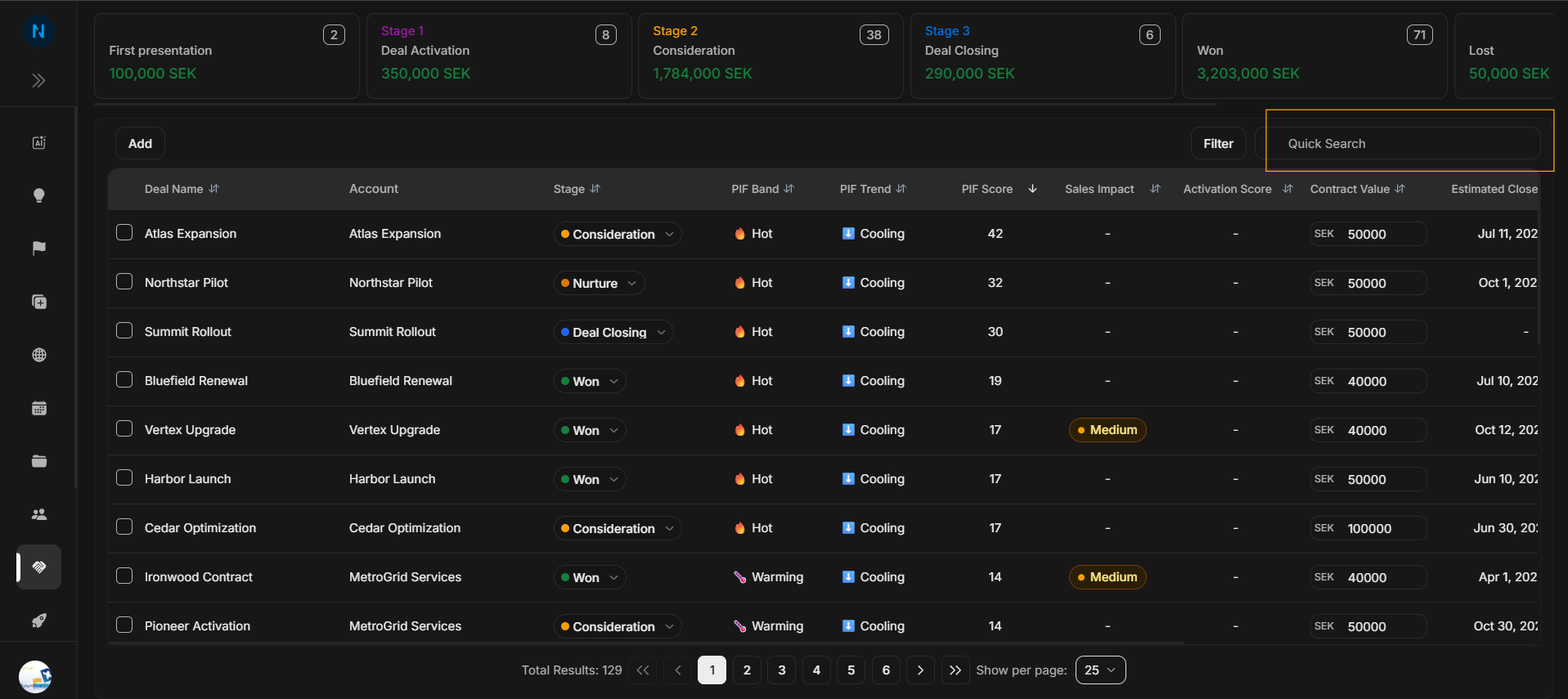
Quick Search is the fastest way to find a known opportunity. Use it when the user already knows part of the deal name, account name, owner, or visible row text.
Quick Search field
Image guide: Quick Search sits on the Deals toolbar. It narrows the table by typed text without opening the Filter Deals modal.
Correct search journey
- Type the clearest known text, such as part of the deal or account name.
- Check whether the table and total results change.
- Open or update only the matching row after confirming the account and owner.
- Clear the search before switching to a different task.
- Use Filter instead when the user needs a field-specific question answered.
Search versus filter
| Use Quick Search when | Use Filter when |
|---|---|
| The user knows a name or keyword. | The user needs owner, stage, probability, location, PIF, or activation-point narrowing. |
| One text box is enough. | Multiple fields need to work together. |
| The goal is to find one known row. | The goal is to compare a segment of the pipeline. |