Deal inline and bulk updates
Deal inline and bulk updates
Deals can be updated from the table when the user has permission. Use inline controls for one row and Bulk Update for several selected deals.
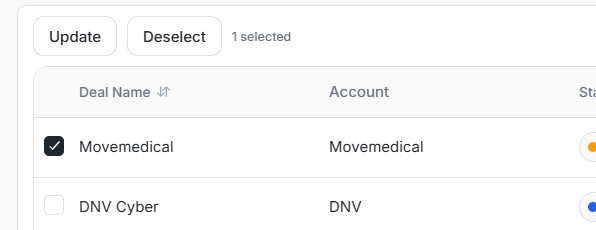
Selecting a row reveals Update, Deselect, and the selected-row count.
Inline Stage Update
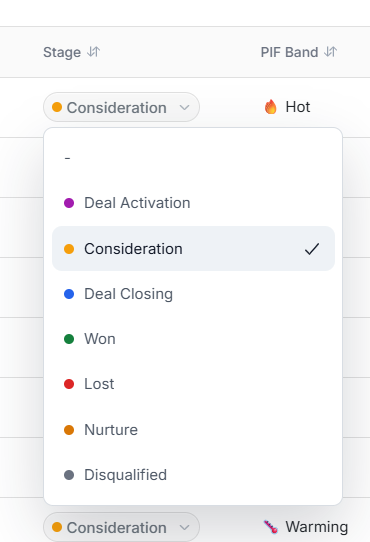
The Stage menu changes where the opportunity sits in the pipeline. The shown options include blank, Deal Activation, Consideration, Deal Closing, Won, Lost, Nurture, and Disqualified.
Inline Close Date Update
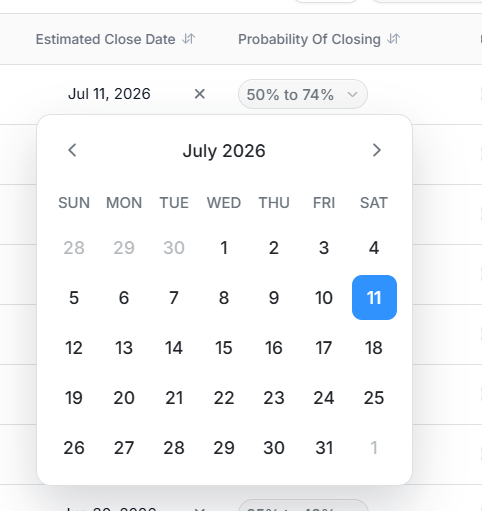
Estimated Close Date can be changed with the date picker. The clear action removes the date when a close date should no longer be shown.
Inline Probability Update
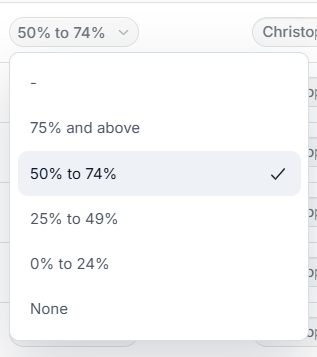
Probability Of Closing is a forecast band. The shown options include 75% and above, 50% to 74%, 25% to 49%, 0% to 24%, and None.
Inline Owner Update
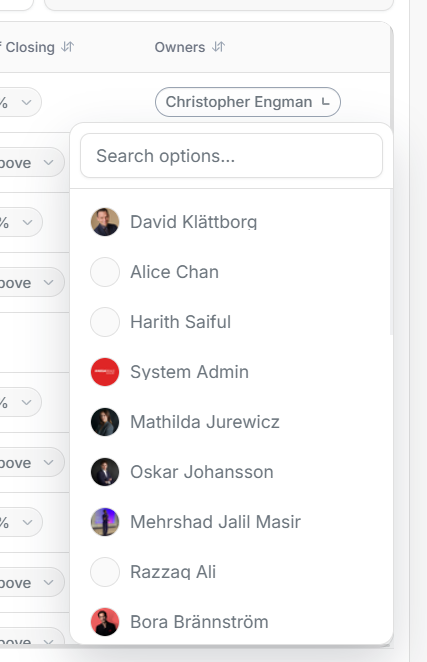
The Owners menu supports search and shows users with avatars where available. Use it to confirm or change responsibility for a deal.
Bulk Update
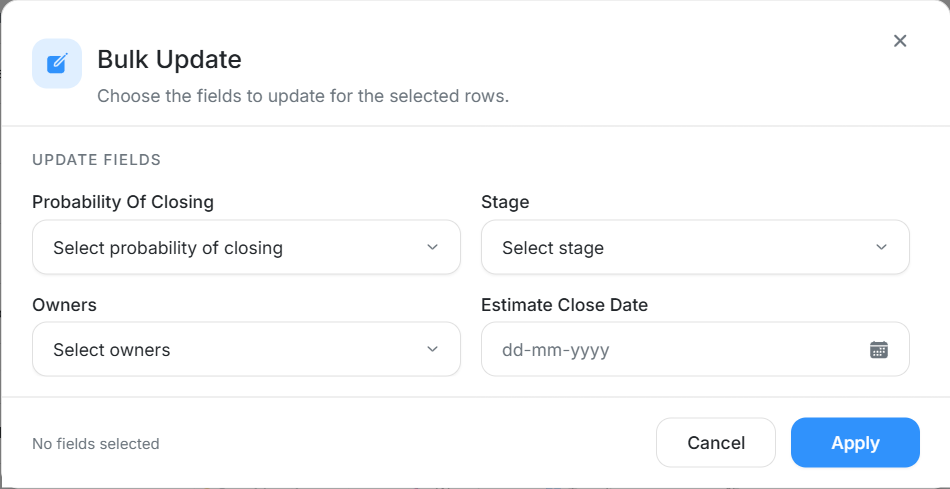
Bulk Update applies the same selected fields to every selected deal. The dialog supports Probability Of Closing, Stage, Owners, and Estimate Close Date.
Use Bulk Update only when:
- Every selected deal should receive the same value.
- You have checked that filters did not hide part of the intended set.
- You understand whether the change affects forecast, ownership, or follow-up.
Safe Update Checklist
- Confirm the selected row count.
- Review the visible deal names before opening Bulk Update.
- Fill only the fields that should change.
- Leave fields blank when they should remain unchanged.
- Apply the update and re-check the table afterward.