Expand deals
Expand deals
Use Expand when the opportunity is about growing an existing relationship. This can include renewals, upsells, cross-sells, expansion programs, or a new buying motion inside an account that already has a relationship with the business.
Expand uses the same list layout and controls as Land. The important difference is the commercial motion: Land focuses on first-opportunity work, while Expand focuses on growing or retaining an existing account.
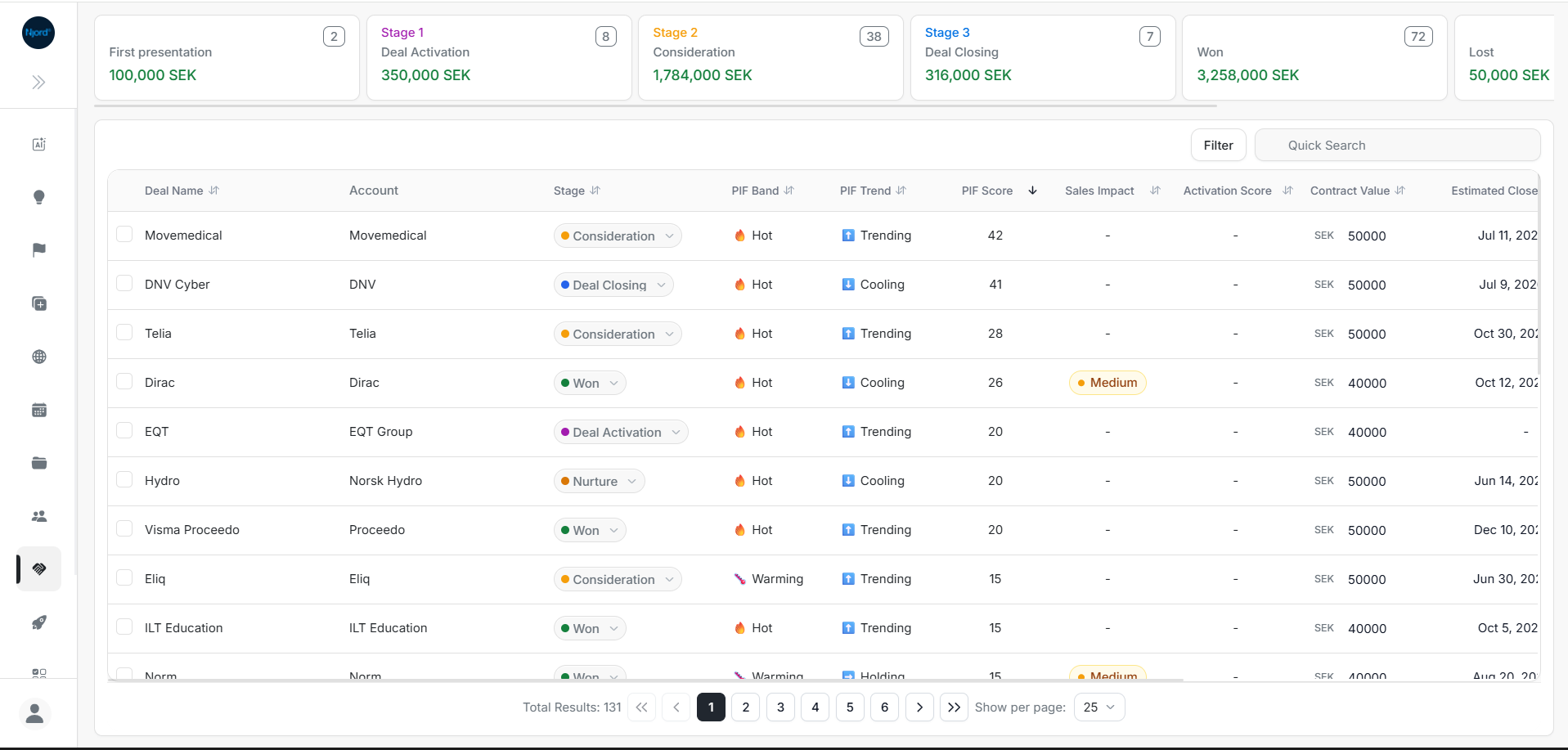
The screenshot above shows the shared Deals list layout. In Expand, the same stage cards, table columns, filters, quick search, inline updates, row selection, and pagination are available for Expand opportunities.
When To Use Expand
| Situation | What to do |
|---|---|
| Existing customer has a new opportunity | Track it in Expand instead of Land. |
| Renewal or retention risk needs followup | Review stage, close date, probability, owners, and activity. |
| Upsell or cross-sell motion is active | Use Expand to follow stakeholder engagement and deal status. |
| Pipeline needs growth-stage review | Sort by PIF Score, close date, contract value, or impact. |
What To Check First
- Confirm you are in the Expand deal list.
- Review the stage cards to understand expansion pipeline volume and value.
- Use Quick Search if you know the account or opportunity name.
- Use filters to narrow by owner, location, stage, probability, PIF band, PIF trend, Sales Impact, Activation Score, or Activation Point.
- Sort by PIF Score or Estimated Close Date when prioritizing near-term work.
- Open the deal details page for stakeholder maps, signals, events, activity history, and checklist progress.
Shared Controls With Land
| Control | How it behaves in Expand |
|---|---|
| Stage cards | Summarize Expand deal count and value by stage. |
| Deal table | Shows the same opportunity fields as Land. |
| Filter | Narrows the Expand list using the same deal properties. |
| Quick Search | Searches the visible Expand list by deal or account context. |
| Inline updates | Lets permitted users update one Expand row from the table. |
| Bulk Update | Applies the same value to selected Expand rows. |
| Show per page | Changes how many Expand rows are shown at once. |
| Deal Details | Opens the same single-deal workspace for the selected record. |
Safe Update Pattern
- Check the account and deal name before changing anything.
- Compare Stage, Probability Of Closing, Contract Value, and Estimated Close Date before forecast updates.
- Update one field inline when the change only affects one opportunity.
- Use Bulk Update only when every selected Expand deal should receive the same value.
- Open Deal Details when an update depends on stakeholders, events, signals, checklist items, or recent activity.
If An Expand Deal Looks Missing
| Symptom | What to check |
|---|---|
| Deal does not appear | Confirm you are in Expand, not Land. |
| Search has no result | Clear filters and search by account name. |
| Count looks too low | Check owner, stage, location, and probability filters. |
| Details open wrong scope | Confirm the URL contains /deals/expand/. |