Check the deal at a glance
Check the deal at a glance
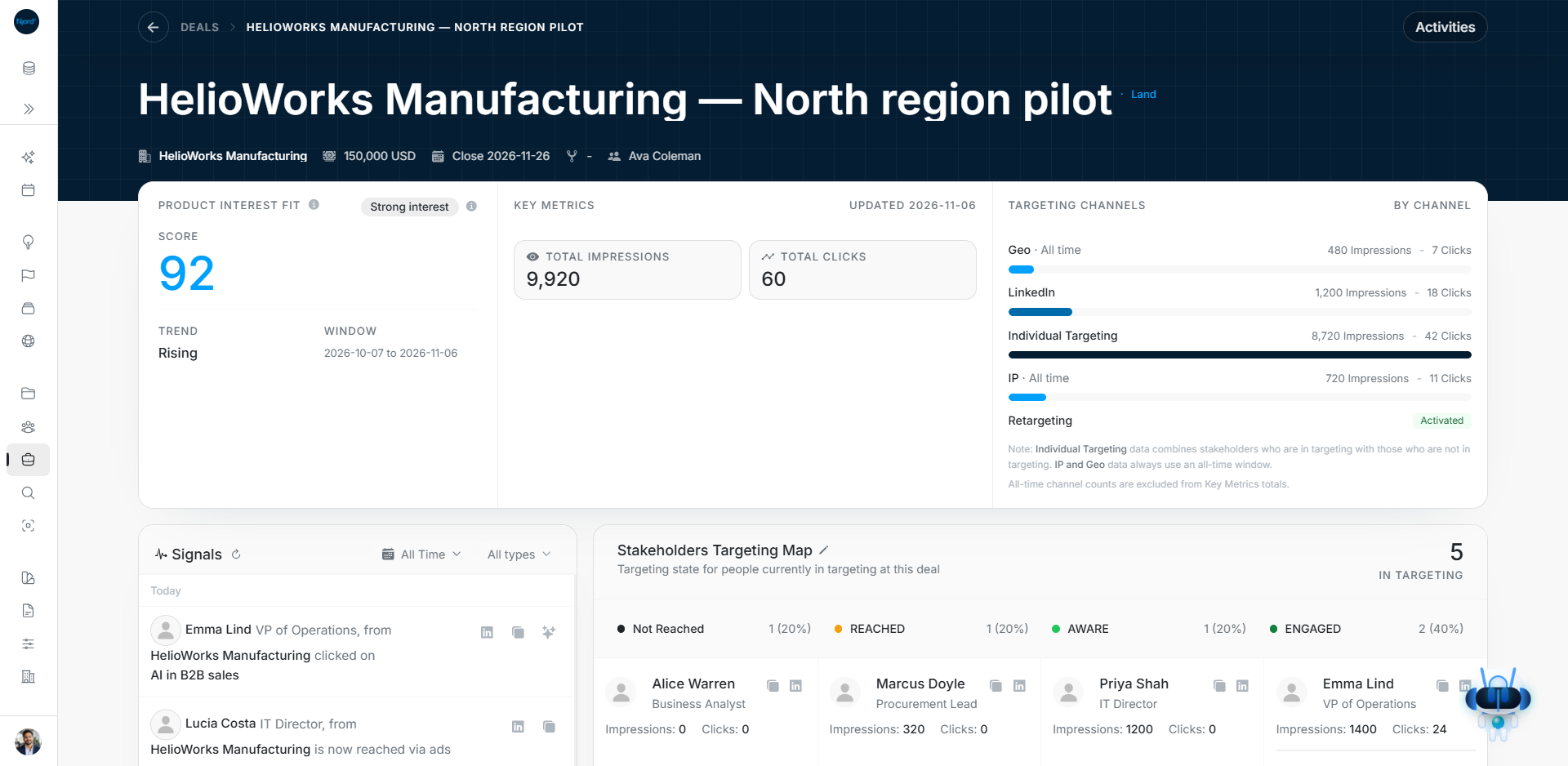
At the top of the deal page, check the deal name, company, value, expected close date, stage and owners.
Check the deal and company
Read the Deal name, Land or Expand programme and linked Account as one identity. Then check the displayed amount, estimated close date, stage and owners. A long name can be visually shortened, so use the Account and full record context to distinguish similarly named opportunities. Probability of Closing is available in Deal Details. Use Activities to investigate a recent field change before editing it again.
Review the main deal information
- Confirm the deal name.
- Confirm the linked account.
- Check Land or Expand.
- Read value, close date, stage and owners together. Check Probability of Closing in the Deal Details card.
- Continue to Product Interest Fit before deciding next action.
Make sure you are on the right deal
If the header is wrong, every later section can be misleading. Always confirm the deal and account before using signals, stakeholders, events, activities, or AI.
Before you edit the deal
Use the Account link to open the company and the breadcrumb to return to the previous list context. Confirm the selected workspace and data scope before changing owners or forecast values. A Land/Expand change alters the opportunity programme; review the saved stage separately after that change. The header, Deal Details, Activities, Events, Signals and stakeholder panels all refer to the same opportunity, but each has its own editor or filter.
Image guide: Deal summary with PIF dates, bounded key metrics and separate all-time GEO and IP figures. Fictional sample data in the current app, captured in light mode.