Record what started a deal
Record what started a deal
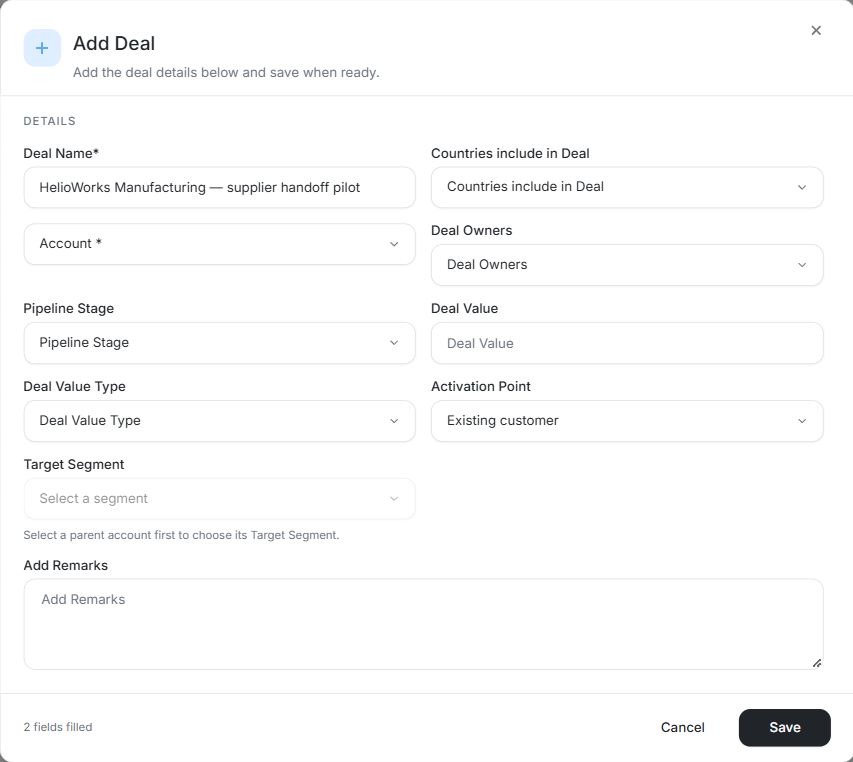
Activation Point tells the team what brought a sales opportunity to their attention. For example, a customer can raise a new need during a renewal call, or a reference customer can introduce you to a prospect.
Image guide: The fictional expansion opportunity uses Existing customer as its Activation Point.
Choose and explain the trigger
- In Add Deal, open Activation Point. On a saved deal, go to Deal details and choose the pencil beside Activation Point.
- Choose the best description. For example, use Existing customer if a current relationship prompted the opportunity, Reference Intro for a referral, or Conference if that is where the opportunity began. Existing customer is offered for both Land and Expand. The creation form also accepts custom text.
- Save the new deal or choose Submit in the existing deal’s editor. Confirm the value in Deal details.
- Add context in Activation Point Remarks. This field saves after a short pause. Check for any save error before leaving.
For example, on Harborline Energy’s expansion deal choose Existing customer, then write “Operations asked about a second site during the October renewal review.” Keep your general opportunity notes in Remarks.
Review deals by their trigger
Open Deals → Filter and choose Activation Point. Apply the filter and check whether Land, Expand, or an all-types view is selected. The deal type, pipeline stage and closing probability each have their own fields.