Replace or remove a Knowledge source
Replace or remove a Knowledge source
Use source replacement when the original content is outdated. Details edits change the label and classification, so they are insufficient when the underlying text has changed.
Where to find it: Context > Knowledge. Admins and Client admins manage sources.
Replace original content
- Add the revised file or text as a new Knowledge source, with a clear title and the intended Search, Facts extraction or Both purpose.
- Wait for processing and check the new searchable passages or Fact suggestions.
- Compare the old and new claims. Review any new suggestions instead of assuming the replacement approved them.
- Open the old source's delete control and read the source-specific warning before confirming.
Knowledge does not expose the file version history provided by Assets. An Asset version upload does not replace Knowledge content.
Understand the deletion warning
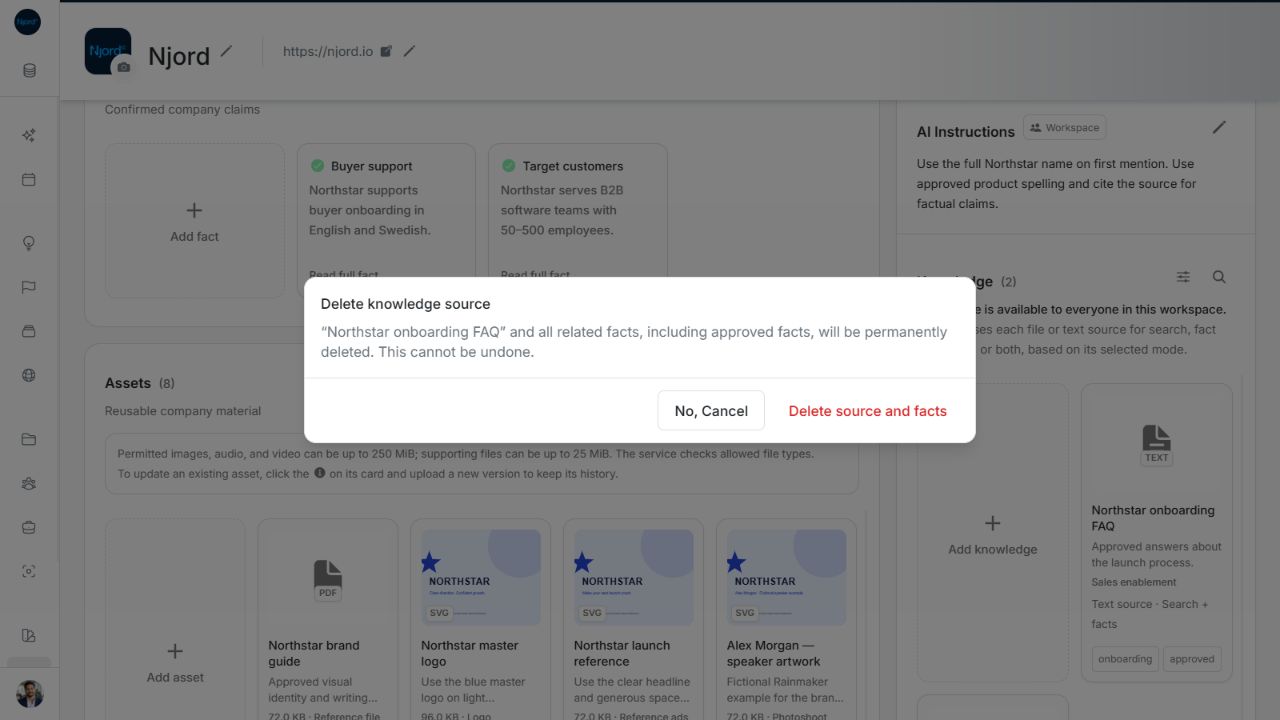
Image guide: Delete knowledge source warning explaining that the source and related Facts, including approved Facts, are permanently removed. Shown in light theme.
The dialog warns that deleting the source also permanently removes its related Facts, including approved Facts. Cancel if those claims must remain available while you prepare the replacement. A manual Fact without that source is separate; do not assume all Facts have the same deletion relationship.
After deletion, the old source no longer supplies searchable passages. Check the remaining confirmed Facts and the replacement's processing state. There is no source Restore control in this flow.
Verify the replacement before removing the old source
Open the new source after processing and check its title, purpose and available content. For Search, try a phrase you expect to find. For Facts extraction, inspect the new suggestions and their source evidence. A source that is still processing or failed is not a confirmed replacement.
Use Cancel in the old source's removal confirmation when the revised source is not ready or the warning includes Facts you still need. If deletion or processing fails, refresh that source and inspect its saved state before repeating the action. Adding the same replacement repeatedly can leave duplicate sources; editing an Asset version does not resolve a Knowledge processing failure.