Maintain comparable customer references
Maintain comparable customer references
A customer reference helps a buyer judge whether an outcome is relevant to their own situation. Record comparability and explicit permission rather than assuming every saved customer name can be used publicly.
Where to find it: Context > Go-to-market foundation > Proof library > References.
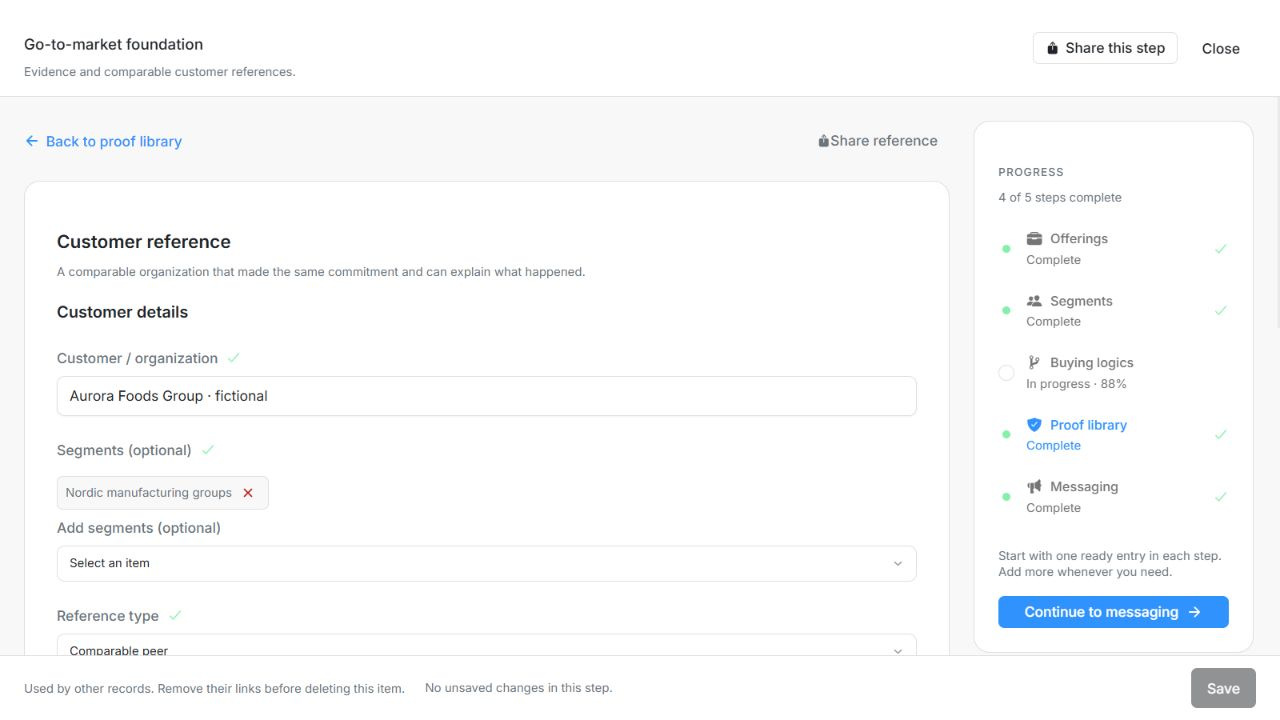
Image guide: Customer details with optional Segments and reference type. Fictional sample records in the normal authenticated product, shown in light theme.
Add a customer reference
- Add a reference and enter Customer / organization.
- Optionally link Segments, choose Comparable peer or Logo / association, then describe Use case and scope under Experience and results. The use case is required for completion.
- Record Outcome and source. Choose the reference type, peer or logo, as appropriate.
- Review Confirmed permissions: Nameable, Quotable, Case study available, Reference in paid ads and Outcome verified. Select only permissions actually established.
- Choose Save, then verify the saved reference and its checked state.
| Field | What to enter or check |
|---|---|
| Customer / organization | The comparable organisation that made the commitment; a logo alone is not a peer reference. Up to 200 characters. |
| Segments (optional) | Link relevant saved segments, or leave the reference unrestricted. |
| Use case and scope | The commitment, implementation scope and problem addressed by this customer. Up to 20,000 characters. |
| Outcome and source | What happened after the decision, with supporting evidence and limits. Up to 20,000 characters. |
| Reference type | Peer means a comparable organisation and commitment; logo means name recognition without established comparability. Choices: Peer; Logo. |
| Confirmed permissions | Evidence-backed permissions and attributes; paid advertising needs explicit permission. Outcome verified requires substantiation. Choices: Nameable; Quotable; Case study available; Reference in paid ads; Outcome verified. Up to 5 entries. |
Keep permission and verification separate
Verifying an outcome does not itself grant permission to name the customer, quote them or use their brand in paid ads. A nameable reference does not automatically permit a quote. For progress, the entry needs the required customer and use-case content, outcome verification and an applicable usage permission. Do not add imaginary consent to complete the form.
For a dummy example, use “Harbour Demo Software” with a clearly fictional launch scenario and demonstration-only outcome. Keep the example distinct from an actual approved customer case.
Use, draft or remove a reference
Messaging can select comparable references when the segment scope, use case and usage permission fit. Draft with Njord AI provides suggestions; inspect the suggested attributes and permissions before Apply selected or Apply all. Research output is not a substitute for consent.
Existing references remain open after Save. Share becomes available after a successful save. Linked evidence cannot be silently cascaded away: review dependencies, confirm removal and Save the staged change. Call or introduction permission is not offered in this reference form.
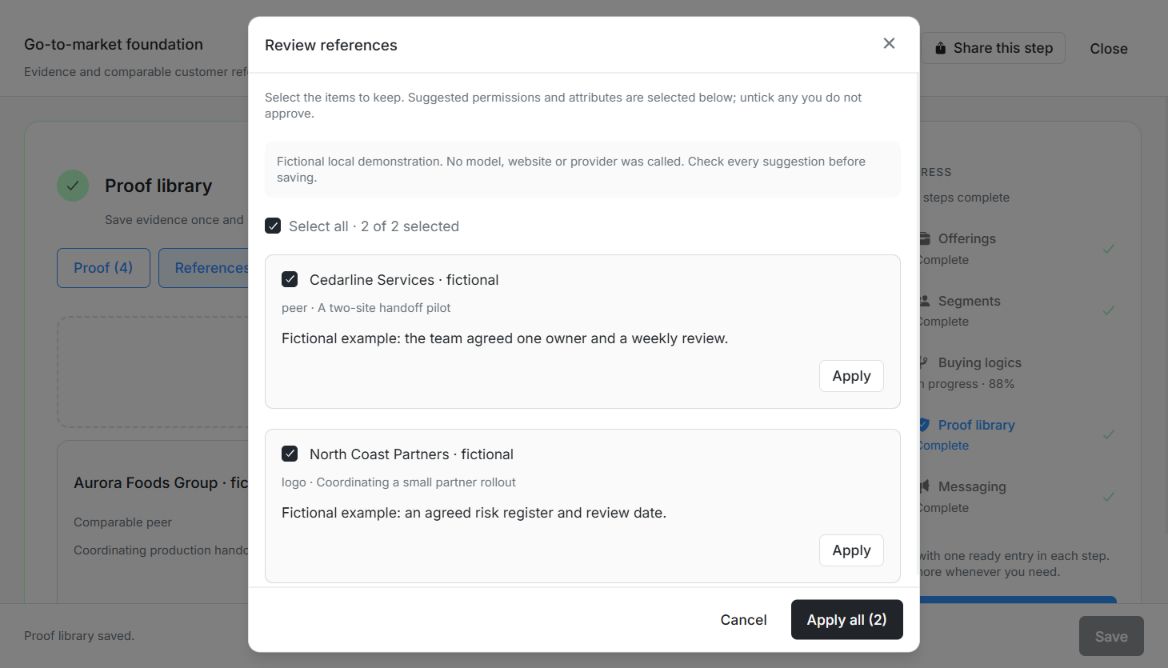
Image guide: Review references shows two fictional customers, use cases and outcomes with individual Apply and Apply all (2). Fictional local example in the normal authenticated product, shown in light theme.
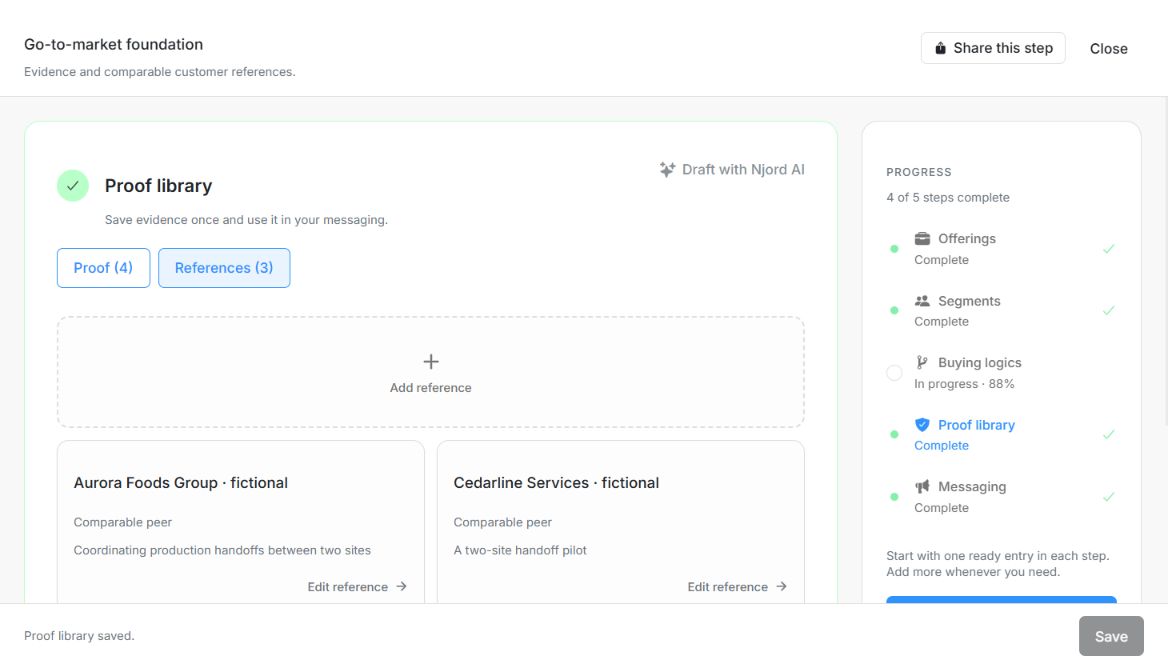
Image guide: Cedarline Services appears beside the original Reference after local batch approval; the footer says Proof library saved. Fictional local example in the normal authenticated product, shown in light theme.
Apply Segment scope and public-use permission
A reference with no Segment restriction can be reused across applicable messages. A scoped reference must overlap the message's selected Segments. Public Messaging also requires Nameable permission; an outcome claim or an AI suggestion does not grant that permission. Ineligible saved selections remain visible so you can remove or correct them.
Use the current Customer details, Experience and results, and Permissions sections. Separate comparability inputs for Industries, Countries and Size are no longer part of this form. Record the actual use case, outcome, source, Segment scope and established permissions instead.
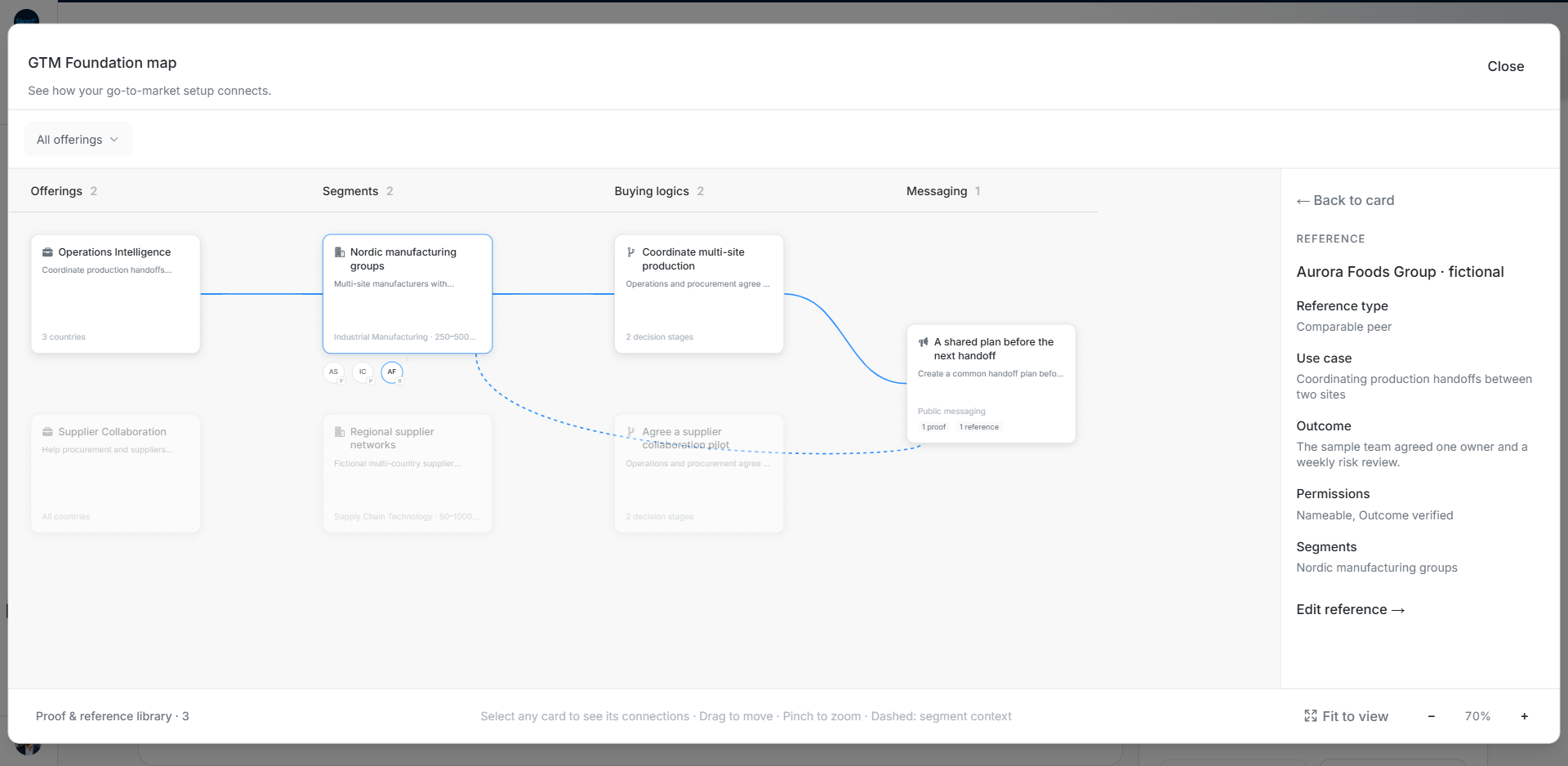
Image guide: A linked Reference shows the customer, use case, outcome, permissions and Segment. Fictional sample data in the current app, captured in light mode.