Add and maintain a font source link
Add and maintain a font source link
Use a font source link when the team should obtain the approved typeface from a foundry, font library or shared folder. A source link complements the option to upload font files.
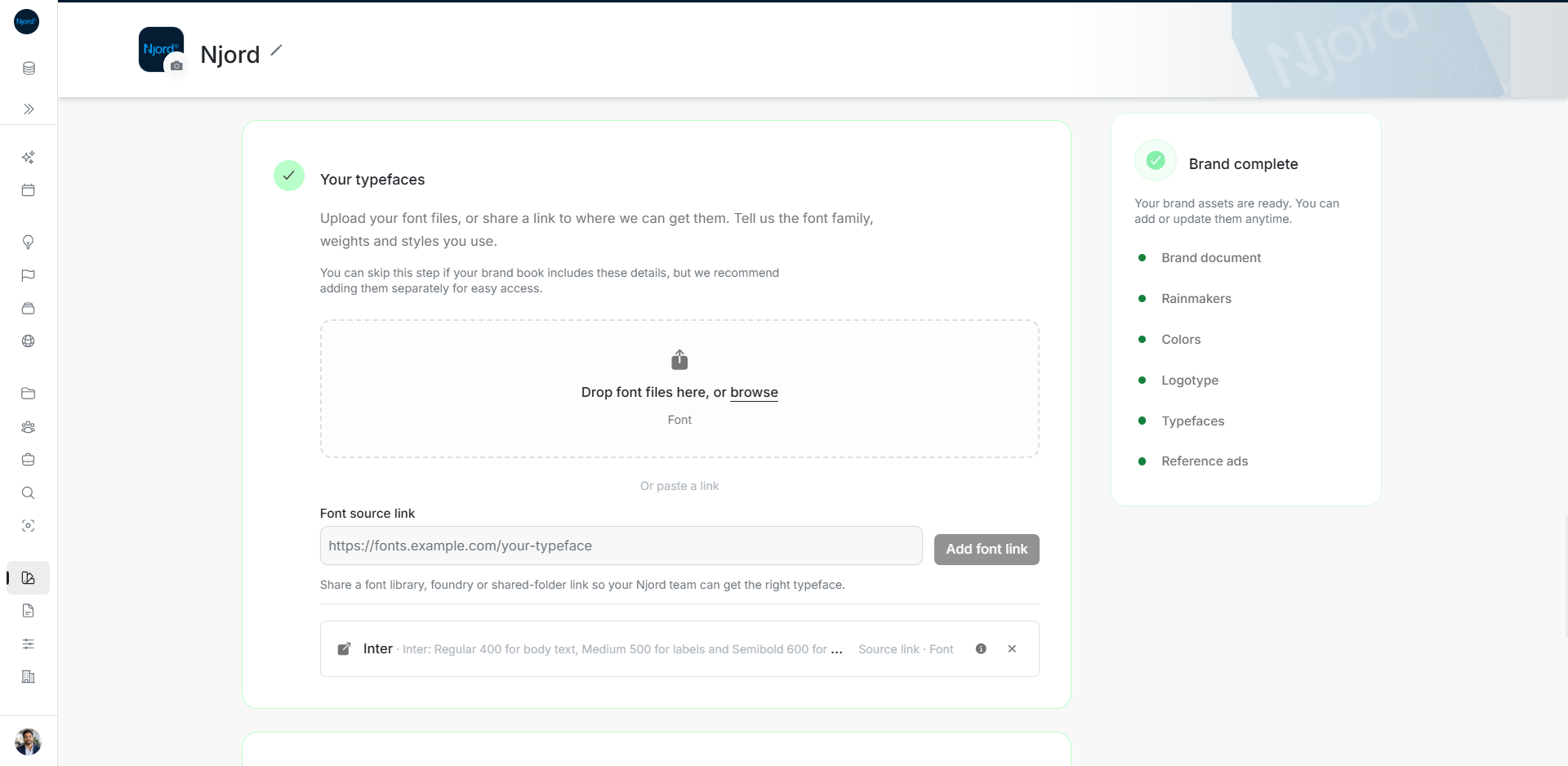
Where to find it: Brand > Your typefaces > Font source link. Admins and Client admins can add it when source links are available in the workspace catalog.
Add an approved source
- Paste a complete web link and choose Add font link.
- Check or enter the font family/title and source URL in the review form.
- In What should we use this for?, explain the weights and styles: for example, “Regular for body copy; Bold for headings.” This description is required.
- Add relevant tags and optional notes, then choose Add asset.
- Check the saved source-link row and open its source when you need the font files.
Maintain the source
Open the row's details control to revise its title, source link, usage guidance or tags, then Save details. A source-link Font has no uploaded file versions or file download control. Use file uploads when you need stored font binaries and version history.
If the link controls are absent, source links may be unavailable in the workspace catalog or you may have read-only access. A URL identifies where to obtain the typeface; confirm the team's right to use the files with the source provider.
The Font source link field adds an approved location. The saved Inter row is marked Source link and Font; its external action opens the source and its details control opens metadata.
Check what the saved link provides
A Source link · Font row opens the font provider or approved location. It has details for the title, source and required usage guidance, but no stored font file to download or version. If the team needs the binaries kept in DOE, upload the permitted files as a Font Asset instead. For a broken link, open details, correct the source URL and save; adding a second copy does not repair the first row.