Identify Rainmakers and check photo quality
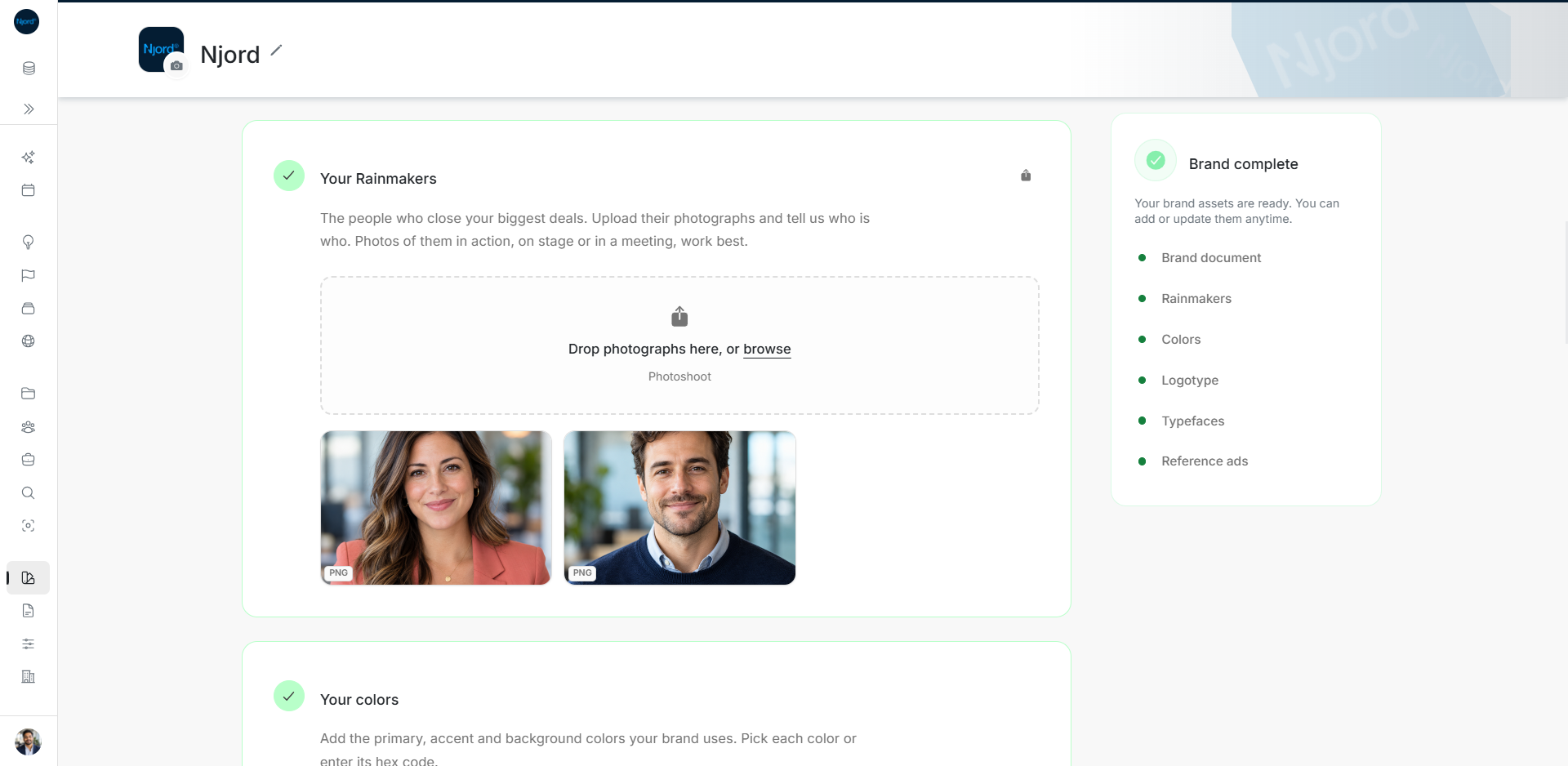
Identify Rainmakers and check photo quality
Rainmaker images help the team use the right people in company creative. Identify each person explicitly so a filename or photograph is not mistaken for a confirmed identity.
Where to find it: Brand > Your Rainmakers. Admins and Client admins manage these files.
Upload and identify a person
Use the Rainmakers upload area. Choose an original JPG, PNG or TIFF photo, or an SVG vector. 1080 px on the short side is recommended for raster photos; smaller photos are accepted. An SVG has no fixed raster resolution. Use the product's quality feedback to choose a better original rather than stretching a thumbnail.
In the upload review or saved Asset details, check the title, Rainmaker identity, intended use and tags. Choose the appropriate workspace member when available, or enter the person's name manually. A manual identity label does not invite a user or create a workspace member. Choose Save details for a saved Asset.
Use an approved photograph and confirm the identity with the team before reusing it in company creative.
Image guide: The Rainmakers collection shows two sample portraits side by side. Fictional sample data in the current app, captured in light mode.
Update the image
Use Add version on the existing file Asset to keep its history when replacing an image. The identity describes the Asset; review it when the replacement shows a different person. Check the latest preview and quality information after upload. If resolution cannot be read, inspect the original file rather than assuming that a missing measurement means sufficient quality.
Read the identity editor
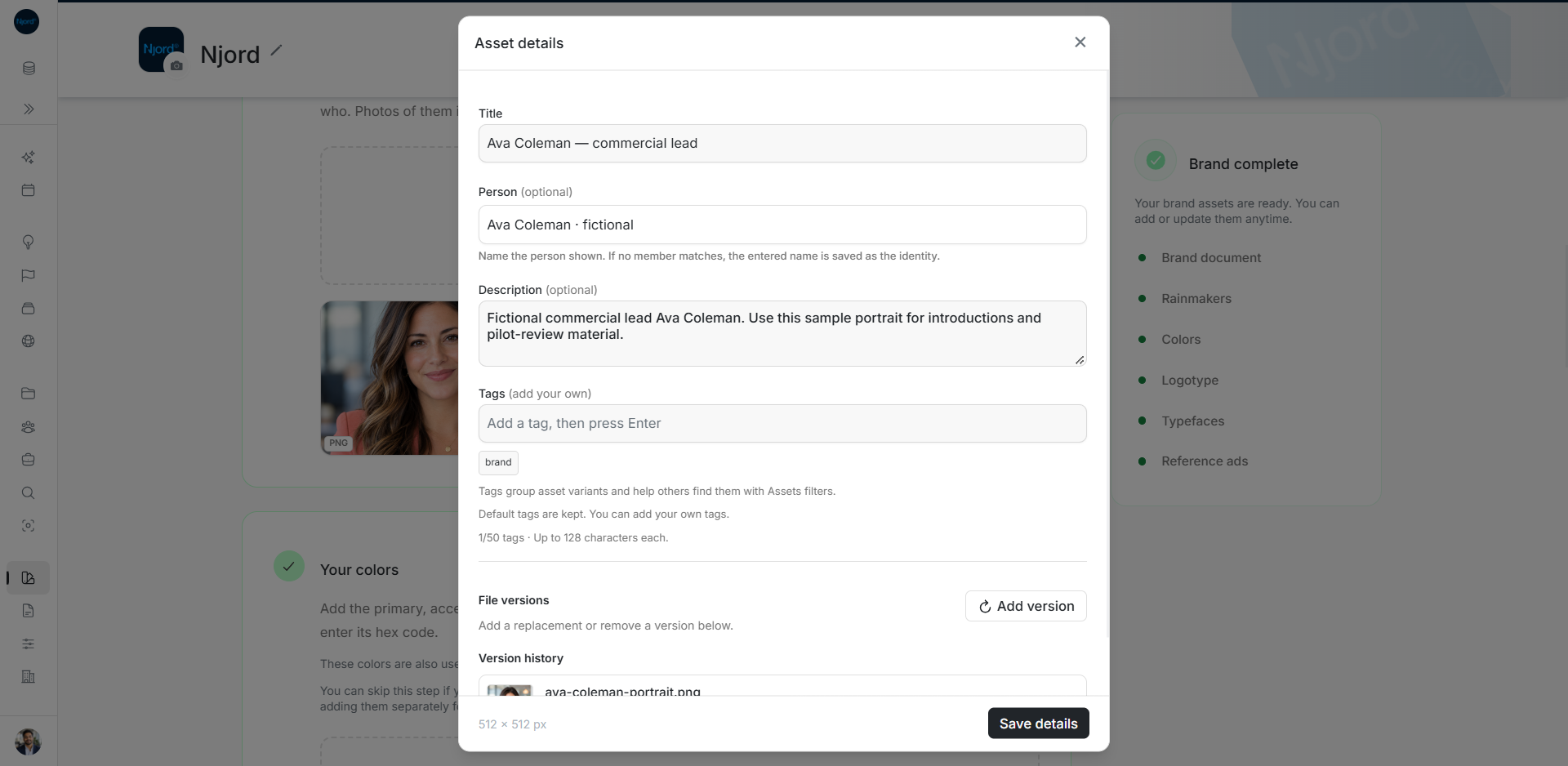
Open the photograph's details and versions control. Title names this Asset; Person (optional) identifies who is shown. The field help explains that a name without a matching member is kept as the identity. Review the suggested member before selecting it.
For example, keep “Ava Coleman — commercial lead” as the file's title and use Person for Ava's identity. Put how the team may use the picture in Description and add useful tags. Choose Save details and reopen it to verify the saved text.
Check the measured resolution at the bottom against the intended use. The sample is 512 × 512 px, below the recommended 1080-pixel short side for raster photos. Saving a description does not improve that original. Use a higher-resolution version when the final placement needs one; Add version keeps the file history.