Create a targeting audience
Create a targeting audience
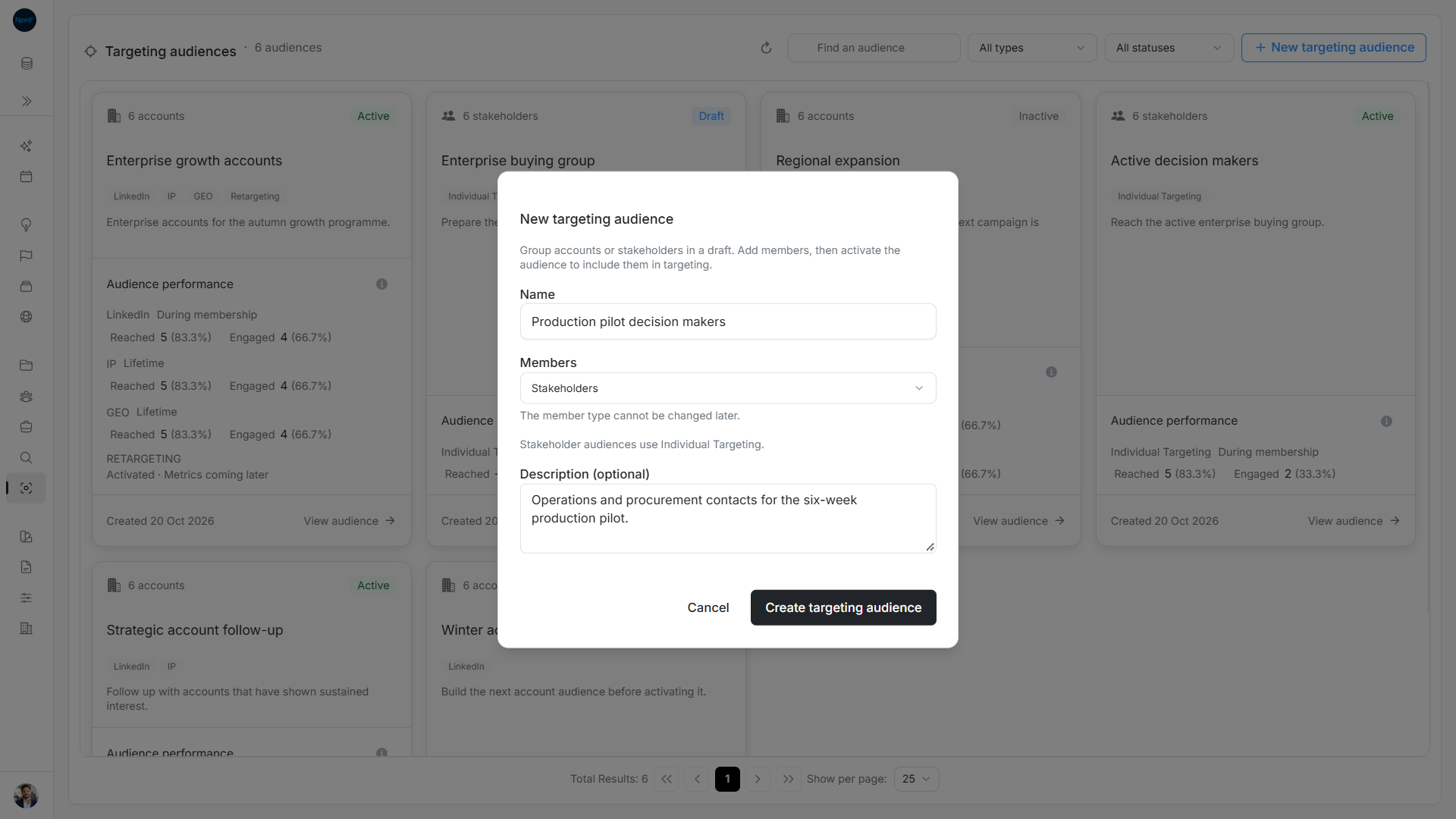
Create a Draft when you want to prepare a group before starting targeting. Choose the member type carefully: it cannot be changed later.
Create your Draft
- Open Relationships → Targeting audiences and choose New targeting audience.
- Enter Name using 2–120 characters after trimming.
- Choose Accounts or Stakeholders under Members.
- For Accounts, select at least one of LinkedIn, IP, GEO or Retargeting. Stakeholders use Individual Targeting and have no technique checkboxes.
- Add Description (optional) to explain the intended group.
- Choose Create targeting audience.
- Check the opened audience's name, Draft status and empty roster. Use Add accounts or Add stakeholders, review the saved members, then activate separately.
Image guide: A Stakeholder audience uses Individual Targeting and keeps its member type after creation.
Choose account techniques
An Account audience needs at least one technique, including when you later edit only its name. GEO shows the note GEO targeting will use account physical addresses. Check the account addresses before relying on it. Retargeting can be selected alone or with the other account techniques.
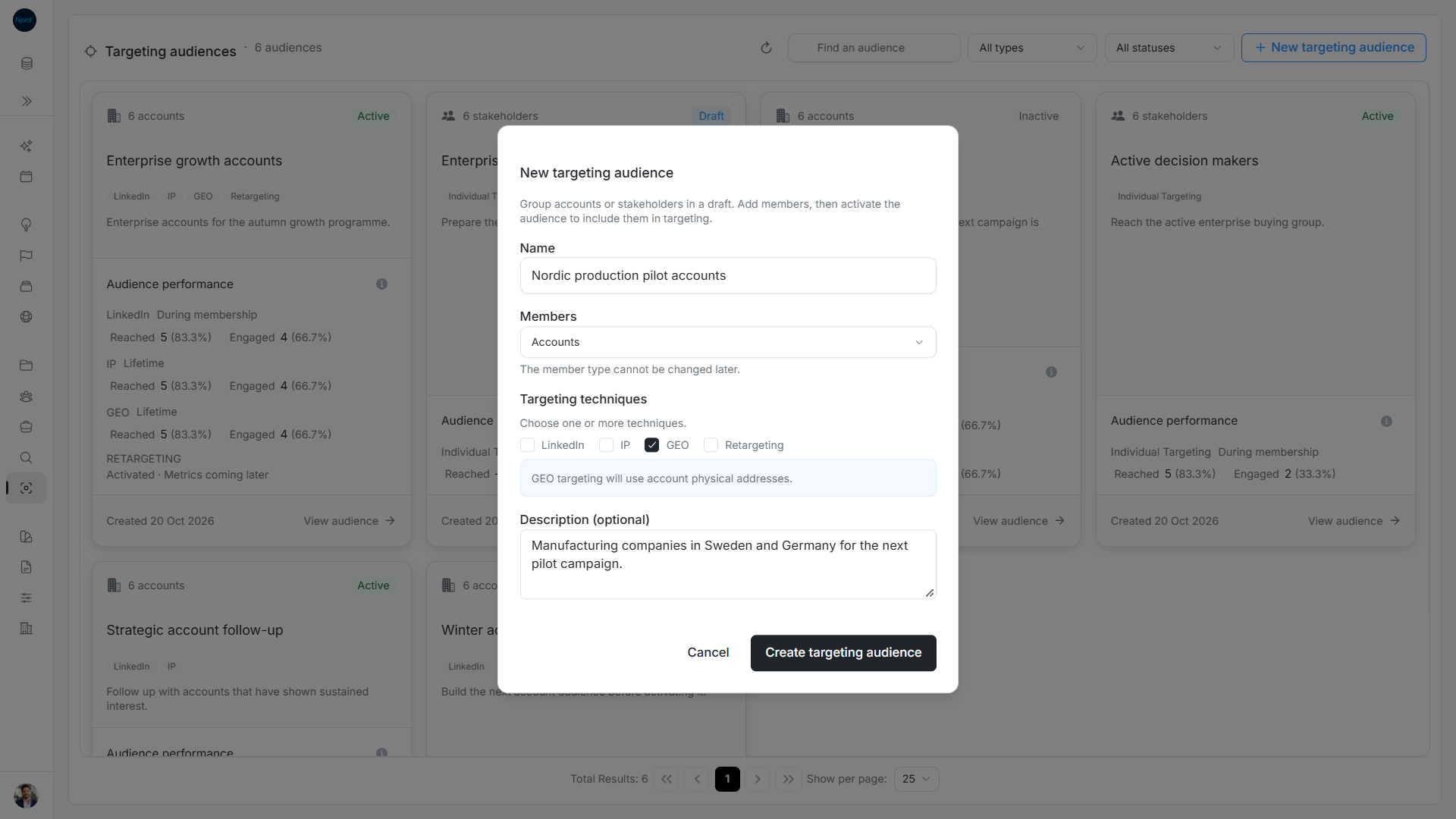
Image guide: An Account audience requires at least one technique; GEO uses account physical addresses.
Check the result or leave the form
A new Draft has zero members and does not start targeting. The empty state can say No members in this period. Adding an account does not automatically add its stakeholders.
Create targeting audience is disabled for an incomplete name or an Account audience without techniques. Cancel discards an unsent form. Saving locks the form to prevent repeat submission. If creation could not be confirmed, refresh and check the catalog for that name before creating it again. Changing audiences requires permission to manage records.