Assess Reference Market Fit
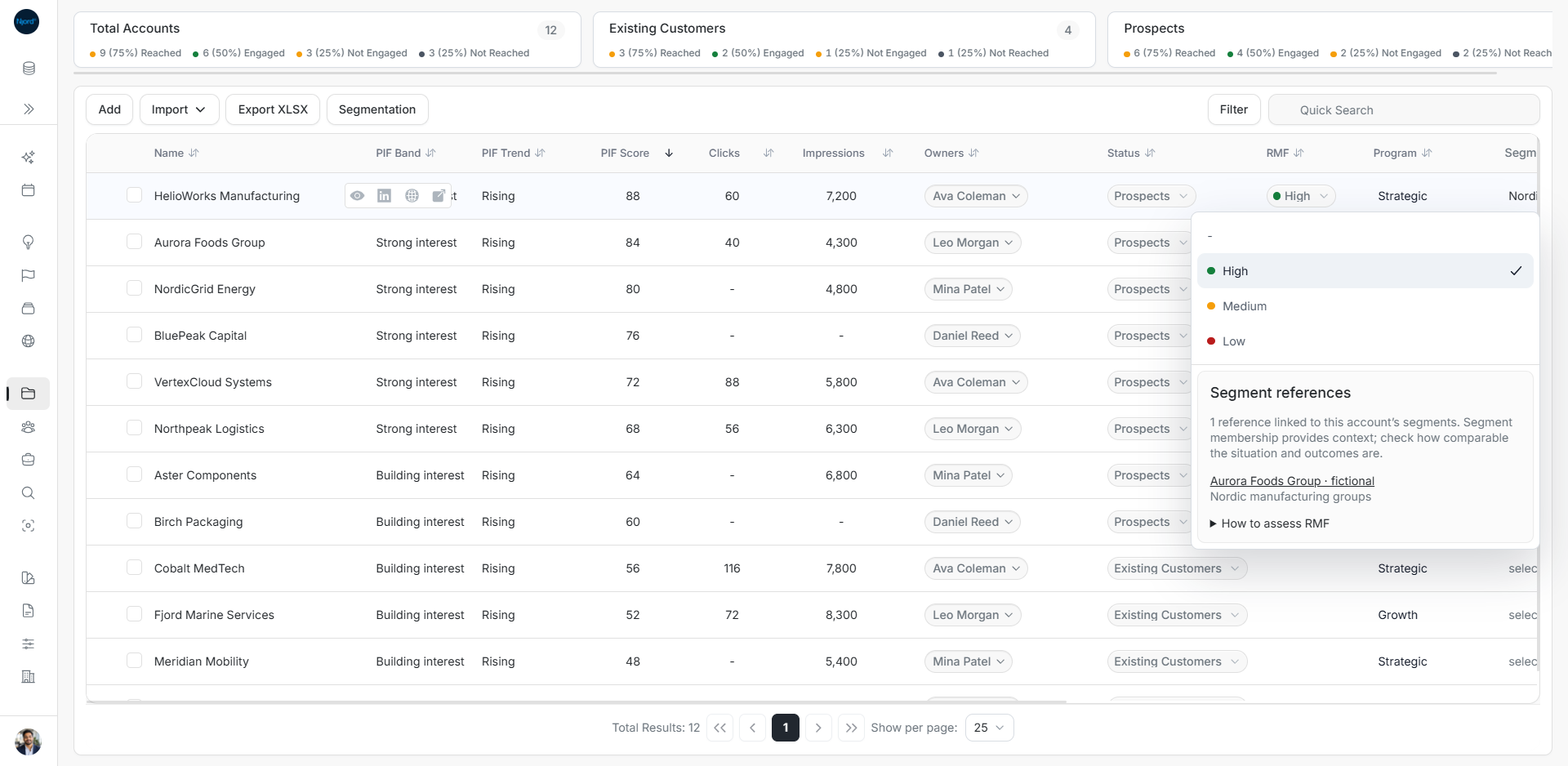
Assess Reference Market Fit
Reference Market Fit (RMF) helps you judge how comparable an account is to your reference customers. It is a manual assessment, separate from Product Interest Fit, which describes activity.
Open the rating and its references
- Find the account and confirm its identity.
- Open Reference Market Fit from the account's details, table cell or supported mobile card editor.
- Read Segment references. These examples come from the company's saved Segments.
- Open a reference to check its customer, use case, outcome, source and permission.
- Read How to assess RMF, choose the rating and complete the editor's save action.
Choose a rating from the evidence
| Rating | Guidance in the editor |
|---|---|
| Low | Comparability is limited, or outcomes are not verified. |
| Medium | The use case is similar, with meaningful differences in size, industry or scope. |
| High | Comparability is strong, outcomes are verified and you have permission to use the reference. |
For example, another manufacturer's two-site pilot can be relevant to HelioWorks. Check whether its scope and outcome are comparable before choosing High. A shared industry name alone does not settle that question.
Linked references do not set or recommend a rating automatically. Their presence does not make this account a reference customer. A reference's public-use permission also needs its own check.
When references are missing
| What you see | What to do |
|---|---|
| The company has no Segments | Assign the appropriate saved Segments on the account first. |
| No linked references | Review References in Foundation and their Segment links. This does not automatically mean Low fit. |
| Loading | Wait for the reference read to finish. |
| A read failed | Use Retry. Do not treat the failure as an empty evidence library. |
| Missing permission or unverified outcome | Inspect and resolve that evidence before relying on it. |
Existing Customers use Account Health in the affected account detail field. That relationship assessment is separate from this RMF workflow.