Review account Health or Reference Market Fit
Review account Health or Reference Market Fit
Use Health to record how an existing customer relationship is doing. Use Reference Market Fit (RMF) to record how closely another company matches your reference customers.
Find the rating that applies
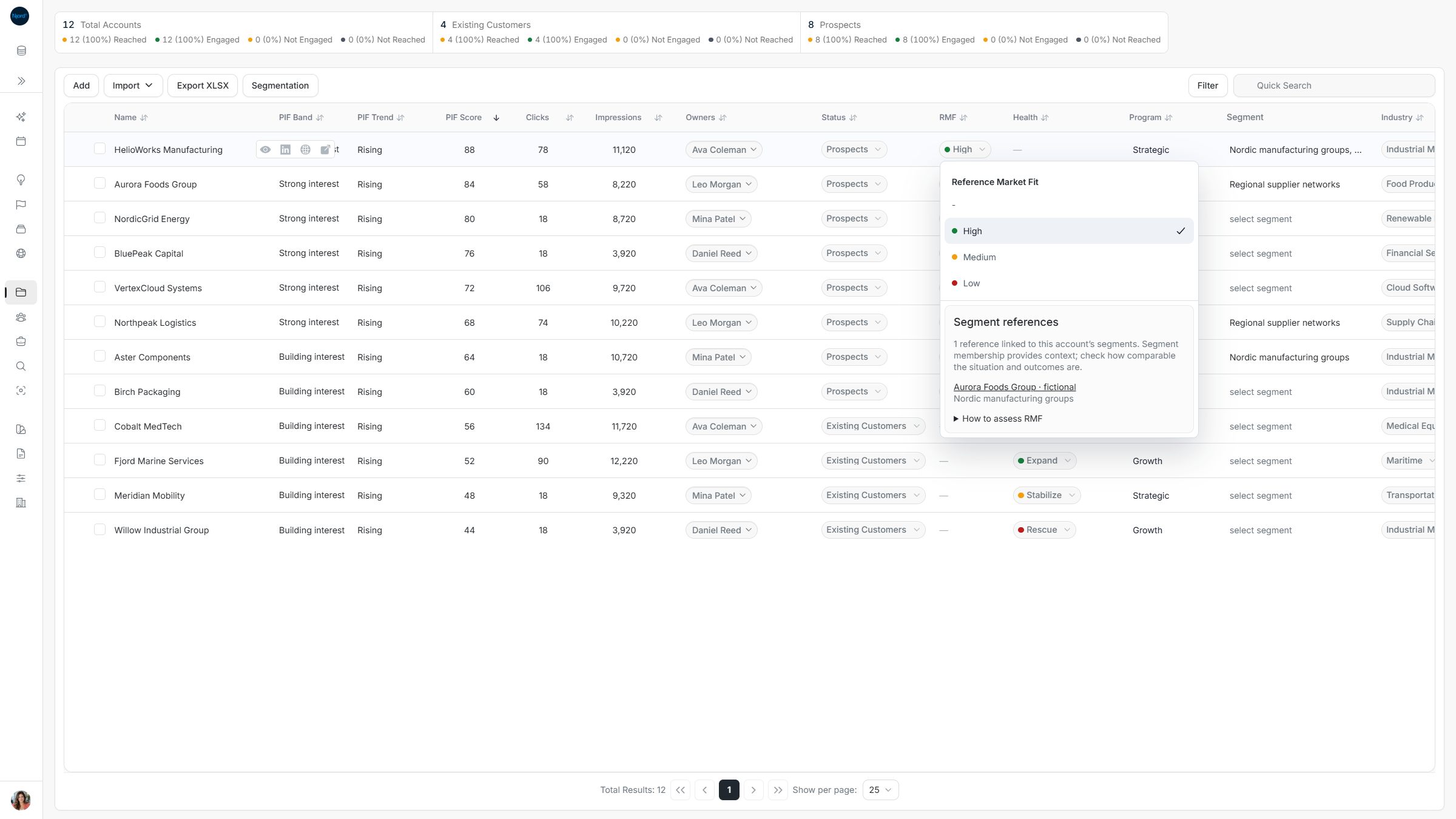
Open Relationships → Accounts and find the company. On the desktop list, RMF and Health are separate columns. Open the account profile or expand its card on a smaller screen to see the available rating and editor.
| Account status | Rating you can use | Available choices |
|---|---|---|
| Existing Customers | Health | Expand, Stabilize, Rescue |
| Any other status, including previous customers or an unset status | RMF | High, Medium, Low |
Update the rating
- Check the saved Status before choosing a rating.
- Open the editable rating and select the choice that fits the account. Use the editor’s clear option to remove a rating you can no longer support.
- Save the change and check the value on the row or in the account. The active rating can be blank until somebody sets it. The muted dash in the other column means the rating is unavailable for this status.
For example, if Harborline Energy is an existing customer and its rollout is blocked, review Health with the account owner and consider Rescue. For Ridgepoint Foods, a prospect, compare the proposed use case with saved Segment references before choosing RMF. Use Product Interest Fit separately to see recorded engagement.
This example shows the references available when choosing RMF for a company.
If the rating changes after a status update
Reopen the row and check which rating now applies. For a workspace review, sort Health or RMF by its own column or use the corresponding mobile Sort option. The Audience roster can show both values. Its Accounts list supports sorting by RMF.