Fill a new account from a website or LinkedIn
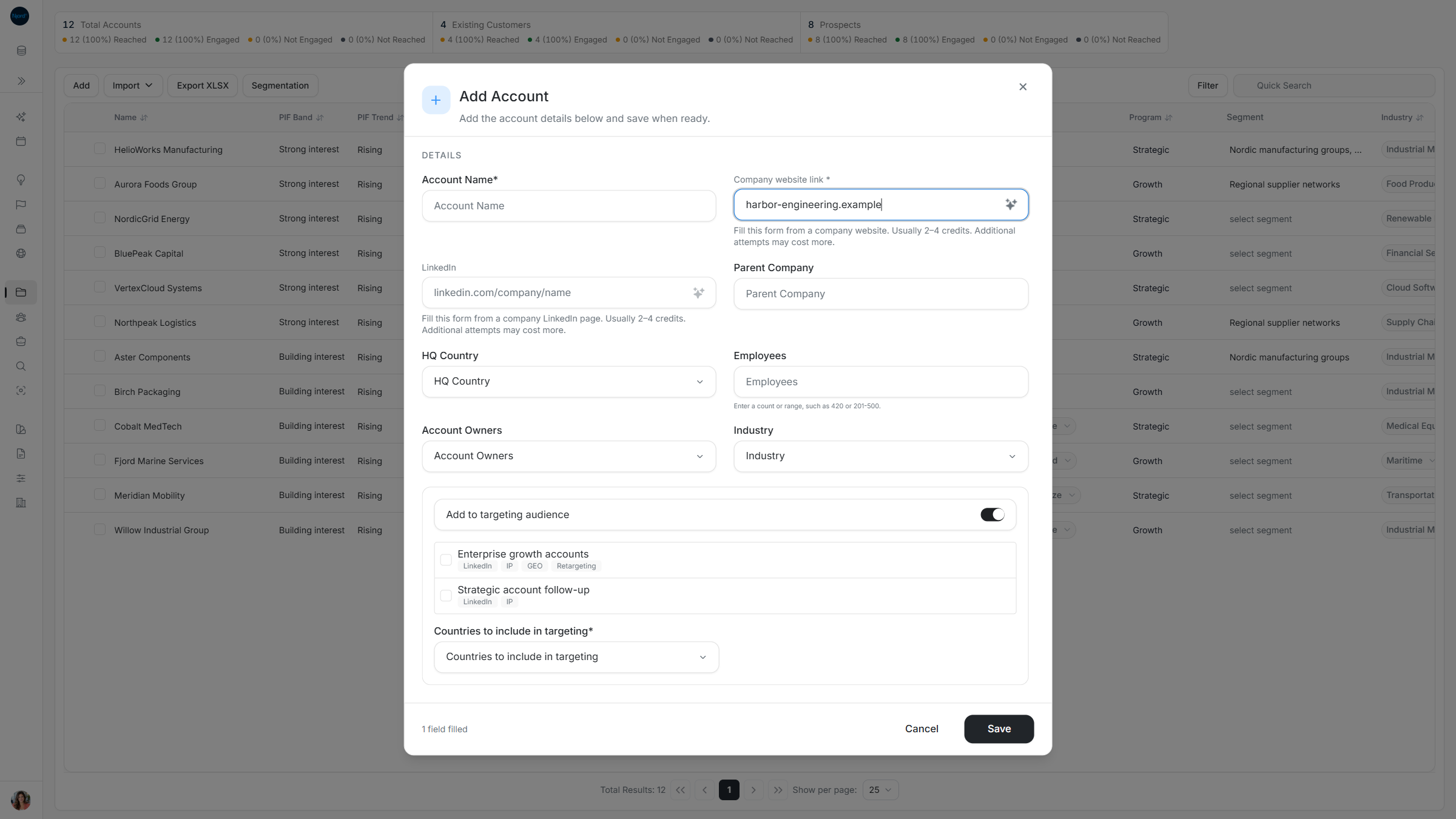
Fill a new account from a website or LinkedIn
In Accounts → Add, fill the form from a company website or LinkedIn company page. This action appears when Research is enabled and you can manage accounts.
Run the lookup
- Enter the company’s website in Company website link, or its LinkedIn company page in LinkedIn. The website field accepts a bare domain.
- Read the estimate beside the field. A company lookup usually uses 2–4 credits.
- Choose the sparkle icon labelled Enrich from website or Enrich from LinkedIn. Wait for the lookup to finish. Cancel closes the form.
Review the returned details
When Details filled. Review them before saving. appears, check the name, website, LinkedIn, HQ Country, Employees and Industry. Review any details you had already entered and complete fields the lookup could not find. If the result is incomplete or unavailable, correct the link or enter the remaining fields yourself. A new lookup can use additional credits.
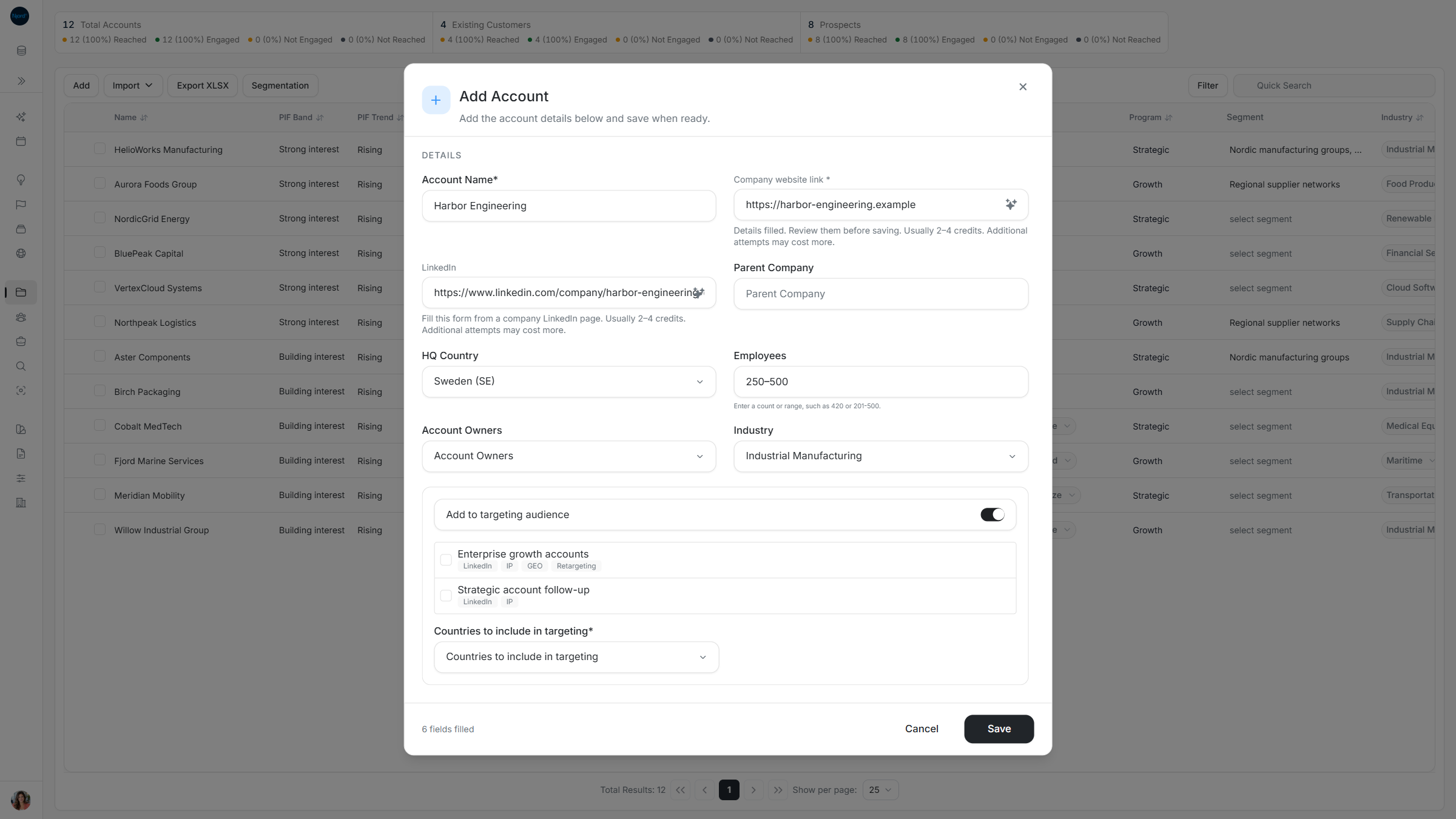
The lookup fills a draft. Use the Add Account guide to save the company.
Choose the correct company link
| What you have | Where to enter it |
|---|---|
| The company's public website or public-facing company portal | Company website link. Use the address that identifies the company. A bare domain works. |
| The company’s LinkedIn page | LinkedIn. Use a LinkedIn company page such as linkedin.com/company/harbor-engineering. |
| A person’s LinkedIn profile | Open Stakeholders → Add and use the person lookup instead. |
If the site only shows a sign-in page or returns no usable company details, use the company’s public site or enter the missing fields manually. Review the filled form before saving.