Add a new company to a targeting audience
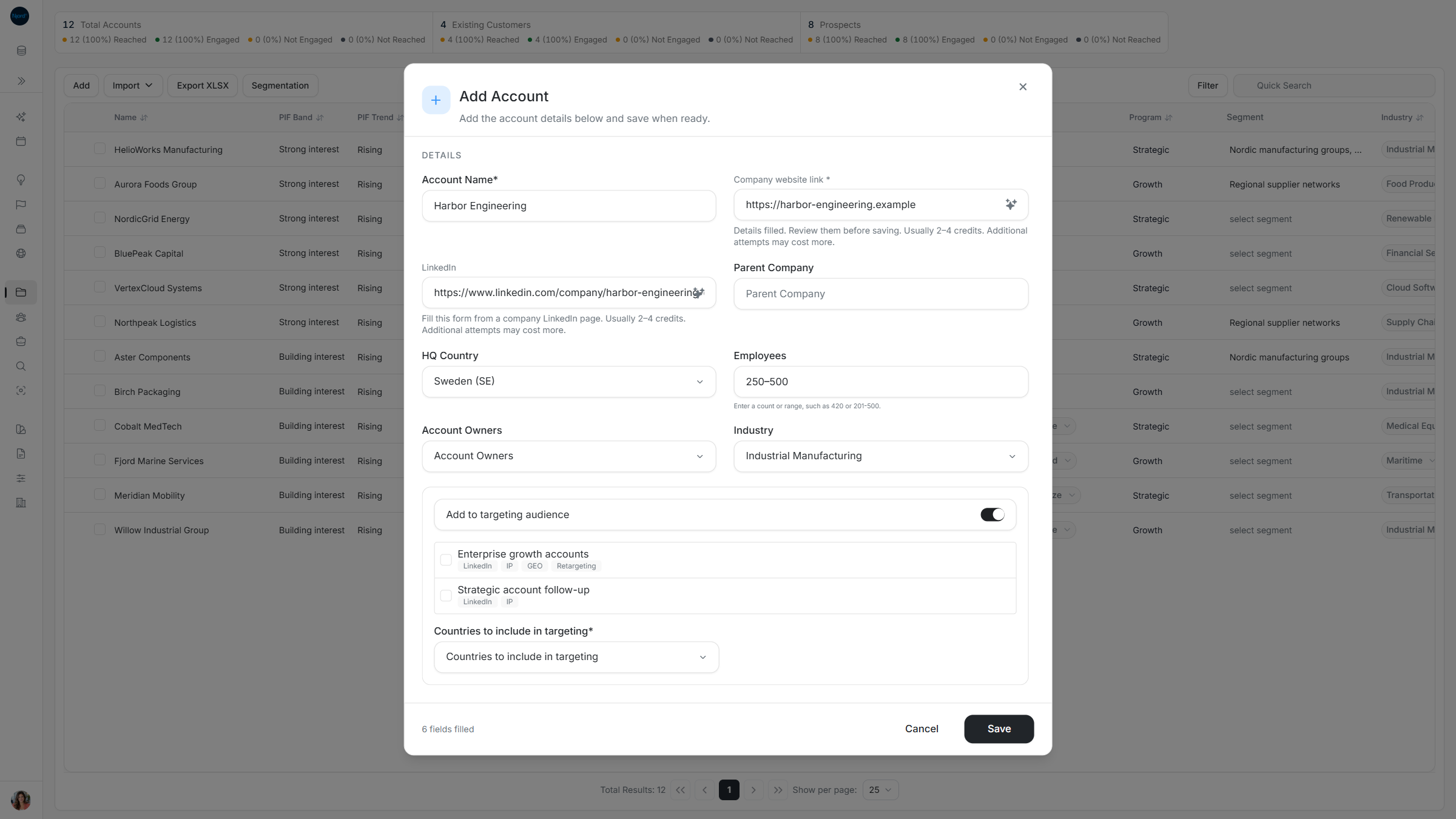
Add a new company to a targeting audience
Use the audience option in Add Account when the company is ready for targeting as soon as it is saved.
Choose the audience and countries
- Fill in the company’s details in Accounts → Add.
- Leave Add to targeting audience on and select at least one active account audience. Check the targeting techniques shown beside each audience.
- Choose Countries to include in targeting. The targeting countries can differ from the company’s headquarters country.
- Choose Save. The account saves first and enrollment runs afterward.
Verify enrollment
Read the result for each audience. If an enrollment failed, use its retry action when available or open the saved account’s Ad Targeting → Edit memberships. Check that the account exists before trying again. If no active account audience is available, turn off enrollment, save the company, and add membership later.