Check Calendar connection and sync status
Check Calendar connection and sync status
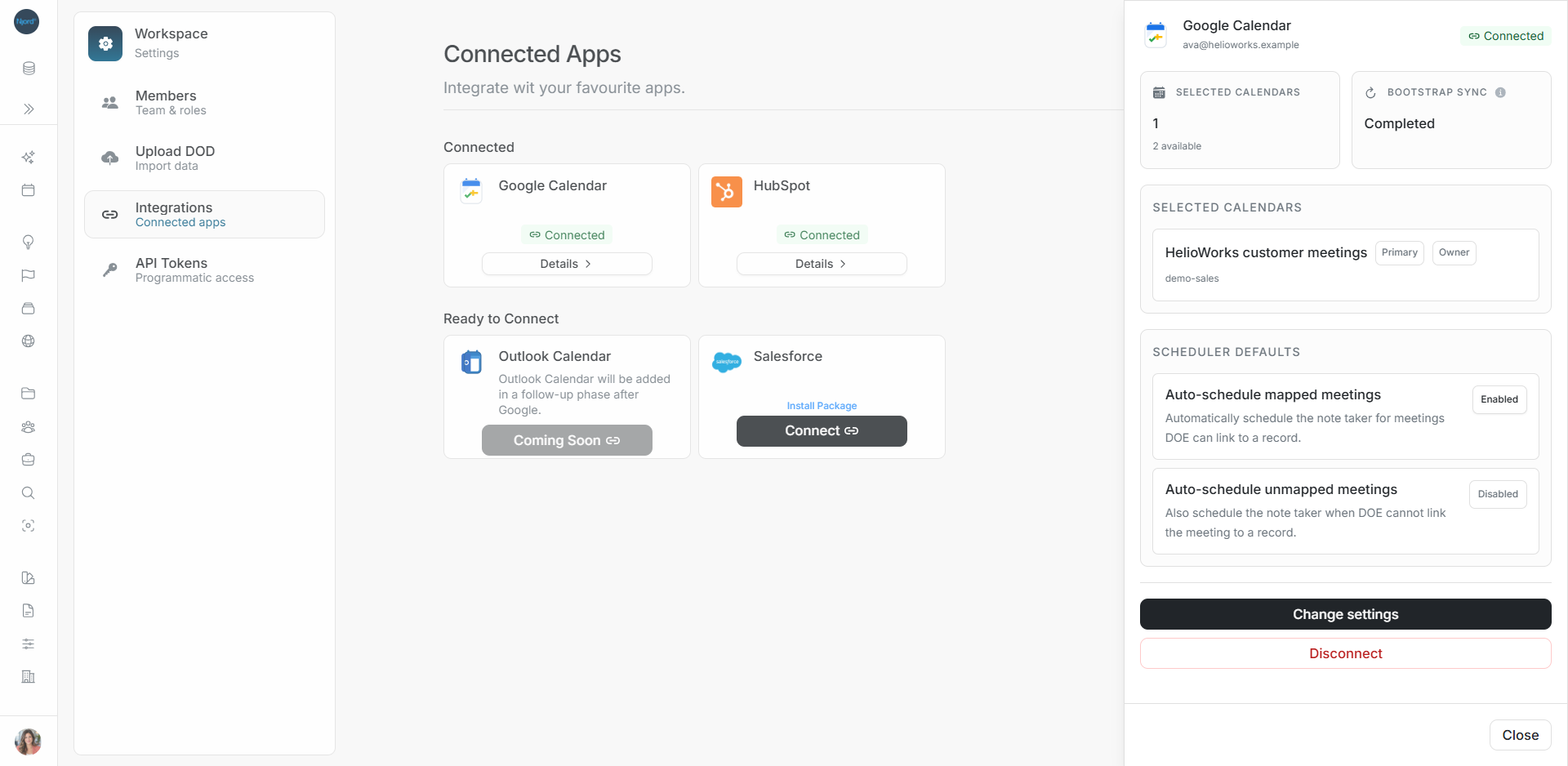
Open Settings → Integrations to read the Google Calendar card. Open Details for the connected email, approved calendars and saved scheduling rules.
Read the card
| What you see | Meaning | Next action |
|---|---|---|
| Connect | There is no active connection | Connect the intended Google account |
| Setup Required | Calendar or scheduler choices need review | Choose Continue setup and save |
| Connected | The connection is present | Open Details to check calendars and sync |
| Initial sync in progress | Calendar data is still being imported | Check Bootstrap Sync |
| Needs Re-auth or Reconnect | Google authorization needs renewal | Follow the reconnect flow |
| Degraded | Calendar coverage needs attention | Read Details and the failure message |
| Disconnecting | Background cleanup is running | Wait for the final disconnected state |
Understand Bootstrap Sync
Bootstrap Sync is the first background calendar import after connection. It can be not started, running, completed or failed, with available progress information.
A completed import describes calendar data. An individual meeting's Pending, In Progress, Completed or Failed status describes the separate note-taking workflow.
Check that the connection is usable
- Confirm the Google email.
- Check the intended calendar is selected.
- Review the scheduler switches.
- Read setup or sync warnings.
- Search for a known meeting from an approved calendar when the connection allows it.
Recover a failed read
Use Retry if Details shows a load or refresh error. A failed refresh may leave previously loaded values visible. Read those values with the warning and wait for a successful refresh before relying on the latest status.