Find people at specific companies
Find people at specific companies
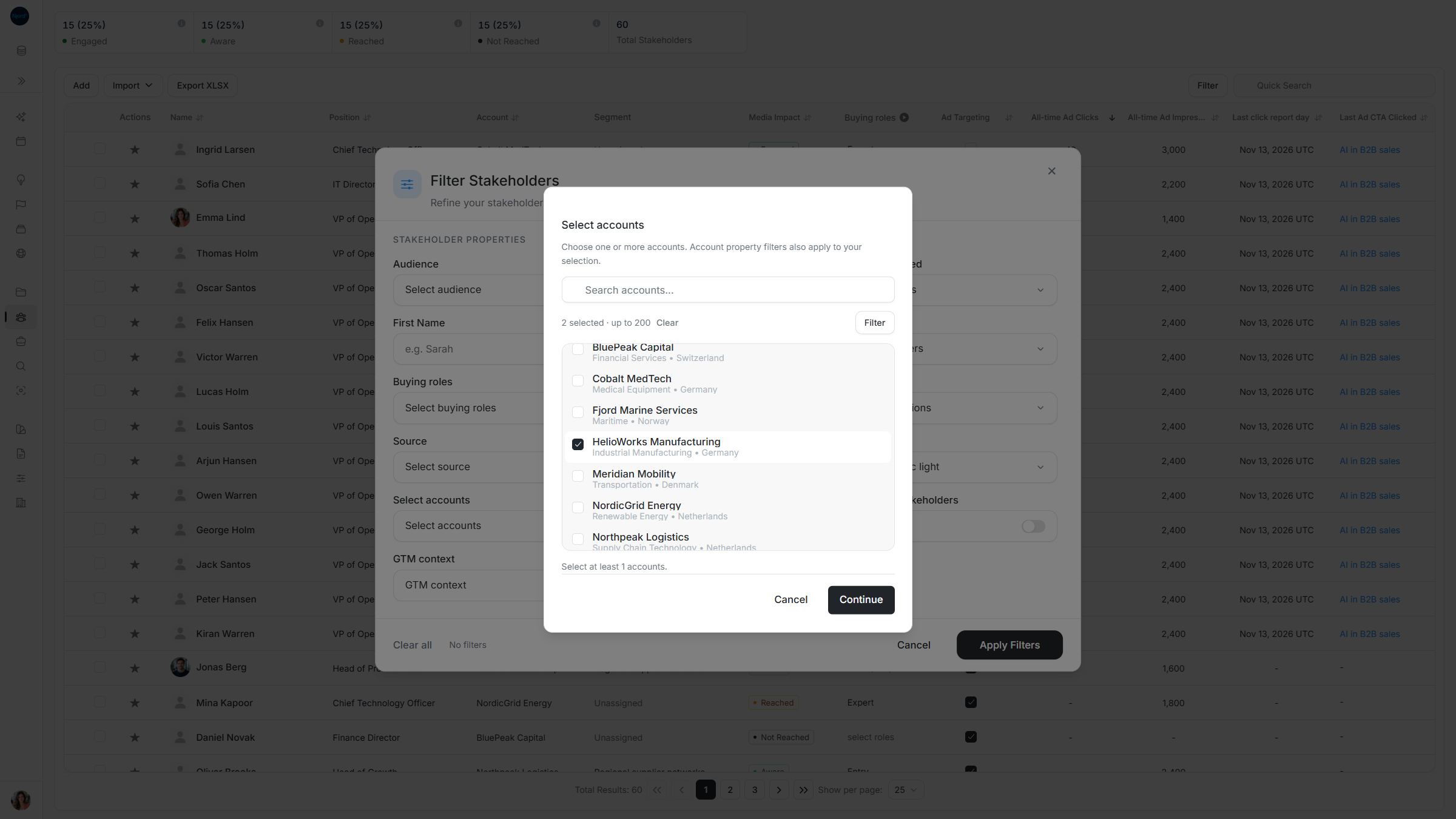
Use Select accounts when you know which companies the people should belong to.
Select the companies
- Open Stakeholders → Filter → Select accounts.
- Search for each company. Check its name, country and industry in the picker.
- Select up to 200 companies and review the count. Choose Continue to return to Filter Stakeholders.
- Choose Apply Filters. The results show people linked to the selected companies who also match your other filters.
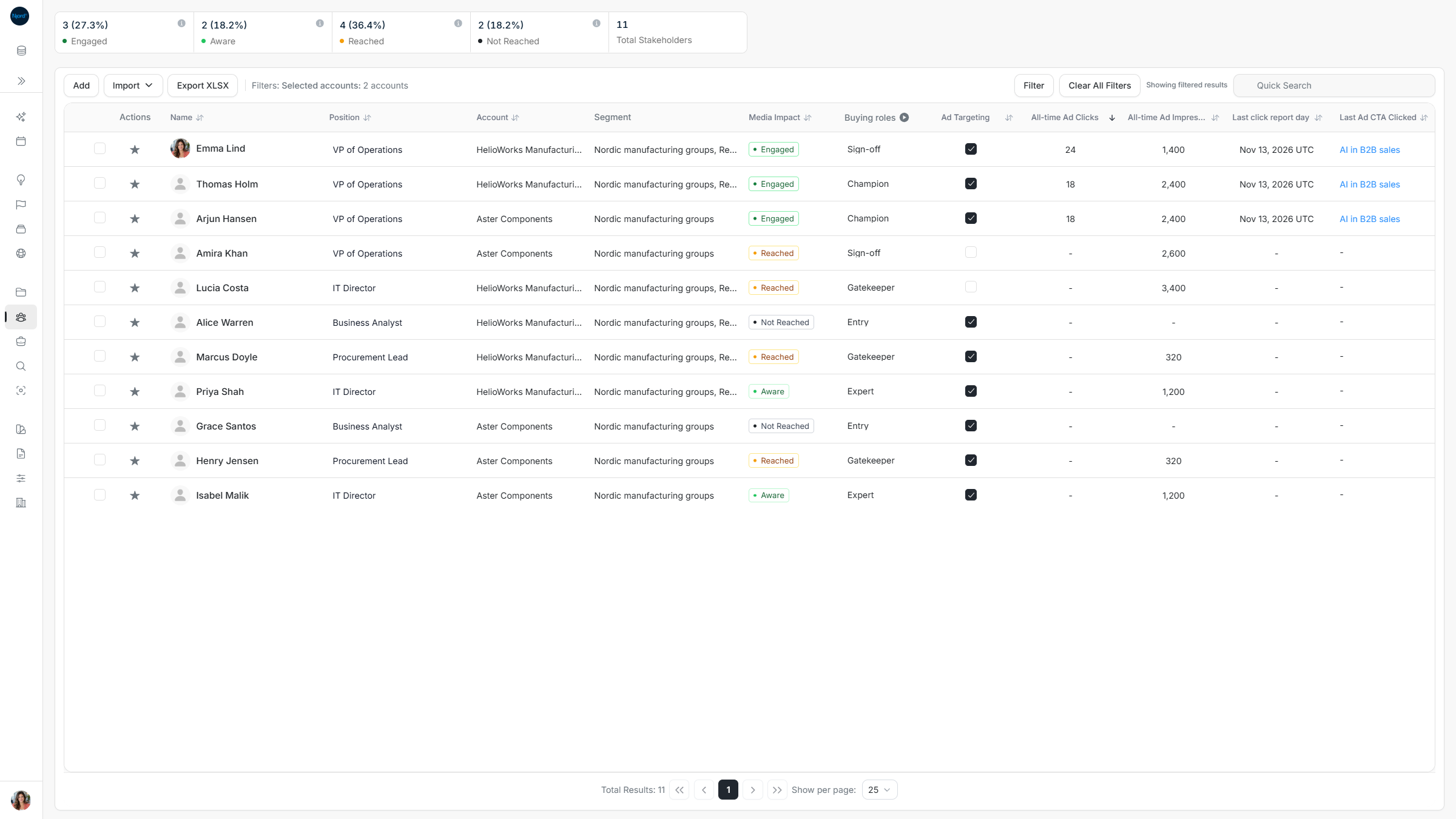
Find someone missing from the result
Reopen the picker to check the saved selection. Check Account filters and any person filters such as Position or Audience. Clear the condition that excludes the person and apply the update. A scoped company or deal list still limits the results to that page.