Fix a blocked research review
Fix a blocked research review
Use the message inside the review to correct the proposed profile or refresh its current details. A blocked Create or Save action is a reason to inspect that proposal, not to start another paid lookup immediately.
Complete required account and person details
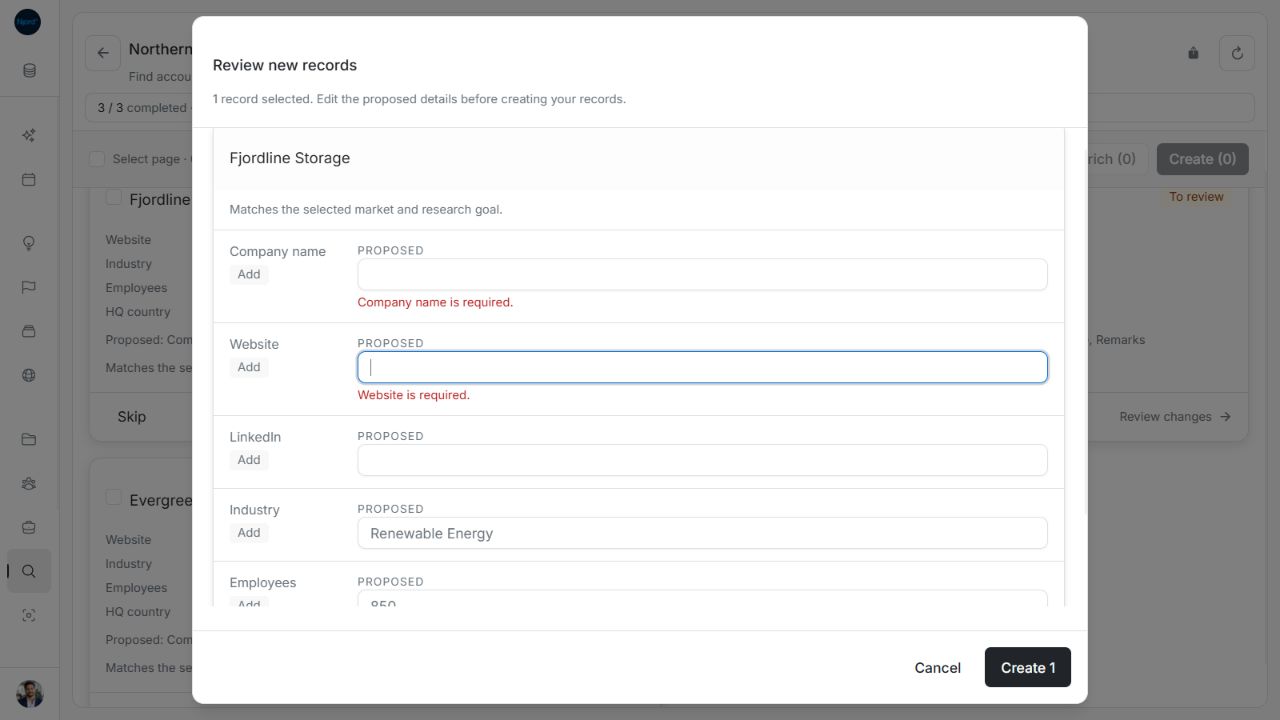
An account proposal needs a company name and website. Add them in Review new records when missing. A missing or invalid required value keeps the review open with guidance. Check stakeholder first and last names and the linked account before creation. The company association belongs to the original research scope and is not a normal editable field in this review.
Website and LinkedIn fields accept entries such as example.com or linkedin.com/in/name; you do not need to type https://. Explicit HTTP/HTTPS links are retained. An optional LinkedIn value can be blank. Correct malformed links or contact values when the field shows guidance.
Image guide: Missing company name and website display required-field guidance. Fictional sample data, shown in light mode.
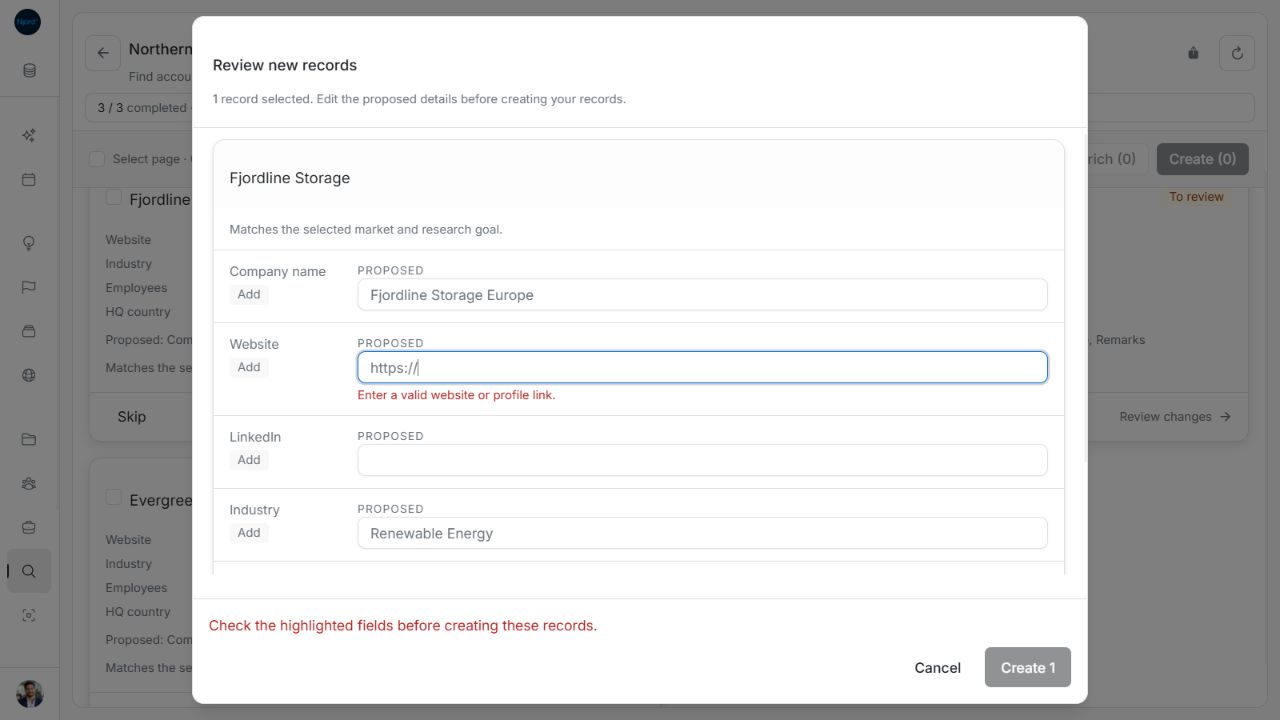
Image guide: A malformed link blocks Create and identifies the field to correct. Fictional sample data, shown in light mode.
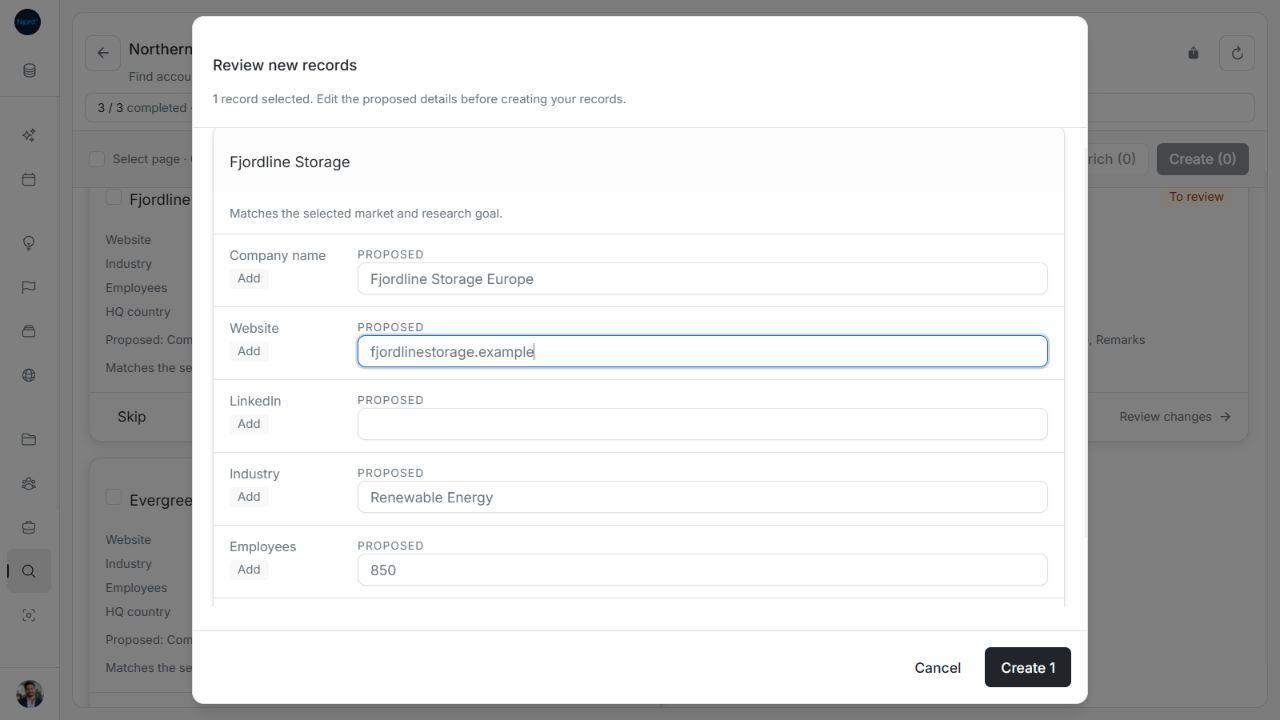
Image guide: The company-name edit remains while a corrected bare-host website makes Create available. Fictional sample data, shown in light mode.
Handle duplicate emails in a selected group
Before creating several stakeholders, the review compares their proposed email identities, ignoring surrounding spaces and letter case. If two selected proposals share an email, the footer identifies both people, their accounts where available and the shared address. Create stays blocked.
Close the review and select the one intended person before reopening it. Editing the displayed address is not a way to bypass an underlying identity conflict. Unselected proposals are not part of that batch's duplicate check. Verify the existing stakeholder list before creating another person with the same identity.
Read identity and employment warnings
A review-blocked message prevents a conflicting match from overwriting a different company or person. Recheck the stored website, LinkedIn identity, email and employer. Some employment assessments are warnings you can evaluate, while a blocking identity message prevents saving. Do not treat every warning as proof that a save is safe.
A job change can say Moved to a different company. The stakeholder remains under the original account. Confirm the company relationship separately before saving role/contact changes or adjusting targeting memberships.
Refresh a stale or failed review
The review loads the full latest details before saving. If a proposal was changed, applied or skipped elsewhere, use the retry/refresh action and compare again. If the detail load fails, keep the current search and retry that review. A single-profile Enrich result is temporary; an expired or wrong-profile link cannot start a replacement lookup automatically.
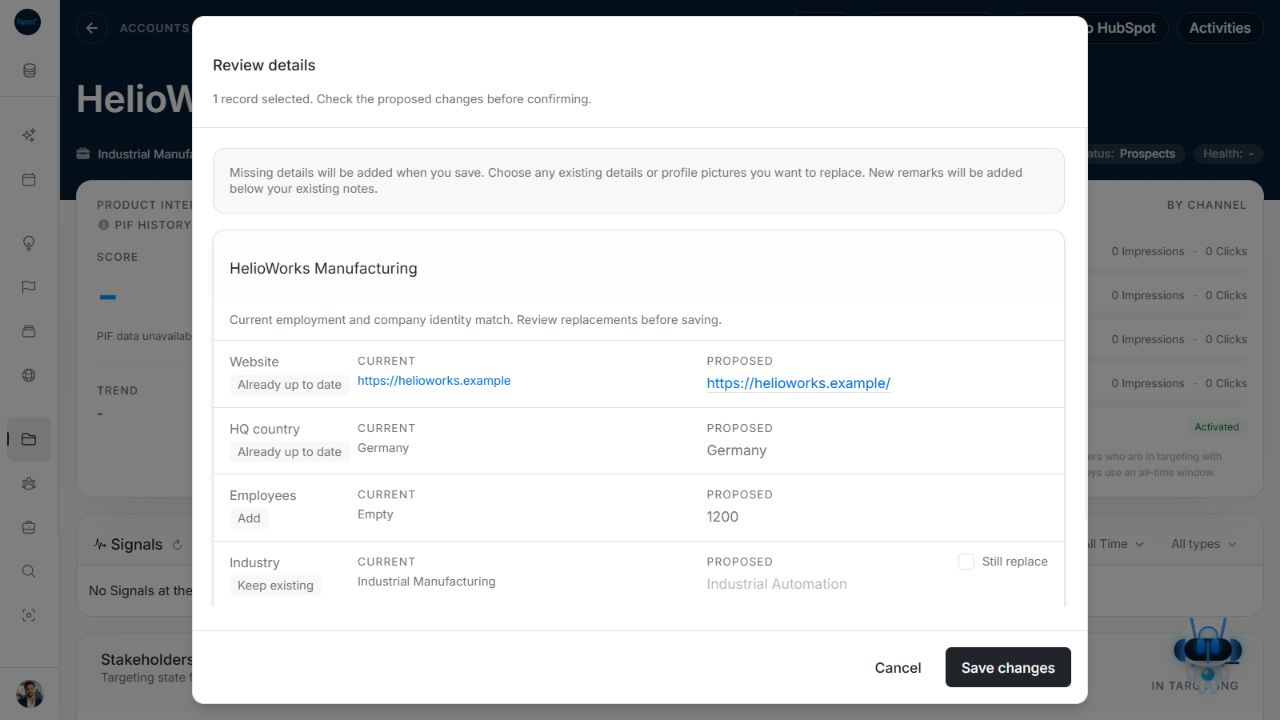
Image guide: Equivalent Website and HQ country proposals show Already up to date without replacement checkboxes. Fictional sample data, shown in light mode.
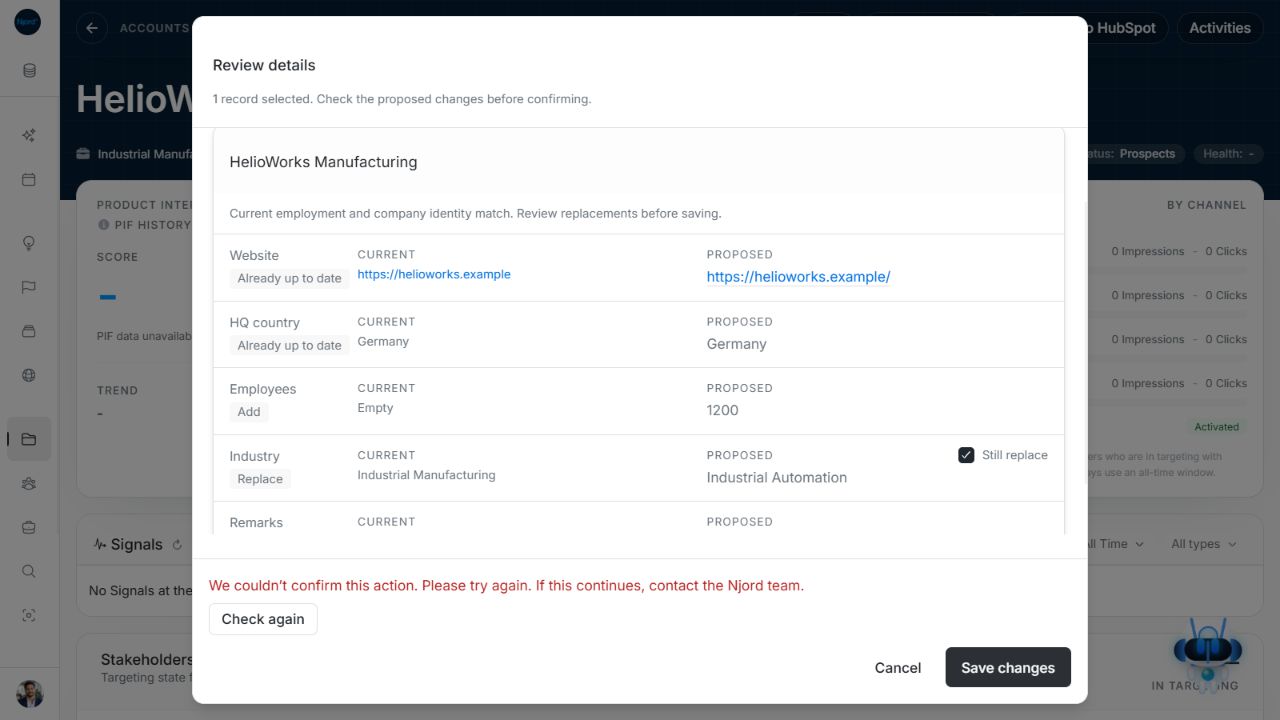
Image guide: An unconfirmed save offers Check again while the selected replacement remains visible. Fictional sample data, shown in light mode.
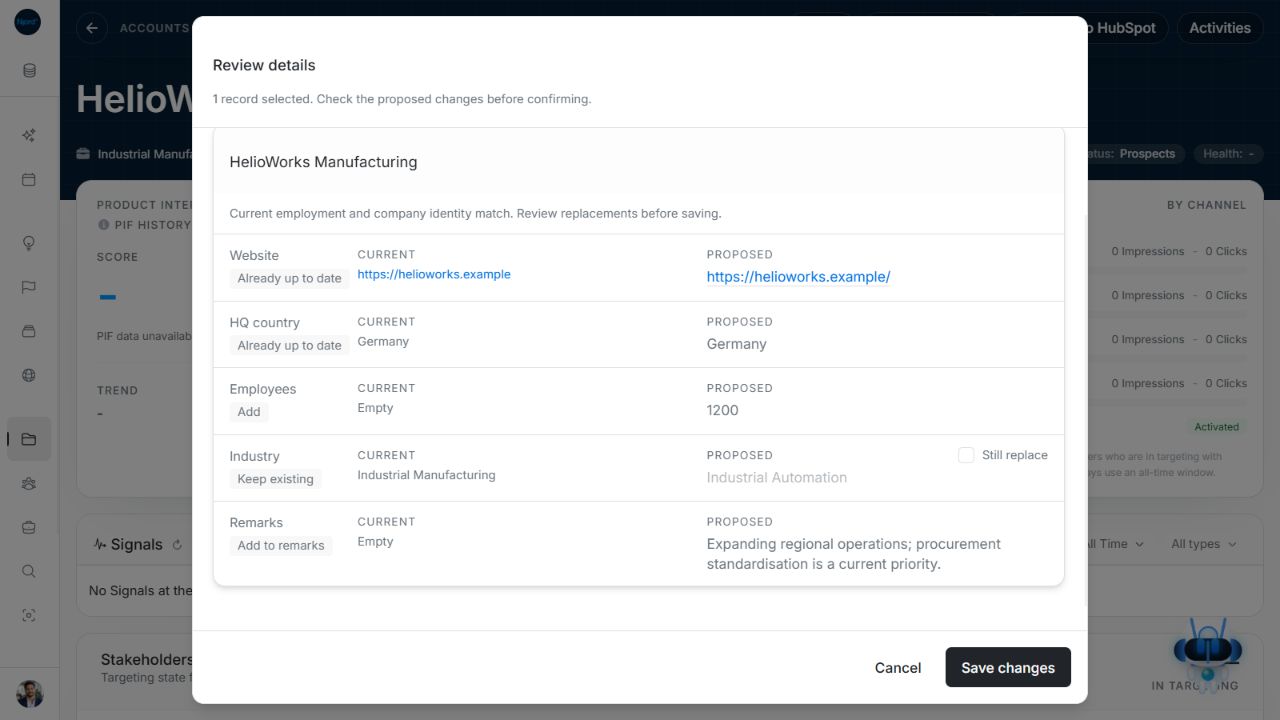
Image guide: Check again reloads the comparison and resets the replacement checkbox; review it again before saving. Fictional sample data, shown in light mode.
Know what was actually checked
An unchanged returned value can be shown as Already up to date. A missing attribute that research did not return is not verified. A full profile with no changes shows Details are up to date in single-profile Enrich; close it without a save. Research may also find no match or no new details.
Recognize a blocked review
A conflicting company identity can disable Review changes while leaving Skip available. Check the account website and identity before deciding. For duplicate emails in Review new records, read the named pair in the footer message. Create N stays disabled. Close the window and select one conflicting proposal, or correct supported editable contact details when appropriate; do not create two people under the same identity.
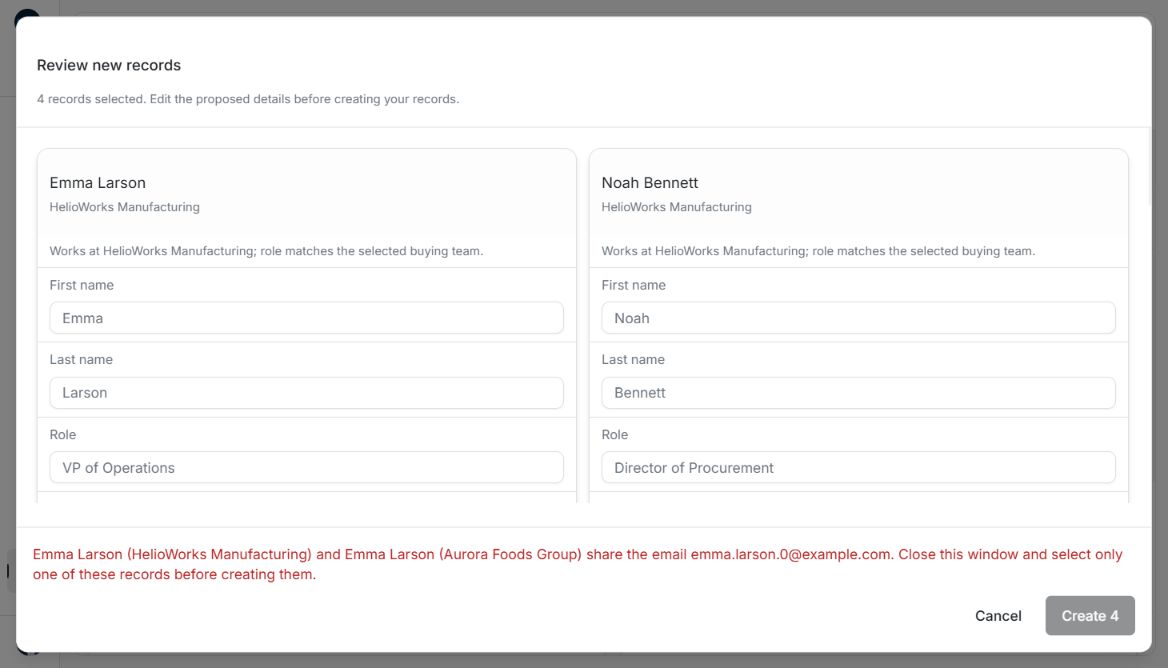
Image guide: A duplicate-email warning identifies the conflicting proposals and disables Create. The examples use fictional records in light mode.
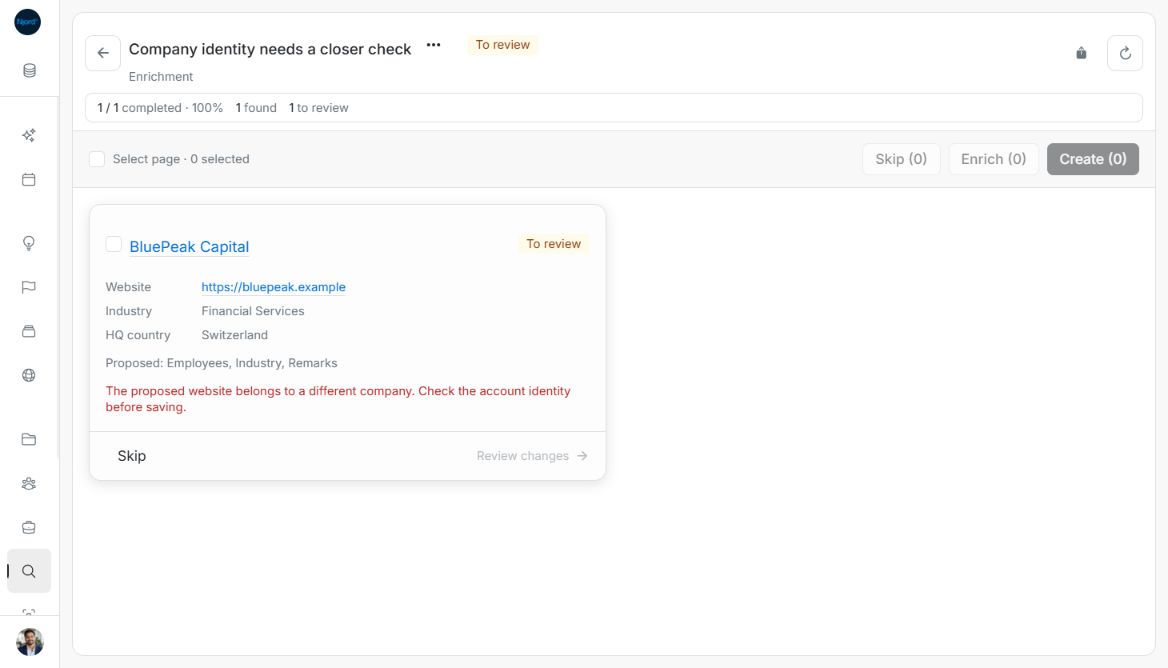
Image guide: A company-identity warning prevents applying the proposal. The examples use fictional records in light mode.
Check values that are already equivalent
DOE treats supported equivalent country values, surrounding text spaces and URL trailing-slash differences as the same value. Already up to date does not offer a replacement checkbox or create a change to save. A field that research never returned has not been verified merely because another field matched.
Correct contact and country values
A malformed email displays Enter a valid email address and disables Create N. Correct that field while the review stays open; other draft edits remain. Clear an optional email, phone, LinkedIn or remarks value only when you intend to omit it from the new record. First and last names remain required. Closing or refreshing the review discards creation edits.
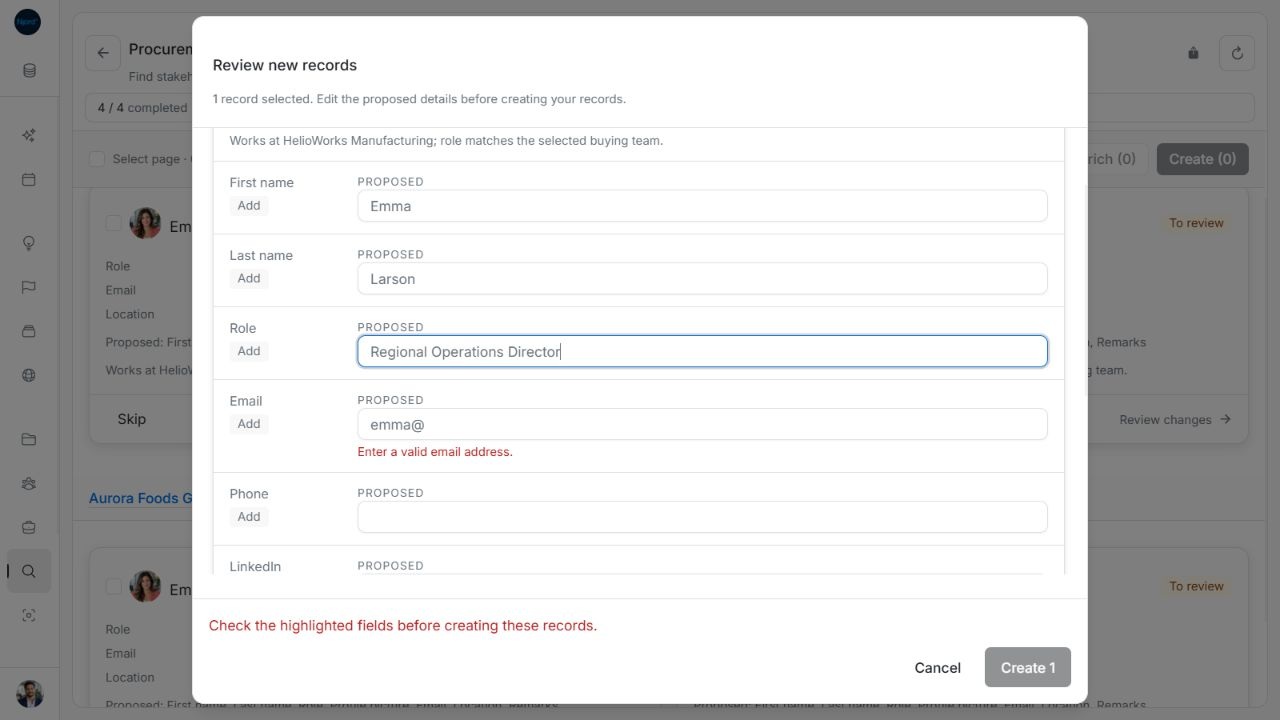
Image guide: An invalid email blocks creation while the edited Role remains in the form. Fictional sample data in the normal product UI.
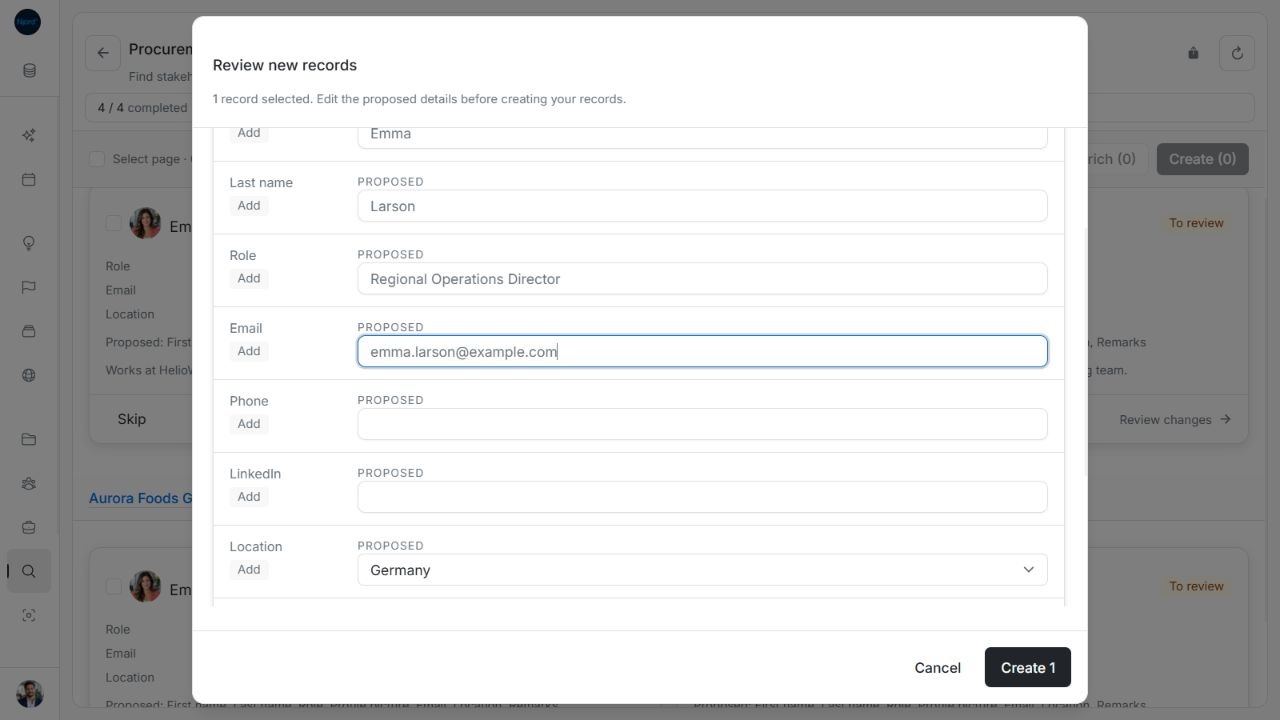
Image guide: Correcting the email enables Create and preserves the Role edit. Fictional sample data in the normal product UI.
If an older proposal contains an unsupported country, Choose a country from the list identifies the issue. The selector can display No country even while that unsupported proposal still needs correction. Choose the actual country, or explicitly clear an optional country when appropriate.
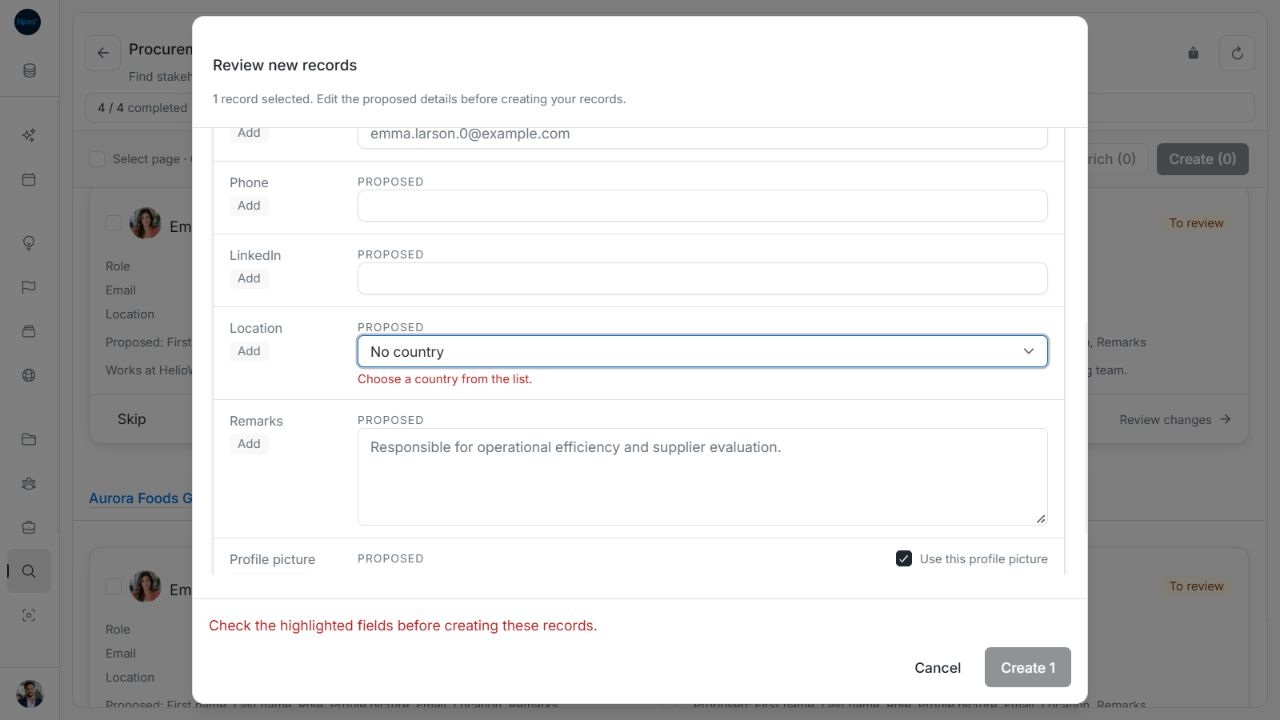
Image guide: An unsupported returned country leaves Create disabled with country guidance. Fictional sample data in the normal product UI.
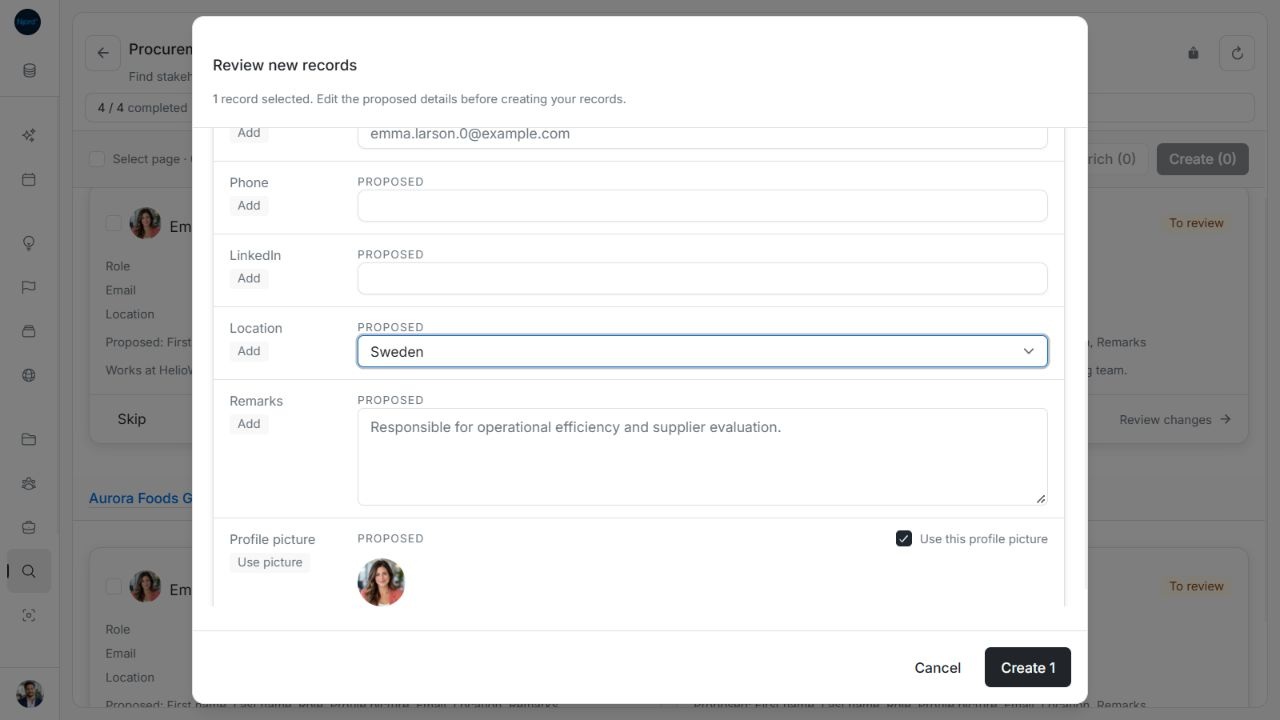
Image guide: Choosing Sweden clears the country error and enables creation. Fictional sample data in the normal product UI.
Handle required-account save feedback
Missing company name or website shows inline guidance. Unlike malformed values, a missing account name or website can still reach the save check. If you choose Create N, the save is rejected with Add a company name and website before creating this account. The review stays open. Enter both details and retry; a rejected attempt has not created that account. Check again reloads the comparison and resets draft edits, so correct the current form before choosing to refresh it.
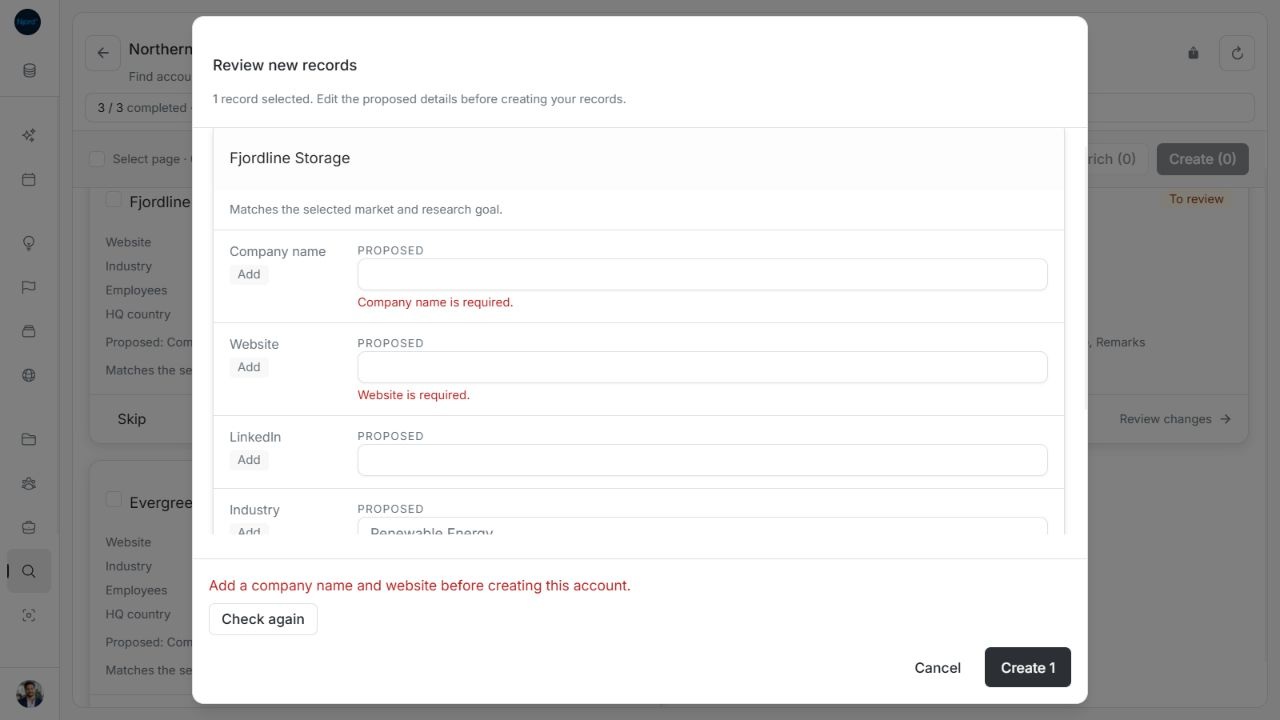
Image guide: The save check rejects missing company name and website and retains the open review. Fictional sample data in the normal product UI.