Rate a Njord AI response and explain what went wrong
Rate a Njord AI response and explain what went wrong
Use the rating controls below a completed Njord AI answer in the main chat or in the Account, Stakeholder or Deal drawer.
Send a rating
- Select Helpful to rate the answer positively.
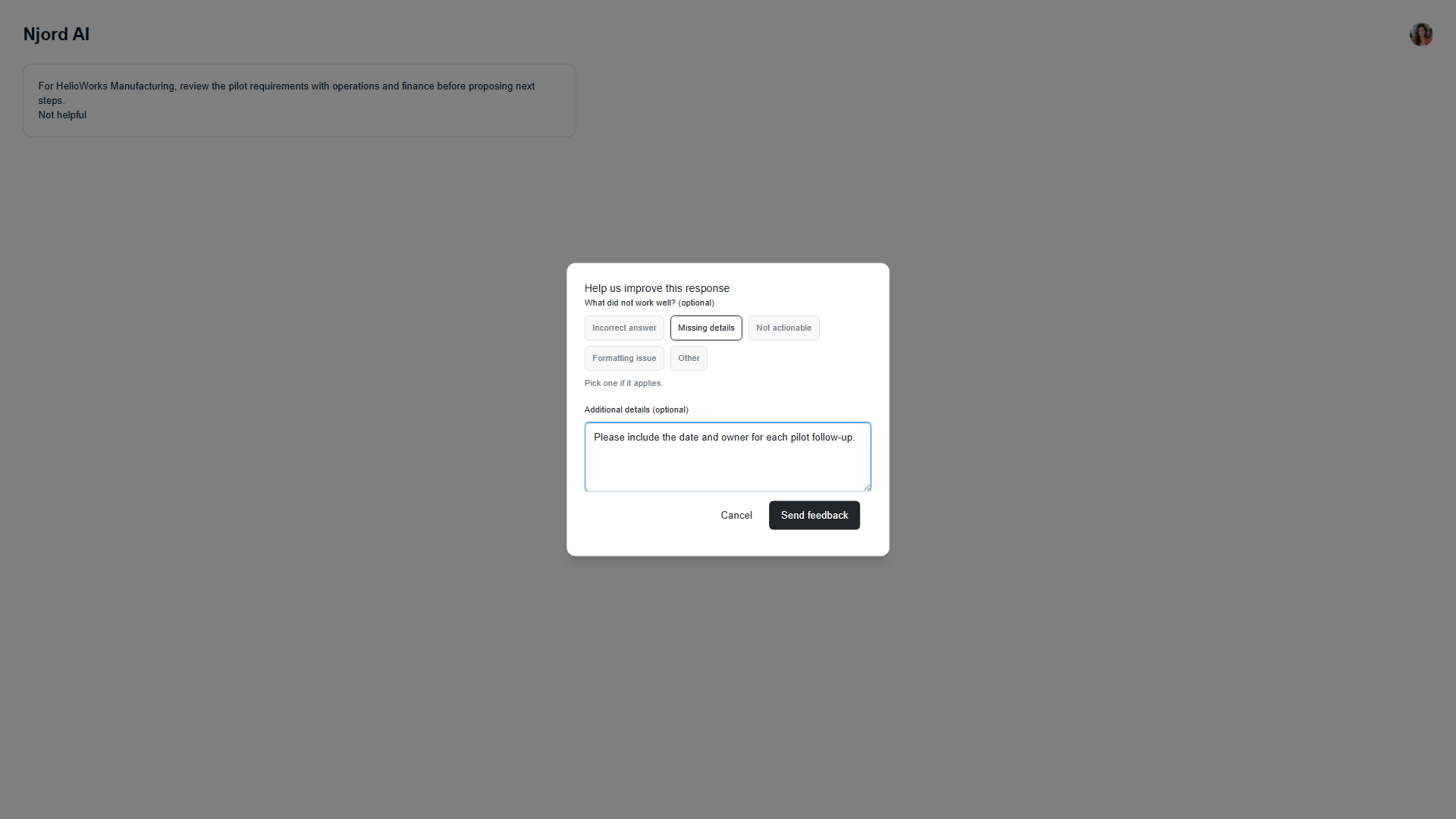
- Select Not helpful to open Help us improve this response. Choose one optional reason and add details if they help explain the issue.
- Select Send feedback and wait for it to save. The chosen rating remains selected after a successful submission. Choose Cancel to close the form without sending it.
Choose a reason
| Reason | When to choose it |
|---|---|
| Incorrect answer | A claim or conclusion is wrong. Point to the specific error in your note. |
| Missing details | The answer omits information needed for the task. Say what was missing. |
| Not actionable | The answer gives too little direction to take the next step. |
| Formatting issue | The structure or output makes the answer difficult to use. |
| Other | The problem does not fit another reason. |
Image guide: Missing details is selected for this sample response. Use the note to identify the missing information before choosing Send feedback.
Check whether feedback was saved
Each response accepts one saved rating. After it saves, both rating buttons are disabled. If sending fails, use the feedback form to retry. To ask for a corrected answer, send a follow-up explaining the change you need.