Attach a private meeting to an account
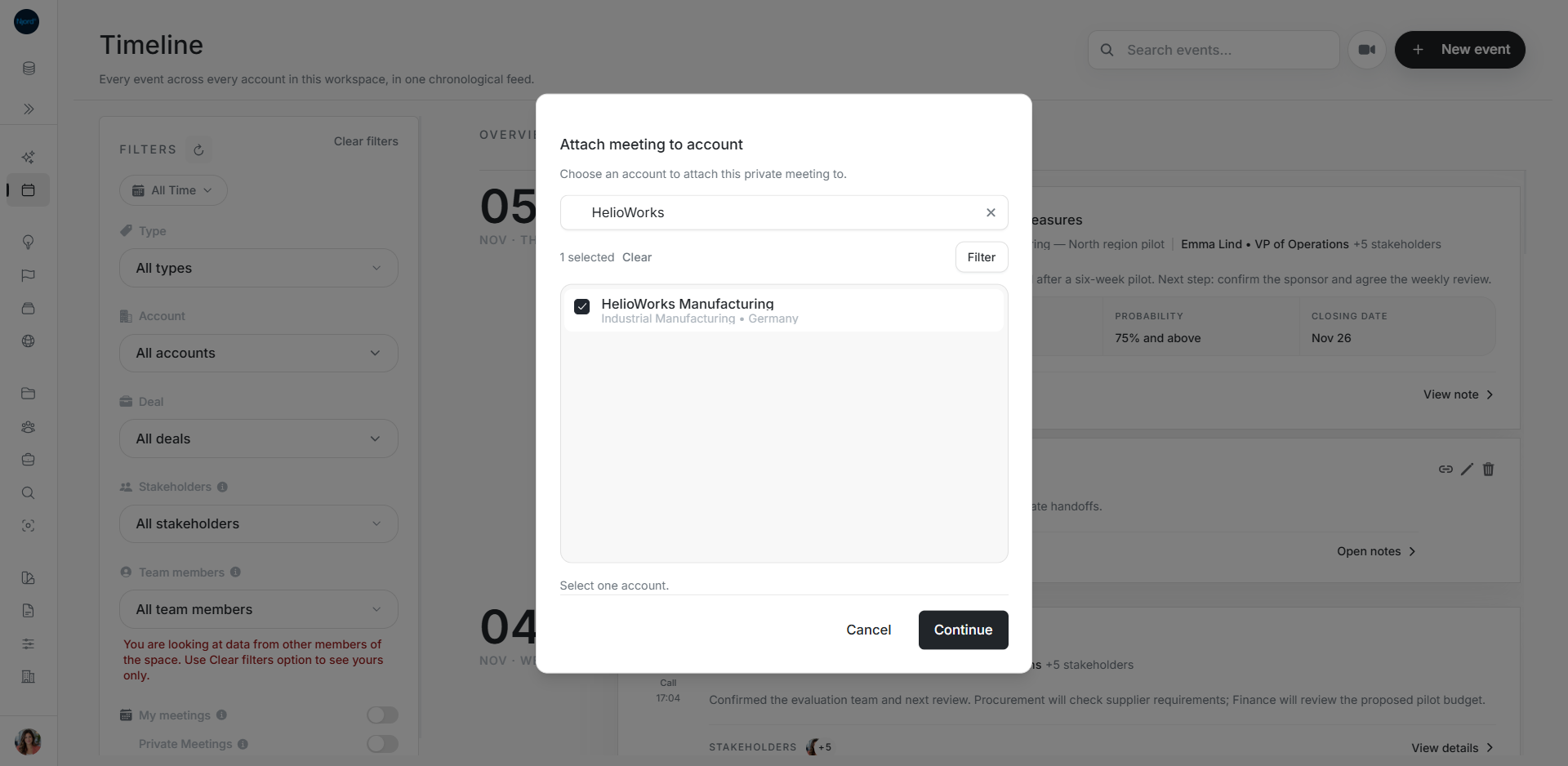
Attach a private meeting to an account
Use Attach meeting to account when a private meeting note belongs with a known company and DOE has not linked it.
- Open Timeline and choose a date range that includes the meeting. Use My meetings or Private Meetings when available to find it.
- Verify the meeting title, date, and participants. Check which company the conversation concerns.
- Choose Attach meeting to account on the card. Search for the company and verify the selected account.
- Choose Continue. Check the refreshed card for the account and its visibility before sharing or relying on the note.
The action is available for an eligible private note you own alone when it has no account or deal. Existing stakeholder links can affect eligibility. If the action is missing, review the owner, associations, and workspace. If the save fails, read the error and check the current card before retrying.
Use Search Google Calendar while scheduling a future note taker if you need to select a Google event first.