Share research and return to the right search
Share research and return to the right search
Use the share control in a research detail header when you want to return to that search or give its location to a teammate with workspace access.
Copy and open a research link
- Open the intended search and check its name and workspace.
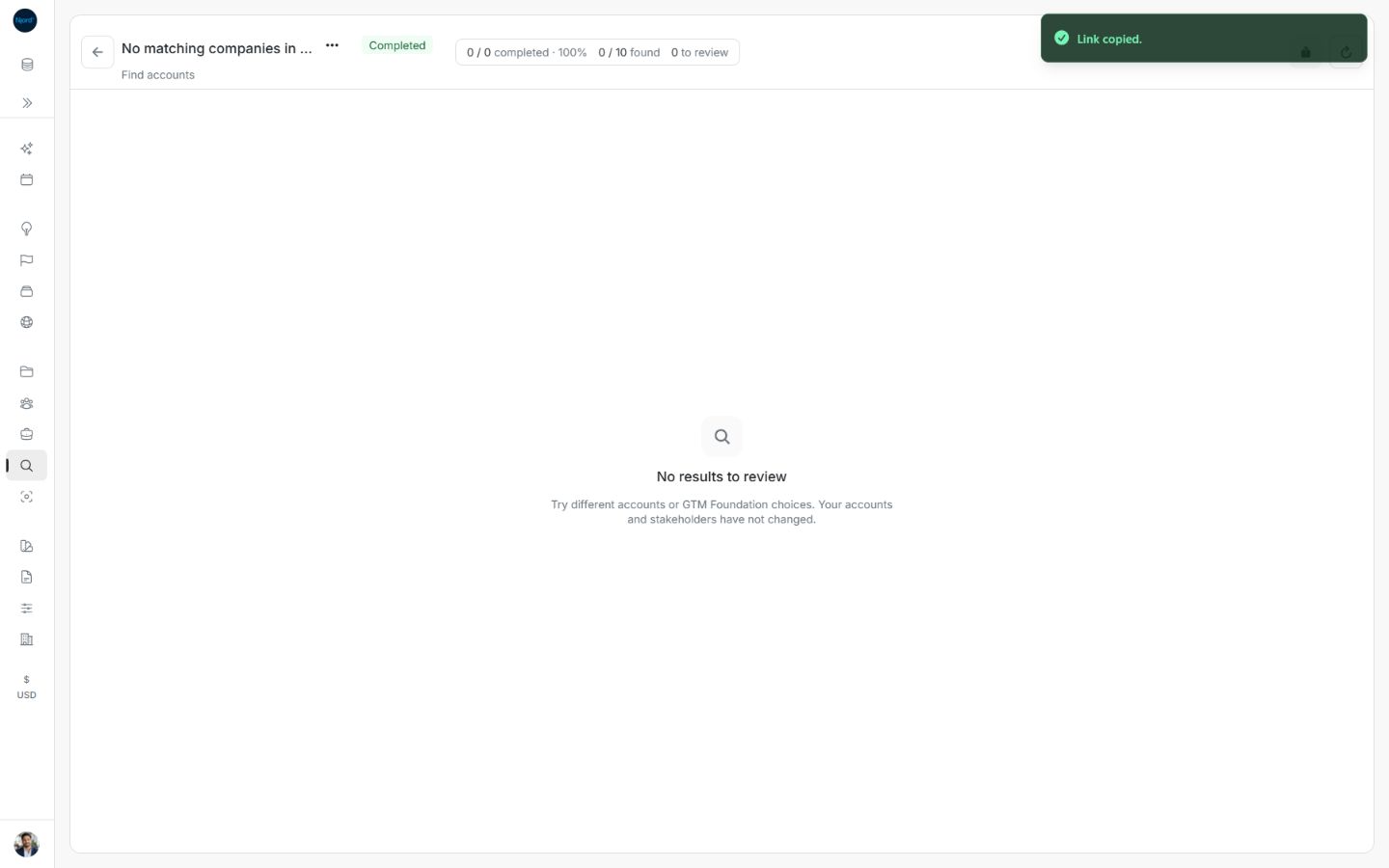
- Choose the header’s Share action. Wait for Link copied., then paste the link where you need it.
- Open it again to return to this saved search. If sign-in is required, sign in with an account that can access the workspace.
- Your teammate still needs their own workspace access. Copying a link does not grant membership or permission to apply changes.
Research links use an encoded search identifier. Preserve the complete copied link rather than editing its identifier. Existing older valid links can still open. A malformed or repeated identifier shows an invalid-link state; use Back to research or open Audience Research from the menu and copy a fresh link.
Return from Njord AI
Njord AI can start or track research and provide a link for human review. Open that research link to check the goal, findings and proposed changes before applying them. The Research page remains the place to inspect saved proposals and their review status.
Follow a resumed search
Resume remaining work opens Resume research. Confirming creates a new search using the same choices and remaining allowance. Results already found stay in the original search. In the resumed details, use the original-search link when you need those earlier proposals. Check both searches before assuming the new one contains every result.
A single-profile Enrich link is different
An account/stakeholder enrichment link opens the temporary review on that profile. It does not create an entry in the Research catalog. Temporary results last one hour. If the link expires, it cannot silently start another paid lookup; open the correct profile and deliberately choose Enrich if another check is needed.
Check the copied search location
Use the search header’s Share action. Link copied confirms that its location is on your clipboard. The link identifies the saved search and workspace; it does not grant access or preserve personal checkbox choices.
Image guide: Share confirms a copied link to the current saved research. Fictional sample data, shown in light mode.
If copying fails
Could not copy link. means the location was not copied. Try Share again after checking browser clipboard permission. You can copy the complete current page address manually if needed; check the workspace and item before sharing it.
Recover an invalid research link
This research link is invalid means the saved-search identifier cannot be read. Choose Try again to return to the Research catalog, or open Audience Research from the menu. Find the intended saved search there. This differs from Research is unavailable, where a valid-looking search could not be loaded or may have been removed.
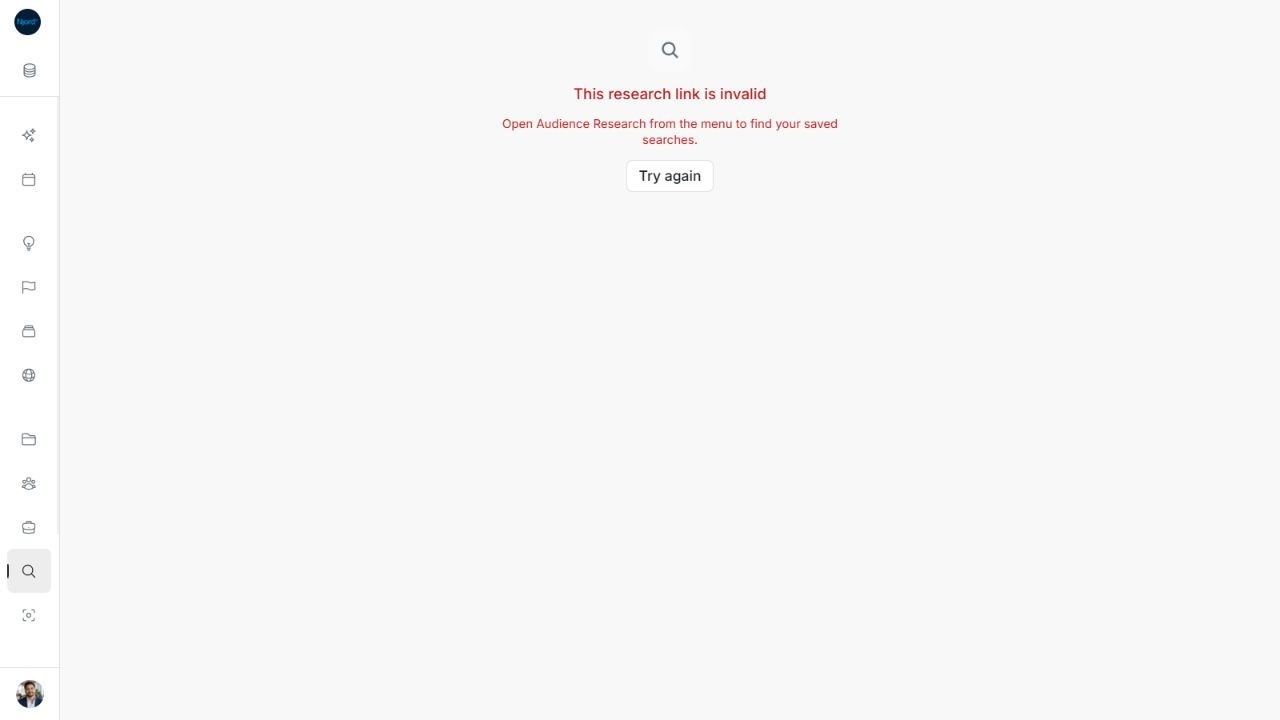
Image guide: A malformed Research link offers a return to saved searches rather than a new lookup. Fictional sample data in the normal product UI.