Give Njord AI a list of records from a CSV
Give Njord AI a list of records from a CSV
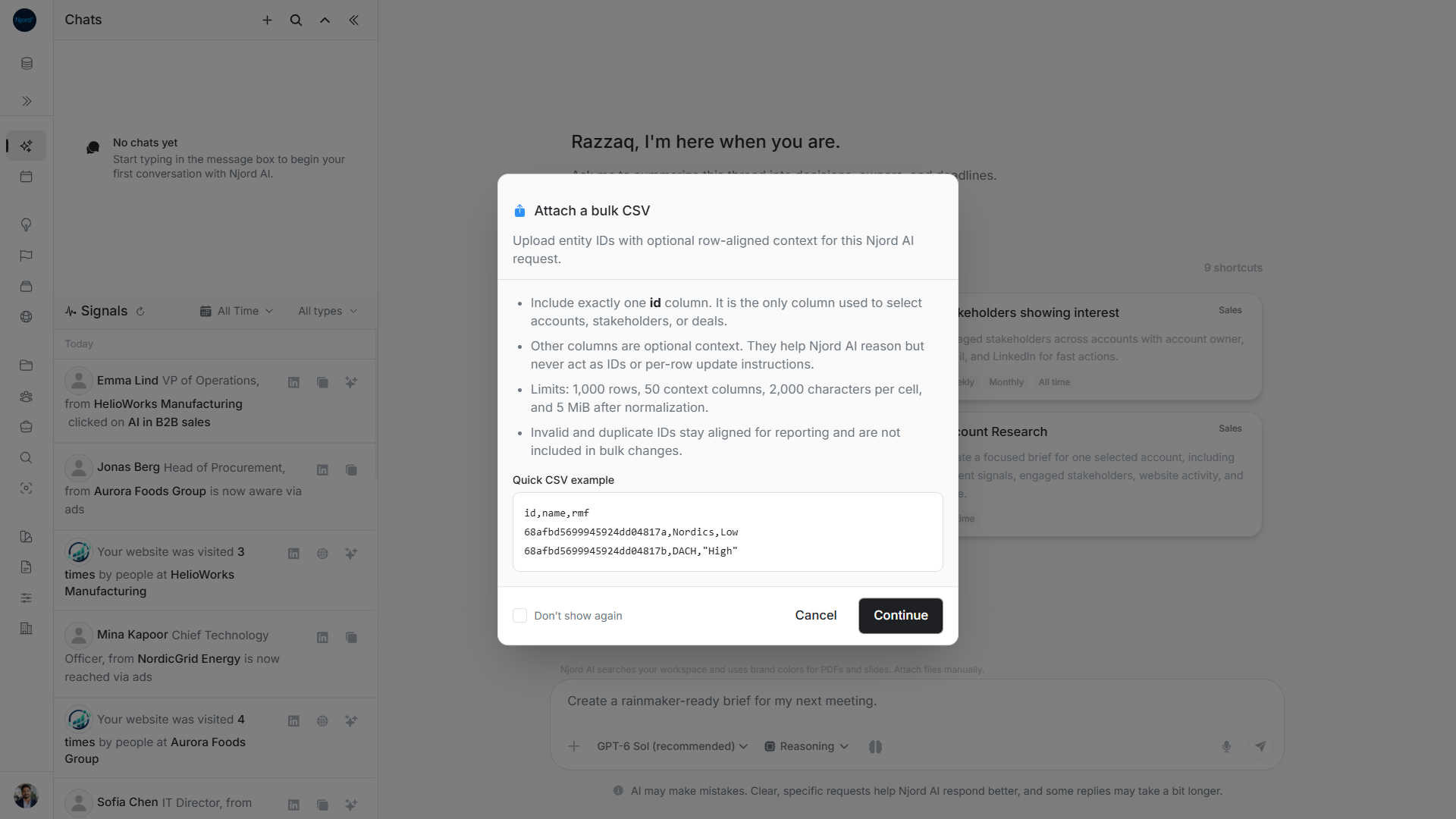
An admin can attach a CSV to focus an AI request on a particular set of accounts, stakeholders, or deals. This can help when the group is already identified in a spreadsheet.
Prepare the file
Use a CSV for one record type and exactly one ID column. Use id for its header. You may add context columns such as Region or Review notes, with one row per record. Keep the cells aligned with their headers. The file supports up to 1,000 data rows, 50 context columns, and 5 MiB of normalized context. Use plain text in cells and keep each cell within 2,000 characters.
| id | Region | Review notes |
|---|---|---|
| Replace with a saved DOE account ID | Nordics | Confirm the rollout date with the owner |
Attach and check the list
- In the correct workspace chat, open Add to message → Attach record list (CSV).
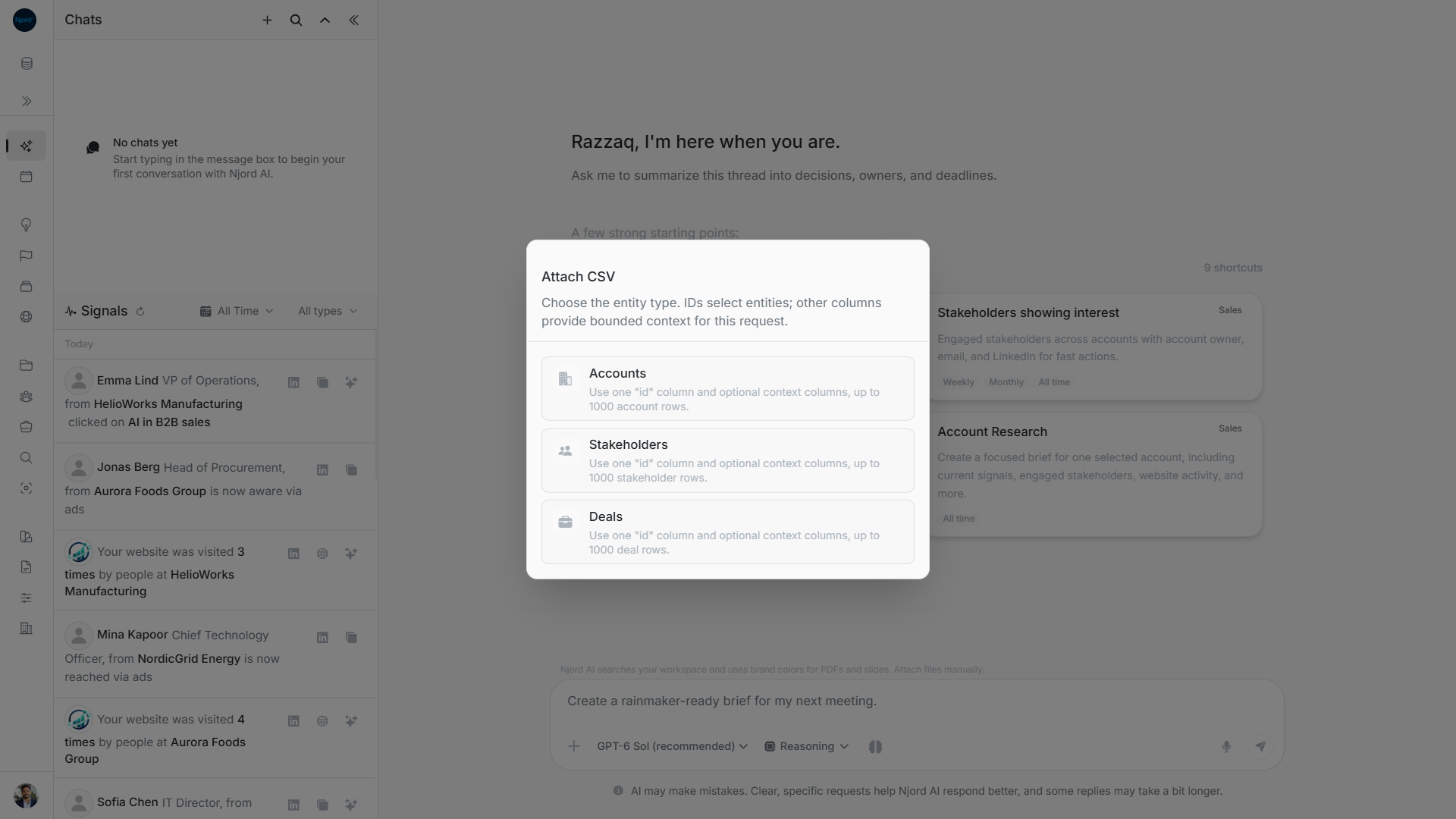
- Read the first-use guide if shown. Choose Accounts, Stakeholders, or Deals, then select the CSV.
- Check the filename, row count and context column count. If the upload rejects the shape or a formula-like value, correct the CSV and attach it again.
- Send a clear request. For example, “Review these accounts and list which owners need to confirm the rollout date. Show skipped or unresolved rows.” Read the returned diagnostics for missing, invalid or duplicate IDs.
The context columns help explain the task. If your request leads to a proposed record update, check the selected scope, expected count and proposed changes before confirming any action the app offers.
Correct the file or recover a send
- Use exactly one ID column. Older spreadsheets may use
ids,_id, ormongoidas the header. File names and headers can have up to 200 characters. - Quoted commas, quotes, and line breaks are supported. Missing trailing cells stay empty. Correct rows with extra cells or broken quotes before attaching the file. Use plain text in place of values that start with a spreadsheet formula character.
- The list is used for this request. If the original send fails, its Retry can reuse the rows in the open chat. If you reload or switch workspaces, attach the list again when needed.