Ask Njord AI about an asset file
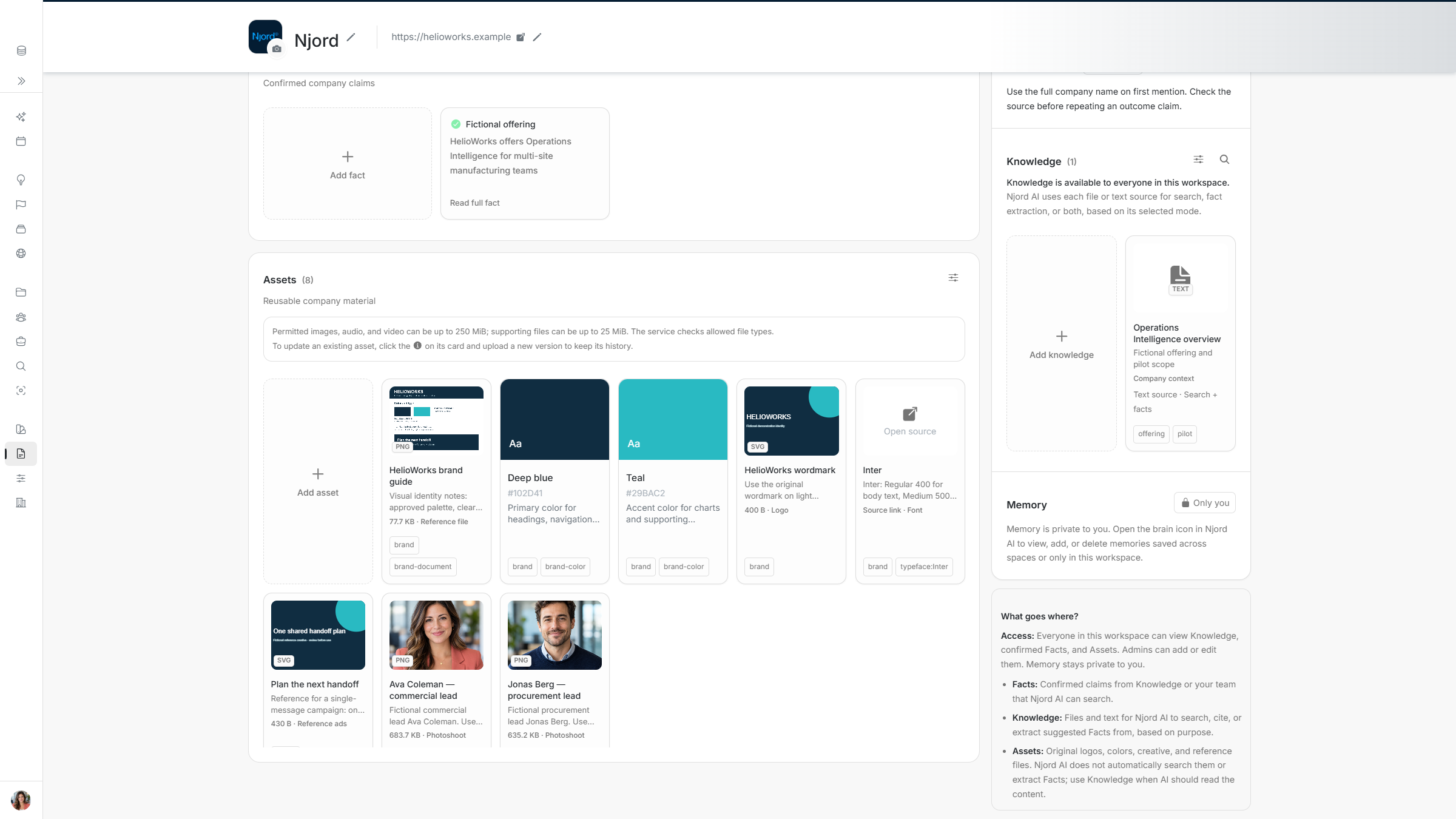
Ask Njord AI about an asset file
Use Ask AI about this file when you want to summarize a saved asset or ask a series of questions about it. The action can appear on compatible files in Workspace setup, Context → Assets, and Brand.
Image guide: Start from the asset library and find the specific file you want to use in Njord AI.
Start from the file card
- Find the intended file and check its title or current version.
- Choose the sparkle action Ask AI about this file. A Njord AI panel opens with the file already attached.
- Choose the suggested summary question or type your own question and send it. For example, ask which tasks in an onboarding checklist still need an owner.
- Ask a follow-up in the same panel while you are working with that version. Normal Njord AI access, compatible models, and credit rules apply.
Return to the same file
Reopening the same version in the same browser can restore its previous conversation. Opening a new version starts a new conversation for that version. If the browser no longer remembers the file’s conversation, check Njord AI chat history for your saved chat.
If the panel says Preparing your chat…, wait for the file and chat to load. Use Retry if it offers one. If the action is missing or disabled, check file type and size, workspace access, and whether Njord AI is enabled.