Create an account from a website lead
Create an account from a website lead
Open Website, choose Non-Targeted Accounts, and select the company. In this example the lead is fictional Cedar Recycling.
- Review the company's website, location, industry and employee count if shown. Use Visits to see the recent pages and arrival sources.
- Search Accounts for the company name and website first. If it already has a record, work from that record.
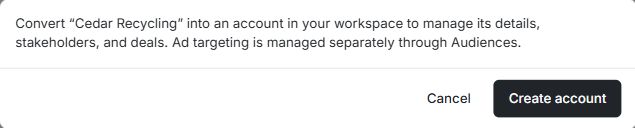
- Return to the lead and choose Create account. Check the company name in the confirmation. Choose Cancel if you still need to review the company.
- After creating the record, open Accounts and check the company details. If the team wants to advertise to it, choose the appropriate audience in a separate step.
If you already see a linked account, open it. If the action is missing, ask someone with access to create records in the workspace.
Start with a lead from Insights or Reports
From Insights → Website Leads, use the lead's available Create account action. In Reports → Non-Targeted Accounts → Website Performance, open the company row to review the Website details first. For LinkedIn discovery leads, check Augmented Retargeting for the row action. Use View Account when the lead already has a linked account.