IP targeting
IP targeting
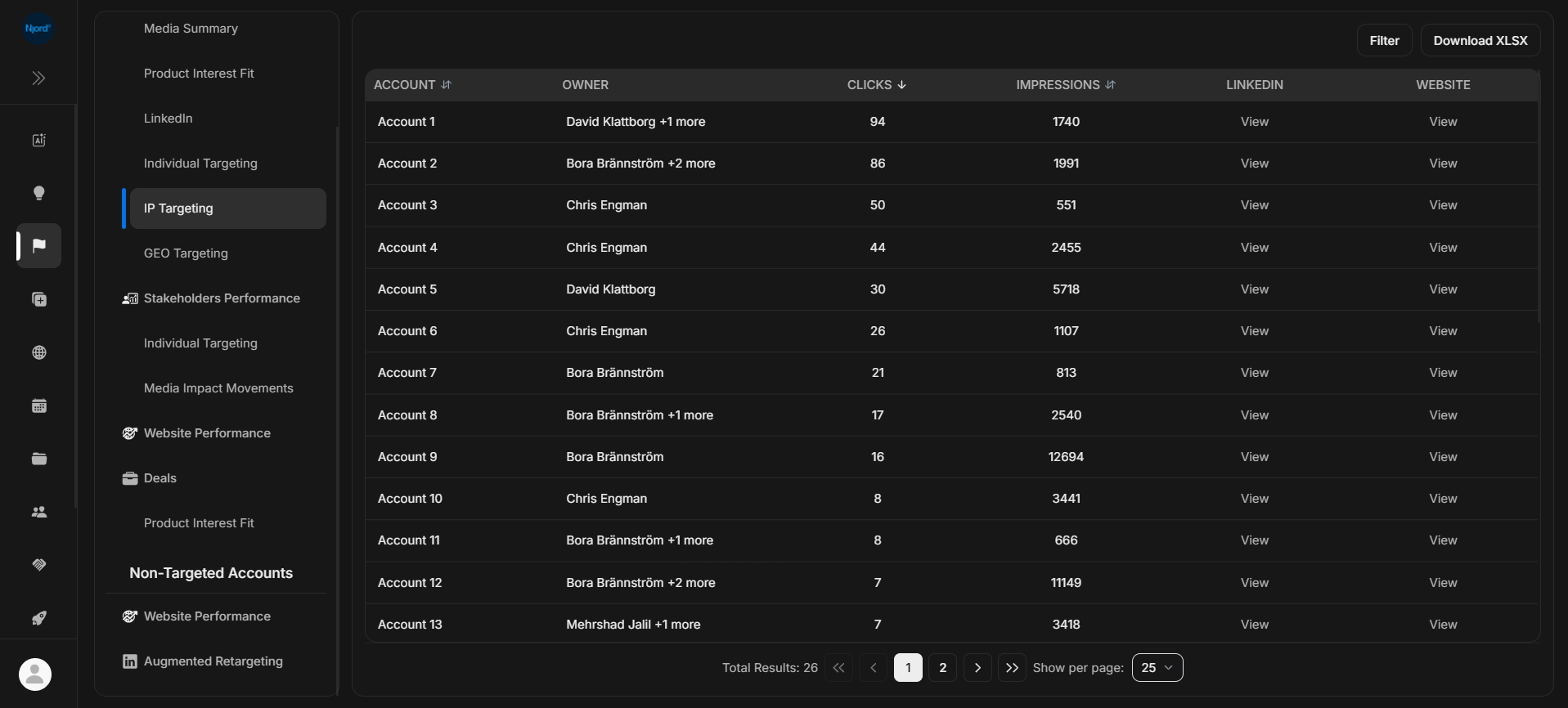
IP Targeting shows target-account activity connected to IP-based targeting. Use it as company-level evidence, not as proof that a specific person engaged.
Where it sits in DOE: Reports > Targeted Accounts > Accounts Performance > IP Targeting.
The table uses the same simple layout as other account performance reports: account, owner, clicks, impressions, LinkedIn, and website.
Use This Report To
| Need | How this report helps |
|---|---|
| Check IP-based engagement | See which target accounts have IP targeting clicks or impressions. |
| Compare sources | Compare IP activity with Media Summary, Website Performance, LinkedIn, or GEO. |
| Support account review | Use IP evidence as one part of the account story. |
| Investigate setup | Check whether IP activity appears for the accounts you expected. |
Main Columns
| Column | What the column tells you |
|---|---|
| Account | Target account connected to IP targeting. |
| Owner | Account owner or owners. |
| Clicks | IP targeting clicks counted by the report. |
| Impressions | IP targeting exposure counted by the report. |
| Opens the account's LinkedIn page when available. | |
| Website | Opens the account website when available. |
How To Read It
Use IP Targeting to strengthen or question an account-level pattern. It becomes more useful when the same account also has website visits, LinkedIn activity, high PIF, or stakeholder movement.
If It Does Not Look Right
IP-based evidence can be broader than person-level activity. If the numbers feel unexpected, compare with Media Summary and confirm the account, source setup, filters, and duration.