Account individual targeting
Account individual targeting
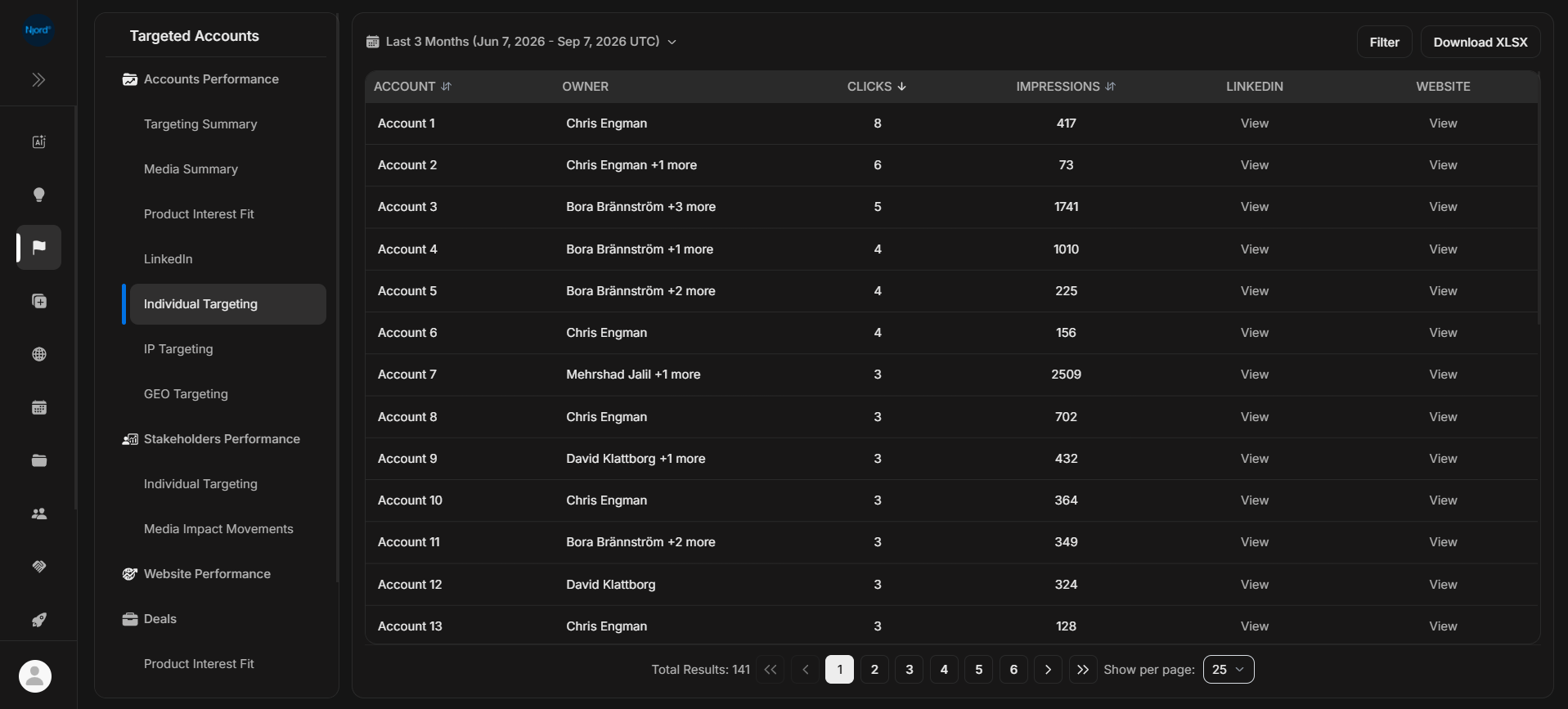
Account Individual Targeting shows target accounts with activity from people-targeted media. It is still an account-level report: use stakeholder reports when you need the person-level list.
Where it sits in DOE: Reports > Targeted Accounts > Accounts Performance > Individual Targeting.
The report helps users see which accounts are responding to individual targeting, then decide whether to inspect the account or the people behind it.
Use This Report To
| Need | How this report helps |
|---|---|
| Find active target accounts | Sort by clicks or impressions from individual targeting. |
| Compare accounts | Review owner, clicks, impressions, LinkedIn, and website fields together. |
| Move from account to people | Open stakeholder reports when an account deserves deeper review. |
| Validate a signal | Check the full table behind individual-targeting activity. |
Main Columns
| Column | What the column tells you |
|---|---|
| Account | Target account connected to individual targeting. |
| Owner | Account owner or owners. |
| Clicks | Engagement from individual targeting in the selected period. |
| Impressions | Exposure from individual targeting in the selected period. |
| Opens the account's LinkedIn page when available. | |
| Website | Opens the account website when available. |
This report uses provider/report-day timing in UTC. Keep the same duration when comparing with stakeholder reports or exports.
How To Review A Row
- Start with accounts that have meaningful clicks.
- Check owner and account status.
- Open the account to review stakeholders, deal context, and website activity.
- Open Stakeholders > Individual Targeting when you need to know which people engaged.
If It Does Not Look Right
Clear filters and confirm the account is currently included in targeting. If an account has activity here but no visible stakeholder row, the person-level data may be filtered, unmatched, or unavailable for the selected period.