GEO targeting
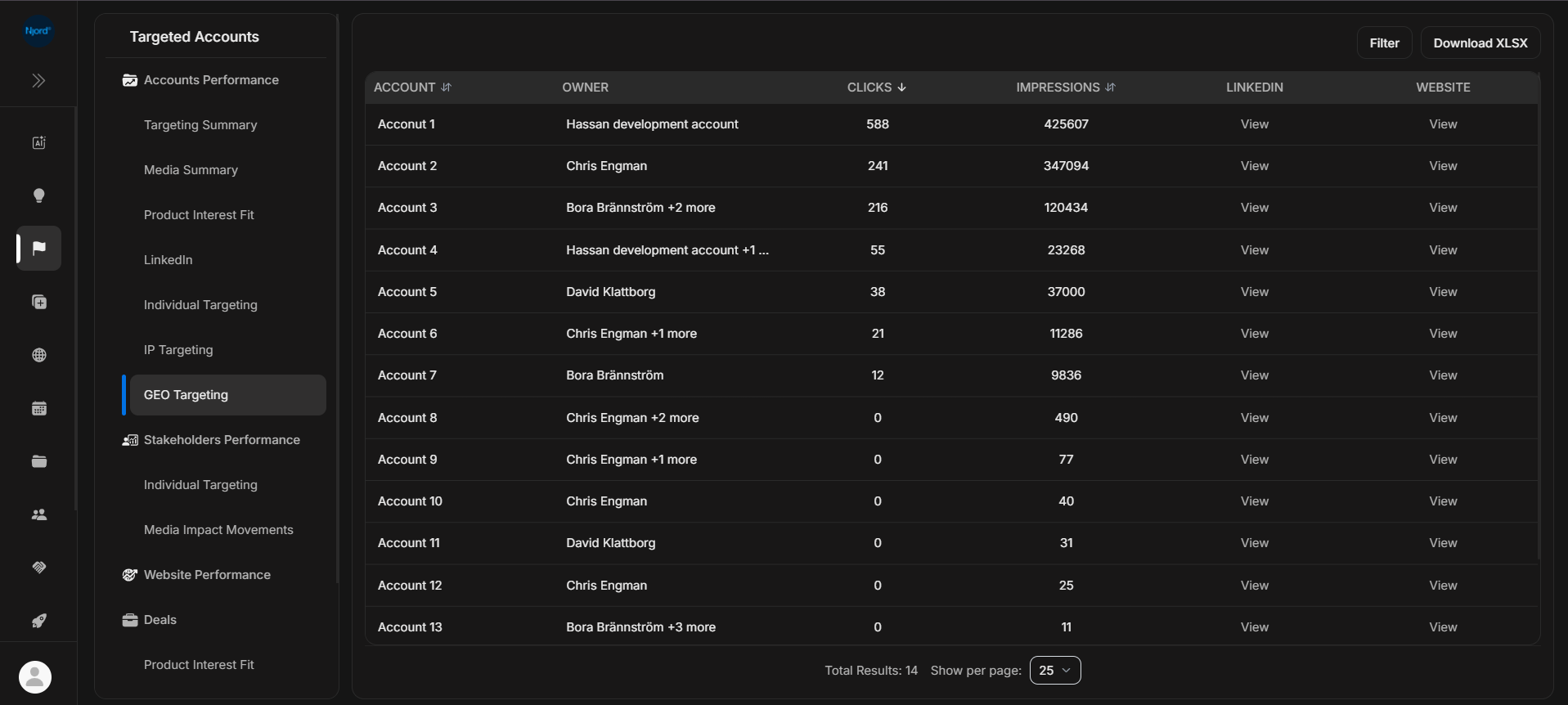
GEO targeting
GEO Targeting shows target-account activity connected to location-based targeting. Use it when geography or territory coverage matters.
Where it sits in DOE: Reports > Targeted Accounts > Accounts Performance > GEO Targeting.
The report helps users compare location-based media activity across target accounts.
Use This Report To
| Need | How this report helps |
|---|---|
| Review geography-based activity | See accounts with GEO clicks and impressions. |
| Check territory coverage | Compare activity with target countries or sales territories. |
| Explain GEO signals | Open the row list behind GEO activity shown elsewhere in DOE. |
| Decide where to inspect next | Open accounts with meaningful activity in important geographies. |
Main Columns
| Column | What the column tells you |
|---|---|
| Account | Target account connected to GEO targeting. |
| Owner | Account owner or owners. |
| Clicks | Location-based targeting clicks counted by the report. |
| Impressions | Location-based targeting exposure counted by the report. |
| Opens the account's LinkedIn page when available. | |
| Website | Opens the account website when available. |
How To Read It
GEO activity is usually account-level evidence. Treat it as a sign that an account or region deserves review, then confirm with account details, stakeholder activity, website visits, and current campaign goals.
If It Does Not Look Right
Clear filters and compare with Targeting Summary. Location-based data can be grouped, approximate, or influenced by missing account-country fields.