Deal Product Interest Fit
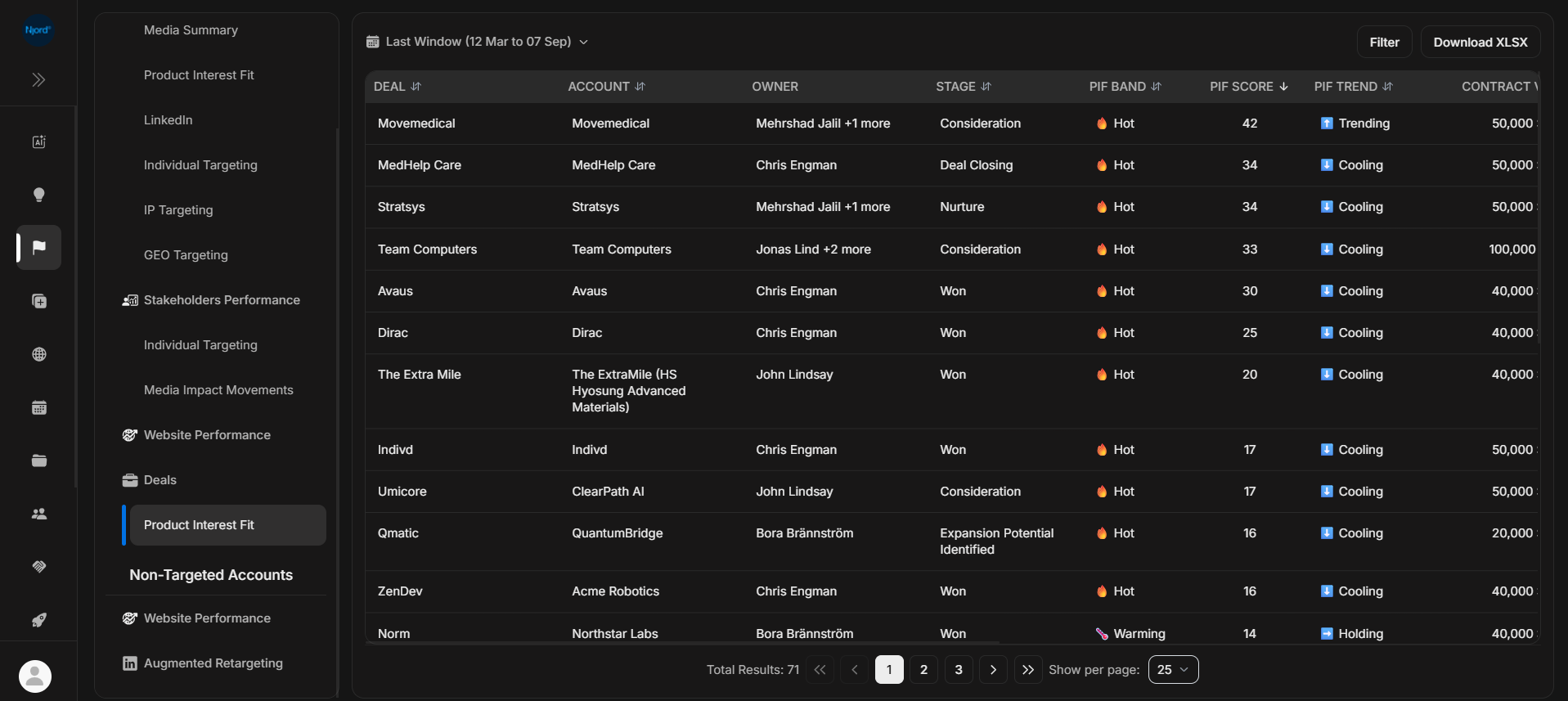
Deal Product Interest Fit
Deal Product Interest Fit shows active deals with Product Interest Fit context. Use it during pipeline review when you need to compare deal stage, value, probability, fit, movement, and supporting signals.
Where it sits in DOE: Reports > Targeted Accounts > Deals > Product Interest Fit.
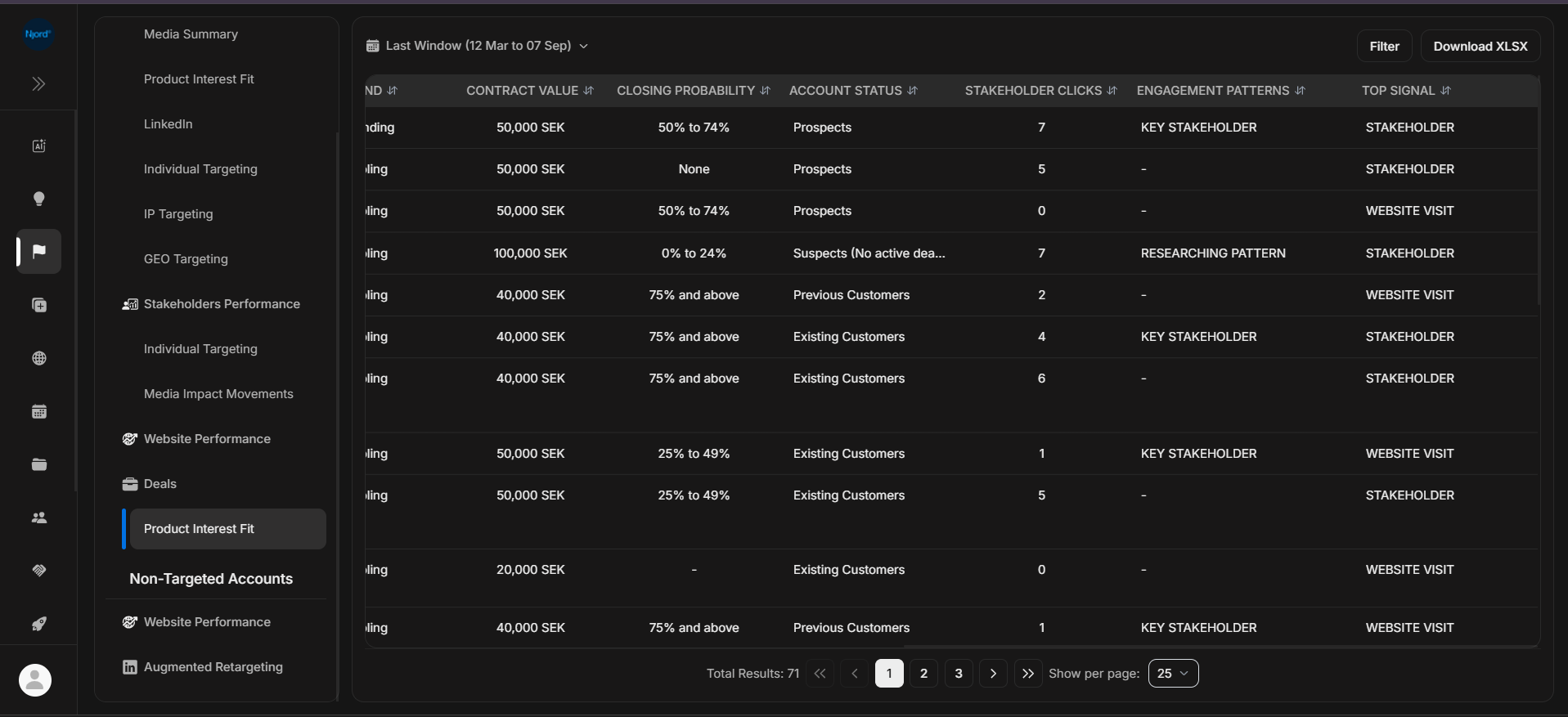
The report is deal-first. Click a row to open the deal, or use the detail view when you need the supporting PIF explanation.
Use This Report To
| Need | How this report helps |
|---|---|
| Prioritize pipeline review | Sort by PIF score, PIF band, contract value, or probability. |
| Compare fit with deal stage | Check whether high-fit deals are moving through the right stage. |
| Find deal risk | Look for high-value deals with cooling fit, weak activity, or stale context. |
| Explain a management view | Download a clean report after setting the right duration and filters. |
Main Columns
| Column | What the column tells you |
|---|---|
| Deal | Opportunity being reviewed. |
| Account | Company connected to the deal. |
| Owner | Deal owner or owners. |
| Stage | Current pipeline stage. |
| PIF Band | Fit group for the deal context. |
| PIF Score | Numeric fit value for ranking. |
| PIF Trend | Whether fit is trending, holding, or cooling. |
| Contract Value | Deal value where available. |
| Closing Probability | Pipeline confidence where available. |
| Account Status | Current status of the related account. |
| Stakeholder Clicks | Stakeholder-level media clicks connected to the deal context. |
| Engagement Patterns | Signals or activity patterns supporting the fit. |
| Top Signal | Most important signal surfaced for the row where available. |
How To Read It
| Pattern | What it usually means |
|---|---|
| High PIF and active stage | Strong candidate for review or next action. |
| High PIF but cooling trend | Good fit, but momentum may need attention. |
| High value and low activity | Check meetings, stakeholders, and account activity. |
| Missing PIF | Fit may not be configured or available for that deal. |
If It Does Not Look Right
Check the selected duration and deal filters. Deal Product Interest Fit uses Last window, Last 30 days, or Last 7 days. If a deal is missing, confirm the deal is active, visible to your role, connected to the right account, and inside the selected report scope.