Salesforce security review
Salesforce security review
Use this guide when a Salesforce administrator, security reviewer, or enterprise stakeholder needs a plain-language explanation of how the DOE Salesforce integration is secured.
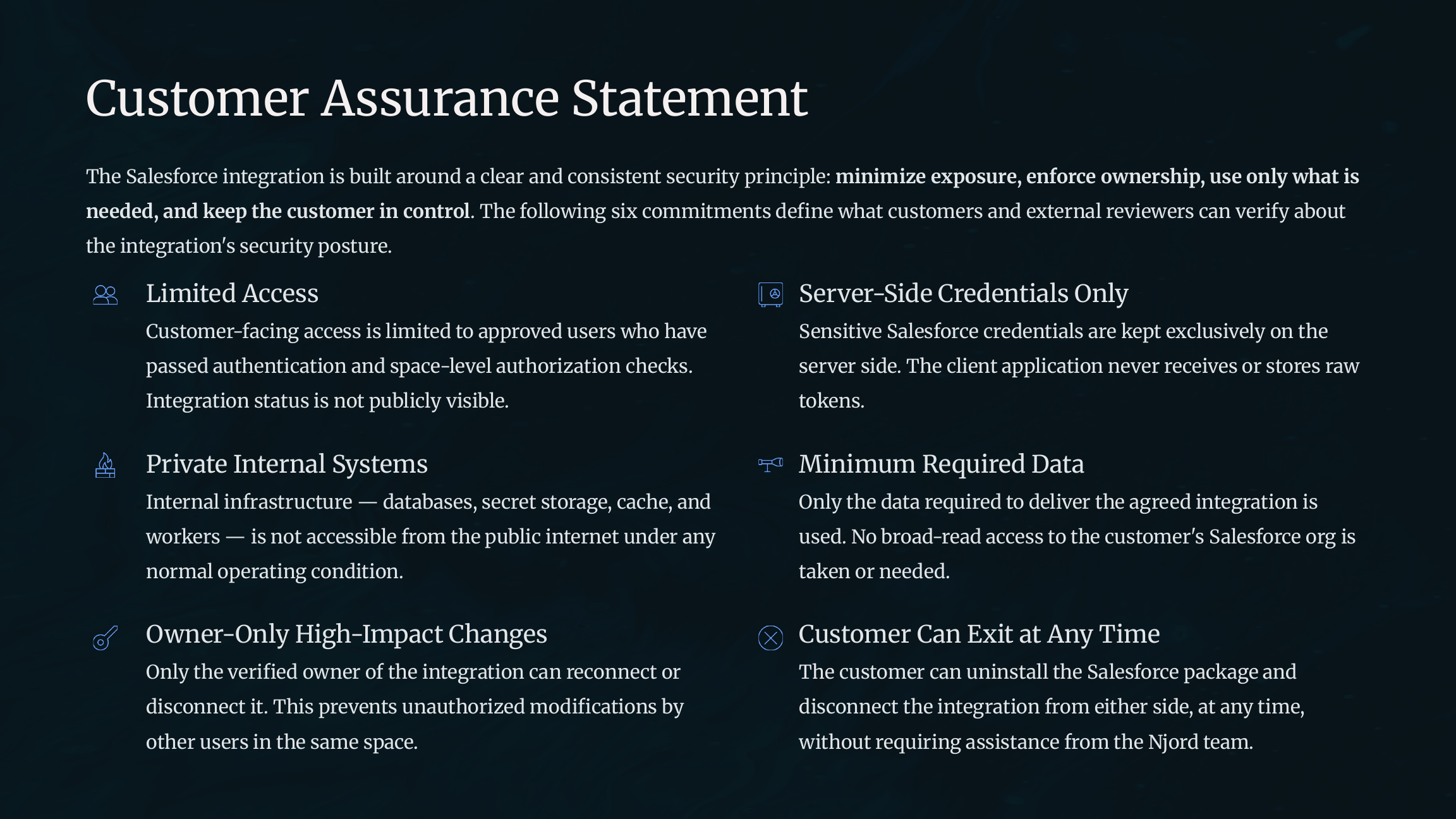
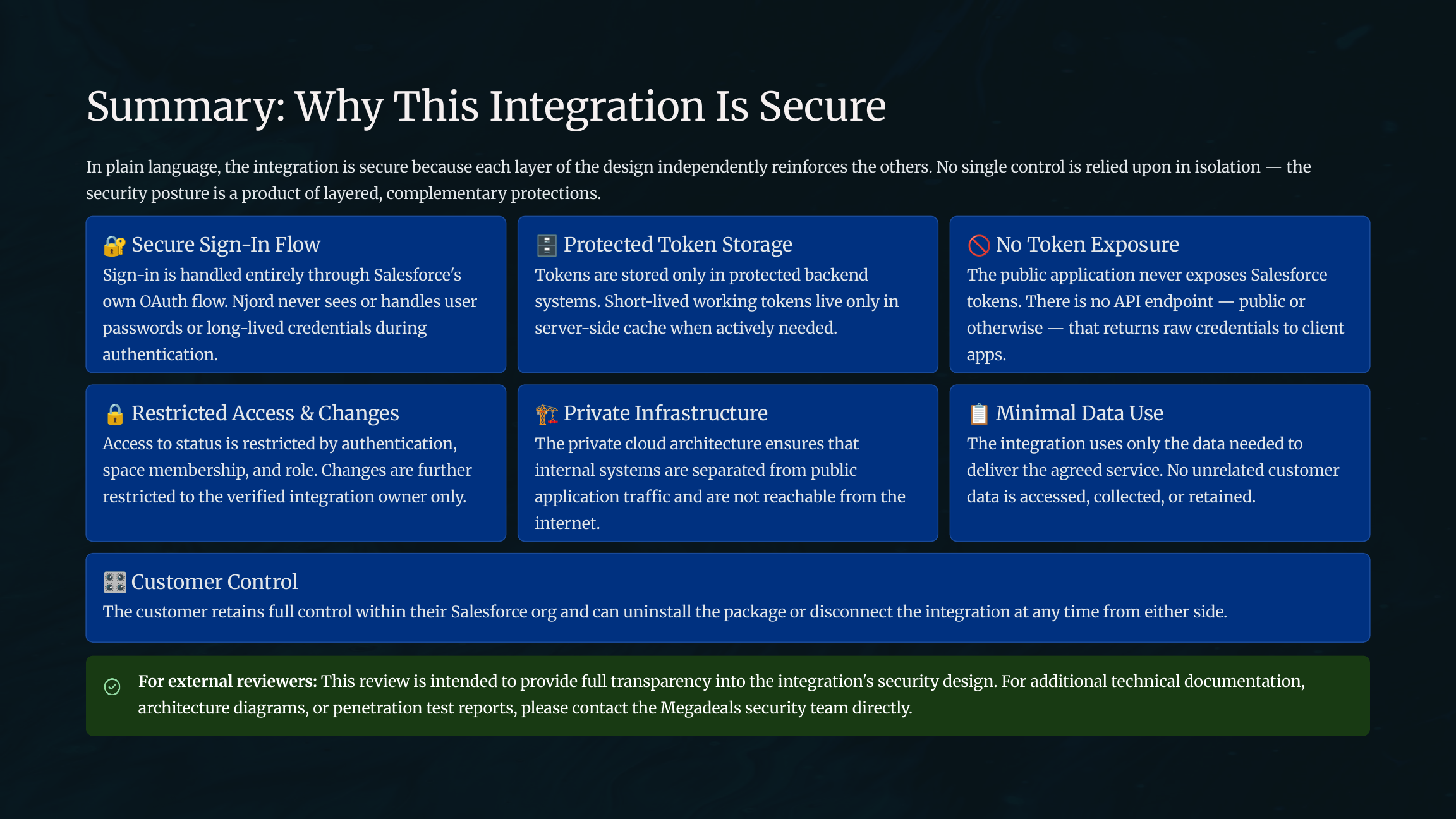
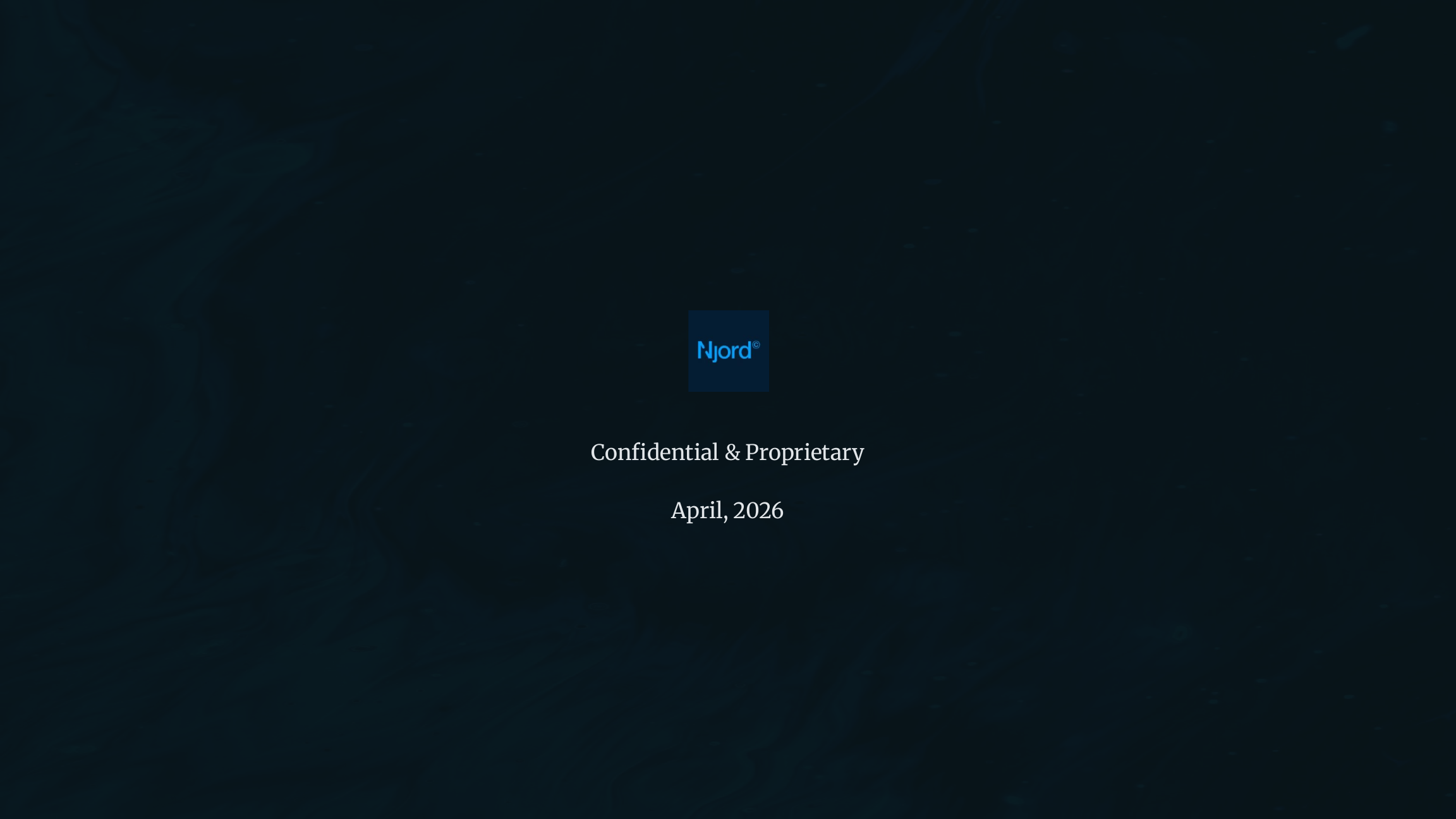
Image guide: The security review summarizes the core posture: Salesforce-native sign-in, protected credentials, restricted visibility, owner-only changes, and customer-controlled widgets.
Security posture
The integration is designed to be secure, limited in scope, and easy to control.
| Principle | Meaning |
|---|---|
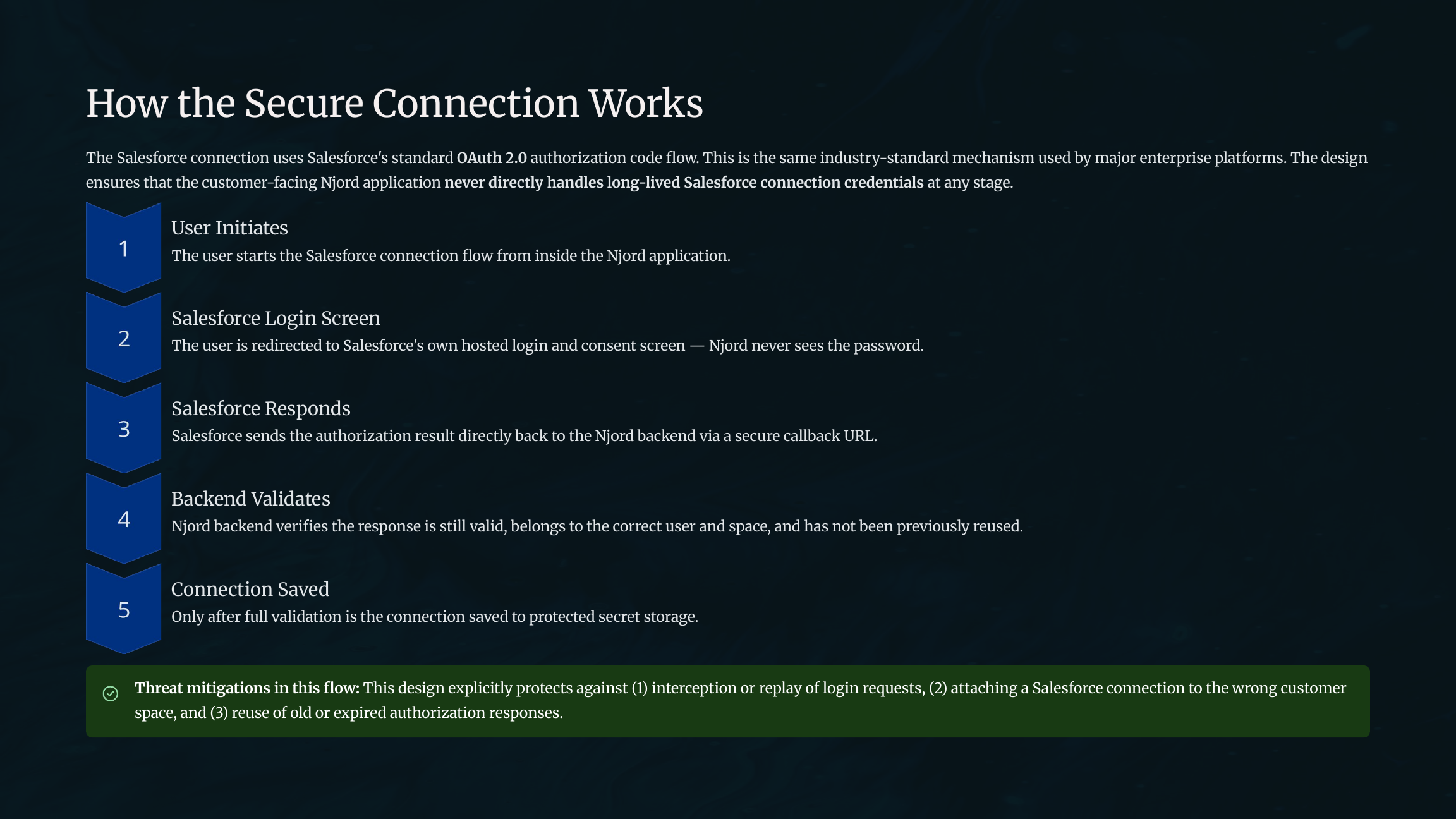
| Salesforce-native sign-in | Users connect through Salesforce's own authorization flow. |
| Credentials never exposed | Salesforce login credentials are not handled by the customer-facing DOE app. |
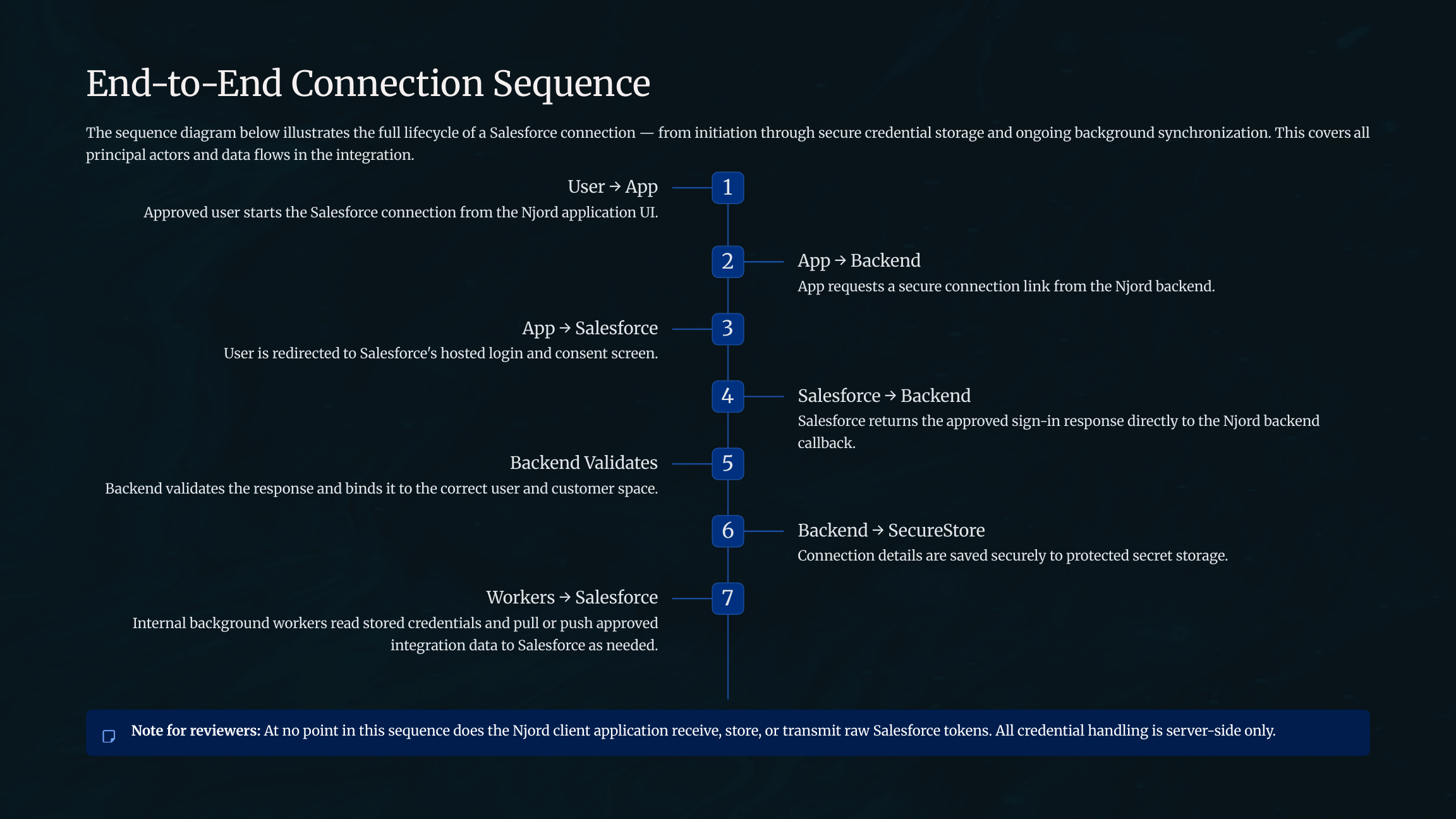
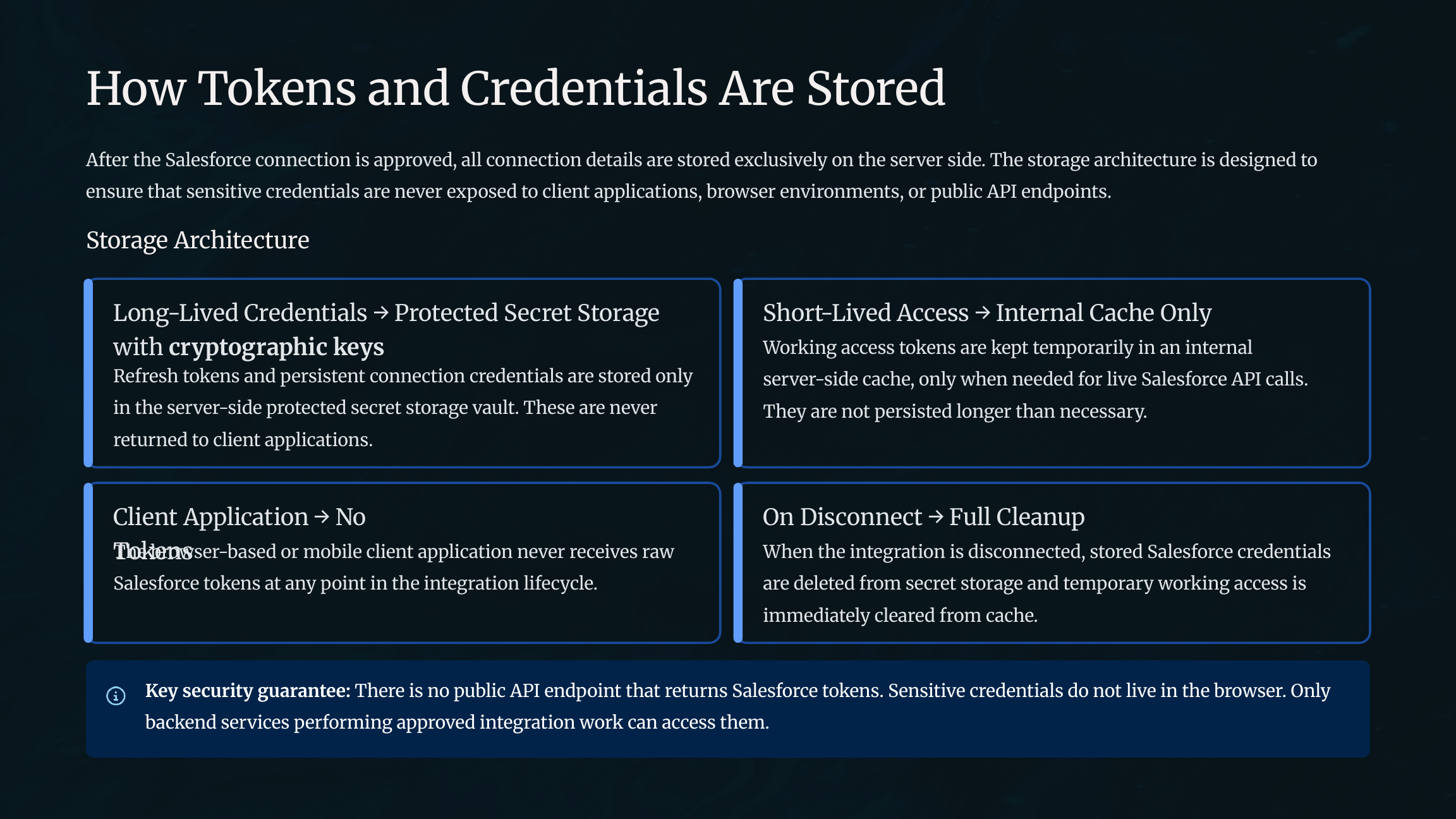
| Server-side secret storage | Sensitive connection details stay on the backend in protected storage. |
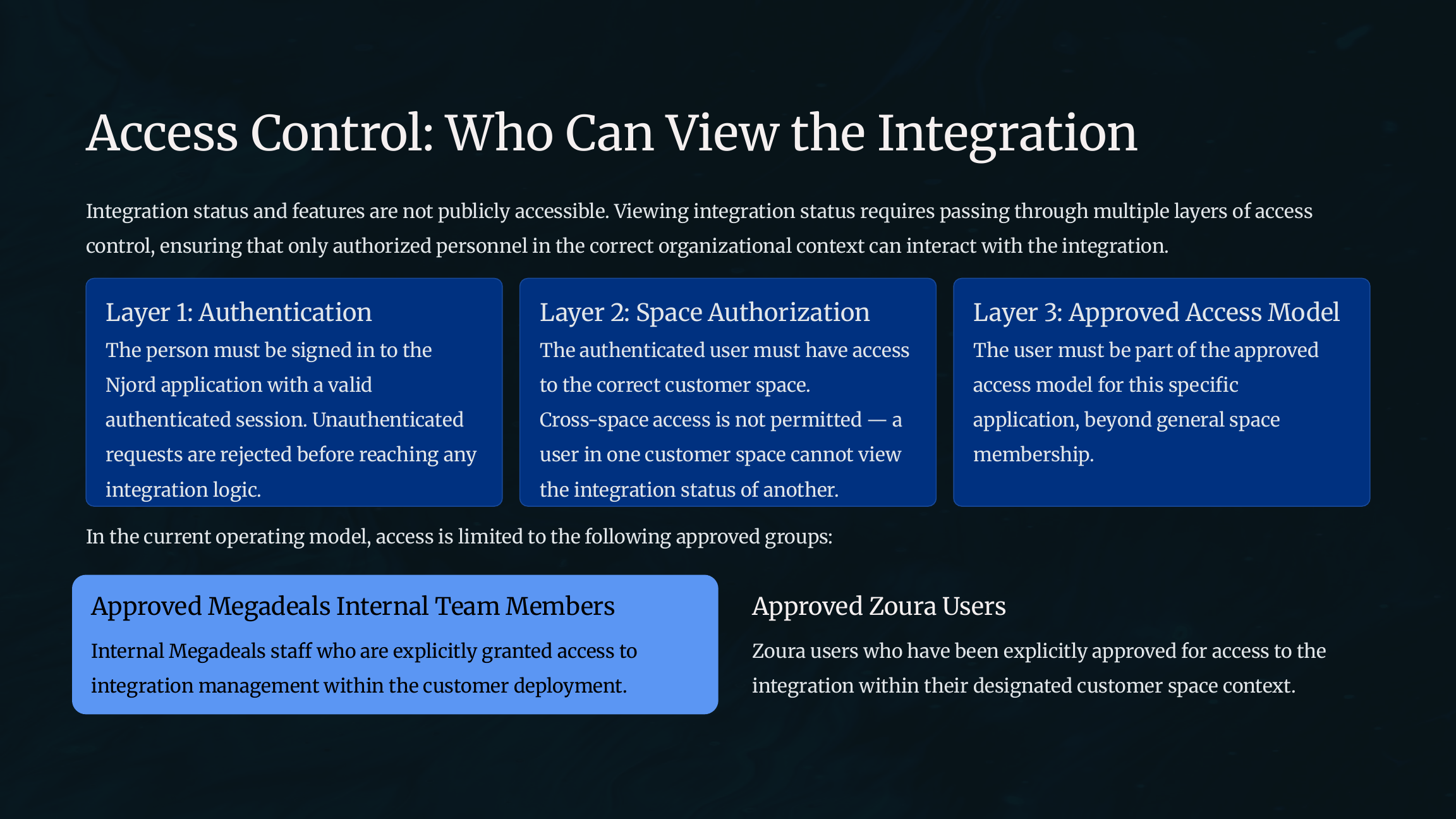
| Restricted status visibility | Only approved users with access to the correct DOE space can view integration status. |
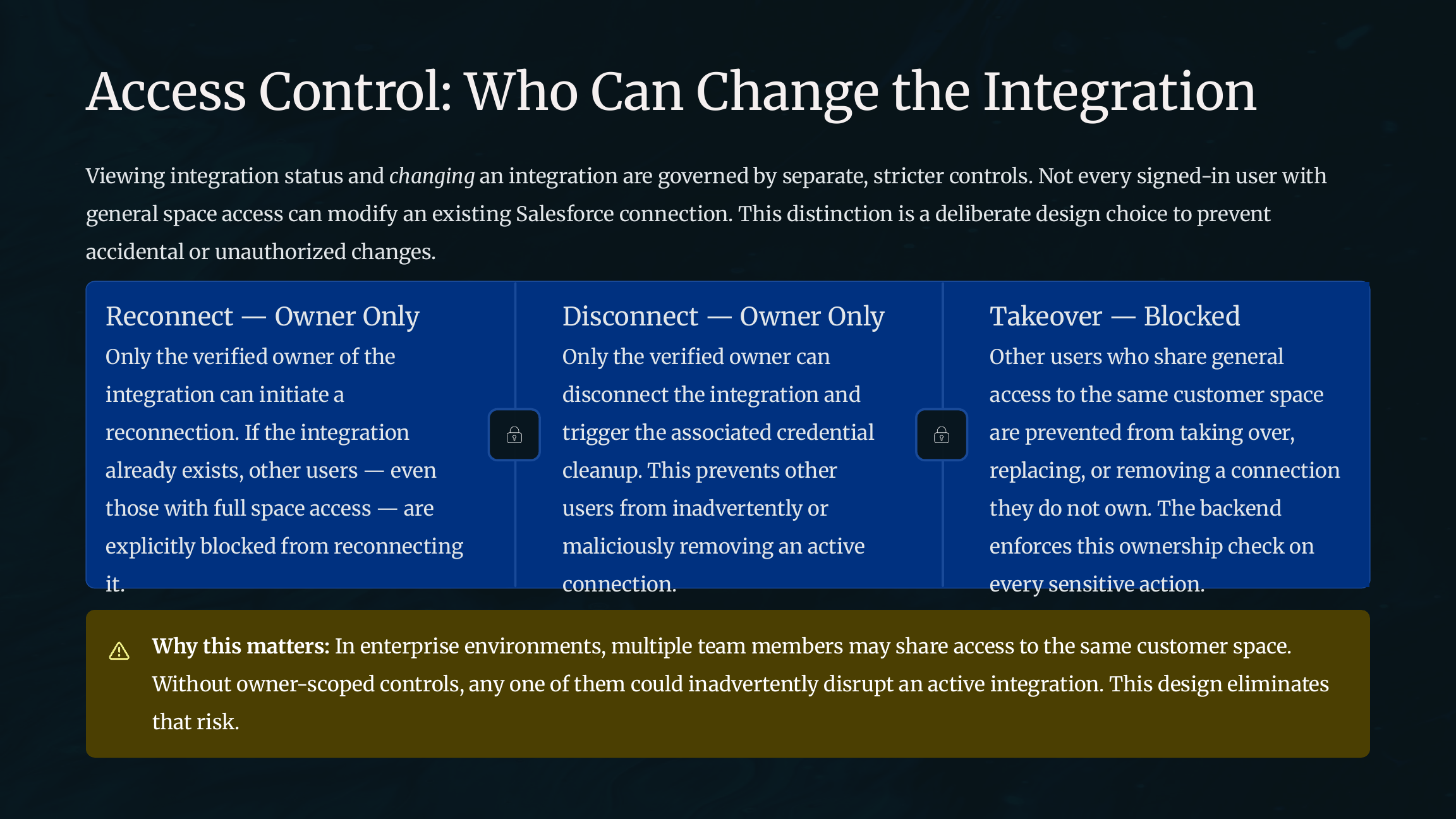
| Owner-only changes | Only the verified integration owner can re-authenticate or disconnect the integration. |
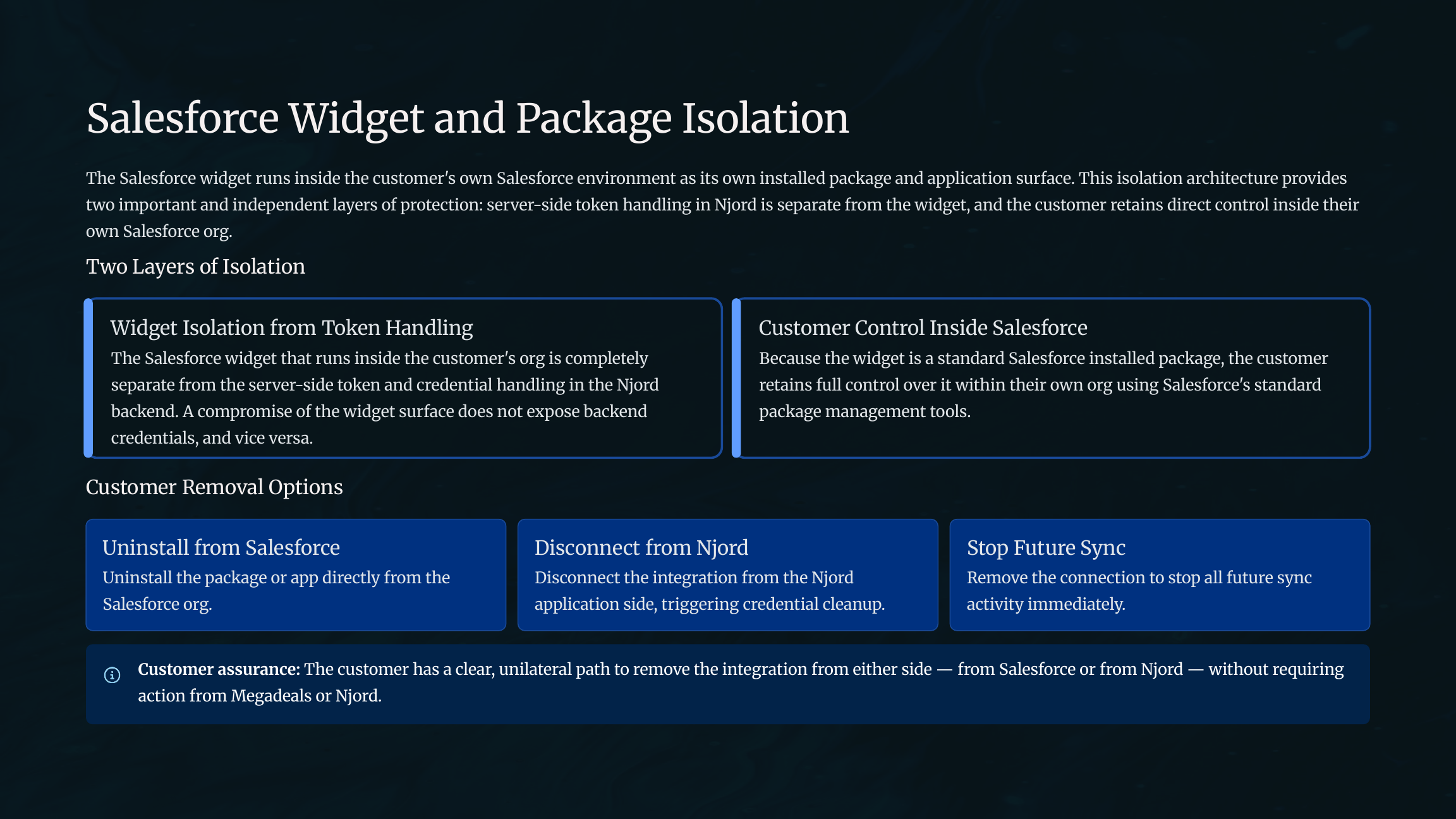
| Customer-controlled widget | The Salesforce package and widgets remain installed and managed inside the customer's Salesforce org. |
Access boundaries
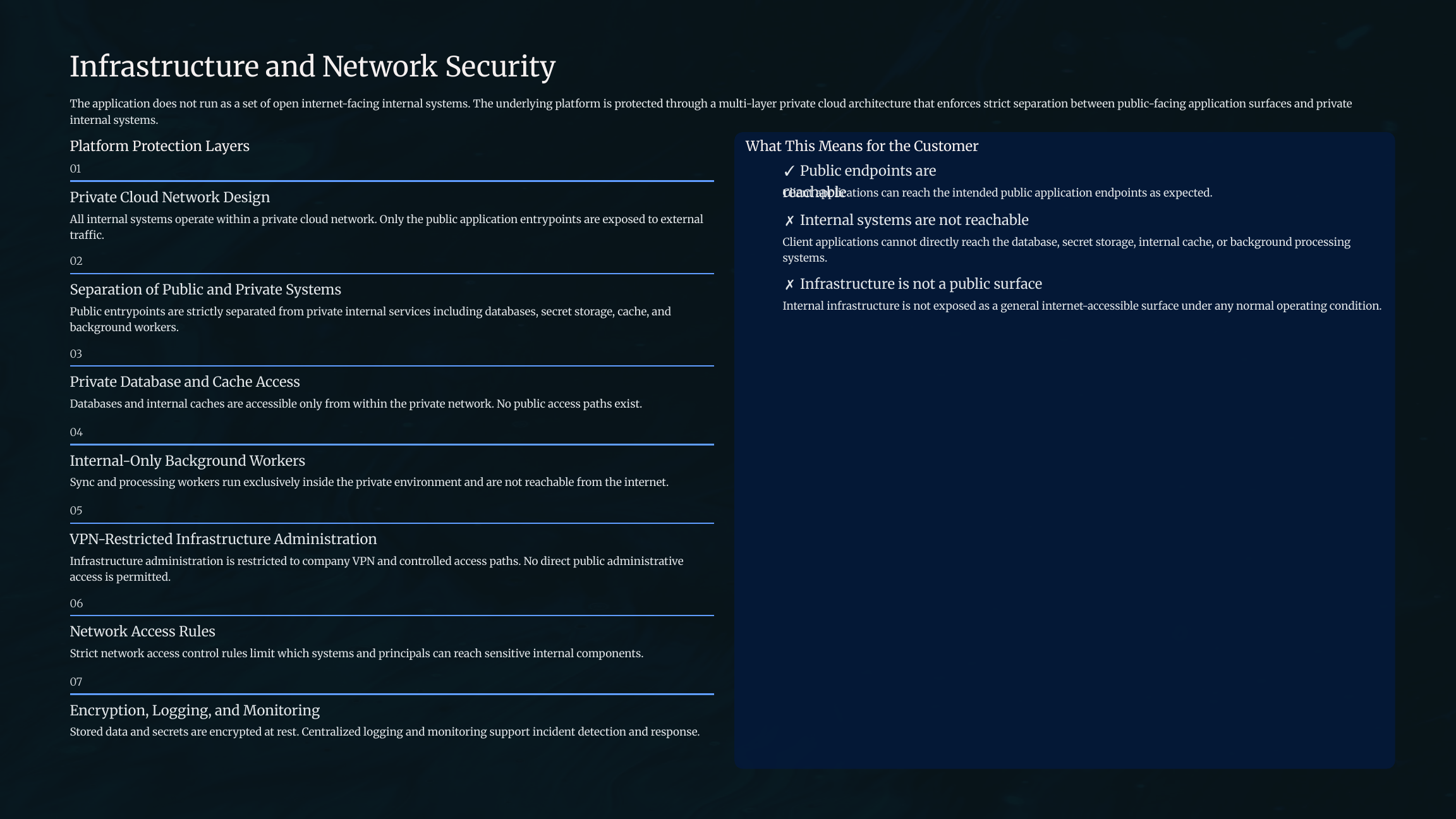
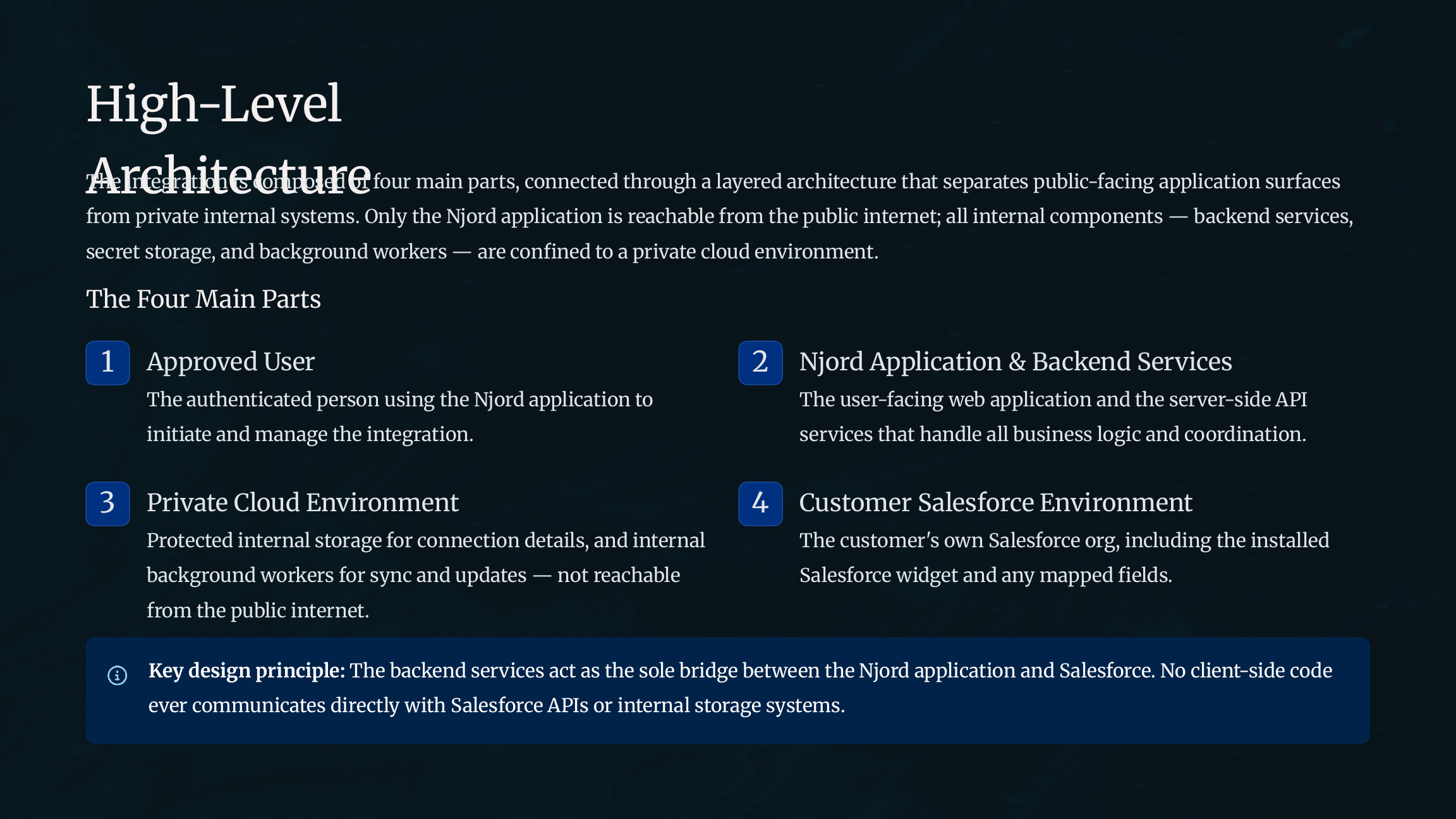
The Salesforce package owns Salesforce-side widgets and package metadata. DOE owns OAuth state, token exchange, token storage, mapping, sync, and status. The customer Salesforce org owns package installation, permissions, validation rules, duplicate rules, and package uninstall.
Package install does not automatically authorize DOE. Backend disconnect does not automatically uninstall the package. Customers can complete full removal by disconnecting DOE and uninstalling the package in Salesforce.
Credential handling
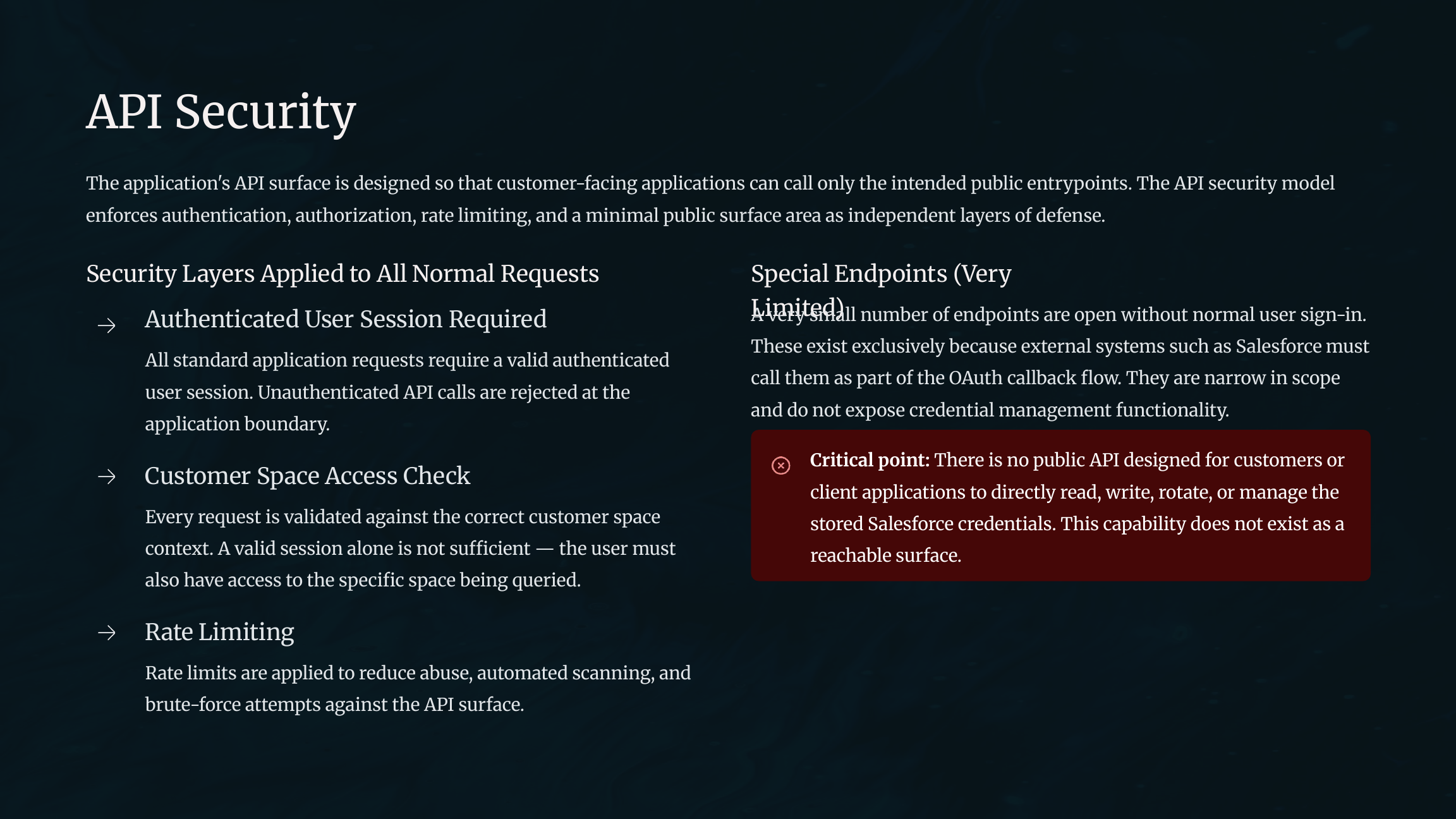
OAuth uses authorization code flow with PKCE. DOE creates one-time state and verifier values for the authorization flow. Tokens and secrets are kept on the server side and are not returned to public frontend APIs.
Operational controls
- Space authorization protects CRM APIs.
- Owner checks protect re-authentication and disconnect actions.
- Media sync and polling status are visible in the details panel.
- Provider validation and duplicate rule messages are surfaced for operators.
- Customers retain control over Salesforce permissions, field visibility, validation rules, and package uninstall.
Security review screenshots
These screenshots are rendered from the Salesforce security review PDF and grouped by reviewer topic.
Overview and summary
Architecture and connection flow
Credentials and access control
API security and data scope
Infrastructure, package isolation, and assurance