Install the Salesforce package
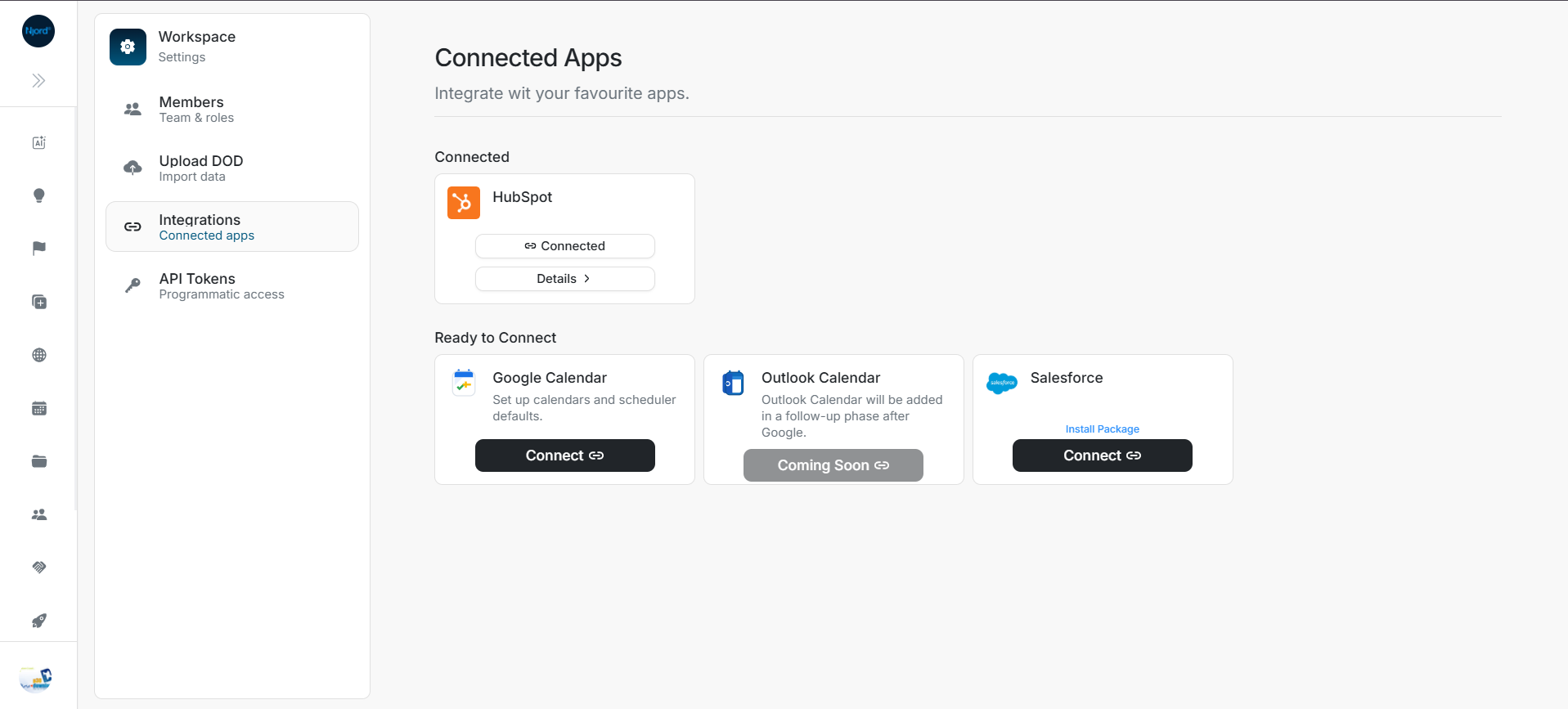
Install the Salesforce package
Install the DOE Salesforce package before connecting OAuth so the customer org has the widgets, managed fields, and External Client App metadata needed by the integration.
Before you install
Confirm these prerequisites:
- You are a Salesforce administrator for the org that will be connected to DOE.
- You have access to Settings > Integrations in DOE.
- You know whether the rollout should begin with admins only, all users, or specific profiles.
- You can return to DOE after installation to complete OAuth.
Install sequence
Start in DOE, then continue through the Salesforce package installer.
- Open Settings > Integrations in DOE.
- Find the Salesforce card.
- Select Install Package before selecting Connect.
Image guide: In DOE, open Settings > Integrations and use the Salesforce card's Install Package link before clicking Connect.
- DOE opens the Salesforce package installation flow.
- In Salesforce, choose the target username and org.
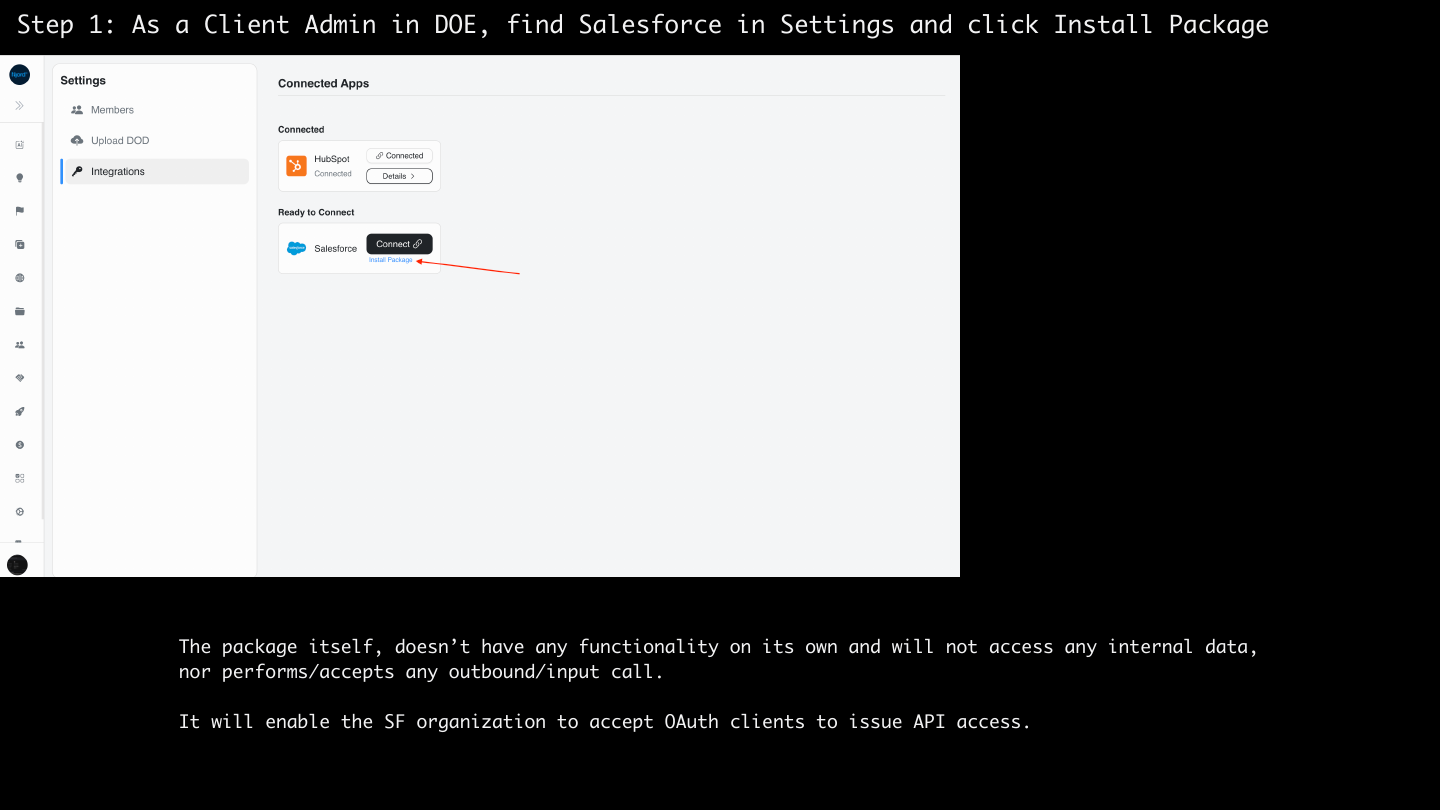
Image guide: The Salesforce package installation flow opens from the DOE Salesforce card.
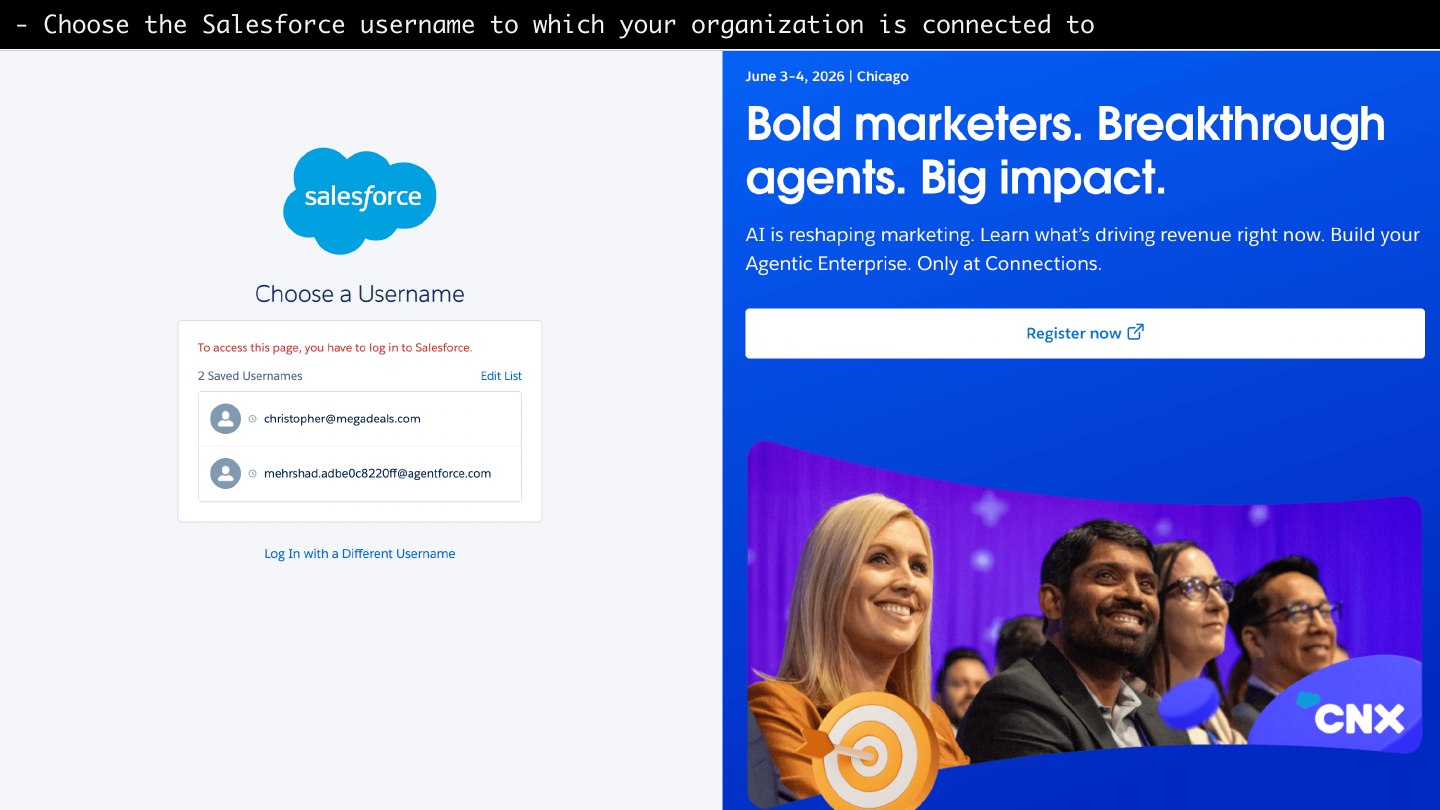
Image guide: Salesforce asks the admin to choose the username and org where the package will be installed.
- Select who can access the package.
- Acknowledge the package installation notice.
- Complete install or upgrade.
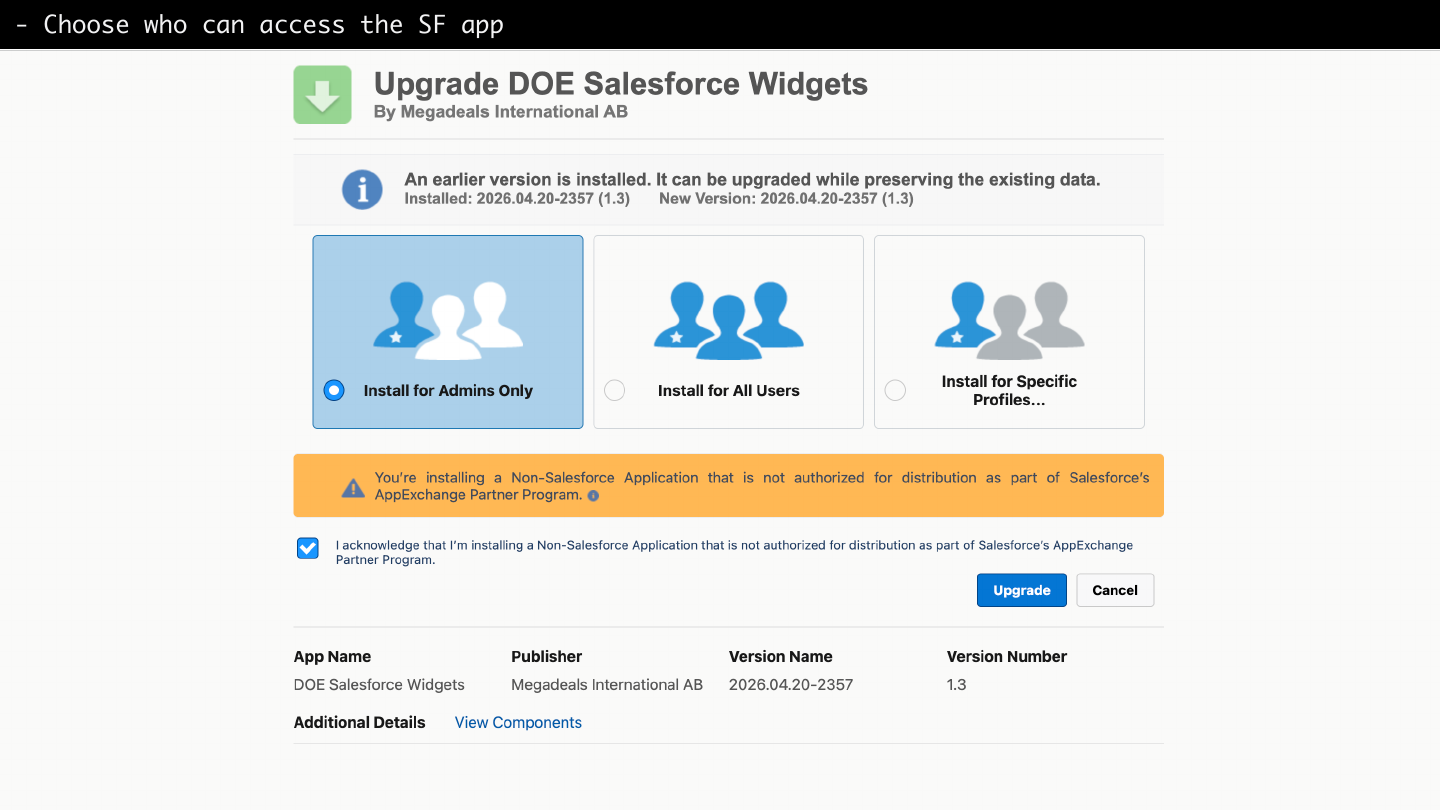
Image guide: During package installation, choose the user access level that matches your rollout plan. Admin-only install is the safest first step for validation.
- Review the installed package components if Salesforce shows the package detail screen.
- Return to DOE and continue with Connect Salesforce.
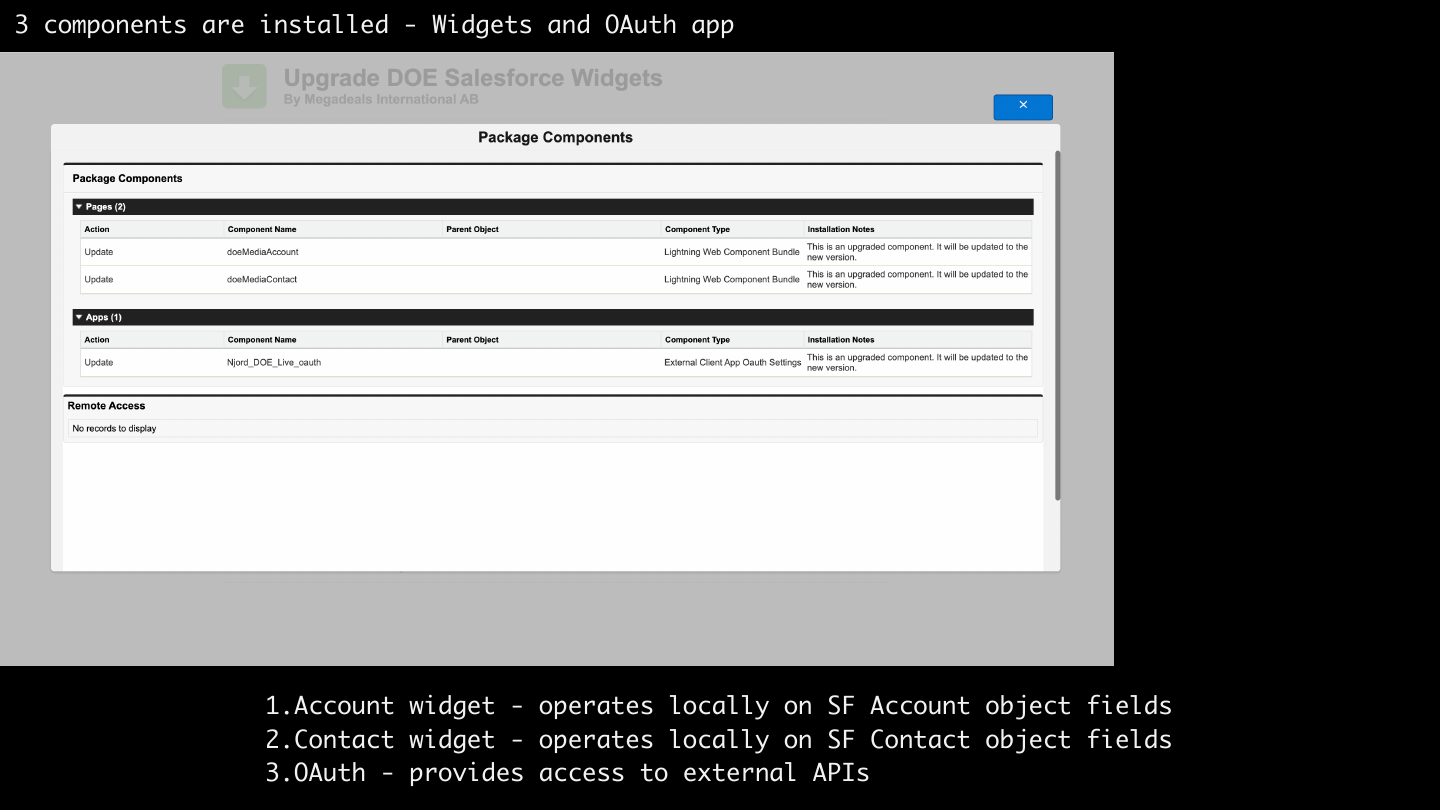
Image guide: The package includes Account and Contact Lightning widgets plus the OAuth app metadata used for secure authorization.
What the package includes
| Component | Purpose |
|---|---|
| Account widget | Shows DOE context on Salesforce Account records. |
| Contact widget | Shows DOE context on Salesforce Contact records. |
| External Client App metadata | Supports the Salesforce authorization flow used by DOE. |
| Managed fields | Stores DOE media, PIF, targeting, and link fields on mapped records. |
After installation
Open the Salesforce card in DOE. If the card is not connected, use Connect. If the package was upgraded, verify the details panel after connection and check for setup warnings.