Disconnect Records
Disconnect Records
Disconnect removes the mapping between DOE and HubSpot. It does not delete the DOE account, stakeholder, HubSpot company, or HubSpot contact.
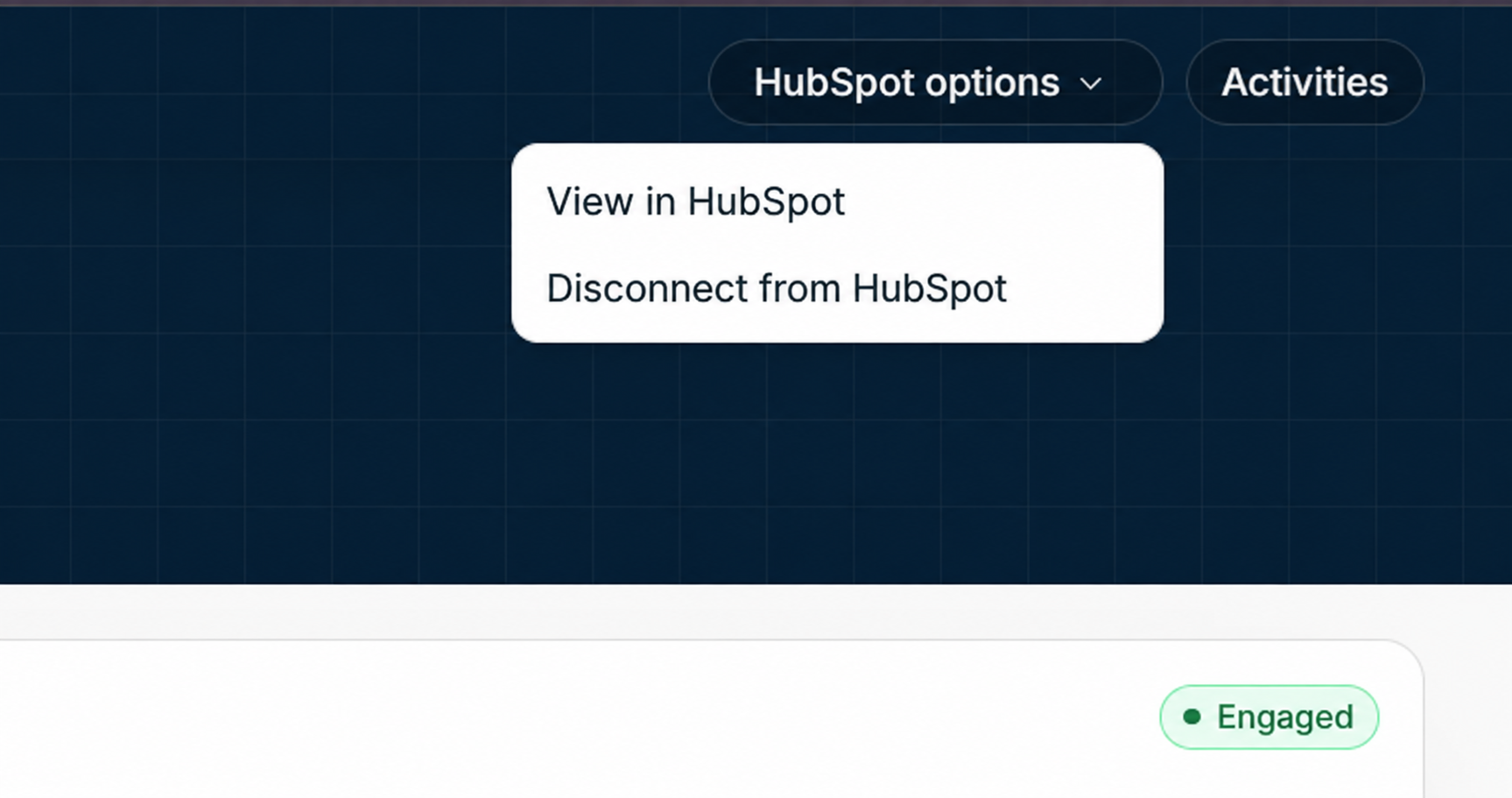
Image guide: Start from the connected DOE record and open HubSpot options. Choose Disconnect from HubSpot when the DOE record should stop syncing to the currently linked HubSpot record.
Account Disconnect
For an account, disconnecting removes the account/company mapping. Stakeholder mappings under that account can also stop being valid because those stakeholder mappings depend on the parent account context. DOE-managed HubSpot media properties are cleared where supported.
Use account disconnect when the DOE account is linked to the wrong HubSpot company or when the account should no longer sync with HubSpot.
Stakeholder Disconnect
For a stakeholder, disconnecting removes only that stakeholder/contact mapping and clears DOE-managed media properties for that contact where supported.
Use stakeholder disconnect when the person is linked to the wrong HubSpot contact or when the person should stay in DOE without syncing to HubSpot.
Steps
- Open the mapped DOE account or stakeholder.
- Open the HubSpot actions menu.
- Choose Disconnect.
- Read the confirmation message.
- Confirm the disconnect.
- Refresh the record and confirm the HubSpot link is gone.
What The Confirmation Means
The confirmation is asking whether the user wants to remove the connection only. The DOE record remains in DOE. The HubSpot record remains in HubSpot. The action removes the saved HubSpot object ID from the DOE record and stops future sync for that mapping.
What Happens After Disconnect
The DOE record remains in DOE. The HubSpot record remains in HubSpot. Historical activity in DOE is not deleted. Future profile and media sync stops for the disconnected mapping.
If the record should be connected again, use manual connect, import, export, or re-run mapping depending on the situation.
When To Use It
Use disconnect when a record was linked to the wrong HubSpot company or contact, when a duplicate needs cleanup, or when you need to prevent automatic remapping until someone explicitly connects it again.
When Not To Use It
Do not use disconnect if the whole workspace should stop using HubSpot. Use Uninstall HubSpot for that. Do not use disconnect to delete records from either system; it only removes the link between DOE and HubSpot.